

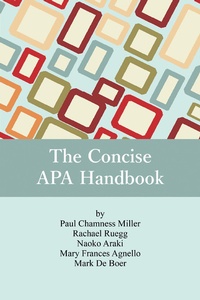
Concise APA Handbook
1st Edition
Published on 2. January 2017
75 pages
978-1-68123-775-6 (ISBN)
Description

Most students struggle with learning how to find references, use them effectively, and cite them appropriately in a required format. One of the most common formats is that of APA. The authors all teach at the same university, where their current offthe-shelf reference book, while helpful, is filled with a lot of extra information that they do not use and contains missing or incorrect information. The cost of this book also continues to rise. In a search for something else to meet their needs, they discovered that there are no concise guides that deal with APA only that are cost effective or user-friendly for students who are not familiar with using references and formatting an essay in the APA format. In order to offer student writers a source of information that is concise and cost-effective, the authors have written this handbook to provide students with important information in clear, concise, user-friendly language, as well as to offer practical examples that will help them grasp the concept of secondary research writing.Much of the published materials present the nitpicky details of APA in very technical terms that are not easy to understand. This handbook presents the same information in simplified terms with images and step-by-step instructions in ways that will make sense to both undergraduate and graduate student writers. Additionally, student writers often struggle with understanding the concept of plagiarism, as well as how to find sources, evaluate the appropriateness of sources, and use sources in effective ways (e.g., how to integrate quotes, when to paraphrase, among others). This book provides this information in a concise and easy-to-understand format.
All prices
More details
Other editions
Additional editions
Paul Chamness Miller | Racheal Ruegg | Naoko Araki
The Concise APA Handbook
Book
02/2017
Information Age Publishing
€32.30
Shipment within 3-4 weeks
Content
1 - Front Cover [Seite 1]
2 - THE CONCISE APA HANDBOOK [Seite 2]
3 - CONTENTS [Seite 6]
3.1 - 1 What Is Referencing and Why Do We Need It? 1 [Seite 6]
3.2 - 2 Plagiarism 5 [Seite 6]
3.3 - 3 Evaluating Sources for Academic Work 13 [Seite 6]
3.4 - 4 In-Text Citation 27 [Seite 6]
3.5 - 5 Making Your Reference List 39 [Seite 7]
3.6 - 6 Formatting 51 [Seite 7]
3.7 - THE CONCISE APA HANDBOOK [Seite 4]
3.7.1 - By Paul Chamness Miller Rachael Ruegg Naoko Araki Mary Frances Agnello Mark de Boer Akita International University [Seite 4]
3.7.1.1 - Information Age Publishing, Inc. [Seite 4]
3.7.1.2 - Charlotte, North Carolina www.infoagepub.com [Seite 4]
3.7.1.2.1 - Preface [Seite 8]
3.7.1.3 - Acknowledgment [Seite 9]
3.8 - 1 [Seite 10]
3.8.1 - What Is Referencing and Why Do We Need It? [Seite 10]
3.8.2 - Reference [Seite 12]
3.9 - 2 [Seite 14]
3.9.1 - Plagiarism [Seite 14]
3.9.2 - TWO BASIC RULES TO FOLLOW TO AVOID PLAGIARISM [Seite 15]
3.9.3 - A MORE DETAILED EXAMINATION OF AVOIDING PLAGIARISM [Seite 15]
3.9.4 - SELF-PLAGIARISM [Seite 17]
3.9.5 - PATCH WRITING [Seite 18]
3.9.6 - LANGUAGE PROFICIENCY-RELATED PLAGIARISM [Seite 19]
3.9.7 - THE CONSEQUENCES OF PLAGIARISM [Seite 20]
3.9.8 - A FINAL WORD ABOUT PLAGIARISM [Seite 21]
3.9.9 - REFERENCES [Seite 21]
3.10 - 3 [Seite 22]
3.10.1 - Evaluating Sources for Academic Work [Seite 22]
3.10.1.1 - Figure 3.1. Example of a basic Google search. [Seite 23]
3.10.1.2 - Figure 3.2. Google. [Seite 23]
3.10.1.3 - Figure 3.3. Google Scholar. [Seite 23]
3.10.2 - Details About How to Access Google Scholar [Seite 24]
3.10.2.1 - Figure 3.4. Sample Google Scholar search. [Seite 24]
3.10.3 - Broadening and Narrowing the Search [Seite 24]
3.10.3.1 - Figure 3.5. Example using combine connectors. [Seite 25]
3.10.4 - Search Engines for Academic Materials at the Library [Seite 28]
3.10.4.1 - JSTOR [Seite 28]
3.10.4.1.1 - Figure 3.9. Homepage of JSTOR. [Seite 28]
3.10.4.1.2 - Figure 3.10. Advanced search page of JSTOR. [Seite 28]
3.10.4.1.3 - Figure 3.11. Searching for full-text sources. [Seite 29]
3.10.4.1.4 - Figure 3.12. Example of advanced search. [Seite 29]
3.10.4.1.5 - Figure 3.13. Search results in JSTOR. [Seite 30]
3.10.4.2 - LexisNexis [Seite 30]
3.10.4.2.1 - Figure 3.14. LexisNexis homepage for Japan and other countries. [Seite 30]
3.10.4.2.2 - Figure 3.15. Description of LexisNexis search functions for the Japanese version. [Seite 31]
3.10.4.2.3 - Figure 3.17. LexisNexis search results for all versions. [Seite 32]
3.10.4.2.4 - Figure 3.18. LexisNexis newspaper results. [Seite 32]
3.10.4.3 - ScienceDirect [Seite 33]
3.10.4.3.1 - Figure 3.19. ScienceDirect home page. [Seite 33]
3.10.4.3.2 - Figure 3.20. Example search results of ScienceDirect. [Seite 33]
3.10.5 - Finding Relevant Sources [Seite 34]
3.10.5.1 - Figure 3.8. Combination of quotations and signal abbreviation. [Seite 27]
3.10.5.2 - Figure 3.6. Results in Google Scholar. [Seite 26]
3.10.5.3 - Figure 3.7. Example of Google Scholar and quotations. [Seite 26]
3.10.6 - Table 3.1. List of Signal Abbreviations [Seite 27]
3.11 - 4 [Seite 36]
3.11.1 - In-Text Citation [Seite 36]
3.11.2 - Quotation and Paraphrasing [Seite 36]
3.11.2.1 - Quotation [Seite 36]
3.11.2.2 - Paraphrasing [Seite 39]
3.11.3 - INTRODUCING QUOTED AND PARAPHRASED INFORMATION [Seite 41]
3.11.3.1 - Signal Phrases [Seite 41]
3.11.4 - Table 4.1. Examples of Verbs Used to Show the Relationship Between the Writer and Source Material [Seite 42]
3.11.4.1 - Parenthetical In-Text Citation [Seite 43]
3.11.4.2 - Citing Information That Has Been Cited by Others [Seite 43]
3.11.4.3 - References [Seite 45]
3.12 - 5 [Seite 48]
3.12.1 - Making Your Reference List [Seite 48]
3.12.2 - WHY DO I NEED A REFERENCE LIST? [Seite 48]
3.12.3 - WHAT SHOULD I INCLUDE IN MY REFERENCE LIST? [Seite 48]
3.12.4 - WHERE DOES THE REFERENCE LIST GO IN MY ESSAY? [Seite 48]
3.12.5 - HOW SHOULD I FORMAT MY REFERENCE LIST? [Seite 49]
3.12.5.1 - 1. Your reference list should start with the word "References" (without quotation marks) centered at the top of the page. This word should not be underlined, bolded, or written with capital letters. It should look exactly like this: [Seite 49]
3.12.5.2 - 2. References should be listed in alphabetical order by whatever appears first in each entry. [Seite 49]
3.12.5.3 - 3. Your references should be formatted the same as the rest of your paper with 1-inch margins. [Seite 49]
3.12.5.4 - 4. Your references should be double spaced all the way through. This means that each line of each entry should be double spaced, not just between entries. [Seite 49]
3.12.5.5 - 5. Although APA does not have a specific required font, fonts that are difficult to read should be avoided. APA and most instructors recommend using 12-point Times New Roman. [Seite 49]
3.12.5.6 - 6. Your references should be formatted with a hanging indentation set to 0.5 inches (see Chapter 6 to learn how to set a hanging indentation). [Seite 49]
3.12.6 - HOW SHOULD I FORMAT EACH REFERENCE? [Seite 49]
3.12.6.1 - 1. Author(s) name(s) in the order they appear in the source [See the note below] [Seite 50]
3.12.6.2 - 2. Publication date [Seite 50]
3.12.6.3 - 3. Title of the source [Seite 50]
3.12.6.4 - 4. Title of the book/journal/website the source comes from [Seite 50]
3.12.6.5 - 5. Volume and issue number (usually only journals, magazines & newspapers) [Seite 50]
3.12.6.6 - 6. Page numbers (except for some online sources) [Seite 50]
3.12.6.7 - 7. DOI number for an academic journal source [Seite 50]
3.12.6.8 - 8. URL for a website source [Seite 50]
3.12.7 - Examples [Seite 51]
3.12.7.1 - Academic Journal Articles [Seite 51]
3.12.7.2 - Books [Seite 53]
3.12.7.3 - Book Chapters [Seite 55]
3.12.7.4 - Miscellaneous Online Sources [Seite 56]
3.12.7.5 - Miscellaneous Other Sources [Seite 58]
3.13 - 6 [Seite 60]
3.13.1 - Formatting [Seite 60]
3.13.2 - Font and Font Size [Seite 60]
3.13.2.1 - Figure 6.1. Example of a home menu bar. [Seite 61]
3.13.2.2 - Figure 6.2. Where to choose the font and appropriate size. [Seite 61]
3.13.3 - LINE SPACING [Seite 61]
3.13.3.1 - Figure 6.3. Example button to change line spacing. [Seite 61]
3.13.3.2 - Figure 6.4. Example of line space drop box menu. [Seite 61]
3.13.4 - MARGINS [Seite 62]
3.13.4.1 - Figure 6.5. Sample "layout" button. [Seite 62]
3.13.4.2 - Figure 6.6. Margins setting in inches. [Seite 62]
3.13.4.3 - Figure 6.7. Margins setting in centimeters. [Seite 62]
3.13.5 - RUNNING HEAD [Seite 63]
3.13.5.1 - Figure 6.8. Activating the header. [Seite 63]
3.13.5.2 - Figure 6.9. Example of an activated header area. [Seite 63]
3.13.5.3 - Figure 6.10. Example of a running header in the header. [Seite 64]
3.13.5.4 - Figure 6.11. How to check word/character count. [Seite 64]
3.13.5.5 - Figure 6.12. Example of a header and footer button. [Seite 65]
3.13.5.6 - Figure 6.13. Mac version of the Options menu for changing the header and footer. [Seite 65]
3.13.5.7 - Figure 6.14. Windows version of the Options menu for changing the header and footer. [Seite 65]
3.13.5.8 - Figure 6.15. Removing "Running head:" from 2nd page. [Seite 65]
3.13.5.9 - Figure 6.16. "Running head:" removed from header on 2nd page and beyond. [Seite 66]
3.13.5.10 - Figure 6.17. How the title page (first page) of the paper should look. [Seite 66]
3.13.5.11 - Figure 6.18. How pages 2 to the end of the document should look. [Seite 66]
3.13.6 - SECTION TITLES AND HEADING TITLES [Seite 66]
3.13.7 - SECTION TITLES [Seite 67]
3.13.8 - HEADING TITLES [Seite 68]
3.13.9 - Table 6.1. How to Format Headings Based on Level [Seite 68]
3.13.9.1 - 2 [Seite 68]
3.13.9.2 - BULLETS AND LISTS [Seite 69]
3.13.9.2.1 - Figure 6.19. Sample "bullet" button. [Seite 69]
3.13.9.3 - INSERTING A PAGE BREAK [Seite 70]
3.13.9.3.1 - Figure 6.20. Where to find the "Page Break" button. [Seite 70]
3.13.9.3.2 - Figure 6.21. The "editing marks" button. [Seite 71]
3.13.9.3.3 - Figure 6.22. Sample of what a page with the editing marks revealed. [Seite 71]
3.13.9.3.4 - Figure 6.23. Sample of a page with a "Page Break" inserted. [Seite 71]
3.13.9.4 - PUTTING DIAGRAMS, TABLES, AND GRAPHS INLINE [Seite 72]
3.13.9.4.1 - Figure 6.24. Sample "picture." [Seite 72]
3.13.9.4.2 - Figure 6.25. Where to find the "Wrap Text" option in the image "Format" menu. [Seite 72]
3.13.9.4.3 - Figure 6.26. Finding the "Wrap Text" feature through the "Arrange" button. [Seite 73]
3.13.9.4.4 - Figure 6.27. Setting image to be in line with the text. [Seite 73]
3.13.9.4.5 - Figure 6.28. Example of image set to "through" text. [Seite 74]
3.13.9.4.6 - Figure 6.29. Example of an image set to "square." [Seite 74]
3.13.9.5 - Indents [Seite 74]
3.13.9.5.1 - Figure 6.30. Sample "indent" buttons. [Seite 75]
3.13.9.5.2 - Figure 6.31. Accessing the menu for formatting the paragraph. [Seite 76]
3.13.9.5.3 - Figure 6.32. Sample paragraph formatting options. [Seite 76]
3.13.9.5.4 - Figure 6.33. Sample hanging indentation settings. [Seite 77]
3.13.9.5.5 - Figure 6.34. Sample of references with hanging indentation. [Seite 78]
3.13.9.6 - NOTE [Seite 78]
3.14 - Back Cover [Seite 80]
2 - THE CONCISE APA HANDBOOK [Seite 2]
3 - CONTENTS [Seite 6]
3.1 - 1 What Is Referencing and Why Do We Need It? 1 [Seite 6]
3.2 - 2 Plagiarism 5 [Seite 6]
3.3 - 3 Evaluating Sources for Academic Work 13 [Seite 6]
3.4 - 4 In-Text Citation 27 [Seite 6]
3.5 - 5 Making Your Reference List 39 [Seite 7]
3.6 - 6 Formatting 51 [Seite 7]
3.7 - THE CONCISE APA HANDBOOK [Seite 4]
3.7.1 - By Paul Chamness Miller Rachael Ruegg Naoko Araki Mary Frances Agnello Mark de Boer Akita International University [Seite 4]
3.7.1.1 - Information Age Publishing, Inc. [Seite 4]
3.7.1.2 - Charlotte, North Carolina www.infoagepub.com [Seite 4]
3.7.1.2.1 - Preface [Seite 8]
3.7.1.3 - Acknowledgment [Seite 9]
3.8 - 1 [Seite 10]
3.8.1 - What Is Referencing and Why Do We Need It? [Seite 10]
3.8.2 - Reference [Seite 12]
3.9 - 2 [Seite 14]
3.9.1 - Plagiarism [Seite 14]
3.9.2 - TWO BASIC RULES TO FOLLOW TO AVOID PLAGIARISM [Seite 15]
3.9.3 - A MORE DETAILED EXAMINATION OF AVOIDING PLAGIARISM [Seite 15]
3.9.4 - SELF-PLAGIARISM [Seite 17]
3.9.5 - PATCH WRITING [Seite 18]
3.9.6 - LANGUAGE PROFICIENCY-RELATED PLAGIARISM [Seite 19]
3.9.7 - THE CONSEQUENCES OF PLAGIARISM [Seite 20]
3.9.8 - A FINAL WORD ABOUT PLAGIARISM [Seite 21]
3.9.9 - REFERENCES [Seite 21]
3.10 - 3 [Seite 22]
3.10.1 - Evaluating Sources for Academic Work [Seite 22]
3.10.1.1 - Figure 3.1. Example of a basic Google search. [Seite 23]
3.10.1.2 - Figure 3.2. Google. [Seite 23]
3.10.1.3 - Figure 3.3. Google Scholar. [Seite 23]
3.10.2 - Details About How to Access Google Scholar [Seite 24]
3.10.2.1 - Figure 3.4. Sample Google Scholar search. [Seite 24]
3.10.3 - Broadening and Narrowing the Search [Seite 24]
3.10.3.1 - Figure 3.5. Example using combine connectors. [Seite 25]
3.10.4 - Search Engines for Academic Materials at the Library [Seite 28]
3.10.4.1 - JSTOR [Seite 28]
3.10.4.1.1 - Figure 3.9. Homepage of JSTOR. [Seite 28]
3.10.4.1.2 - Figure 3.10. Advanced search page of JSTOR. [Seite 28]
3.10.4.1.3 - Figure 3.11. Searching for full-text sources. [Seite 29]
3.10.4.1.4 - Figure 3.12. Example of advanced search. [Seite 29]
3.10.4.1.5 - Figure 3.13. Search results in JSTOR. [Seite 30]
3.10.4.2 - LexisNexis [Seite 30]
3.10.4.2.1 - Figure 3.14. LexisNexis homepage for Japan and other countries. [Seite 30]
3.10.4.2.2 - Figure 3.15. Description of LexisNexis search functions for the Japanese version. [Seite 31]
3.10.4.2.3 - Figure 3.17. LexisNexis search results for all versions. [Seite 32]
3.10.4.2.4 - Figure 3.18. LexisNexis newspaper results. [Seite 32]
3.10.4.3 - ScienceDirect [Seite 33]
3.10.4.3.1 - Figure 3.19. ScienceDirect home page. [Seite 33]
3.10.4.3.2 - Figure 3.20. Example search results of ScienceDirect. [Seite 33]
3.10.5 - Finding Relevant Sources [Seite 34]
3.10.5.1 - Figure 3.8. Combination of quotations and signal abbreviation. [Seite 27]
3.10.5.2 - Figure 3.6. Results in Google Scholar. [Seite 26]
3.10.5.3 - Figure 3.7. Example of Google Scholar and quotations. [Seite 26]
3.10.6 - Table 3.1. List of Signal Abbreviations [Seite 27]
3.11 - 4 [Seite 36]
3.11.1 - In-Text Citation [Seite 36]
3.11.2 - Quotation and Paraphrasing [Seite 36]
3.11.2.1 - Quotation [Seite 36]
3.11.2.2 - Paraphrasing [Seite 39]
3.11.3 - INTRODUCING QUOTED AND PARAPHRASED INFORMATION [Seite 41]
3.11.3.1 - Signal Phrases [Seite 41]
3.11.4 - Table 4.1. Examples of Verbs Used to Show the Relationship Between the Writer and Source Material [Seite 42]
3.11.4.1 - Parenthetical In-Text Citation [Seite 43]
3.11.4.2 - Citing Information That Has Been Cited by Others [Seite 43]
3.11.4.3 - References [Seite 45]
3.12 - 5 [Seite 48]
3.12.1 - Making Your Reference List [Seite 48]
3.12.2 - WHY DO I NEED A REFERENCE LIST? [Seite 48]
3.12.3 - WHAT SHOULD I INCLUDE IN MY REFERENCE LIST? [Seite 48]
3.12.4 - WHERE DOES THE REFERENCE LIST GO IN MY ESSAY? [Seite 48]
3.12.5 - HOW SHOULD I FORMAT MY REFERENCE LIST? [Seite 49]
3.12.5.1 - 1. Your reference list should start with the word "References" (without quotation marks) centered at the top of the page. This word should not be underlined, bolded, or written with capital letters. It should look exactly like this: [Seite 49]
3.12.5.2 - 2. References should be listed in alphabetical order by whatever appears first in each entry. [Seite 49]
3.12.5.3 - 3. Your references should be formatted the same as the rest of your paper with 1-inch margins. [Seite 49]
3.12.5.4 - 4. Your references should be double spaced all the way through. This means that each line of each entry should be double spaced, not just between entries. [Seite 49]
3.12.5.5 - 5. Although APA does not have a specific required font, fonts that are difficult to read should be avoided. APA and most instructors recommend using 12-point Times New Roman. [Seite 49]
3.12.5.6 - 6. Your references should be formatted with a hanging indentation set to 0.5 inches (see Chapter 6 to learn how to set a hanging indentation). [Seite 49]
3.12.6 - HOW SHOULD I FORMAT EACH REFERENCE? [Seite 49]
3.12.6.1 - 1. Author(s) name(s) in the order they appear in the source [See the note below] [Seite 50]
3.12.6.2 - 2. Publication date [Seite 50]
3.12.6.3 - 3. Title of the source [Seite 50]
3.12.6.4 - 4. Title of the book/journal/website the source comes from [Seite 50]
3.12.6.5 - 5. Volume and issue number (usually only journals, magazines & newspapers) [Seite 50]
3.12.6.6 - 6. Page numbers (except for some online sources) [Seite 50]
3.12.6.7 - 7. DOI number for an academic journal source [Seite 50]
3.12.6.8 - 8. URL for a website source [Seite 50]
3.12.7 - Examples [Seite 51]
3.12.7.1 - Academic Journal Articles [Seite 51]
3.12.7.2 - Books [Seite 53]
3.12.7.3 - Book Chapters [Seite 55]
3.12.7.4 - Miscellaneous Online Sources [Seite 56]
3.12.7.5 - Miscellaneous Other Sources [Seite 58]
3.13 - 6 [Seite 60]
3.13.1 - Formatting [Seite 60]
3.13.2 - Font and Font Size [Seite 60]
3.13.2.1 - Figure 6.1. Example of a home menu bar. [Seite 61]
3.13.2.2 - Figure 6.2. Where to choose the font and appropriate size. [Seite 61]
3.13.3 - LINE SPACING [Seite 61]
3.13.3.1 - Figure 6.3. Example button to change line spacing. [Seite 61]
3.13.3.2 - Figure 6.4. Example of line space drop box menu. [Seite 61]
3.13.4 - MARGINS [Seite 62]
3.13.4.1 - Figure 6.5. Sample "layout" button. [Seite 62]
3.13.4.2 - Figure 6.6. Margins setting in inches. [Seite 62]
3.13.4.3 - Figure 6.7. Margins setting in centimeters. [Seite 62]
3.13.5 - RUNNING HEAD [Seite 63]
3.13.5.1 - Figure 6.8. Activating the header. [Seite 63]
3.13.5.2 - Figure 6.9. Example of an activated header area. [Seite 63]
3.13.5.3 - Figure 6.10. Example of a running header in the header. [Seite 64]
3.13.5.4 - Figure 6.11. How to check word/character count. [Seite 64]
3.13.5.5 - Figure 6.12. Example of a header and footer button. [Seite 65]
3.13.5.6 - Figure 6.13. Mac version of the Options menu for changing the header and footer. [Seite 65]
3.13.5.7 - Figure 6.14. Windows version of the Options menu for changing the header and footer. [Seite 65]
3.13.5.8 - Figure 6.15. Removing "Running head:" from 2nd page. [Seite 65]
3.13.5.9 - Figure 6.16. "Running head:" removed from header on 2nd page and beyond. [Seite 66]
3.13.5.10 - Figure 6.17. How the title page (first page) of the paper should look. [Seite 66]
3.13.5.11 - Figure 6.18. How pages 2 to the end of the document should look. [Seite 66]
3.13.6 - SECTION TITLES AND HEADING TITLES [Seite 66]
3.13.7 - SECTION TITLES [Seite 67]
3.13.8 - HEADING TITLES [Seite 68]
3.13.9 - Table 6.1. How to Format Headings Based on Level [Seite 68]
3.13.9.1 - 2 [Seite 68]
3.13.9.2 - BULLETS AND LISTS [Seite 69]
3.13.9.2.1 - Figure 6.19. Sample "bullet" button. [Seite 69]
3.13.9.3 - INSERTING A PAGE BREAK [Seite 70]
3.13.9.3.1 - Figure 6.20. Where to find the "Page Break" button. [Seite 70]
3.13.9.3.2 - Figure 6.21. The "editing marks" button. [Seite 71]
3.13.9.3.3 - Figure 6.22. Sample of what a page with the editing marks revealed. [Seite 71]
3.13.9.3.4 - Figure 6.23. Sample of a page with a "Page Break" inserted. [Seite 71]
3.13.9.4 - PUTTING DIAGRAMS, TABLES, AND GRAPHS INLINE [Seite 72]
3.13.9.4.1 - Figure 6.24. Sample "picture." [Seite 72]
3.13.9.4.2 - Figure 6.25. Where to find the "Wrap Text" option in the image "Format" menu. [Seite 72]
3.13.9.4.3 - Figure 6.26. Finding the "Wrap Text" feature through the "Arrange" button. [Seite 73]
3.13.9.4.4 - Figure 6.27. Setting image to be in line with the text. [Seite 73]
3.13.9.4.5 - Figure 6.28. Example of image set to "through" text. [Seite 74]
3.13.9.4.6 - Figure 6.29. Example of an image set to "square." [Seite 74]
3.13.9.5 - Indents [Seite 74]
3.13.9.5.1 - Figure 6.30. Sample "indent" buttons. [Seite 75]
3.13.9.5.2 - Figure 6.31. Accessing the menu for formatting the paragraph. [Seite 76]
3.13.9.5.3 - Figure 6.32. Sample paragraph formatting options. [Seite 76]
3.13.9.5.4 - Figure 6.33. Sample hanging indentation settings. [Seite 77]
3.13.9.5.5 - Figure 6.34. Sample of references with hanging indentation. [Seite 78]
3.13.9.6 - NOTE [Seite 78]
3.14 - Back Cover [Seite 80]

