

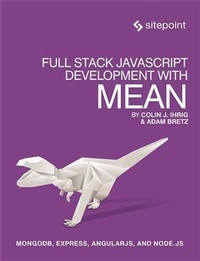
Full Stack JavaScript Development With MEAN
MongoDB, Express, AngularJS, and Node.JS
Published on 24. December 2014
300 pages
978-1-4571-9235-7 (ISBN)
Description

With modern tools. it is possible to create a production grade, full-stack application using HTML, CSS, and JavaScript alone. The combination of MongoDB, Express, AngularJS, and Node.js has become so popular that it has earned the title MEAN stack -- the subject of this book.This book explores the MEAN stack in detail. We will begin by covering Node.js, as it will lay the groundwork for all of our server-side work. You will learn how to get Node running on your local machine as well as download modules using npm. The key aspects of the Node.js programming model will also be covered.From there, we will move on to MongoDB, where you'll learn how to interact with Mongo from a Node application. You will also learn how to create, retrieve, update, and delete data from a Mongo store.After you have a solid grasp on Node and Mongo, the book will move on to the Express web server. We'll cover the basics of Express applications via topics like routes and middleware. Building on previous chapters, we will cover the integration of Node, Mongo, and Express.Our coverage of the MEAN stack will wrap up with several chapters on AngularJS. These chapters will cover Angular fundamentals like data binding, directives, controllers, routing, and services. In an effort to explore competing technologies, a slight introduction to Ember.js will also be provided.Full stack JavaScript is not fully encompassed by the MEAN stack. There is an entire ecosystem of JavaScript tools to learn about, and this book will introduce a few of them. We will cover task runners Gulp.js and Grunt.js which are extremely useful for automating mundane, repetitive tasks. We'll also cover JSHint, a linting tool used to improve code quality. Linting tools analyze source code and report potentials issues - a feature that is especially useful in non-compiled languages like JavaScript.
More details
Other editions
Additional editions
Colin Ihrig | Adam Bretz
Full Stack JavaScript Development with MEAN
Mongodb, Express, Angularjs, and Node.Js
Book
01/2015
SitePoint Pty Ltd
€37.50
Shipment within 3-4 weeks
Content
- Intro
- Full Stack JavaScript Development with MEAN
- Table of Contents
- Preface
- Who Should Read This Book
- Conventions Used
- Code Samples
- Tips, Notes, and Warnings
- Supplementary Materials
- Want to Take Your Learning Further?
- Introduction
- The Rise of Full-stack JavaScript
- Node.js
- The Node.js Ecosystem
- MongoDB
- AngularJS
- Summary
- Node.js Introduction
- Familiarity with JavaScript
- The Problem with I/O
- An Example Web Server
- Stepping Around the I/O Problem
- Example Web Server Revisited
- Real World Data
- Your First Node.js Server
- Installing Node.js
- REPL
- Writing the Server
- Our Server in Action
- Summary
- Modules and npm
- npm
- npm install
- Global versus Local Installations
- Global Installation Setup
- npm search
- package.json
- The node_modules Folder
- Module Dependencies
- require()
- Other Uses for require
- Writing a Module
- Module Functionality
- Caching
- npm link
- npm link Step 1
- npm link Step 2
- Summary
- Node's Programming Model
- The Event Loop
- The Illusion of Concurrency
- Asynchronous Coding
- Callback Functions
- Calling Conventions
- Exception Handling
- Callback Hell
- Event Emitters
- Extending EventEmitter
- Listening for Events
- Exception Handling
- The uncaughtException Event
- Promises
- Promise Chaining
- Summary
- Core Modules
- Command Line Arguments
- Working with the File System
- __filename and __dirname
- The Current Working Directory
- Reading Files
- Writing Files
- Streams
- Readable Streams
- Readable File Streams
- Writable Streams
- Handling Back Pressure
- Writable File Streams
- The Standard Streams
- Web Programming
- Creating a Server
- Routes
- Accessing Request Headers
- Summary
- Building the Node Server
- Server Plan
- Structuring the Application
- Getting Started
- Routing
- Database Module
- Querying the Database
- Response Generator
- Putting It Back Together
- Summary
- MongoDB Introduction
- NoSQL Databases
- History of MongoDB
- Installing MongoDB Locally
- Cloud Hosting
- Heroku Integration
- The MongoDB Shell
- Inserting New Data
- Retrieving Data
- Limiting the Size of the Result Set
- Updating Data
- Deleting Data
- Deleting Collections
- Deleting Databases
- Summary
- Interacting with MongoDB Using Mongoose
- Mongoose Node Module
- Schemas
- Mixed Schema Type
- ObjectID Schema Type
- Example Mongoose Schema
- Mongoose Models
- Creating More Documents
- Simple Queries
- Updating
- Summary
- Using MongoDB and Mongoose in Our Sample App
- Adding Mongoose Models
- The Employee Model
- The Team Model
- Populating the Database
- Accessing the Database
- Summary
- Alternatives to Mongo
- Relational Databases and SQL
- The mysql Module
- Connecting to a Database
- Connection Pooling
- Closing Connections
- Executing Queries
- Summary
- Introduction to Express
- The Building Blocks of Express
- Router
- Route Lookup
- Static Files
- Middleware
- Middleware Breakdown
- Routes
- Optional Parameters
- Other Route Options
- Putting It Together
- Generating an Express App
- Jade
- Summary
- Architecture of an Express Application
- Starting the Server
- app.js
- app.use
- cookieParser
- Static Files Revisited
- Error Handling
- Error Handling in Practice
- app.set
- Router Object
- Using the Router Object
- Exercise
- Simulating Database Interaction
- Generating the HTML
- Summary
- Using Express in Our App
- Updates to package.json
- The npm start Script
- Defining Routes
- Employee Routes
- Team Routes
- Update index.js
- Summary
- Alternative Server Frameworks
- hapi Overview
- Express Comparison
- Route Configuration
- Routing
- Built-in Capability
- Events
- Plugins
- Plugin Example
- Summary
- AngularJS Overview
- Single-page Applications
- SPA Frameworks
- Model-View-Controller Architecture
- Getting Angular
- Building from Source
- Releases
- Angular "Hello World
- Summary
- Data Binding
- One-Way Data Binding
- Two-Way Data Binding
- A Simple Example
- Markup Explanation
- Summary
- Technical Overview
- $watch
- Digest Loop
- Simple Controllers
- Data Binding with Lists
- Summary
- Angular Directives
- Overview
- An Example Using Common Directives
- Creating Directives
- An Example Custom Directive
- Summary
- Controllers
- Syntax
- Dependencies
- Expanding on Our Example
- Express Integration
- JavaScript
- HTML
- Simple Service
- Using EmployeeService
- Summary
- Client-side Routing
- Getting Started with ngRoute
- Application Overview
- Code
- Router
- Routing Life Cycle Example
- Service and Controllers
- Views
- Putting It Together
- Summary
- Angular in Our App
- The Home Page
- CSS and Image Files
- app.js
- Template Files
- Team and Employee Listing Views
- Individual Team View
- Individual Employee View
- Summary
- Task Runners
- Introducing Gulp
- Setting Up Gulp
- Designing a Gulp File
- css Task
- javascript Task
- watch Task
- Summary
- Debugging
- The debugger Statement
- Running Chrome's Debugger
- Controlling the Debugger
- Modifying Variables
- Node's Debugger
- node-inspector
- node-debug
- Summary
- Testing
- Testing Node
- Defining Tests
- Asynchronous Tests
- skip() and only()
- Test Hooks
- Assertions
- Testing Angular
- Set Up
- Test Code Setup
- Controller Tests
- Running the Tests
- Next Steps
- Summary
