

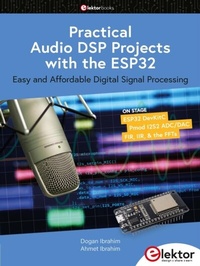
Practical Audio DSP Projects with the ESP32
Easy and Affordable Digital Signal Processing
1st Edition
Published on 5. July 2023
254 pages
978-3-89576-568-1 (ISBN)
Description

The aim of this book is to teach the basic principles of Digital Signal Processing (DSP) and to introduce it from a practical point of view using the bare minimum of mathematics. Only the basic level of discrete-time systems theory is given, sufficient to implement DSP applications in real time. The practical implementations are described in real time using the highly popular ESP32 DevKitC microcontroller development board. With the low cost and extremely popular ESP32 microcontroller, you should be able to design elementary DSP projects with sampling frequencies within the audio range. All programming is done using the popular Arduino IDE in conjunction with the C language compiler.
After laying a solid foundation of DSP theory and pertinent discussions on the main DSP software tools on the market, the book present the following audio-based sound and DSP projects:
> Using an I2S-based digital microphone to capture audio sound
> Using an I2S-based class-D audio amplifier and speaker
> Playing MP3 music stored on an SD card through an I2S-based amplifier and speaker
> Playing MP3 music files stored in ESP32 flash memory through an I2S-based amplifier and speaker
> Mono and stereo Internet radio with I2S-based amplifiers and speakers
> Text-to-speech output with an I2S-based amplifier and speaker
> Using the volume control in I2S-based amplifier and speaker systems
> A speaking event counter with an I2S-based amplifier and speaker
> An adjustable sinewave generator with I2S-based amplifier and speaker
> Using the Pmod I2S2 24-bit fast ADC/DAC module
> Digital low-pass and band-pass real-time FIR filter design with external and internal A/D and D/A conversion
> Digital low-pass and band-pass real-time IIR filter design with external and internal A/D and D/A conversion
> Fast Fourier Transforms (FFT)
All prices
More details
Other editions
Additional editions
Dogan Ibrahim | Ahmet Ibrahim
Practical Audio DSP Projects with the ESP32
Easy and Affordable Digital Signal Processing
Book
07/2023
1st Edition
Elektor
€39.95
Article exhausted; check different version
Persons
Dogan Ibrahim holds a BSc (Hons) degree in Electronic Engineering, an MSc degree in Automatic Control Engineering, and a PhD degree in Digital Signal Processing and microprocessors. Dogan has worked in many organizations and is a Fellow of the Institution of Engineering and Technology (IET) in UK and is a Chartered electrical engineer. Dogan has authored over 100 technical books and over 200 technical articles on electronics, microprocessors, microcontrollers, and related fields. Dogan is a certified Arduino professional and has many years of experience with almost all types of microprocessors and microcontrollers.
Ahmet Ibrahim holds BSc (Hons) and MSc degrees in the fields of computing, software, and networking. Ahmet has held positions in many industries involved in enterprise computing. He enjoys advising, designing, and implementing complex cloud and on-premises computer systems.
Ahmet Ibrahim holds BSc (Hons) and MSc degrees in the fields of computing, software, and networking. Ahmet has held positions in many industries involved in enterprise computing. He enjoys advising, designing, and implementing complex cloud and on-premises computer systems.
Content
- Intro
- Contents
- Preface
- Chapter 1 The ESP32 Processor
- 1.1 Overview
- 1.2 The ESP32 architecture
- 1.2.1 The CPU
- 1.2.2 Internal memory
- 1.2.3 External memory
- 1.2.4 General purpose timers
- 1.2.5 Watchdog timers
- 1.2.6 The system clock
- 1.2.7 Real-time clock (RTC)
- 1.2.8 General purpose input-outputs (GPIOs)
- 1.2.9 Analog to digital converter (ADC)
- 1.2.10 Digital to analog converter (DAC)
- 1.2.11 Hall sensor
- 1.2.12 Built-in temperature sensor
- 1.2.13 Touch sensor
- 1.2.14 UART
- 1.2 15 I2C interface
- 1.2.16 I2S interface
- 1.2.17 Infrared controller
- 1.2.18 Pulse width modulation
- 1.2.19 LED PWM
- 1.2.20 Pulse counter
- 1.2.21 SPI interface
- 1.2.22 Hardware accelerators
- 1.2.23 Wi-Fi
- 1.2.24 Bluetooth
- 1.2.25 Controller area network (CAN)
- 1.2.26 SD card support
- 1.3 ESP32 development boards
- Chapter 2 The ESP32 DevKitC Development Board
- 2.1 Overview
- 2.2 ESP32 DevKitC hardware
- Chapter 3 Using the Arduino IDE with theESP32 DevKitC
- 3.1 Overview
- 3.2 Installing the Arduino IDE for the ESP32 DevKitC
- Chapter 4 Elementary Projects usingThe Arduino IDE and the ESP32 DevKitC
- 4.1 Overview
- 4.2 Project 1: Alternately flashing LEDs
- 4.3 Project 2: Binary up/down counter with LEDs
- 4.4 Project 3: Changing the brightness of an LED
- 4.5 Project 4: Thermometer with output displayed on Serial Mo
- 4.6 Project 5: LCD-based event counter
- 4.7 Project 6: Generating waveforms - Sawtooth
- 4.8 Project 7: Using SD cards - Writing
- 4.9 Project 8: Using SD cards - Reading
- 4.10 ESP32 DevKitC network programming with the Arduino IDE
- 4.10.1 Project 9: Scanning the surrounding WiFi networks
- 4.10.2 Project 10: Controlling LEDS connected to ESP32 DevKitC froma mobile phone
- 4.11 Project 11: Bluetooth classic
- Chapter 5 Sound
- 5.1 Overview
- 5.2 Audible sound waves
- 5.3 Analog and digital audio sound
- 5.4 Digital audio sound file formats
- 5.4.1 Uncompressed audio file formats
- 5.4.2 Audio files with lossy compression
- 5.4.3 Audio files with lossless compression
- 5.4.4 Which audio file format to choose?
- 5.5 High-quality digital audio sound
- Chapter 6 Audio DSP Projects
- 6.1 Overview
- 6.2 The I2S bus
- 6.3 I2S support of popular microcontroller development boards
- 6.4 The ESP32 DevKitC I2S bus pins
- 6.5 Project 1: Using a digital microphone to capture audible sound
- 6.6 Project 2: Using an amplifier and loudspeaker
- 6.7 Project 3: Playing MP3 music stored on an SD card
- 6.8 Project 4: Playing a list of music files (playlist)
- 6.9 Project 5: Internet radio
- 6.10 Project 6: Text to speech (TTS)
- 6.11 Project 7: Play all songs on the SD card
- 6.12 Project 8: Play all songs on the SD card - using an externalvolume control
- 6.13 Project 9: Internet radio in stereo
- 6.14 Project 10: Internet radio in stereo with volume control
- 6.15 Project 11: Playing an MP3 file stored in the flash memory
- 6.16 Project 12: List of files stored in the flash memory
- 6.17 Project 13: Speaking event counter
- Chapter 7 Discrete-Time Signals
- 7.1 Overview
- 7.2 The sampling process
- 7.3 Some digital signal types
- 7.3.1 Unit step function
- 7.3.2 Sinusoidal signal
- 7.3.3 Exponential signal
- 7.3.4 Exponential sinusoidal decay signal
- 7.4 Block diagram representation
- 7.4.1 Block diagram manipulation
- 7.5 The convolution process
- Chapter 8 The Z-Transform
- 8.1 Overview
- 8.2 Unit step function
- 8.3 Unit ramp function
- 8.4 Sine function
- 8.5 Discrete impulse function
- 8.6 The z-Transform of a function expressed as a Laplace Transform
- 8.7 Inverse z-transforms
- 8.7.1 Coefficients of partial fraction expansion
- Chapter 9 Digital Filters
- 9.1 Overview
- 9.2 FIR Filters and IIR Filters
- 9.3 The Digital Filter Design Process
- Chapter 10 Designing FIR Digital Filters
- 10.1 Overview
- 10.2 Truncation and windowing
- 10.2.1 Rectangular window
- 10.2.2 Hamming window
- 10.2.3 Hanning Window
- 10.2.4 Blackman Window
- 10.2.4 Kaiser window
- 10.2.5 Remez Exchange-based design
- 10.3 Using computer-aided techniques for the design of FIR filters
- 10.3.1 ScopeFIR
- 10.3.2 Dr A R Collins FIR filter design
- 10.4 FIR digital filter structures
- 10.4.1 Direct FIR structures
- 10.4.2 Cascade FIR structures
- Chapter 11 Design Of IIR Digital Filters
- 11.1 Overview
- 11.2 IIR filter transfer function
- 11.3 Analog filter design review
- 11.4 Butterworth filters
- 11.4.1 Bilinear transformation method
- 11.5 Chebyshev filters
- 11.6 Elliptic filters
- 11.7 Computer-aided design tools for the design of IIR digital filters
- 11.7.1 The ScopeIIR filter design program
- 11.7.2 The Digital Filter Analyzer IIR design program
- 11.8 IIR filter structures
- 11.8.1 Direct structure
- 11.8.2 Cascade structure
- Chapter 12 Designing FIR Digital Filters with theESP32 DevKitC
- 12.1 Overview
- 12.2 The PCSGU250
- 12.3 Arduino Audio Tools library
- 12.4 Project 1: Sinewave generator
- 12.5 Project 2: Signal input-output with two independent I2S ports
- 12.6 Project 3: Signal input-output using a shared I2S port
- 12.7 Project 4: Designing a FIR low-pass digital filter
- 12.8 Project 5: Design of a FIR band-pass filter
- 12.9 Project 6: Design of a FIR high-pass filter
- 12.10 Design of FIR digital filters from the first principles (withoutusing a library)
- 12.10.1 ESP32 timers and timer interrupts
- 12.10.2 Project 7: Flashing an LED using timer interrupts
- 12.10.3 Project 8: Timer interrupt-driven FIR low-pass filter program
- 12.10.4 More efficient FIR digital filter program
- 12.10.5 Project 9: An efficient FIR low-pass filter
- Chapter 13 Designing IIR Digital Filters with theESP32 DevKitC
- 13.1 Overview
- 13.2 Project 1: Design of an IIR low-pass filter
- 13.3 IIR filters of any order
- 13.4 Design of IIR filters without using a filter library
- 13.4.1 The IIR filter algorithm
- 13.4.2 Project 2: Design of IIR low-pass filter from the first principles
- Chapter 14 Fast Fourier Transform (FFT)
- 14.1 Overview
- 14.2 Why FFT?
- 14.3 Project 1: FFT of an input signal
- Appendix A
- Appendix B
- Index
- Lege pagina
- Lege pagina
