

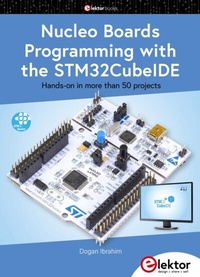
Nucleo Boards Programming with the STM32CubeIDE
Hands-On in More Than 50 Projects
1st Edition
Published on 16. March 2021
496 pages
978-3-89576-416-5 (ISBN)
Description

STM32 Nucleo family of processors are manufactured by STMicroelectronics. These are low-cost ARM microcontroller development boards. This book is about developing projects using the popular STM32CubeIDE software with the Nucleo-L476RG development board. In the early Chapters of the book the architecture of the Nucleo family is briefly described. The book covers many projects using most features of the Nucleo-L476RG development board where the full software listings for the STM32CubeIDE are given for each project together with extensive descriptions. The projects range from simple flashing LEDs to more complex projects using modules, devices, and libraries such as GPIO, ADC, DAC, I C, SPI, LCD, DMA, analogue inputs, power management, X-CUBE-MEMS1 library, DEBUGGING, and others. In addition, several projects are given using the popular Nucleo Expansion Boards. These Expansion Boards plug on top of the Nucleo development boards and provide sensors, relays, accelerometers, gyroscopes, Wi-Fi, and many others. Using an expansion board together with the X-CUBE-MEMS1 library simplifies the task of project development considerably. All the projects in the book have been tested and are working. The following sub-headings are given for each project: Project Title, Description, Aim, Block Diagram, Circuit Diagram, and Program Listing for the STM32CubeIDE. In this book you will learn about STM32 microcontroller architecture, the Nucleo-L476RG development board in projects using the STM32CubeIDE integrated software development tool, external and internal interrupts and DMA, DEBUG, a program developed using the STM32CubeIDE, the MCU in Sleep, Stop, and in Standby modes, Nucleo Expansion Boards with the Nucleo development boards. What you need a PC with Internet connection and a USB port, STM32CubeIDE software (available at STMicroelectronics website free of charge) the project source files, available from the book's webpage hosted by Elektor, Nucleo-L476RG development board, simple electronic devices such as LEDs, temperature sensor, I C and SPI chips, and a few more, Nucleo Expansion Boards (optional).
All prices
More details
Other editions
Additional editions
Book
01/2021
1st Edition
Elektor
€49.95
Available immediately
Content
- Intro
- Content
- PREFACE
- CHAPTER 1 STM32 Nucleo Development Boards
- 1.1 Overview
- 1.2 STM32 Nucleo development boards
- 1.2.1 STM32 processor family numbering
- 1.2.2 Nucleo-32 development boards
- 1.2.3 Nucleo-64 development boards
- 1.2.4 Nucleo-144 development boards
- 1.3 The Nucleo-L476RG development board
- 1.3.1 Two-part board
- 1.3.2 The power supply
- 1.3.3 The LEDs
- 1.3.4 Pushbutton switches
- 1.3.5 Jumper JP6
- 1.3.6 The ST-LINK/V2-1
- 1.3.7 Input-Output connectors
- 1.3.8 The demo software
- 1.4 Summary
- CHAPTER 2 STM32 Nucleo Processor Architecture
- 2.1 Overview
- 2.2 Arm processors
- 2.2.1 Cortex-M
- 2.2.2 Cortex-R
- 2.2.3 Cortex-A
- 2.2.4 Cortex-M processor comparison
- 2.2.5 Processor performance measurement
- 2.2.6 Cortex-M compatibility
- 2.2.7 Choice of an STM32 processor
- 2.3 The STM32L476RGT6 microcontroller
- 2.3.1 Basic features of the STM32L476RGT6
- 2.3.2 Internal block diagram
- 2.3.3 General purpose inputs and outputs (GPIOs)
- 2.3.4 Electrical characteristics
- 2.3.5 The power supply
- 2.3.6 Low power modes
- 2.3.7 The clock circuit
- 2.3.8 Analogue to digital converter (ADC)
- 2.3.9 Digital to analogue converter (DAC)
- 2.3.10 Timers
- 2.3.11 Interrupts
- 2.4 Summary
- CHAPTER 3 STM32 Nucleo Software Development Tools (Toolchains)
- 3.1 Overview
- 3.2 Integrated development environments supporting the Nucleo boards
- 3.3 Embedded Workbench for Arm (EWARM)
- 3.3.1 Installing the EWARM
- 3.4 Arm Mbed
- 3.5 MDK-ARM
- 3.6 TrueSTUDIO
- 3.7 System Workbench for STM32 (SW4STM32)
- 3.8 STM32CubeIDE
- 3.9 Summary
- CHAPTER 4 Example Project - Using the Mbed
- 4.1 Overview
- 4.2 Using the ARM Mbed
- 4.3 Summary
- CHAPTER 5 STM32CubeIDE Nucleo-L476 Projects
- 5.1 Overview
- 5.1.1 STM32cubeIDE GPIO library
- 5.2 Project 1: Lighthouse flashing LED
- 5.3 Project 2: Alternately Flashing LEDs
- 5.4 Project 3: 'Moving' LEDs
- 5.5 Project 4: Binary Up Counter with LEDs
- 5.6 Project 5: Random Flashing LEDs
- 5.7 Project 6: Pushbutton and LED
- 5.8 Project 7: Control of Multiple LEDs by 2 Buttons
- 5.9 Project 8: LED Dice
- 5.10 Project 9: 7-Segment LED Counter
- 5.11 Project 10: Two-Digit Multiplexed 7-Segment LED
- 5.12 Project 11: External interrupt to control an LED
- 5.13 Project 12: Two-digit Interrupt-Driven 7-Segment Event Counter
- 5.14 Project 13: Four-Digit 7-Segment LED Display
- 5.15 Project 14: Interrupt-Based Up/Down Counter with Four-Digit 7-Segment LED Display
- 5.16 Project 15: Multiple External Interrupts Sharing the Same Interrupt Line
- 5.17 Summary
- CHAPTER 6 Timers
- 6.1 Overview
- 6.2 STM32 timers
- 6.3 Setting a timer
- 6.4 Project 1: Timer Interrupt to Flash LED Every Second
- 6.5 Project 2: 4-Digit 7-Segment LED Up Counter with Timer Interrupts
- 6.6 Summary
- CHAPTER 7 LCD Displays
- 7.1 Overview
- 7.2 Project 1: Using parallel LCDs - Displaying Text
- 7.3 Project 2: Using LCDs - Simple Up Counter
- 7.4 Summary
- CHAPTER 8 Using the Analogue to Digital Converters
- 8.1 Overview
- 8.2 The STM32 ADC conversion modes
- 8.3 Project 1: Analogue Voltmeter (polling ADC)
- 8.4 Project 2: ADC with Multiple Inputs (polling ADC)
- 8.5 Project 3: Single-input ADC with Conversion Interrupt
- 8.6 Project 4: Analogue Temperature Sensor
- 8.7 Project 5: ON-OFF Temperature Controller
- 8.8 Project 6: Multiple-input ADC with DMA
- 8.9 Timer-driven ADC
- 8.10 External-driven ADC
- 8.11 ADC calibration
- 8.12 Summary
- CHAPTER 9 Using the Digital-to-Analogue Converters
- 9.1 Overview
- 9.2 Project 1: Sawtooth Waveform Generator with Manual DAC Driving
- 9.3 Project 2: Squarewave Generator with Manual DAC Driving
- 9.4 Project 3: Sinewave Generator with Manual DAC Driving
- 9.5 Project 4: Arbitrary Waveform Generator with Manual DAC Driving
- 9.6 Project 5: Arbitrary Waveform Generator with timer-based DMA
- 9.7 Hardware waveform generation
- 9.8 Project 6: Hardware-based Triangular Waveform Generation
- 9.9 Noise signal generation
- 9.10 Summary
- CHAPTER 10 Pulsewidth Modulation (PWM)
- 10.1 Overview
- 10.2 Basic theory of pulsewidth modulation
- 10.3 Operation of the PWM
- 10.4 Project 1: Mosquito Repeller
- 10.5 Project 2: Continuously Variable Duty Cycle
- 10.6 Project 3: Multiple PWM Waveforms
- 10.7 Project 4: Potentiometer-controlled Duty Cycle Control of PWM Waveform.
- 10.8 Summary
- CHAPTER 11 Serial Communication
- 11.1 Overview
- 11.2 UART ports of the Nucleo-L476RG development board
- 11.3 Serial communication program on a PC
- 11.4 Project 1: Displaying Text on the PC
- 11.5 Project 2: Simple Up Counter
- 11.6 Project 3: Times Table
- 11.7 Project 4: Practising Elementary Multiplication
- 11.8 Project 5: Displaying Ambient Temperature on the PC Screen
- 11.9 Project 6: Communicating with Arduino (Displaying Temperature)
- 11.10 UART in interrupt mode
- 11.11 Project 7: Communicating with Arduino - UART Interrupt Mode
- 11.12 Using UART in DMA mode
- 11.13 Summary
- CHAPTER 12 The I2C Bus Interface
- 12.1 Overview
- 12.2 The I2C Bus
- 12.3 STM32L476RG I2C ports
- 12.4 Project 1: Port Expander
- 12.5 Project 2: EEPROM memory
- 12.6 Project 3: TMP102 Temperature Sensor Chip Reading
- 12.7 Summary
- CHAPTER 13 SPI Bus Projects
- 13.1 Overview
- 13.2 Nucleo-L476RG SPI pins
- 13.3 Project 1: Port Expander
- 13.4 Summary
- CHAPTER 14 Program Debugging
- 14.1 Overview
- 14.2 Project 1: Simple Debug
- 14.3 Project 2: Debugging the GPIO
- 14.4 Project 3: Displaying Characters in Debug Window
- 14.5 Project 4: Using 'printf' to Display Data in Debug Window
- 14.6 Project 5: Using the ST-Link Virtual COM Port
- 14.7 Summary
- CHAPTER 15 STM32L4 MCU Power Management
- 15.1 Overview
- 15.2 Low power modes
- 15.3 Power modes transitions
- 15.4 Low power peripherals
- 15.5 Debugging in low-power modes
- 15.6 Measuring Nucleo current consumption
- 15.7 Project 1: Sleep Mode Example
- 15.8 Project 2: Stop Mode Example
- 15.9 Project 3: Standby Mode Example
- 15.10 Summary
- CHAPTER 16 Using the Expansion Boards
- 16.1 Overview
- 16.2 Industrial Digital Output Expansion Board (X-NUCLEO-OUT01A1)
- 16.3 Project 1: Flashing an LED
- 16.4 Brushed DC Motor Driver Expansion Board (X-NUCLEO-IHM13A1)
- 16.5 Motion MEMS and Environmental Sensor Expansion Board (X-NUCLEO-IKS01A2)
- 16.6 Project 2: Reading the Temperature from the X-NUCLEO-IKS01A2 Expansion Board
- 16.7 Project 3: Using the X-CUBE-MEMS1 Library
- 16.8 Wi-Fi Expansion Board (X-NUCLEO-IDW01M1)
- APPENDIX FreeRTOS For the STM32 MCU
- A.1 Overview
- A.2 Multitasking kernel advantages
- A.3 The need for an RTOS
- A.4 The FreeRTOS
- A.5 FreeRTOS project with the STM32MCubeIDE
- Index
