

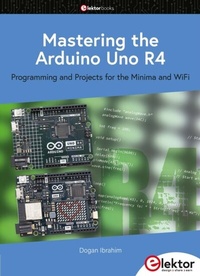
Mastering the Arduino Uno R4
Programming and Projects for the Minima and WiFi
1st Edition
Published on 2. October 2023
326 pages
978-3-89576-579-7 (ISBN)
Description

Based on the low-cost 8-bit ATmega328P processor, the Arduino Uno R3 board is likely to score as the most popular Arduino family member so far, and this workhorse has been with us for many years. Recently, the new Arduino Uno R4 was released, based on a 48-MHz, 32-bit Cortex-M4 processor with a huge amount of SRAM and flash memory. Additionally, a higher-precision ADC and a new DAC are added to the design. The new board also supports the CAN Bus with an interface.
Two versions of the board are available: Uno R4 Minima, and Uno R4 WiFi. This book is about using these new boards to develop many different and interesting projects with just a handful of parts and external modules, which are available as a kit from Elektor. All projects described in the book have been fully tested on the Uno R4 Minima or the Uno R4 WiFi board, as appropriate.
The project topics include the reading, control, and driving of many components and modules in the kit as well as on the relevant Uno R4 board, including
> LEDs
> 7-segment displays (using timer interrupts)
> LCDs
> Sensors
> RFID Reader
> 4×4 Keypad
> Real-time clock (RTC)
> Joystick
> 8×8 LED matrix
> Motors
> DAC (Digital-to-analog converter)
> LED matrix
> WiFi connectivity
> Serial UART
> CAN bus
> Infrared controller and receiver
> Simulators
... all in creative and educational ways with the project operation and associated software explained in great detail.
All programs discussed in this guide are contained in an archive you can download free of charge from the Elektor website. Head to elektor.com/books and enter the book title in the search box.
All prices
More details
Other editions
Additional editions
Book
10/2023
1st Edition
Elektor
€39.95
Available immediately
Person
Prof Dogan Ibrahim has a BSc (Hons) degree in Electronic Engineering, an MSc degree in Automatic Control Engineering, and a PhD degree in Digital Signal Processing and Microprocessors. Dogan has worked in many organizations and is a Fellow of the Institution of Engineering and Technology (IET) in the UK and is a chartered electrical engineer. Dogan is an author of over 100 technical books and over 200 technical articles on electronics, microprocessors, microcontrollers, and related fields. Dogan is a certified Arduino professional and has many years of experience with almost all types of microprocessors and microcontrollers.
Content
- Mastering the Arduino Uno R4
- All rights reserved.
- Contents
- Preface
- 1 ? The Arduino Uno R4
- 1.1 Overview
- 1.2 The Arduino Uno R4 against Uno R3
- 1.3 The Arduino Uno R4 Minima hardware
- 1.4 The Arduino Uno R4 Projects Kit
- 2 ? Arduino Uno R4 Program Development
- 2.1 Overview
- 2.2 Installing the Arduino IDE 2.1.0
- 2.3 Software-only programs
- 2.3.1 Example 1: Sum of integer numbers
- 2.3.2 Example 2: Table of squares
- 2.3.3 Example 3: Volume of a cylinder
- 2.3.4 Example 4: Centigrade to Fahrenheit
- 2.3.5 Example 5: Times table
- 2.3.6 Example 6: Table of trigonometric sine
- 2.3.7 Example 7: Table of trigonometric sine, cosine and tangent
- 2.3.8 Example 8: Integer calculator
- 2.3.9 Example 9: Dice
- 2.3.10 Example 10: Floating point calculator
- 2.3.11 Example 11: Binary, octal, hexadecimal
- 2.3.12 Example 12: String functions
- 2.3.13 Example 13: Initializing an array
- 2.3.14 Example 14: Character functions
- 2.3.15 Example 15: Solution of a quadratic equation
- 2.3.16 Example 16: Lucky day of the week
- 2.3.17 Example 17: Factorial of a number
- 2.3.18 Example 18: Add two square matrices
- 3 ? Hardware Projects with LEDs
- 3.1 Overview
- 3.2 Project 1: Blinking LED - using the on-board LED
- 3.3 Project 2: Blinking LED - using an external LED
- 3.4 Project 3: LED flashing SOS
- 3.5 Project 4: Alternately blinking LEDs
- 3.6 Project 5: Chaser-LEDs
- 3.7 Project 6: Chasing LEDs 2
- 3.8 Project 7: Binary counting LEDs
- 3.9 Project 8: Random flashing LEDs - Christmas lights
- 3.10 Project 9: Button controlled LED
- 3.11 Project 10: Controlling the LED flashing rate - external interrupts
- 3.12 Project 11: Reaction timer
- 3.13 Project 12: LED color wand
- 3.14 Project 13: RGB fixed colors
- 3.15 Project 14: Traffic lights
- 3.16 Project 15: Traffic lights with pedestrian crossings
- 3.17 Project 16: Using the 74HC595 shift register - binary up counter
- 3.18 Project 17: Using the 74HC595 shift register - random flashing 8 LEDs
- 3.19 Project 18: Using the 74HC595 shift register - chasing LEDs
- 3.20 Project 19: Using the 74HC595 shift register - turn ON a specified LED
- 3.21 Project 20: Using the 74HC595 shift register - turn ON specified LEDs
- 4 ? 7-Segment LED Displays
- 4.1 Overview
- 4.2 7-Segment LED display structure
- 4.3 Project 1: 7-Segment 1-digit LED counter
- 4.4 Project 2: 7-Segment 4-digit multiplexed LED display
- 4.5 Project 3: 7-Segment 4-digit multiplexed LED display counter - timer interrupts
- 4.6 Project 4: 7-Segment 4-digit multiplexed LED display counter - blanking leading zeroes
- 4.7 Project 5: 7-Segment 4-digit multiplexed LED display - reaction timer
- 4.8 Project 6: Timer interrupt blinking on-board LED
- 5 ? Liquid Crystal Displays
- 5.1 Overview
- 5.2 The I2C bus
- 5.3 I2C ports of the development board
- 5.4 I2C LCD
- 5.5 Project 1: Display text on the LCD
- 5.6 Project 2: Scrolling text on the LCD
- 5.7 Project 3: Display custom characters on the LCD
- 5.8 Project 4: LCD based conveyor belt goods counter
- 5.9 Project 5: LCD based accurate clock using timer interrupts
- 5.10 Project 6: LCD dice
- 6 ? Sensors
- 6.1 Overview
- 6.2 Project 1: Analog temperature sensor
- 6.3 Project 2: Voltmeter
- 6.4 Project 3: On/off temperature controller
- 6.5 Project 4: Darkness reminder - using a light-dependent resistor (LDR)
- 6.6 Project 5: Tilt detection
- 6.7 Water level sensor
- 6.7.1 Project 6: Displaying water level
- 6.7.2 Project 7: Water level controller
- 6.7.3 Project 8: Water flooding detector with buzzer
- 6.8 Project 9: Sound detection sensor - control the relay by clapping hands
- 6.9 Project 10: Flame sensor - fire detection with relay output
- 6.10 Project 11: Temperature and humidity display
- 6.11 Project 12: Generating musical tones - melody maker
- 7 ? The RFID Reader
- 7.1 Overview
- 7.2 Project 1: Finding the Tag ID
- 7.3 Project 2: RFID door lock access with relay
- 8 ? The 4×4 Keypad
- 8.1 Overview
- 8.2 Project 1: Display the pressed key code on the Serial Monitor
- 8.3 Project 2: Integer calculator with LCD
- 8.4 Project 3: Keypad door security lock with relay
- 9 ? The Real-Time Clock (RTC) Module
- 9.1 Overview
- 9.2 The supplied RTC module
- 9.3 Project 1: RTC with Serial Monitor
- 9.4 Project 2: RTC with LCD
- 9.5 Project 3: Temperature and humidity display with time stamping
- 9.6 Using the built-in RTC
- 9.6.1 Project 4: Setting and displaying the current time
- 9.6.2 Project 5: Periodic interrupt every 2 seconds
- 10 ? The Joystick
- 10.1 Overview
- 10.2 The joystick
- 10.3 Project 1 - Reading analog values from the joystick
- 11 ? The 8×8 LED Matrix
- 11.1 Overview
- 11.2 The supplied 8×8 LED matrix
- 11.3 Project 1: Displaying shapes
- 12 ? Motors: Servo and Stepper
- 12.1 Overview
- 12.2 The servo motor
- 12.2.1 Project 1: Test-rotate the servo
- 12.2.2 Project 2: Servo sweep
- 12.2.3 Project 3: Joystick-controlled servo
- 12.3 The stepper motor
- 12.3.1 Project 4: Rotate the motor clockwise and then anticlockwise
- 13 ? The Digital To Analog Converter (DAC)
- 13.1 Overview
- 13.2 Project 1: Generating a square wave with 2 V amplitude
- 13.3 Generating sine wave - using the analogWave library
- 13.3.1 Project 2: Generate a sine wave
- 13.3.2 Project 3: Sine wave sweep frequency generator
- 13.3.3 Project 4: Generate sine wave whose frequency changes with potentiometer
- 13.3.4 Project 5: Generate a square wave with frequency of 1 kHz and amplitude of 1 V
- 14 ? Using the EEPROM, the Human Interface Device, and PWM
- 14.1 Overview
- 14.2 The EEPROM memory
- 14.3 Human Interface Device (HID)
- 14.4 Project 1: Keyboard control to launch Windows programs
- 14.5 The Pulse Width Modulation (PWM)
- 14.5.1 PWM channels of the Arduino Uno R4
- 14.5.2 Project 2: LED dimming using PWM
- 15 ? The Arduino Uno R4 WiFi
- 15.1 Overview
- 15.2 The LED matrix
- 15.2.1 Project 1: Using LED matrix 1 - creating a large + shape
- 15.2.2 Project 2: Creating images by setting bits
- 15.2.3 Project 3: Using LED matrix 2 - creating a large + shape
- 15.2.4 Project 4: Animation - displaying a word
- 15.3 Using the WiFi
- 15.3.1 UDP and TCP
- 15.3.2 UDP communication
- 15.3.3 TCP communication
- 15.3.4 Project 5: Controlling the Arduino Uno R4 WiFi on-board LED from a smartphone using UDP
- 15.4 Bluetooth
- 15.4.1 Bluetooth BLE
- 15.4.2 Bluetooth BLE Software Model
- 16 ? Serial Communications
- 16.1 Overview
- 16.2 Project 1: Receiving ambient temperature from an Arduino Uno R3
- 17 ? Using an Arduino Uno Simulator
- 17.1 Why simulation?
- 17.2 The Wokwi simulator
- 17.2.1 Project 1: A simple project simulation - flashing LED
- 17.2.2 Project 2: Displaying text on LCD
- 17.2.3 Project 3: LCD seconds counter
- 18 ? The CAN bus
- 18.1 Overview
- 18.2 The CAN bus
- 18.2.1 CAN bus termination
- 18.2.2 CAN bus data rate
- 18.2.3 Cable stub length
- 18.2.4 CAN Bus node
- 18.2.5 CAN bus signal levels
- 18.2.6 CAN_H voltage
- 18.2.7 The CAN_L voltage
- 18.2.8 Bus arbitration
- 18.2.9 Bus transceiver
- 18.2.10 CAN connectors
- 18.3 Arduino Uno R4 CAN bus interface
- 18.3.1 CAN bus transceivers
- 18.4 Project 1: Arduino Uno R4 WiFi to Arduino Uno R4 Minima CAN bus communication
- 18.5 Project 2: Sending the temperature readings over the CAN bus
- 19 ? Infrared Receiver and Remote Controller
- 19.1 Overview
- 19.2 The supplied infrared receiver
- 19.3 The supplied infrared remote control transmitter unit
- 19.4 Operation of an infrared remote control system
- 19.5 Project 1: Decoding the IR remote control codes
- 19.6 Project 2: Remote relay activation/deactivation
- 19.7 Project 3: Infrared remote stepper motor control
- Index
