

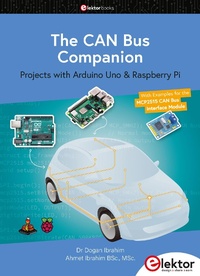
The CAN Bus Companion
Projects with Arduino Uno & Raspberry Pi
Published on 16. February 2023
158 pages
978-3-89576-542-1 (ISBN)
Description

This book details the use of the Arduino Uno and the Raspberry Pi 4 in practical CAN bus based projects. Using either the Arduino Uno or the Raspberry Pi with off -the-shelf CAN bus interface modules considerably ease developing, debugging, and testing CAN bus based projects.
This book is written for students, practicing engineers, enthusiasts, and for everyone else wanting to learn more about the CAN bus and its applications. The book assumes that the reader has some knowledge of basic electronics. Knowledge of the C and Python programming languages and programming the Arduino Uno using its IDE and Raspberry Pi will be useful, especially if the reader intends to develop microcontroller-based projects using the CAN bus.
The book should be a useful source of reference material for anyone interested in finding answers to questions such as:
> What bus systems are available for the automotive industry?
> What are the principles of the CAN bus?
> How can I create a physical CAN bus?
> What types of frames (or data packets) are available in a CAN bus system?
> How can errors be detected in a CAN bus system and how dependable is a CAN bus system?
> What types of CAN bus controllers exist?
> How do I use the MCP2515 CAN bus controller?
> How do I create 2-node Arduino Uno-based CAN bus projects?
> How do I create 3-node Arduino Uno-based CAN bus projects?
> How do I set the acceptance masks and acceptance filters?
> How do I analyze data on the CAN bus?
> How do I create 2-node Raspberry Pi-based CAN bus projects?
> How do I create 3-node Raspberry Pi-based CAN bus projects?
The full program listings of all the projects discussed in the book may be downloaded free of charge from the Elektor Store website, elektor.com (search for: book title).
More details
Other editions
Additional editions
Dogan Ibrahim | Ahmet Ibrahim
The CAN Bus Companion
Projects with Arduino Uno & Raspberry Pi with Examples for the MCP2515 CAN Bus Interface Module
Book
02/2023
1st Edition
Elektor
€34.95
Available immediately
Person
Dogan Ibrahim has a BSc. degree in Electronic Engineering, an MSc. degree in Automatic Control Engineering, and a PhD degree in Digital Signal Processing. Dogan has worked in many organizations and is a Fellow of the Institution of Engineering and Technology (IET) and is a Chartered engineer. Dogan has authored over 100 technical books and over 200 technical articles on electronics, microprocessors, and related fields. Dogan is a certified Arduino professional and has many years of experience with practically all current microprocessors.
Ahmet Ibrahim holds BSc. (Hons) and MSc. degrees in the fields of Computing, Software, and Networking. Ahmet has held positions in many industries involved in enterprise computing. He enjoys advising, designing, and implementing complex cloud and on-premises computer systems.
Ahmet Ibrahim holds BSc. (Hons) and MSc. degrees in the fields of Computing, Software, and Networking. Ahmet has held positions in many industries involved in enterprise computing. He enjoys advising, designing, and implementing complex cloud and on-premises computer systems.
Content
- The CAN Bus Companion
- All rights reserved.
- Contents
- Preface
- 1 Automotive Bus Systems
- 1.1 Overview
- 1.2 Vehicle network systems
- 1.2.1 LIN bus
- 1.2.2 FlexRay
- 1.2.3 MOST
- 1.2.4 Byteflight
- 1.2.5 Intellibus
- 1.2.6 CAN bus
- 1.2.7 Others
- 1.3 Comparison of automotive bus systems
- 1.4 The basic structure of a CAN bus automotive system
- 1.5 CAN bus advantages
- 1.6 CAN bus disadvantages
- 1.7 CAN bus main properties
- 1.8 CANopen
- 2 CAN Physical Layer Structure
- 2.1 Overview
- 2.2 CAN bus termination
- 2.3 CAN bus data rate
- 2.4 Cable stub length
- 2.5 CAN bus node
- 2.6 CAN bus signal levels
- 2.6.1 CAN_H voltage
- 2.6.2 CAN_L voltage
- 2.6.3 CAN signal waveform
- 2.6.4 Bus arbitration
- 2.6.5 Bus transceiver
- 2.7 CAN connectors
- 2.8 CAN repeaters
- 2.9 CAN PC interface
- 3 CAN Bus Frames
- 3.1 Data Frame
- 3.1.1 Start of Frame (SOF)
- 3.1.2 Arbitration Field
- 3.1.3 RTR Field
- 3.1.4 Control Field
- 3.1.5 Data Field
- 3.1.6 CRC Field
- 3.1.7 ACK Field
- 3.1.8 End of Frame Field
- 3.2 Remote Frame
- 3.3 Error Frame
- 3.4 Overload Frame
- 3.5 Extended CAN Frames
- 4 Data Exchange on the CAN Bus
- 4.1 Overview
- 4.2 Data exchange with data frames
- 4.3 Remote frames on the bus
- 5 CAN Bus Interface Modules
- 5.1 Overview
- 5.2 MCP2515 CAN bus interface module
- 5.2.1 The MCP2515 CAN controller chip
- 5.2.2 The TJA1050 CAN transceiver chip
- 6 Arduino Uno CAN Bus Projects
- 6.1 Overview
- 6.2 Arduino Uno CAN bus interface
- 6.3 Project 1: Simple Arduino to Arduino CAN bus communication
- 6.4 Project 2: Pushbutton and LED
- 6.5 Project 3: Pushbutton and LED with CAN bus interrupts
- 6.6 Project 4: Remote temperature alarm
- 6.7 Project 5: Temperature request
- 6.8 Project 6: Temperature request with a pushbutton
- 6.9 Project 7: RGB display with buttons
- 6.10 Project 8: Ambient temperature and humidity display on LCD
- 6.11 Project 9: CAN bus with 3 nodes: External and internal temperature measurement
- 6.12 Using acceptance masks and filters
- 6.13 Project 10: CAN bus with 3 nodes: External and internal temperature measurement with pushbuttons
- 7 Error Conditions on the CAN Bus
- 7.1 Overview
- 7.2 Bit stuffing
- 7.3 CAN Bus error detection
- 7.3.1 Bit error
- 7.3.2 Bit stuffing error
- 7.3.3 CRC error
- 7.3.4 Frame error
- 7.3.5 ACK Error
- 7.4 CAN bus fault confinement
- 7.5 Summary
- 8 CAN Bus Analyzers
- 8.1 Overview
- 8.2 CAN Bus analyzers
- 8.2.1 Microchip, Inc. CAN bus analyzer
- 8.2.2 CANdo
- 8.2.3 PCAN Explorer
- 8.2.4 CAN-Bus-Tester 2 (CBT2)
- 8.2.5 BitScope Logic
- 8.2.6 LAP-C logic analyzer
- 8.3 Project 11: CAN bus sniffer
- 8.4 Summary
- 9 Raspberry Pi CAN Bus Projects
- 9.1 Overview
- 9.2 Project 11: Simple Raspberry Pi - Arduino Uno CAN bus communication
- 9.3 Project 12: Raspberry Pi displaying messages from CAN bus
- 9.4 Project 13: Controlling LEDs connected to Arduino Uno
- 9.5 Using Python for CAN bus programs
- 9.6 Project 14: Controlling LEDs using buttons
- 9.7 Project 15: CAN bus with 3 nodes: Controlling LEDs on Raspberry Pi node and Arduino Uno node
- Appendix
- Index
