

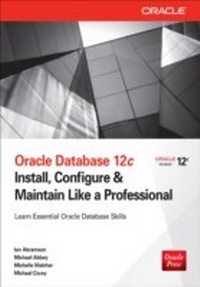
Oracle Database 12c Install, Configure & Maintain Like a Professional
Install, Configure & Maintain Like a Professional
1st Edition
Published on 4. September 2013
475 pages
978-0-07-179934-8 (ISBN)
Description

Master the Fundamentals of Oracle Database 12c Filled with easy-to-follow tutorials, this Oracle Press guide provides detailed coverage of core database concepts, the role of the administrator, and enterprise database capabilities. Oracle Database 12c: Install, Configure & Maintain Like a Professional walks you through database configuration, administration, programming, backup and recovery, and high availability. You'll get in-depth introductions to SQL and PL/SQL as well as important information on managing large databases and using Oracle's engineered systems. This essential beginner's resource features: Critical Skills--Lists of specific skills covered in each chapter Projects--Practical exercises that show how to apply the critical skills learned in each chapter Progress Checks--Quick self-assessment sections to check your progress Ask the Expert--Q&A sections filled with helpful tips Notes--Extra information related to the topic being covered Mastery Checks--Chapter-ending quizzes to test your knowledge
More details
Other editions
Additional editions
Ian Abramson | Michael Abbey | Michelle Malcher
Oracle Database 12c Install, Configure & Maintain Like a Professional
Book
10/2013
Osborne/McGraw-Hill
€33.00
Shipment within 15-20 days
Content
- Cover
- Title Page
- Copyright Page
- About the Authors
- Contents at a Glance
- Contents
- Acknowledgments
- Introduction
- What's in This Book
- Chapter 1: The Database: The Foundations of 12c
- Chapter 2: Installing Oracle
- Chapter 3: SQL: Accessing and Retrieving Data
- Chapter 4: Programming in the Database
- Chapter 5: The Database Administrator
- Chapter 6: Backup and Recovery
- Chapter 7: High Availability: RAC, ASM, and Data Guard
- Chapter 8: Using and Managing Large Databases
- Chapter 9: Oracle's Engineered Systems: From the Database Appliance to Exadata
- Intended Audience
- Chapter 1: The Database: The Foundations of 12c
- CRITICAL SKILL 1.1. Define a Database
- CRITICAL SKILL 1.2. Become Familiar with the Characteristics of a Database
- Sharing
- Storage
- Data Consistency
- Data Integrity
- CRITICAL SKILL 1.3. Learn When to Use a Database
- CRITICAL SKILL 1.4. Learn the Oracle Database 12c Architecture
- Shared Memory
- System Support Processes
- Operating System Files
- CRITICAL SKILL 1.5. Work with Objects in the Oracle Database
- Tables
- Views
- Synonyms
- Stored Objects
- CRITICAL SKILL 1.6. Work with Data Types in an Oracle Database
- Variable Length Character-varchar2
- Number
- Datetime
- CLOB/BLOB
- CRITICAL SKILL 1.7. Pull It All Together: Objects and Data Types
- CRITICAL SKILL 1.8. Interact with the Data
- SQL*Developer
- sqlplus
- CRITICAL SKILL 1.9. Learn the New Features of Oracle Database 12c
- Pluggable Databases
- Application Development
- Availability
- Business Intelligence and Data Warehousing
- Compression and Archiving
- Overall Database Features
- Grid Features
- Manageability
- Performance
- Security
- XML DB
- Chapter 1: Mastery Check
- Chapter 2: Installing Oracle
- CRITICAL SKILL 2.1. Research and Plan the Installation
- Define System Requirements
- Linux Installation
- CRITICAL SKILL 2.2. Set Up the Operating System
- Project 2-1: Configure Kernel Parameters
- Step by Step
- Project Summary
- CRITICAL SKILL 2.3. Get Familiar with Linux
- CRITICAL SKILL 2.4. Choose Components to Install
- CRITICAL SKILL 2.5. Install the Oracle Software
- Database Configuration Assistant
- Verify the Installation
- Tie It All Together
- Chapter 2: Mastery Check
- Chapter 3: SQL: Accessing and Retrieving Data
- CRITICAL SKILL 3.1. Learn the SQL Statement Components
- DDL
- DML
- CRITICAL SKILL 3.2. Use Basic Insert and Select Statements
- Insert
- Select
- CRITICAL SKILL 3.3. Use Simple WHERE Clauses
- A WHERE Clause with AND/OR
- The WHERE Clause with NOT
- The WHERE Clause with a Range Search
- The WHERE Clause with a Search List
- The WHERE Clause with a Pattern Search
- The WHERE Clause: Common Operators
- CRITICAL SKILL 3.4. Use Basic Update, Delete, and Merge Statements
- Update
- Delete
- Insert
- Use Basic Merge Statements
- CRITICAL SKILL 3.5. Order Data
- CRITICAL SKILL 3.6. Employ Functions: String, Numeric, Aggregate (No Grouping)
- String Functions
- Numeric Functions
- Aggregate Functions
- CRITICAL SKILL 3.7. Use Dates and Data Functions (Formatting and Chronological)
- Date Functions
- Special Formats with the Date Data Type
- Nested Functions
- CRITICAL SKILL 3.8. Employ Joins (ANSI vs. Oracle): Inner, Outer, Self, Apply
- Inner Joins
- Outer Joins
- Project 3-1: Join Data Using Inner and Outer Joins
- Step by Step
- Project Summary
- Project 3-2: Join Data Using ANSI SQL Joins
- Step by Step
- Project Summary
- Self-Joins
- CRITICAL SKILL 3.9. Learn the Group By and Having Clauses
- Group By
- Having
- Project 3-3: Group Data in Your Select Statements
- Step by Step
- Project Summary
- CRITICAL SKILL 3.10. Learn Subqueries: Simple and Correlated Comparison with Joins
- Simple Subquery
- Correlated Subqueries with Joins
- CRITICAL SKILL 3.11. Use Set Operators: Union, Intersect, Minus
- Union
- Union All
- Intersect
- Minus
- Project 3-4: Use the Union Function in Your SQL
- Step by Step
- Project Summary
- CRITICAL SKILL 3.12. Use Views
- CRITICAL SKILL 3.13. Learn Sequences: Just Simple Stuff
- CRITICAL SKILL 3.14. Employ Constraints: Linkage to Entity Models, Types, Deferred, Enforced, Gathering Exceptions
- Linkage to Entity Models
- Types
- Deferred
- CRITICAL SKILL 3.15. Format Your Output with SQL*Plus
- Page and Line Size
- Page Titles
- Page Footers
- Formatting Columns
- Project 3-5: Format Your SQL Output
- Step by Step
- Project Summary
- Writing SQL*Plus Output to a File
- Chapter 3: Mastery Check
- Chapter 4: Programming in the Database
- CRITICAL SKILL 4.1. Define PL/SQL and Learn Why We Use It
- CRITICAL SKILL 4.2. Describe the Basic PL/SQL Program Structure
- CRITICAL SKILL 4.3. Define PL/SQL Data Types
- Valid Characters
- Arithmetic Operators
- The VARCHAR2 Data Type
- The NUMBER Data Type
- The DATE Data Type
- The BOOLEAN Data Type
- The VARRAY Data Type
- CRITICAL SKILL 4.4. Write PL/SQL Programs in SQL*Plus
- Project 4-1: Create a PL/SQL Program
- Step by Step
- Project Summary
- SQL in Your PL/SQL Programs
- PL/SQL Cursors
- The Cursor FOR Loop
- CRITICAL SKILL 4.5. Handle Error Conditions in PL/SQL
- CRITICAL SKILL 4.6. Include Conditions in Your Programs
- Program Control
- IF Logic Structures
- CASE Statements
- Loops
- The WHILE Loop
- The FOR Loop
- Project 4-2: Use Conditions and Loops in PL/SQL
- Step by Step
- Project Summary
- CRITICAL SKILL 4.7. Create Stored Procedures-How and Why
- CRITICAL SKILL 4.8. Create and Use Functions
- Project 4-3: Create and Use a Function
- Step by Step
- Project Summary
- CRITICAL SKILL 4.9. Call PL/SQL Programs
- Chapter 4: Mastery Check
- Chapter 5: The Database Administrator
- CRITICAL SKILL 5.1. Learn What a DBA Does
- CRITICAL SKILL 5.2. Perform Day-to-Day Operations
- Architecture and Design
- Capacity Planning
- Backup and Recovery
- Security
- Performance and Tuning
- Managing Database Objects
- Storage Management
- Change Management
- Schedule Jobs
- Network Management
- High Availability
- Troubleshooting
- CRITICAL SKILL 5.3. Understand the Oracle Database 12c Architecture
- Schemas
- Segments, Extents, and Blocks
- Pluggable Databases
- Logical Schema Structures
- Storage Structures
- CRITICAL SKILL 5.4. Operate Modes for an Oracle Database 12c
- Modes of Operation
- Container Database STARTUP
- Other Ways to Open the Database
- Forcing a Startup
- Database and Instance Shutdown
- CRITICAL SKILL 5.5. Get Started with Oracle Enterprise Manager
- Instance Configuration
- User Sessions
- Resource Consumer Groups
- Other Tools
- CRITICAL SKILL 5.6. Understand Database Connections
- Oracle Net Services
- Command-Line Utilities
- Connections
- Maintain Connections
- Define a Location
- A Connect Descriptor
- Define a Connect Descriptor
- CRITICAL SKILL 5.7. Manage Database Objects
- Control Files
- Redo Logs
- Undo Management
- Schema Objects
- CRITICAL SKILL 5.8. Manage Space
- Archive Logs
- Tablespaces and Data Files
- CRITICAL SKILL 5.9. Manage Users
- Create a User
- Edit Users
- CRITICAL SKILL 5.10. Manage Privileges for Database Users
- Grant Authority
- Types of Grants
- Take Away Authority
- Roles
- Oracle-Defined Roles
- Create and Grant a Role
- Profiles
- Tie It All Together
- Project 5-1: Create Essential Objects
- Step by Step
- Project Summary
- Chapter 5: Mastery Check
- Chapter 6: Backup and Recovery
- CRITICAL SKILL 6.1. Understand Rman
- RMAN Metadata
- CRITICAL SKILL 6.2. See Reasons to Use Rman
- CRITICAL SKILL 6.3. Understand Storage Media
- CRITICAL SKILL 6.4. Examine RMAN Components
- Backup
- Restore
- Recovery
- CRITICAL SKILL 6.5. Invoke Rman
- CRITICAL SKILL 6.6. Learn RMAN Commands
- CRITICAL SKILL 6.7. Review RMAN Channels
- CRITICAL SKILL 6.8. Examine RMAN Configuration
- CRITICAL SKILL 6.9. Explore Backup Commands
- Database
- Tablespace
- Datafile
- Control File
- Server Parameter File
- Archived Redo Logs
- CRITICAL SKILL 6.10. Conduct Incremental Backups
- CRITICAL SKILL 6.11. List Backups
- CRITICAL SKILL 6.12. See RMAN Metadata
- CRITICAL SKILL 6.13. Use RMAN Restore
- CRITICAL SKILL 6.14. Understand RMAN Recover
- CRITICAL SKILL 6.15. Learn About Backup Retention
- CRITICAL SKILL 6.16. Check Syntax
- CRITICAL SKILL 6.17. Recover a Table
- CRITICAL SKILL 6.18. Pull It All Together
- Backup Script
- Restore and Recovery Script
- Chapter 6: Mastery Check
- Chapter 7: High Availability: RAC, ASM, and Data Guard
- CRITICAL SKILL 7.1. Define High Availability
- CRITICAL SKILL 7.2. Understand Real Application Clusters
- CRITICAL SKILL 7.3. Install RAC
- CRITICAL SKILL 7.4. Test RAC
- Workload Manager
- ASM
- CRITICAL SKILL 7.5. Set Up the ASM Instance
- Project 7-1: Install ASMLib
- Step by Step
- Project Summary
- CRITICAL SKILL 7.6. Create ASM Disk Groups
- Project 7-2: Create Disk Groups
- Step by Step
- Project Summary
- CRITICAL SKILL 7.7. Use ASMCMD and ASMLib
- CRITICAL SKILL 7.8. Convert an Existing Database to ASM
- CRITICAL SKILL 7.9. Understand Data Guard
- CRITICAL SKILL 7.10. Explain Data Guard Protection Modes
- CRITICAL SKILL 7.11. Create a Physical Standby Server
- Project 7-3: Create a Physical Standby Server
- Step by Step
- Project Summary
- Chapter 7: Mastery Check
- Chapter 8: Using and Managing Large Databases
- CRITICAL SKILL 8.1. Learn to Identify a Very Large Database
- CRITICAL SKILL 8.2. How and Why to Use Data Partitioning
- Why Use Data Partitioning
- Manageability
- Performance
- Implement Data Partitioning
- Ask the Expert
- Project 8-1: Create a Range-Partitioned Table and a Local-Partitioned Index
- Step by Step
- Project Summary
- CRITICAL SKILL 8.3. Compress Your Data
- Data Compression
- Index Key Compression
- Automatic Data Optimization
- CRITICAL SKILL 8.4. Use Parallel Processing to Improve Performance
- Parallel Processing Database Components
- Parallel Processing Configuration
- Invoke Parallel Execution
- CRITICAL SKILL 8.5. Use Materialized Views
- Uses for Materialized Views
- Query Rewrite
- When to Create Materialized Views
- Create Materialized Views
- CRITICAL SKILL 8.6. Use SQL Aggregate and Analysis Functions
- Aggregation Functions
- rollup
- cube
- Analytic Functions
- Windowing Functions
- Other Functions
- CRITICAL SKILL 8.7. Create SQL Models
- Project 8-2: Use Analytic SQL Functions and Models
- Project Summary
- Chapter 8: Mastery Check
- Chapter 9: Oracle's Engineered Systems: From the Database Appliance to Exadata
- CRITICAL SKILL 9.1. Understand Oracle Database Appliance
- CRITICAL SKILL 9.2. Manage Oracle Database Appliance
- Initial Configuration
- CRITICAL SKILL 9.3. Learn about Exadata's Main Components
- CRITICAL SKILL 9.4. Understand Exadata Storage
- Exadata Storage Concepts
- CRITICAL SKILL 9.5. Accelerate Large Queries with Storage Offload
- Smart Scan in Action
- Why Smart Scans May Not Happen
- CRITICAL SKILL 9.6. Understand Storage Indexes
- Storage Indexes in Action
- CRITICAL SKILL 9.7. Use the Exadata Flash Cache
- Trying Out the Flash Cache
- CRITICAL SKILL 9.8. Save Storage Space with Hybrid Columnar Compression
- Hybrid Columnar Compression in Action
- Using DBMS_COMPRESSION to Estimate Compression
- CRITICAL SKILL 9.9. Enable Database Consolidation with I/O Resource Management
- Project 9-1: Create an Interdatabase IORM Plan
- Step by Step
- Project Summary
- CRITICAL SKILL 9.10. Perform Common Exadata Management Tasks
- User Accounts on Exadata Storage Servers
- Using DCLI to Retrieve Metrics from the Storage Server
- Using EXACHK to Validate Exadata Configurations
- CRITICAL SKILL 9.11. Manage Exadata with Oracle Enterprise Manager
- Wrapping Up
- Chapter 9: Mastery Check
- Appendix: Mastery Check Answers
- Chapter 1: The Database: The Foundations of 12c
- Chapter 2: Installing Oracle
- Chapter 3: SQL: Accessing and Retrieving Data
- Chapter 4: Programming in the Database
- Chapter 5: The Database Administrator
- Chapter 6: Backup and Recovery
- Chapter 7: High Availability: RAC, ASM, and Data Guard
- Chapter 8: Using and Managing Large Databases
- Chapter 9: Oracle's Engineered Systems: From the Database Appliance to Exadata
- Index
