

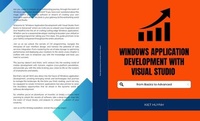
Windows Application Development with Visual Studio
Description

Are you ready to embark on an exhilarating journey through the realm of Windows application development? If you have ever wondered about the magic behind your favorite software or dreamt of creating your own innovative applications, this book is your gateway to the enchanting world of Visual Studio.
Welcome to "Windows Application Development with Visual Studio: from Basics to Advanced" where we invite you to unleash your imagination and dive headfirst into the art of crafting cutting-edge Windows applications. Whether you're a seasoned developer seeking to broaden your skillset or an aspiring programmer taking your first steps, this guide promises to be your faithful companion throughout the entire adventure.
Join us as we unlock the secrets of C# programming, navigate the intricacies of user interface design, and harness the potential of web services integration. From mastering the art of data storage to optimizing performance and deploying your creations to the world, every chapter is crafted with care to empower you with the knowledge and tools you need to succeed.
The journey doesn't end there; we'll venture into the exciting world of mobile development with Xamarin, explore cross-platform possibilities, and provide you with the skills to bring your vision to life on the screens of smartphones and tablets.
But that's not all! We'll also delve into the future of Windows application development, unveiling emerging trends and technologies that promise to reshape the landscape. By the time you finish reading, you'll not only be equipped to create immersive applications but also primed to seize the boundless opportunities that lie ahead in the dynamic world of software development.
So, whether you're an adventurer, an inventor, or simply a curious mind yearning to unlock the secrets of software, take a deep breath, step into the realm of Visual Studio, and prepare to unleash the power of your creativity.
Join us on this thrilling expedition, and let the journey begin!
More details
Content
- Intro
- CHAPTER I Introduction to Visual Studio and Windows Application Development
- 1.1 Introduction to Visual Studio
- 1.2 Why Windows Application Development Matters?
- 1.3. Setting Up the Development Environment
- CHAPTER II Installing and Configuring Visual Studio
- 2.1. Installing Visual Studio
- 2.2. Configuring the Development Environment
- 2.3. Understanding the Visual Studio IDE Structure
- CHAPTER III C# Programming for Windows Applications
- 3.1 Basic Syntax and Structure of C#
- 3.2. Variables and Data Types
- 3.3. Control Structures and Loops
- 3.4. Classes and Objects
- 3.5. Error Handling and Exceptions
- CHAPTER IV Building User Interfaces (UI) for Windows Applications
- 4.1 Windows Forms vs. WPF vs. UWP
- 4.2. Designing UI with XAML
- 4.3 Working with Controls and Layouts
- 4.4 Handling Events
- CHAPTER V Data Storage in Windows Applications
- 5.1. Basics of Databases
- 5.2. Using File Storage and Memory Cache
- 5.3 Connecting to SQL Server Database
- CHAPTER VI Working with Files and Media Objects
- 6.1. Reading and Writing Files
- 6.2. Processing Images and Audio
- 6.3. Managing Video and Music
- CHAPTER VII Optimizing Application Performance
- 7.1 Measuring Application Performance
- 7.2 Handling and Optimizing Errors
- 7.3 Synchronization and Asynchronization
- CHAPTER VIII Navigation and Communication in Windows Applications
- 8.1. Managing Dialogs and Toolbars
- 8.2. Invoking Other Applications and Data Exchange
- 8.2. Utilizing Touch Interaction
- CHAPTER IX Connecting and Integrating with Web Services
- 9.1. HTTP Protocol and RESTful API
- 9.2. Retrieving Data from Web API
- 9.3. Synchronizing and Asynchronizing Data
- CHAPTER X Deploying Windows Applications
- 10.1. Preparing for Deployment
- 10.2. Installing and Updating the Application
- 10.3. Testing and Debugging After Deployment
- CHAPTER XI Advanced and Customizing Windows Applications
- 11.1. Class Libraries and Third-Party Tools
- 11.2. Optimization for Specific Devices
- 11.3. Developing Cross-Platform Applications
- CHAPTER XII Developing Mobile Applications with Xamarin
- 12.1. Introduction to Xamarin
- 12.2. Building Mobile Apps using Xamarin.Forms
- 12.3. Code Sharing Between Platforms
- CHAPTER XIII Optimizing and Testing Mobile Applications
- 13.1. Optimizing Mobile App Performance
- 13.2. Testing and Debugging on Mobile Devices
- 13.3. Deploying Mobile Apps to App Stores
- CHAPTER XIV Tips and Techniques for Windows Application Development
- 14.1. Coding Standards and Design Patterns
- 14.2. User Interaction and Feedback
- 14.3. Source Code Management and Versioning
- CHAPTER XV The Future of Windows Application Development
- 15.1. Emerging Technology Trends
- 15.2. Direction for Windows Application Development
- 15.3. Potential and Future Opportunities
