

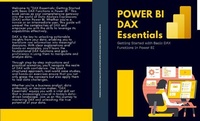
Power BI DAX Essentials Getting Started with Basic DAX Functions in Power BI
Description

Welcome to "DAX Essentials: Getting Started with Basic DAX Functions in Power BI."
This book serves as your comprehensive gateway into the world of Data Analysis Expressions (DAX) within Power BI. Whether you're a novice or an intermediate user, this guide will unravel the complexities of DAX and empower you with the skills to leverage its capabilities effectively. DAX is the key to unlocking actionable insights from your data, enabling you to transform raw information into meaningful decisions.
With clear explanations and hands-on examples, you'll learn the foundational DAX functions and gain proficiency in using them to manipulate and analyze data. Through step-by-step instructions and practical scenarios, you'll navigate the realm of DAX with confidence. The book's structured approach, real-world case studies, and hands-on exercises ensure that you not only grasp the concepts but also apply them to real data challenges. Whether you're a business analyst, data enthusiast, or decision-maker, "DAX Essentials" equips you with a vital skill set that is increasingly crucial in today's data-driven landscape.
Join us on this journey to mastering DAX and unleashing the true potential of your data.
More details
Content
- Intro
- CHAPTER I Introduction to DAX Essentials
- 1.1 Understanding Data Analysis Expressions (DAX)
- 1.2. Importance of DAX in Power BI
- 1.3. Getting Familiar with DAX Functions
- CHAPTER II Basic DAX Functions
- 2.1 DAX Syntax and Structure
- 2.2. Introducing DAX Functions: SUM, AVERAGE, COUNT, MIN, MAX
- 2.3. Applying DAX Functions in Power BI
- CHAPTER III Logical Functions in DAX
- 3.1 Using IF Function for Conditional Calculations
- 3.2. Utilizing SWITCH for Advanced Logical Operations
- 3.3. Combining Logical Functions for Complex Analysis
- CHAPTER IV Text and String Functions
- 4.1 CONCATENATE and RELATED Functions for Text Manipulation
- 4.2. Working with LEFT, RIGHT, and MID Functions
- 4.3. Formatting and Cleaning Text Data with DAX
- CHAPTER V Date and Time Functions
- 5.1 Understanding Date and Time in DAX
- 5.2. Using DATE, YEAR, MONTH, and DAY Functions
- 5.3. Calculating Time-Based Metrics with DAX
- CHAPTER VI Aggregation and Filter Functions
- 6.1 Applying SUMX, AVERAGEX, and COUNTX Functions
- 6.2. Utilizing FILTER to Modify Context in DAX
- 6.3. Combining Aggregation and Filter Functions for Dynamic Analysis
- CHAPTER VII Introduction to Tables and Iterations
- 7.1 Working with Tables in DAX
- 7.2. Using VALUES and ALL Functions for Iterations
- 7.3. Creating Dynamic Tables with DAX
- CHAPTER VIII Combining DAX Functions
- 8.1 Nesting DAX Functions for Complex Calculations
- 8.2. Building Calculated Columns and Measures
- 8.3. Chaining Functions for Advanced Data Transformations
- CHAPTER IX Time Intelligence Functions in DAX
- 9.1 Introduction to Time Intelligence in Power BI
- 9.2. Working with TOTALYTD, TOTALQTD, and TOTALMTD Functions
- 9.3. Creating Custom Time Intelligence Functions
- CHAPTER X Advanced DAX Techniques
- 10.1 Understanding DAX Evaluation Context
- 10.2. Context Transition in DAX: ROW, FILTER, and CALCULATETABLE
- 10.3. DAX Optimization and Best Practices
- CHAPTER XI DAX in Real-World Scenarios
- 11.1 Financial Analysis with DAX
- 11.2. Sales and Revenue Insights with DAX
- 11.3. Customer Behavior Analysis using DAX
- CHAPTER XII Future Trends in DAX and Power BI
- 12.1 Evolving Landscape of DAX and Analytics
- 12.2. AI and Machine Learning Integration in DAX
- 12.3. Predictive Analytics with DAX
- Appendix DAX Function Reference
- CONCLUSION
