

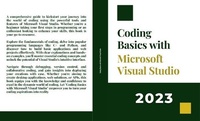
Coding Basics with Microsoft Visual Studio
Description

A comprehensive guide to kickstart your journey into the world of coding using the powerful tools and features of Microsoft Visual Studio. Whether you're a beginner taking your first steps in programming or an enthusiast looking to enhance your skills, this book is your go-to resource.
Explore the fundamentals of coding, delve into popular programming languages like C# and Python, and discover how to build basic applications and web projects effortlessly. With clear explanations and hands-on examples, you'll master essential coding concepts and unlock the potential of Visual Studio's intuitive interface.
Navigate through debugging, version control, and collaborative coding, and gain insights into deploying your creations with ease. Whether you're aiming to create desktop applications, web solutions, or APIs, this book equips you with the knowledge and confidence to excel in the dynamic world of coding. Let "Coding Basics with Microsoft Visual Studio" empower you to turn your coding aspirations into reality.
More details
Content
- Intro
- CHAPTER I Introduction to Coding and Microsoft Visual Studio
- 1.1 Understanding the Basics of Coding
- 1.2. Overview of Microsoft Visual Studio
- 1.3 Setting Up Your Development Environment
- CHAPTER II Getting Started with Visual Studio
- 2.1 Navigating the Visual Studio Interface
- 2.2. Creating a New Project
- 2.3. Writing Your First Code
- CHAPTER III Exploring Programming Languages in Visual Studio
- 3.1 Introduction to Different Programming Languages
- 3.2. Writing Code in C#
- 3.3. Writing Code in Python
- 3.4. Choosing the Right Language for Your Project
- CHAPTER IV Essential Tools and Features in Visual Studio
- 4.1 Using the Code Editor and IntelliSense
- 4.2. Debugging Your Code
- 4.3. Version Control with Git Integration
- 4.4. Customizing Your Development Environment
- CHAPTER V Building Basic Applications
- 5.1 Creating a Console Application
- 5.2. Building a Simple GUI Application
- 5.3. Working with User Input and Output
- CHAPTER VI Introduction to Data Structures and Algorithms
- 6.1 Understanding Data Structures
- 6.2. Implementing Basic Algorithms
- 6.3. Using Visual Studio for Algorithm Development
- CHAPTER VII Working with Libraries and Packages
- 7.1 Managing Dependencies with NuGet
- 7.2. Integrating Third-Party Libraries
- 7.3. Exploring Available Packages
- CHAPTER VIII Introduction to Web Development in Visual Studio
- 8.1 Creating a Basic HTML Page
- 8.2. Styling with CSS
- 8.3. Adding Interactivity with JavaScript
- CHAPTER IX Building and Testing APIs
- 9.1 Creating a RESTful API
- 9.2. Testing APIs with Postman
- 9.3. Documenting Your API
- CHAPTER X Deployment and Publishing
- 10.1 Preparing Your Application for Deployment
- 10.2. Publishing Your Application
- 10.3. Continuous Integration/Continuous Deployment (CI/CD) with Visual Studio
- CHAPTER XI Collaborative Coding with Visual Studio
- 11.1 Working in Teams with Visual Studio
- 11.2. Code Review and Collaboration Tools
- 11.3. Managing Pull Requests and Code Merging
- CHAPTER XII Beyond the Basics: Advanced Features and Resources
- 12.1 Exploring Advanced Visual Studio Features
- 12.2. Learning Resources and Further Education
- 12.3. Future Trends in Coding and Development
- CONCLUTION
