

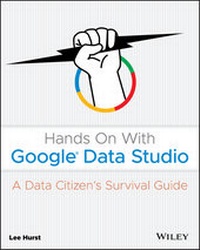
Hands On With Google Data Studio
Description

Data is no longer the sole domain of tech professionals and scientists. Whether in our personal, business, or community lives, data is rapidly increasing in both importance and sheer volume. The ability to visualize all kinds of data is now within reach for anyone with a computer and an internet connection. Google Data Studio, quickly becoming the most popular free tool in data visualization, offers users a flexible, powerful way to transform private and public data into interactive knowledge that can be easily shared and understood. Hands On With Google Data Studio teaches you how to visualize your data today and produce professional quality results quickly and easily.
No previous experience is required to get started right away--all you need is this guide, a Gmail account, and a little curiosity to access and visualize data just like large businesses and organizations. Clear, step-by-step instructions help you identify business trends, turn budget data into a report, assess how your websites or business listings are performing, analyze public data, and much more. Practical examples and expert tips are found throughout the text to help you fully understand and apply your new knowledge to a wide array of real-world scenarios. This engaging, reader-friendly guide will enable you to:
* Use Google Data Studio to access various types of data, from your own personal data to public sources
* Build your first data set, navigate the Data Studio interface, customize reports, and share your work
* Learn the fundamentals of data visualization, personal data accessibility, and open data API's
* Harness the power of publicly accessible data services including Google's recently released Data Set Search
* Add banners, logos, custom graphics, and color palettes
Hands On With Google Data Studio: A Data Citizens Survival Guide is a must-have resource for anyone starting their data visualization journey, from individuals, consultants, and small business owners to large business and organization managers and leaders.
More details
Other editions
Additional editions
Person
Content
- Cover
- Title Page
- Copyright
- About the Author
- About the Technical Editor
- Acknowledgments
- Contents at a Glance
- Contents
- Introduction
- Who Should Read This Book
- What You Will Learn
- How This Book Is Organized
- Part I: Data Studio Basics
- Part II: Business and Marketing Applications
- Part III: Beyond the Office
- Hardware and Software Requirements
- How to Use This Book
- Suggestions for the More Experienced User
- How to Contact the Publisher or Author
- Part I Data Studio Basics
- Chapter 1 Data Studio and the Data Citizen
- Data, Data Everywhere
- Accessibility of Data
- Deriving Value from Data
- The Role of Data Studio
- A Brief History of Data Studio
- Fundamentals First
- Where to Go for Help
- Time to Get Started!
- Chapter 2 Cooking with Google Data Studio
- Our First Example
- Step 1. Select a Dish to Prepare: Visualizing a Bank Account
- Before We Start: Things You'll Need
- Step 2. Let's Go Shopping! Getting the Data
- Step 3. Unpack the Groceries: Setting Up Google Drive
- Step 4. Preparing the Ingredients: Working with Google Sheets
- Step 5. Familiarizing Yourself with the Kitchen: Data Studio Home Screen and Starting a New Report
- Step 6. Assemble the Ingredients: Connecting the Data to the Report
- Step 7. Set the Table: Adding Your First Chart
- Step 8. Keep Score with Scorecards
- Step 9. It's About Time: Building the Time-Series Chart
- Step 10. Serving Suggestions: Finishing Touches and Sharing Your Report
- Summary
- Chapter 3 Enhancing Basic Graphs
- Static Report Design
- Before Getting Started: Things You'll Need
- Step 1. Copy the Report
- Step 2. Modify the Header and Set the Date Range
- Step 3. Modify Scorecards
- Step 4. Modify Time-Series Chart
- Step 5. Modify the Transactions Table
- Step 6. Save the Report as PDF for Sharing
- Summary
- Chapter 4 Data Exploration with Interactive Elements
- Building Our Workbench Example
- Step 1. Selecting a Dish to Prepare: Exploration Workbench for a Bank Account
- Step 2. Let's Go Shopping! Getting the Data Set
- Step 3. Assembling the Ingredients: Connecting Data to the Report
- Adding Chart Components and Graphic Elements
- Step 4. Reuse, Recycle, and Repurpose: Copying Elements from Other Reports
- Step 5. Easy as Pie! Adding a Pie Chart
- Step 6. Step Up to the Bar: Adding the Bar Chart
- Step 7. Lining Things Up: Adding the Line Chart
- Step 8. Tables, Again!? Setting Up the Table
- Adding and Configuring Filter Controls
- Step 9. Fun with Filters: Setting Up the Standard Filter Controls
- Tips for Using Interactive Filters
- Find the Answers: Filter Challenge
- Summary
- Part II Business and Marketing Applications
- Chapter 5 Web Data Visualization with Google Analytics
- Google Services for Websites and Business
- A Brief Primer for Google Analytics
- Using a Template to Create a New Report
- Building the Google Analytics Report
- Modifying the Charts
- Working with the New Report
- A Real-World Example: The Effects of a Beach Party in Spain on Web Traffic
- The Limits of Demographic Data from Google Analytics
- Now for a Side Dish: Adding a Page and Using Filters
- Summary
- Chapter 6 Using Google Search Console for Audience Insights
- Search Console and Search Results Pages
- Creating a Search Console Report with Data Studio
- Step 1. Selecting the Dish to Prepare
- Step 2. Let's Go Shopping!
- Step 3. Assemble the Ingredients
- Step 4. Setting the Table
- Bon Appetite! Using the Search Console Report
- An Example for Your Soul!
- Summary
- Chapter 7 Viewing Local Organization Data from Google My Business
- Google Search and the Local Organization
- GMB: The New Home Page in the Search Results
- What the User Sees in a GMB Listing
- What the Owner Sees in a GMB Listing
- Why Use Data Studio for GMB?
- Step 1. Selecting the Dish to Prepare
- The Actions Page
- The Reviews Page
- The Search Page
- Before You Begin: What You Need to Get Started
- Step 2. Let's Go Shopping and Assemble the Ingredients
- Step 3. Setting the Table
- Report, Page, and Header Setup
- Page Navigation Button Setup
- Building the Actions Page
- Building the Search Page
- Building the Reviews Page
- Summary
- Part III Beyond the Office
- Chapter 8 Getting Personal
- Creating Your Own Data
- Using Google Forms to Collect Your Own Data
- Curating Data from Other Sources
- Setting Up IFTTT to Capture Tweets
- Preparing the Google Sheet for Data Studio
- Create a Data Source for the Google Sheet
- Create the New Twitter Report
- Working with Data Generated for You
- Music Service Tracking Example
- Google Fit Community Connector Example
- Community Connector Setup for Google Fit
- Bringing It All Together
- Created Data
- Curated Data
- Generated Data
- Summary
- Chapter 9 Going Public
- Shared Data Sets
- Searching for Data Sets
- Getting Data from Kaggle
- Using a Kaggle Account
- Building the UFO Sightings Workbench
- Dealing with Performance Issues in Reports
- Using the Extract Data Connector to Speed Up Reports
- data.world and Makeover Monday
- Bringing It Home: Real Estate in Your Neighborhood
- Selecting the Dish to Prepare
- Going Shopping: Hunting for Housing Data
- Unpacking the Groceries: Moving the File to Google Drive
- Preparing the Ingredients: Fixing Data Formatting Issues
- Assembling the Ingredients: Connecting the Data to the Report
- Preparing the Meal: The Plan Meets Reality
- Sharing Your Dish: Embedding Reports
- Embedding a Report in a Google Site
- Embedding a Report in a WordPress Site
- Dealing with Pivoted Data
- Summary
- Chapter 10 Where Do You Go from Here?
- Helping Your Audience See the Light
- Annotation Ideas for Static Reports
- Annotation Ideas for Interactive Reports
- Providing Detailed Instructions for Users
- Community Visualizations
- Data Studio as an Application Development Platform
- Exotic Ingredients and Your Pantry
- Data Blending
- File Upload
- BigQuery for Big Data
- Community Connectors
- The Latest Dishes: New Developments and Releases
- Summary
- Index
- EULA
Introduction
I'll confess that when I was initially approached to write a book about Google Data Studio, I was hesitant. At the time, I was building a reputation, and some authority, on the subject. I particularly enjoyed blogging, giving presentations, and collaborating with newfound colleagues. It was exciting to explore the bounds of what was possible with each new release. But write a book on the subject? That was another matter, for sure.
I thought it might be a fool's errand to try to capture all the capabilities of such a quickly evolving platform in book form. After reading and reviewing hundreds of resources about Google Data Studio over the past few years, I had seen many "ultimate" guides published on the web, only to be outdated soon after their release. I seriously considered turning down the opportunity.
What changed my mind was a reflection on why I enjoyed working with Data Studio in the first place. It was the feeling of empowerment. I had found Data Studio to be like the Swiss Army knife of data visualization tools: although it certainly is not the best tool for every job, you can do quite a lot with it, and it is easily accessible.
Developing the ability to make sense of the tremendous amounts of data generated in our society is a challenge as well as an opportunity. Both individuals and large corporations can benefit from increased access to data if the tools to work with it are accessible and approachable. I believe that Data Studio meets these requirements and can help in the democratization of these skills.
The development of data literacy, and increasing your ability to communicate insights through visualization, is not just a set of skills to be used in a business context. Although it is becoming increasingly important for businesses to develop these skills, you can go beyond the business context and use these capabilities for your community and your personal interests.
Data Studio continues to evolve sophisticated features, but the fundamental capabilities have remained available and accessible to users at all levels. My approach to writing this book was not to provide an exhaustive detailing of features or to dive into the latest or most exotic implementations, as fun as that might be. The challenge in writing this book was to provide the reader with access to the fundamentals and guide them through the development process with examples that are relevant to their interests. The goal is to provide a foundation for those who want to explore or develop data skills.
During the writing of this book, which took several months, there were more than 20 Data Studio updates and releases. Despite all those changes, there have been only a few cosmetic updates to the examples provided. My hope, and so far, my experience, is that this book will be of value for some time to come. It is designed as a survival guide: a resource to get you started and see you safely through the challenges of working in areas that might be unfamiliar.
Beyond this book, you should find resources available to empower you to pursue your own interests even further and take advantage of new features as they become available.
Who Should Read This Book
This book is primarily designed with novices in mind. It is heavily weighted in favor of those who may be unfamiliar with the many different systems and services available. A wide range of applications are covered in this book, and chances are good that you will have an interest in several of the topics. This book should help
- Beginners looking for an accessible way to get started building skills in data visualization and analysis
- Those interested in gaining experience with data visualization tools
- Organizations looking for better ways to communicate their community involvement
- Small business owners looking to gain insight and monitor their websites and business listings
- Freelancers or small agencies looking to add better reporting capabilities for their clients
- People involved in organizations that can benefit from better reporting and communication capabilities
- People who have an interest in building their data skills and literacy for career enhancement
- Those who need to gain experience using Data Studio specifically due to business adoption
- Individuals interested in using their own data for personal growth
- People interested in analyzing and reporting on public data
What You Will Learn
This book provides a practical guide to many of the steps in the data life cycle. You'll learn how to find data, connect to data services, retrieve data, and study the basics of data preparation. We'll cover the basics of report design as well as using reports for analysis and insight discovery. And, of course, you'll learn all about using Data Studio as a tool for data visualization, analysis, and communication.
Throughout most of this book, we'll use a basic cooking analogy to guide you through the steps of creating reports and applications. We'll usually start with the finished product so that you can see the main components used in each example, and we'll then proceed to re-create the example.
For each example, I'll walk you through all the steps and not just how to create the report itself. It's important to know how and where to shop for data, how to prepare the data when necessary, and how to use the finished product.
Data Studio is a tool that can help you find your own insights from data in addition to being a medium for visual data communication. The more you work with data, the more you will build greater intuition as to where to look for insights. At the same time, your skills in analysis will grow. Again, there is no substitute for practice and experience.
It is my hope that as you work with your own data and learn to use the tools discussed in this book, you'll become more than a passive consumer of other people's work. Hopefully, you'll develop an appreciation of well-crafted communications. Also, you may develop a healthy skepticism for data presented in ways designed to promote a conclusion rather than to highlight an insight.
You have to expend a lot of mental energy in order to gain your own insights and even more energy to communicate them to an audience. I have found that working on topics and areas that interest me personally provides the motivation to expend the effort required.
My advice is to find an area of your own interest, in your personal, business, or public life, and explore that area with the tools now available.
How This Book Is Organized
Each chapter in the book has its own set of online resources. You'll find links to the live Data Studio examples, online references, and services. In addition, sample data files are provided for Part I so that you can follow along using the example data. You can access all of the online resources at www.wiley.com/go/handsondatastudio.
Part I: Data Studio Basics
This group of chapters covers the basics of working with Data Studio.
- Chapter 1: Data Studio and the Data Citizen This chapter is designed to introduce users to the tools and skills that you'll be building by following the examples in this book. It explores the concepts involved in the data life cycle, the increased demand for data skills, and the roles that Data Studio can fill.
- Chapter 2: Cooking with Google Data Studio This chapter will help users new to Data Studio to get up and running with the tool. Starting from scratch, we go from account setup, to personal financial data retrieval, to basic data preparation. After data preparation, we build the example report.
Along the way, you'll be introduced to basic Data Studio concepts and how to use the fundamental features of the tool. We'll cover in detail how to set up a Google Sheet with a new data connection and add that to your report. We'll also explore several of the fundamental chart visualizations and focus on configuration options that are most commonly used. Finally, you'll learn how to share the report.
- Chapter 3: Enhancing Basic Graphs This chapter builds on the example created in Chapter 2. Here we cover the setup and configuration options that are important to most users, from chart visualization options to time range comparisons. I also provide an introduction to grouping concepts in order to build the updated report.
This chapter also covers how to copy Data Studio reports and reuse elements in order to save time. You'll learn more about static report design and how to use Data Studio to create password-protected PDFs for safe report sharing.
- Chapter 4: Data Exploration with Interactive Elements This chapter sticks to using personal accounting data, but instead of creating static reports, we build a workbench designed for analysis. The chapter then explores the major interactive features available to Data Studio users, and it provides guidance on using various interaction options.
This chapter also introduces you to modifying and augmenting data using Data Studio functions when it is inconvenient, or impossible, to modify the source data. The last part of the chapter explores how to use the report as an analysis tool to answer specific questions.
Part II: Business and Marketing Applications
This part caters to the natural strengths of Data Studio. The focus here is on reporting...
