

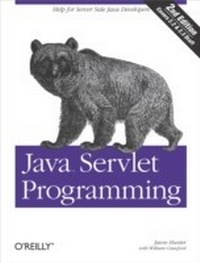
Java Servlet Programming
Help for Server Side Java Developers
1st Edition
Published on 3. April 2001
782 pages
978-1-4493-9067-9 (ISBN)
Description

Servlets are an exciting and important technology that ties Java to the Web, allowing programmers to write Java programs that create dynamic web content.Java Servlet Programming covers everything Java developers need to know to write effective servlets. It explains the servlet lifecycle, showing how to use servlets to maintain state information effortlessly. It also describes how to serve dynamic web content, including both HTML pages and multimedia data, and explores more advanced topics like integrated session tracking, efficient database connectivity using JDBC, applet-servlet communicaton, interservlet communication, and internationalization. Readers can use the book's numerous real-world examples as the basis for their own servlets.The second edition has been completely updated to cover the new features of Version 2.2 of the Java Servlet API. It introduces chapters on servlet security and advanced communication, and also introduces several popular tools for easier integration of servlet technology with dynamic web pages. These tools include JavaServer Pages (JSP), Tea, XMLC, and the Element Construction Set.In addition to complete coverage of 2.2 specification, Java Servlet programming, 2nd Edition, also contains coverage of the new 2.3 final draft specification.
More details
Other editions
Additional editions
Jason Hunter | William Crawford
Java Servlet Programming
Book
05/2001
2nd Edition
O'Reilly
€47.00
Shipment within 10-20 days
Content
- Intro
- Table of Contents
- Preface
- Servlet API 2.2
- Servlet API 2.3
- Readers of the First Edition
- Audience
- What You Need to Know
- About the Examples
- Organization
- Conventions Used in This Book
- Request for Comments
- Acknowledgments
- Acknowledgments from the First Edition
- Introduction
- History of Web Applications
- Common Gateway Interface
- FastCGI
- PerlEx
- mod_perl
- Other Solutions
- Server extension APIs
- Server-side JavaScript
- Active Server Pages
- JavaServer Pages
- Java Servlets
- Support for Servlets
- Standalone Servlet Containers
- Add-on Servlet Containers
- Embeddable Servlet Containers
- Additional Thoughts
- The Power of Servlets
- Portability
- Power
- Efficiency and Endurance
- Safety
- Elegance
- Integration
- Extensibility and Flexibility
- HTTP Servlet Basics
- HTTP Basics
- Requests, Responses, and Headers
- GET and POST
- Other Methods
- The Servlet API
- Page Generation
- Writing Hello World
- Running Hello World
- Handling Form Data
- Handling POST Requests
- Handling HEAD Requests
- Web Applications
- The WEB-INF Directory
- The Deployment Descriptor
- Moving On
- The Servlet Lifecycle
- The Servlet Alternative
- A Single Java Virtual Machine
- Instance Persistence
- A Simple Counter
- A Simple Synchronized Counter
- A Holistic Counter
- Servlet Reloading
- Init and Destroy
- A Counter with Init
- A Counter with Init and Destroy
- Single-Thread Model
- Background Processing
- Load on Startup
- Client-Side Caching
- Server-Side Caching
- Retrieving Information
- The Servlet
- Getting a Servlet Init Parameter
- Getting Servlet Init Parameter Names
- Getting a Servlet's Name
- The Server
- Getting Information About the Server
- Writing to a Temporary File
- Locking a Servlet to a Server
- Getting a Context Init Parameter
- Determining the Servlet Version
- The Client
- Getting Information About the Client Machine
- Restricting Access
- Getting Information About the User
- A Personalized Welcome
- The Request
- Request Parameters
- Generating a License Key
- Path Information
- Getting path information
- Ad hoc path translations
- Getting the context path
- Getting MIME types
- Serving Files
- Reading from an Abstract Resource
- Serving Resources
- Serving Resources for Download
- Determining What Was Requested
- How It Was Requested
- Request Headers
- Accessing header values
- Wading the Input Stream
- Handling POST requests using the input stream
- Receiving files using the input stream
- Extra Attributes
- Sending HTML Information
- The Structure of a Response
- Sending a Normal Response
- Using Persistent Connections
- Response Buffering
- Controlling the Response Buffer
- Status Codes
- Setting a Status Code
- Improving ViewFile Using Status Codes
- HTTP Headers
- Setting an HTTP Header
- Redirecting a Request
- Watching Links to Other Sites
- Client Pull
- When Things Go Wrong
- Status Codes
- Configuring Error Pages
- Logging
- Reporting
- Exceptions
- ServletException
- UnavailableException
- Configuring Exception Pages
- Knowing when no one's listening
- Six Ways to Skin a Servlet Cat
- Sending Multimedia Content
- WAP and WML
- WML
- WAP Device Simulators
- Serving WAP Content
- Dynamic WAP Content
- And That's a WAP
- Images
- Image Generation
- A "Hello World" image
- A dynamically generated chart
- Image Composition
- Drawing over an image
- Combining images
- Image Effects
- Converting an image to grayscale
- Caching a converted image
- Compressed Content
- Server Push
- Session Tracking
- User Authentication
- Hidden Form Fields
- URL Rewriting
- Persistent Cookies
- Working with Cookies
- Shopping Using Persistent Cookies
- The Session Tracking API
- Session-Tracking Basics
- A Hit Count Using Session Tracking
- The Session Lifecycle
- Setting the Session Timeout
- Choosing the right timeout
- Lifecycle Methods
- Manually Invalidating a Stale Session
- How Sessions Really Work
- Applet-Based Session Tracking
- Noncookie Fallbacks
- SessionSnoop
- Session Binding Events
- Shopping Using Session Tracking
- Security
- HTTP Authentication
- Configuring HTTP Authentication
- Role-based authentication
- Restricting access to a servlet
- Retrieving Authentication Information
- Form-Based Authentication
- Custom Authentication
- Form-Based Custom Authorization
- Digital Certificates
- Secure Sockets Layer (SSL)
- SSL Client Authentication
- Configuring SSL Security
- Configuring SSL Authentication
- Retrieving SSL Authentication Information
- Database Connectivity
- Relational Databases
- The JDBC API
- JDBC Drivers
- Getting a Connection
- Getting a Connection from a Servlet
- Executing SQL Queries
- Handling SQL Exceptions
- Result Sets in Detail
- Handling Null Fields
- Updating the Database
- Using Prepared Statements
- Reusing Database Objects
- Reusing Database Connections
- Reusing Prepared Statements
- Transactions
- Using Transactions with JDBC
- Optimized Transaction Processing
- Connection Pooling
- Connections as Part of a Session
- A Guestbook Servlet
- Advanced JDBC Techniques
- Stored Procedures
- Binaries and Books
- Beyond the Core
- Applet-Servlet Communication
- Communication Options
- HTTP and Raw Socket Connections
- Servlets and Object Serialization
- JDBC, RMI, and a Little CORBA
- The Hybrid Approach
- Daytime Server
- The Applet
- Text-Based HTTP Communication
- The servlet
- Back to the applet
- Object-Based HTTP Communication
- The servlet
- The applet
- Posting a serialized object or file
- Socket Communication
- The servlet
- The superclass
- The applet
- RMI Communication
- The servlet
- The superclass
- The applet
- A full-service servlet
- Chat Server
- The Design
- The Servlet
- The HTTP Applet
- The Socket-Connecting Applet
- The RMI Applet
- The Dispatcher
- Servlet Collaboration
- Sharing Information
- Sharing with the ServletContext
- Using the context to sell burritos
- Sharing with Another ServletContext
- Class loader issues
- Sharing Control
- Getting a Request Dispatcher
- Dispatching a Forward
- Dispatching by name
- Forward Versus Redirect
- Dispatching an Include
- Enterprise Servlets and J2EE
- Distributing Load
- How to Be Distributable
- Many Styles of Distribution
- Integrating with J2EE
- J2EE Division of Labor
- Environment Entries
- References to EJB Components
- References to External Resource Factories
- Servlet Distribution in a J2EE Environment
- Internationalization
- Western European Languages
- HTML Character Entities
- Unicode Escapes
- Conforming to Local Customs
- Non-Western European Languages
- Charsets
- Writing Encoded Output
- Reading and Writing Encoded Output
- Multiple Languages
- UCS-2 and UTF-8
- Writing UTF-8
- Dynamic Language Negotiation
- Language Preferences
- Charset Preferences
- Resource Bundles
- Writing to Each His Own
- The LocaleNegotiator Class
- System-Provided Locales
- HTML Forms
- The Hidden Charset
- The Tea Framework
- The Tea Language
- Getting Started
- Request Information
- Digging Deeper
- Tea Administration
- Tea Applications
- Text Processing
- Content Handling
- Request/Response Handling
- Writing a Tea Application
- A Tool Application
- Final Words
- WebMacro
- The WebMacro Framework
- Saying Hello with WebMacro
- Installing WebMacro
- The WebMacro Template Language
- WebMacro Context Tools
- WebMacro Directives
- #if
- #set
- #foreach
- #parse
- #include
- #param
- #use
- WebMacro Templates
- A Reusable MacroView Servlet
- Template Processing
- A Tool Application
- Filters
- Custom Filters
- Element Construction Set
- Page Components as Objects
- Displaying a Result Set
- Customizing the Display
- XMLC
- A Simple XML Compile
- The Manipulation Class
- Modifying a List
- A Tool Application
- JavaServer Pages
- Using JavaServer Pages
- Behind the Scenes
- Expressions and Declarations
- Directives
- Using Directives
- Avoid Java Code in JSP Pages
- JSP and JavaBeans
- Embedding a Bean
- Controlling Bean Properties
- Saying "Hello" Using a Bean
- Includes and Forwards
- A Tool Application
- Custom Tag Libraries
- Using Custom Tag Libraries
- A Tool Application Using Custom Tag Libraries
- Odds and Ends
- Parsing Parameters
- ParameterParser Code
- Sending Email
- Using the MailMessage Class
- Emailing Form Data
- Using Regular Expressions
- Finding Links with Regular Expressions
- Executing Programs
- Finger
- Executing the finger Command
- Executing finger with Arguments
- Executing finger with Redirected Output
- Using Native Methods
- Acting as an RMI Client
- Debugging
- Check the Logs
- Output Extra Information
- Use a Standard Debugger
- Examine the Client Request
- Create a Custom Client Request
- Use a Third-Party Tool
- Some Final Tips
- Performance Tuning
- Go Forth, but Don't Prosper
- Don't Append by Concatenation
- Limit Synchronization
- Buffer Your Input and Output
- Try Using an OutputStream
- Use a Profiling Tool
- What's New in the Servlet 2.3 API
- Changes in the Servlet API 2.3
- Servlets in J2SE and J2EE
- Filters
- Lifecycle Events
- Selecting Character Encodings
- JAR Dependencies
- Class Loaders
- New Error Attributes
- New Security Attributes
- Little Tweaks
- DTD Clarifications
- Conclusion
- Servlet API Quick Reference
- GenericServlet
- RequestDispatcher
- Servlet
- ServletConfig
- ServletContext
- ServletException
- ServletInputStream
- ServletOutputStream
- ServletRequest
- ServletResponse
- SingleThreadModel
- UnavailableException
- HTTP Servlet API Quick Reference
- Cookie
- HttpServlet
- HttpServletRequest
- HttpServletResponse
- HttpSession
- HttpSessionBindingEvent
- HttpSessionBindingListener
- HttpSessionContext
- HttpUtils
- Deployment Descriptor DTD Reference
- &auth-constraint&
- &auth-method&
- &context-param&
- &description&
- &display-name&
- &distributable&
- &ejb-link&
- &ejb-ref&
- &ejb-ref-name&
- &ejb-ref-type&
- &env-entry&
- &env-entry-name&
- &env-entry-type&
- &env-entry-value&
- &error-code&
- &error-page&
- &exception-type&
- &extension&
- &form-error-page&
- &form-login-config&
- &form-login-page&
- &home&
- &http-method&
- &icon&
- &init-param&
- &jsp-file&
- &large-icon&
- &load-on-startup&
- &location&
- &login-config&
- &mime-mapping&
- &mime-type&
- ¶m-name&
- ¶m-value&
- &realm-name&
- &remote&
- &res-auth&
- &res-ref-name&
- &res-type&
- &resource-ref &
- &role-link&
- &role-name&
- &security-constraint&
- &security-role&
- &security-role-ref &
- &servlet&
- &servlet-class&
- &servlet-mapping&
- &servlet-name&
- &session-config&
- &session-timeout&
- &small-icon&
- &taglib&
- &taglib-location&
- &taglib-uri&
- &transport-guarantee&
- &url-pattern&
- &user-data-constraint&
- &web-app&
- &web-resource-collection&
- &web-resource-name&
- &welcome-file&
- &welcome-file-list&
- HTTP Status Codes
- Character Entities
- Charsets
- Index
