

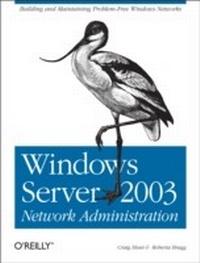
Windows Server 2003 Network Administration
Building and Maintaining Problem-Free Windows Networks
1st Edition
Published on 8. September 2005
698 pages
978-0-596-55268-8 (ISBN)
Description

This book is the Windows Server version of the classic TCP/IP Network Administration. Like the book that inspired it, Windows Server 2003 Network Administration provides an overview of the essential TCP/IP protocols, and explains how to properly manage and configure the services based on these protocols. Any skilled network administrator knows that understanding how things work is as important as knowing how things are done. This book is the essential guide to both, containing everything a network administrator needs to exchange information via the Internet, and to build effective reliable networks.This must-read guide is divided into three distinct sections: fundamental concepts, tutorial, and reference. The first three chapters are a basic discussion of the network protocols and services. This discussion provides the fundamental concepts necessary to understand the rest of the book. The remaining chapters provide a how-to tutorial for planning, installing and configuring various important network services. The book concludes with three appendixes that are technical references for various configuration options. Content specifics include how to:Install, configure, and manage a Microsoft DNS and Windows DHCP serverControl remote communications with Microsoft RRAS softwareProtect hosts with Internet Connection FirewallsConfigure Internet and Intranet Web services with IISDesign proper security into your networkTroubleshoot the network when problems developAfter you've turned the final page of Windows Server 2003 Network Administration, you'll not only understand how to network, but also why it needs to be done.
More details
Other editions
Additional editions
Craig Hunt | Roberta Bragg
Windows Server 2003 Network Administration
Building and Maintaining Problem-Free Windows Networks
Book
10/2005
1st Edition
O'Reilly
€47.00
Shipment within 10-20 days
Content
- Intro
- Table of Contents
- Preface
- Who Should Read This Book
- What's in This Book
- Conventions Used in This Book
- Using Code Examples
- We'd Like to Hear from You
- Safari Enabled
- Acknowledgments
- Overview of TCP/IP
- TCP/IP and the Internet
- TCP/IP Features
- Protocol Standards
- A Data Communications Model
- TCP/IP Protocol Architecture
- Network Access Layer
- Internet Layer
- Internet Protocol
- The datagram
- Routing datagrams
- Fragmenting datagrams
- Passing datagrams to the Transport Layer
- Internet Control Message Protocol
- IP Security
- Transport Layer
- User Datagram Protocol
- Transmission Control Protocol
- Transport Layer Security
- Application Layer
- Summary
- Delivering the Data
- Addressing, Routing, and Multiplexing
- The IP Address
- Address Structure
- Subnets
- The Natural Mask
- CIDR Blocks and Route Aggregation
- Private Network Numbers
- IPv6
- The lack of demand for IPv6
- Internet Routing Architecture
- The Routing Table
- Address Resolution
- Protocols, Ports, and Sockets
- Protocol Numbers
- Port Numbers
- Sockets
- Summary
- Network Services
- Names and Addresses
- The HOSTS File
- LMHOSTS
- Domain Name System
- The Domain Hierarchy
- Creating Domains and Subdomains
- Domain Names
- DNS Resolver and Server
- Windows Internet Name Service
- WINS Name Registration and Name Resolution
- Registering, renewing, and releasing NetBIOS names
- Resolving a NetBIOS name
- SMB and CIFS
- Mail Services
- Simple Mail Transfer Protocol
- Post Office Protocol
- Internet Message Access Protocol
- Multipurpose Internet Mail Extensions
- Dynamic Host Configuration Protocol
- How DHCP Works
- Dynamic DNS
- Active Directory Basics
- Active Directory Replication Basics
- Active Directory Database Basics
- Domain Controllers
- Authentication, Authorization, and Trusts
- Group Policy Basics
- Summary
- Basic TCP/IP Configuration
- Network Device Configuration
- Adapter Configuration
- Installing and Removing Network Components
- General TCP/IP Configuration
- Manually Defining the IP Address
- Selecting an IP address block
- Basic DNS Configuration
- Adding More Configuration Details
- Adding IP Addresses
- Adding Gateways
- The DNS Tab
- The WINS Tab
- The Options Tab
- Summary
- Managing DHCP Services
- Basic Microsoft DHCP Concepts
- DHCP Options
- DHCP Scopes
- Planning for DHCP
- Redundancy Issues
- Installing the DHCP Server
- Configuring a DHCP Scope
- Using the DHCP Console
- Adding a Server
- Adding a Scope or a Superscope
- Configuring DHCP Options
- Using Option Classes
- Working with user classes
- Working with vendor classes
- Defining new options and setting defaults
- Creating a Reservation
- DHCP Server Administration
- Authorizing
- Activating
- Detecting Conflicts
- Selecting the Interface
- Backup and Restore
- Integrating with DNS
- Logging
- Creating a MADCAP Server
- Summary
- Creating a DNS Server
- Domains Versus Zones
- The Microsoft DNS Server
- Planning a DNS Server Installation
- Installing the DNS Server
- Initial Configuration
- The DNS Files
- The cache.dns File
- The Forward Lookup Zone File
- Customizing SOA parameters
- Defining a list of name servers
- The Reverse Lookup File
- The DNS Console
- Defining Records for a Forward Lookup Zone
- Working with Subdomains
- Delegating a domain
- Managing a Reverse Lookup Zone
- Delegating a reverse zone
- Understanding Stub Zones
- Other Zone Management Features
- Managing zone transfers
- Configuring DNS Notify
- Integrating a zone and WINS
- Server Properties
- Advanced tab
- Scavenging
- Forwarders
- Logging and monitoring
- Using nslookup
- Summary
- Using AD to Support Network Administration
- Moving from Workgroups to Domain Environments
- Using dcpromo
- Creating a forest
- Creating a new tree
- Adding a child domain
- Creating an additional DC
- Confirming DNS Registration of DC Information
- Configuring Sites
- Creating, configuring, and modifying sites
- Moving Operations Master Roles
- Back Up AD
- TCP/IP for AD Transport, Access, and Support
- AD / DNS Dependencies
- How AD Uses DNS
- How DCs are located
- How site information is used during logon
- How DNS is used for AD replication
- Configuring DNS for AD
- Configuring the server
- Configuring domain records
- Configuring DNS delegation
- Configuring AD-integrated DNS zones
- Configuring and using secure dynamic DNS
- Using Windows Server 2003 AD Application Partitions for DNS Zone Information
- Using application partitions
- Migrating from Windows 2000 to Windows Server 2003
- Configuring the Windows Time Service
- Synchronizing with an external time source
- Synchronize with a hardware clock
- Integrating DHCP with AD
- NetBIOS and WINS in an AD Domain
- Integrating WINS in a DNS environment
- Using Group Policy to Manage Network Protocols
- Dependency of Group Policy on DNS
- Managing TCP/IP Configuration Using Group Policy
- Managing DNS Client Configuration Using Group Policy
- Managing the Windows Time Service Using Group Policy
- Managing SNMP Using Group Policy
- Managing WINS, RRAS, and IAS Servers Using Group Policy
- Summary
- Controlling Remote Communications with Microsoft Routing and Remote Access Service
- Routing Services
- IP Multicast Support
- Understanding multicast components
- Adding the IGMP services to RRAS
- Configuring multicast boundaries
- Configuring multicast heartbeats
- Querying multicast router information
- Configuring the DHCP Relay Agent
- Configuring RIP Version 2 for IP
- Configuring general RIP properties
- Configuring Silent RIP mode
- Configuring RIP security properties
- Configuring RIP neighbors routing properties
- Configuring advanced RIP routing properties
- Configuring Open Shortest Path First (OSPF)
- Subdividing the network into OSPF areas
- Identifying ASBRs
- Configuring network type
- Identifying virtual links and backbone areas
- Configuring security for OSPF
- Network Address Translation (NAT)
- Enabling and configuring NAT
- Creating and configuring NAT interfaces
- Creating a Demand Dial interface for dial-up connections
- Adding a default static route
- Enabling routing on ports
- Securing a NAT server
- Allowing inbound connections
- Logging RRAS Routing Events
- Protocol Filtering (Basic Firewall Services)
- Remote Access Planning and Deployment
- Hardware Provisioning
- Authentication Choices
- Reversible Encryption
- Data Encryption
- Encryption types
- Choosing MPPE or IPSec encryption
- Encryption strength selection for VPNs
- Choosing a VPN Protocol
- PPTP considerations
- L2TP/IPSec considerations
- IPSec in tunnel mode considerations
- PPP Extensions
- IP Addressing and DHCP Integration
- Domain Functional Level Issues
- The Remote Access Connection Process
- Dial-in User Constraints
- Remote Access Policies
- Remote access policy restrictions
- Profile constraints
- Configuring remote access policies
- Configuring Dial-up or VPN Access
- Advanced Virtual Private Network (VPN) Process and Configuration
- Using L2TP/IPSec VPNs with NAT and NAT-T
- Configuring and Using RRAS Demand-Dial VPN
- Configuring Dial-in Properties
- Using a Shared Key for a L2TP/IPSec VPN
- Configuring Firewalls for VPN
- Configuring Clients to Use Remote Access
- Configuring Logging and Accounting (Auditing) for Remote Access
- Summary
- Protecting Hosts with Windows Host Firewalls
- Firewall Basics
- Internet Connection Sharing
- Enabling ICS
- Enabling Internet Access to Local Services
- Using a Network Bridge with ICS
- Securing ICS
- Managing ICS via Group Policy
- Windows Firewall
- Internet Connection Firewall (ICF)
- Service Pack Firewall Modifications
- Modifications
- Modifying firewall behavior using the Windows Firewall INF file and unattend.txt
- Windows Server 2003 SP1
- Routing and Remote Access Basic Firewall
- Protocol Filters
- TCP/IP Filters
- Routing and Remote Access Protocol Filters
- Filtering Using IPSec
- Which Firewall Services Should You Use?
- Summary
- Centralizing Authentication and Authorization with Internet Authentication Server
- The RADIUS Protocol
- Authentication, Authorization, and Accounting RADIUS Processes
- Authentication
- Authorization
- Accounting
- RADIUS Messages
- Installing and Configuring IAS
- Installing IAS
- Configuring IAS for Remote Access
- Configuring a connection request policy
- Configuring RADIUS clients for the IAS server
- Configuring RRAS servers as RADIUS clients
- Configuring auditing and logging
- Configuring Remote Access policies
- Configuring additional ports
- Configuring account lockout
- Configuring IAS as a RADIUS Proxy
- Configuring a RADIUS Server Group
- Configuring a Connection Request Policy
- Securing Communications Between RRAS and IAS
- Shared Secret
- Message-Authenticator Attribute
- IPSec
- Configuring IAS for Use with VLANs
- Creating a Remote Access Policy for VLANs
- Securing Wireless Access with IAS
- Understanding EAP and PEAP
- Understanding the 802.1x Authentication Process
- Implementing 802.1x Authentication
- Configuring IAS to support 802.1x authentication for wireless clients
- Understanding and fulfilling certificate requirements for EAP and PEAP
- Using a Windows CA server certificate
- Using a third-party certificate
- Configuring the Windows XP wireless client to use 802.1x authentication
- Understanding and Using WPA
- Using Backup and Restore (Importing IAS Configuration)
- Providing Load Balancing for Multiple RAS Servers
- Using IAS to Protect the Network from Bad Computers
- Network Access Quarantine Control
- Understanding network access quarantine control
- Implementing network access quarantine control
- Network Access Protection
- Summary
- Protecting Network Communications with Internet Protocol Security
- IPSec Basics
- Security Advantages of IPSec
- Blocking, permitting, and securing communications
- Defense in depth
- IPSec tunnels
- Flexibility
- Differences Between AH and ESP
- Process and Procedure
- Defining the type of communication
- Blocking and permitting
- Securing or negotiating
- Specifics of the Windows Implementation
- The IPSec Policy Agent Service
- The IPSec Driver
- New in Windows Server 2003
- Disable default exemptions
- IPSec NAT traversal
- Default IPSec Policies
- Configuring a Windows IPSec Policy
- Reviewing Configuration Requirements
- Using the IPSec Policy Wizard to Create a Policy
- Creating an MMC console
- Create a blocking rule
- Assigning the Policy
- Testing the Policy
- Creating Additional Rules
- Create a permit rule
- Changing the permit rule to secure
- Creating an IPSec policy on ComputerB
- Setting Up the IPSec Monitor and Testing the Policy
- Writing Policies Using netsh
- Using Group Policy to Implement IPSec
- Monitoring and Troubleshooting IPSec
- Using netsh to monitor IPSec
- Using the IP Security Monitor to monitor IPSec
- Extending IPSec Operations
- Use Persistent Policies
- Configure IPSec Driver Modes
- Startup mode
- Operational mode
- Diagnostic mode
- Designing IPSec Policies to Meet Secure Communications Needs
- Hardening IPSecurity Policies
- Hardening Authentication
- Hardening Security Methods
- Summary
- Configuring Internet and Intranet Web Services with IIS
- Server Preparation and IIS Installation
- Install and Prepare Windows Server 2003
- Documenting the server configuration
- Hardening of dedicated web server services
- Installing IIS
- Installing and Configuring Web Servers and Sites
- Creating a Web Site
- Managing IIS Permissions
- Configuring User Authentication
- Configuring Web Site Properties
- Configuring the IP address used for the server
- Configuring access
- Setting MIME
- Configuring NTFS permissions
- Configuring logging
- Adding IIS components and services
- Enabling and configuring extensions
- Reviewing Web Server Security
- Editing the Metabase
- Using IIS Backup and Recovery
- Configuring SSL
- Requesting a certificate
- Installing the certificate
- Configuring the web site to require SSL
- Backing up and restoring certificates
- Configuring FTP
- Creating an FTP site
- Configuring FTP authentication
- IIS Mail Services
- Configuring Email Services
- Using a Mail Gateway with the SMTP Virtual Server
- Monitoring SMTP
- Installing and Running IIS Applications
- Determining Session State Requirements
- Using Web Site and Application Isolation
- Isolation by disk and/or subdirectory
- Isolation via unique worker processes
- Security context and impersonation
- Choosing a Process Isolation Mode
- Managing Application Pools and Worker Processes
- Creating and configuring application pools
- Monitoring the health of application pools
- Recycling worker processes
- Summary
- Network Security Administration
- Security Administration Framework
- Windows Security Posture
- Permissions and Privileges
- Privileges and permissions not explicitly granted are denied
- Deny permissions may or may not override allow
- Anonymous Access and Null Sessions Are Possible
- Administrators Are All-Powerful
- Delegation of Authority
- Multiple administrative groups
- Granular permissions and rights assignment
- Delegation of control
- Role Separation
- Centralized Administration with Group Policy
- Security Templates for Security Configuration
- Domains Are Not Security Boundaries
- Configuring Advanced Network Security Features
- Storage and Use of EFS-Encrypted Files on Network Servers Using WebDAV
- Integration of Certificate Services into Windows Networking
- Configuring domains to use certificate services
- Obtaining certificates for DCs and servers
- Configuring SMTP transport for AD replication
- Securing LDAP communications
- SMB Signing
- Summary
- Troubleshooting TCP/IP
- Approaching a Problem
- Troubleshooting Hints
- Diagnostic Tools
- Testing Basic Connectivity
- The ping Command
- Using portqry
- Troubleshooting Network Access
- Troubleshooting with the ipconfig Command
- Troubleshooting with the arp Command
- ARP problem case study
- Checking the Interface with netstat
- Network hardware problems
- Checking Routing
- Tracing Routes
- Checking Name Service
- Some Systems Work, Others Don't
- The data is here and the server can't find it
- Analyzing Protocol Problems
- Network Monitor
- Protocol Case Study
- Summary
- DHCP Options
- DHCP Audit Log Identifiers
- DNS Resource Records
- Basic Resource Records
- Start of Authority Record
- Name Server Record
- Address Record
- Mail Exchanger Record
- Canonical Name Record
- Domain Name Pointer Record
- Service Location (SRV)
- Less Commonly Used Resource Records
- AFS Database (AFSDB)
- ATM Address (ATMA)
- Host Information (HINFO)
- IPV6 Host (AAAA)
- ISDN
- Mail Group (MG)
- Mailbox (MB)
- Mailbox Information (MINFO)
- Next Domain (NXT)
- Public Key (KEY)
- Rename Mailbox (MR)
- Responsible Person (RP)
- Route Through (RT)
- Signature (SIG)
- Text (TXT)
- Well Known Services (WKS)
- X.25
- The Boot File
- Index
