

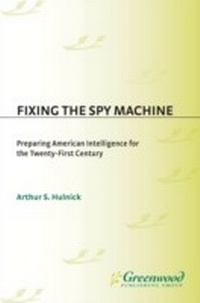
Fixing the Spy Machine
Preparing American Intelligence for the Twenty-First Century
1st Edition
Published on 30. November 1999
248 pages
978-0-313-39030-2 (ISBN)
Description

With the end of the Cold War and the dawning of a new century, the U.S. intelligence system faces new challenges and threats. The system has suffered from penetration by foreign agents, cutbacks in resources, serious errors in judgment, and what appears to be bad management; nonetheless, it remains one of the key elements of America's strategic defense. Hulnick suggests that things are not as bad as they seem, that America's intelligence system is reasonably well prepared to deal with the many threats to national security. He examines the various functions of intelligence from intelligence gathering and espionage to the arcane fields of analysis, spy-catching, secret operations, and even the business of corporate espionage.
Hulnick offers a variety of ideas for making the system work better and for attracting the kinds of new intelligence professionals who will build a stronger intelligence system in the next century. Fixing the Spy Machine suggests that the role of the Director of Central Intelligence, the person who runs both the CIA and oversees the U.S. Intelligence Community, should be depoliticized and made stronger. It also concludes that people are responsible for making the system function, not its bureaucratic structure. Still, intelligence managers are going to have to become less risk-averse and more flexible if the system is to function at its best.
Hulnick offers a variety of ideas for making the system work better and for attracting the kinds of new intelligence professionals who will build a stronger intelligence system in the next century. Fixing the Spy Machine suggests that the role of the Director of Central Intelligence, the person who runs both the CIA and oversees the U.S. Intelligence Community, should be depoliticized and made stronger. It also concludes that people are responsible for making the system function, not its bureaucratic structure. Still, intelligence managers are going to have to become less risk-averse and more flexible if the system is to function at its best.
More details
Edition
1. Auflage
Language
English
Place of publication
New York
United States
Publishing group
Bloomsbury Publishing Plc
Target group
College/higher education
Professional and scholarly
Interest Age: From 7 to 17 years
ISBN-13
978-0-313-39030-2 (9780313390302)
Copyright in bibliographic data and cover images is held by Nielsen Book Services Limited or by the publishers or by their respective licensors: all rights reserved.
Schweitzer Classification
Other editions
Additional editions
Arthur S. Hulnick
Fixing the Spy Machine
Preparing American Intelligence for the Twenty-First Century
Book
11/1999
Praeger Publishers Inc
€39.30
Shipment within 15-20 days
Person
ARTHUR S. HULNICK is a thirty-five year veteran in the intelligence profession, including seven years as an Air Force Intelligence Officer and twenty-eight years in various assignments in the Central Intelligence Agency./e He has been teaching about intelligence at Boston University since 1989, first as a CIA Officer-in-Residence, and, after his retirement from the CIA in 1992, as a regular member of the faculty. He has published numerous articles on intelligence matters and serves on the Editorial Board of The Journal of Intelligence and CounterIntelligence. He is an active member of the Association of Former Intelligence Officers (AFIO) and is a member of the board of its New England chapter.
Content
Is the Spy Machine Broken?
Stealing the Secrets
Puzzles and Mysteries
Secret Operations
Catching the Enemy's Spies
Stopping the Bad Guys
Managing and Controlling Secret Intelligence
Spying for Profit
Secret Intelligence and the Public
Fixing the Spy Machine
Bibliography
Index
Stealing the Secrets
Puzzles and Mysteries
Secret Operations
Catching the Enemy's Spies
Stopping the Bad Guys
Managing and Controlling Secret Intelligence
Spying for Profit
Secret Intelligence and the Public
Fixing the Spy Machine
Bibliography
Index
