

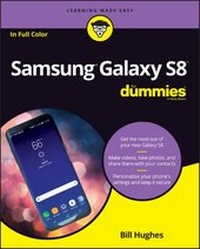
Samsung Galaxy S8 For Dummies
8th Edition
Published on 23. June 2017
320 pages
978-1-119-38224-9 (ISBN)
Description

Get the most out of your Samsung Galaxy S8 smartphone!
Whether you're seasoned in all things Samsung or get seized up at the thought of learning new technology, this no-nonsense guide makes it fast, easy, and fun to unlock everything your Galaxy S8 has to offer. Starting with the basics, like setup and configuration, and moving on to more advanced topics, like expanding your phone's potential with new software releases, it leaves no stone unturned -- offering you the clear and thorough guidance you need to make the most out of every feature and capability available in the Galaxy S8.
There's a reason Samsung dominates the smartphone market -- they design and manufacture an undeniably awesome product, and they just keep getting better with each new release. From texting, emailing, and accessing the Internet to taking pictures, watching movies, and downloading apps, the instruction provided in Samsung Galaxy S8 For Dummies will help you become a Samsung samurai in a snap!
* Use your S8 to stay in touch with calls, text, social media, and email
* Offers step-by-step instructions for personalizing and securing your phone
* Helps you troubleshoot common problem
* Have fun downloading games and apps, watching videos, taking photos, and much more
Now get your Galaxy S8 out of its box and keep this book close by -- things are about to get really fun!
More details
Other editions
Additional editions
Bill Hughes
Samsung Galaxy S8 For Dummies
Book
09/2017
8th Edition
Wiley
Unfortunately, price unknown
Article exhausted; check for reprint
Person
Bill Hughes is a veteran marketing strategy executive who has worked for Xerox, Microsoft, IBM, General Electric, Motorola, and US West Cellular. He has led initiatives to develop new products and solutions, and has written articles for several wireless industry trade magazines, as well as for USA Today and Forbes.
Content
1 - Title Page [Seite 3]
2 - Copyright Page [Seite 4]
3 - Table of Contents [Seite 7]
4 - Introduction [Seite 13]
4.1 - About This Book [Seite 14]
4.2 - Foolish Assumptions [Seite 15]
4.3 - Icons Used in This Book [Seite 15]
4.4 - Beyond the Book [Seite 16]
4.5 - Where to Go from Here [Seite 16]
5 - Part 1 Getting Started with the Samsung Galaxy S8 [Seite 17]
5.1 - Chapter 1 Exploring What You Can Do with Your Phone [Seite 19]
5.1.1 - Discovering the Basics of Your Phone [Seite 19]
5.1.2 - Taking Your Phone to the Next Level: The Smartphone Features [Seite 20]
5.1.2.1 - Internet access [Seite 21]
5.1.2.2 - Photos [Seite 21]
5.1.2.3 - Wireless email [Seite 22]
5.1.2.4 - Multimedia [Seite 23]
5.1.2.5 - An intelligent agent [Seite 23]
5.1.3 - Customizing Your Phone with Games and Applications [Seite 23]
5.1.3.1 - Downloading games [Seite 23]
5.1.3.2 - Downloading applications [Seite 23]
5.1.3.3 - What's cool about the Android platform [Seite 24]
5.1.4 - Surviving Unboxing Day [Seite 25]
5.2 - Chapter 2 Beginning at the Beginning [Seite 29]
5.2.1 - First Things First: Turning On Your Phone [Seite 29]
5.2.2 - Charging Your Phone and Managing Battery Life [Seite 32]
5.2.3 - Navigating the Galaxy S8 [Seite 37]
5.2.3.1 - The phone's hardware buttons [Seite 37]
5.2.3.2 - The touchscreen [Seite 40]
5.2.3.3 - The extended Home screen [Seite 44]
5.2.3.4 - The notification area and screen [Seite 50]
5.2.3.5 - The Device Function keys [Seite 51]
5.2.3.6 - The keyboard [Seite 53]
5.2.3.7 - The orientation of the phone [Seite 54]
5.2.4 - Going to Sleep Mode/Turning Off the Phone [Seite 55]
6 - Part 2 Communicating with Other People [Seite 57]
6.1 - Chapter 3 Calling People [Seite 59]
6.1.1 - Making Calls [Seite 59]
6.1.2 - Answering Calls [Seite 64]
6.1.3 - Keeping Track of Your Calls: The Call List [Seite 66]
6.1.4 - Making an Emergency Call: The 411 on 911 [Seite 68]
6.1.5 - Syncing a Bluetooth Headset [Seite 69]
6.1.6 - Options Other than Headsets [Seite 71]
6.2 - Chapter 4 Discovering the Joy of Text [Seite 73]
6.2.1 - Sending the First Text Message [Seite 73]
6.2.2 - Carrying on a Conversation via Texting [Seite 78]
6.2.3 - Sending an Attachment with a Text [Seite 80]
6.2.4 - Receiving Text Messages [Seite 81]
6.2.5 - Managing Your Text History [Seite 81]
6.3 - Chapter 5 Sending and Receiving Email [Seite 83]
6.3.1 - Setting Up Your Email [Seite 83]
6.3.1.1 - Getting ready [Seite 84]
6.3.1.2 - Setting up your existing Gmail account [Seite 85]
6.3.1.3 - Setting up a new Gmail account [Seite 87]
6.3.1.4 - Working with non-Gmail email accounts [Seite 89]
6.3.1.5 - Setting up a corporate email account [Seite 94]
6.3.2 - Reading Email on Your Phone [Seite 97]
6.3.3 - Writing and Sending Email [Seite 98]
6.3.4 - Replying To and Forwarding Email [Seite 100]
6.4 - Chapter 6 Managing Your Contacts [Seite 103]
6.4.1 - Using the Galaxy S8 Contacts App [Seite 104]
6.4.1.1 - Learning the Contacts App on your phone [Seite 104]
6.4.1.2 - Deciding where to store your contacts [Seite 107]
6.4.1.3 - Linking Contacts on your phone [Seite 110]
6.4.2 - Creating Contacts within Your Database [Seite 113]
6.4.2.1 - Adding contacts as you dial [Seite 114]
6.4.2.2 - Adding contacts manually [Seite 115]
6.4.3 - How Contacts Make Life Easy [Seite 117]
6.4.4 - Playing Favorites [Seite 118]
7 - Part 3 Living on the Internet [Seite 119]
7.1 - Chapter 7 You've Got the Whole (Web) World in Your Hands [Seite 121]
7.1.1 - Starting the Browser [Seite 122]
7.1.2 - Accessing Mobile (or Not) Websites [Seite 123]
7.1.3 - Choosing Your Search Engine [Seite 126]
7.1.4 - Using Bookmarks [Seite 128]
7.1.4.1 - Adding bookmarks [Seite 128]
7.1.4.2 - Bookmark housekeeping [Seite 130]
7.1.5 - Deciding Between Mobile Browsing and Mobile Apps [Seite 130]
7.2 - Chapter 8 Playing in Google's Play Store [Seite 133]
7.2.1 - Exploring the Play Store: The Mall for Your Phone [Seite 134]
7.2.2 - Getting to the Store [Seite 134]
7.2.3 - Seeing What's Available: Shopping for Android Apps [Seite 136]
7.2.3.1 - Subcategories for Apps and Games [Seite 137]
7.2.3.2 - Subcategories for Entertainment [Seite 137]
7.2.3.3 - Curated categories [Seite 138]
7.2.3.4 - The timeless categories for apps and games [Seite 138]
7.2.4 - Installing and Managing an Android App [Seite 141]
7.2.4.1 - Downloading the Facebook app [Seite 141]
7.2.4.2 - Creating a Facebook account [Seite 147]
7.2.5 - Rating or Uninstalling Your Apps [Seite 148]
8 - Part 4 Having Fun with Your Phone [Seite 153]
8.1 - Chapter 9 Sharing Pictures [Seite 155]
8.1.1 - Say Cheese! Taking a Picture with Your Phone [Seite 156]
8.1.2 - Getting a Little Fancier with Your Camera [Seite 164]
8.1.2.1 - The Camera Effects settings [Seite 165]
8.1.2.2 - Settings options on the viewfinder [Seite 166]
8.1.2.3 - Photo Effects options [Seite 169]
8.1.3 - The Digital Camcorder in Your Pocket [Seite 169]
8.1.3.1 - Starting the camcorder [Seite 169]
8.1.3.2 - Taking and sharing videos with your camcorder [Seite 170]
8.1.4 - Managing Your Photo Images [Seite 171]
8.1.5 - Using Images on Your Phone [Seite 172]
8.1.6 - Deleting Images on Your Phone [Seite 173]
8.2 - Chapter 10 Playing Games [Seite 175]
8.2.1 - The Play Store Games Category [Seite 175]
8.2.1.1 - The Games Home screen [Seite 178]
8.2.1.2 - The Games Categories tab [Seite 179]
8.2.2 - Leaving Feedback on Games [Seite 181]
8.3 - Chapter 11 Mapping Out Where You Want to Be [Seite 187]
8.3.1 - GPS 101: First Things First [Seite 188]
8.3.2 - Practically Speaking: Using Maps [Seite 189]
8.3.2.1 - Changing map scale [Seite 190]
8.3.2.2 - Finding nearby services [Seite 192]
8.3.3 - Getting and Using Directions [Seite 195]
8.3.4 - Upgrading Your Navigation [Seite 197]
8.4 - Chapter 12 Playing Music and Videos [Seite 201]
8.4.1 - Being Mindful of Carrier Quirks [Seite 202]
8.4.2 - Getting Ready to Be Entertained [Seite 202]
8.4.2.1 - Choosing your headset [Seite 203]
8.4.2.2 - Choosing your Bluetooth speaker [Seite 205]
8.4.2.3 - Connecting to your stereo [Seite 206]
8.4.3 - Licensing Your Multimedia Files [Seite 207]
8.4.3.1 - Listening up on licensing [Seite 207]
8.4.3.2 - Licensing for videos [Seite 208]
8.4.4 - Using the Full Capacity of Your SD Card [Seite 208]
8.4.5 - Enjoying Basic Multimedia Capabilities [Seite 210]
8.4.5.1 - Grooving with the Play Music app [Seite 210]
8.4.5.2 - Playing downloaded music [Seite 214]
8.4.5.3 - Jamming to Internet Radio [Seite 218]
8.4.5.4 - Looking at your video options [Seite 221]
9 - Part 5 Getting Down to Business [Seite 229]
9.1 - Chapter 13 Using the Calendar [Seite 231]
9.1.1 - Syncing Calendars [Seite 231]
9.1.2 - Setting Calendar Display Preferences [Seite 233]
9.1.3 - Setting Other Display Options [Seite 236]
9.1.4 - Creating an Event on the Right Calendar [Seite 238]
9.1.4.1 - Creating, editing, and deleting an event [Seite 238]
9.1.4.2 - Keeping events separate and private [Seite 240]
9.2 - Chapter 14 Talking with Bixby [Seite 243]
9.2.1 - Bringing Up Bixby [Seite 243]
9.2.2 - Visualizing What You Can Do with Bixby Vision [Seite 248]
9.2.3 - Blabbing with Bixby [Seite 251]
9.2.4 - Look Ma! No Hands! [Seite 251]
9.2.5 - Dictating a Text [Seite 252]
9.2.6 - Preparing to Work with Bixby [Seite 252]
9.3 - Chapter 15 Paying with Samsung Pay [Seite 257]
9.3.1 - How Mobile Payment Works [Seite 257]
9.3.2 - Getting Started with Samsung Pay [Seite 259]
9.3.3 - Setting Up Samsung Pay [Seite 262]
9.3.4 - Using Samsung Pay [Seite 267]
9.3.5 - Managing Samsung Pay [Seite 269]
10 - Part 6 The Part of Tens [Seite 271]
10.1 - Chapter 16 Ten Ways to Make Your Phone Totally Yours [Seite 273]
10.1.1 - Using a Bluetooth Speaker [Seite 274]
10.1.2 - Cruising in the Car [Seite 275]
10.1.3 - Considering Wireless Charging Mats [Seite 277]
10.1.4 - Using a Keyboard Cover [Seite 278]
10.1.5 - Making a Statement with Wraps [Seite 279]
10.1.6 - You Look Wonderful: Custom Screen Images [Seite 280]
10.1.7 - Empowering Power Savings [Seite 282]
10.1.8 - Controlling Your Home Electronics [Seite 282]
10.1.9 - Wearing Wearables [Seite 283]
10.1.10 - Using Your Phone as a PC [Seite 283]
10.2 - Chapter 17 Ten (Or So) Ways to Make Your Phone Secure [Seite 285]
10.2.1 - Using a Good Case and Screen Cover [Seite 286]
10.2.2 - Putting It on Lockdown [Seite 288]
10.2.2.1 - Preparing for your Screen Lock option [Seite 290]
10.2.2.2 - Selecting among the Screen Lock options [Seite 291]
10.2.2.3 - Entering your fingerprints [Seite 292]
10.2.2.4 - Entering your face and/or iris [Seite 294]
10.2.3 - Encrypting Your SD Card [Seite 296]
10.2.4 - Using Knox to Make Your Phone as Secure as Fort Knox [Seite 297]
10.2.5 - Being Careful with Bluetooth [Seite 298]
10.2.6 - Protecting Against Malware [Seite 300]
10.2.7 - Downloading Apps Only from Reputable Sources [Seite 301]
10.2.8 - Rescuing Your Phone When It Gets Lost [Seite 301]
10.2.9 - Wiping Your Device Clean [Seite 303]
11 - Index [Seite 305]
12 - EULA [Seite 323]
2 - Copyright Page [Seite 4]
3 - Table of Contents [Seite 7]
4 - Introduction [Seite 13]
4.1 - About This Book [Seite 14]
4.2 - Foolish Assumptions [Seite 15]
4.3 - Icons Used in This Book [Seite 15]
4.4 - Beyond the Book [Seite 16]
4.5 - Where to Go from Here [Seite 16]
5 - Part 1 Getting Started with the Samsung Galaxy S8 [Seite 17]
5.1 - Chapter 1 Exploring What You Can Do with Your Phone [Seite 19]
5.1.1 - Discovering the Basics of Your Phone [Seite 19]
5.1.2 - Taking Your Phone to the Next Level: The Smartphone Features [Seite 20]
5.1.2.1 - Internet access [Seite 21]
5.1.2.2 - Photos [Seite 21]
5.1.2.3 - Wireless email [Seite 22]
5.1.2.4 - Multimedia [Seite 23]
5.1.2.5 - An intelligent agent [Seite 23]
5.1.3 - Customizing Your Phone with Games and Applications [Seite 23]
5.1.3.1 - Downloading games [Seite 23]
5.1.3.2 - Downloading applications [Seite 23]
5.1.3.3 - What's cool about the Android platform [Seite 24]
5.1.4 - Surviving Unboxing Day [Seite 25]
5.2 - Chapter 2 Beginning at the Beginning [Seite 29]
5.2.1 - First Things First: Turning On Your Phone [Seite 29]
5.2.2 - Charging Your Phone and Managing Battery Life [Seite 32]
5.2.3 - Navigating the Galaxy S8 [Seite 37]
5.2.3.1 - The phone's hardware buttons [Seite 37]
5.2.3.2 - The touchscreen [Seite 40]
5.2.3.3 - The extended Home screen [Seite 44]
5.2.3.4 - The notification area and screen [Seite 50]
5.2.3.5 - The Device Function keys [Seite 51]
5.2.3.6 - The keyboard [Seite 53]
5.2.3.7 - The orientation of the phone [Seite 54]
5.2.4 - Going to Sleep Mode/Turning Off the Phone [Seite 55]
6 - Part 2 Communicating with Other People [Seite 57]
6.1 - Chapter 3 Calling People [Seite 59]
6.1.1 - Making Calls [Seite 59]
6.1.2 - Answering Calls [Seite 64]
6.1.3 - Keeping Track of Your Calls: The Call List [Seite 66]
6.1.4 - Making an Emergency Call: The 411 on 911 [Seite 68]
6.1.5 - Syncing a Bluetooth Headset [Seite 69]
6.1.6 - Options Other than Headsets [Seite 71]
6.2 - Chapter 4 Discovering the Joy of Text [Seite 73]
6.2.1 - Sending the First Text Message [Seite 73]
6.2.2 - Carrying on a Conversation via Texting [Seite 78]
6.2.3 - Sending an Attachment with a Text [Seite 80]
6.2.4 - Receiving Text Messages [Seite 81]
6.2.5 - Managing Your Text History [Seite 81]
6.3 - Chapter 5 Sending and Receiving Email [Seite 83]
6.3.1 - Setting Up Your Email [Seite 83]
6.3.1.1 - Getting ready [Seite 84]
6.3.1.2 - Setting up your existing Gmail account [Seite 85]
6.3.1.3 - Setting up a new Gmail account [Seite 87]
6.3.1.4 - Working with non-Gmail email accounts [Seite 89]
6.3.1.5 - Setting up a corporate email account [Seite 94]
6.3.2 - Reading Email on Your Phone [Seite 97]
6.3.3 - Writing and Sending Email [Seite 98]
6.3.4 - Replying To and Forwarding Email [Seite 100]
6.4 - Chapter 6 Managing Your Contacts [Seite 103]
6.4.1 - Using the Galaxy S8 Contacts App [Seite 104]
6.4.1.1 - Learning the Contacts App on your phone [Seite 104]
6.4.1.2 - Deciding where to store your contacts [Seite 107]
6.4.1.3 - Linking Contacts on your phone [Seite 110]
6.4.2 - Creating Contacts within Your Database [Seite 113]
6.4.2.1 - Adding contacts as you dial [Seite 114]
6.4.2.2 - Adding contacts manually [Seite 115]
6.4.3 - How Contacts Make Life Easy [Seite 117]
6.4.4 - Playing Favorites [Seite 118]
7 - Part 3 Living on the Internet [Seite 119]
7.1 - Chapter 7 You've Got the Whole (Web) World in Your Hands [Seite 121]
7.1.1 - Starting the Browser [Seite 122]
7.1.2 - Accessing Mobile (or Not) Websites [Seite 123]
7.1.3 - Choosing Your Search Engine [Seite 126]
7.1.4 - Using Bookmarks [Seite 128]
7.1.4.1 - Adding bookmarks [Seite 128]
7.1.4.2 - Bookmark housekeeping [Seite 130]
7.1.5 - Deciding Between Mobile Browsing and Mobile Apps [Seite 130]
7.2 - Chapter 8 Playing in Google's Play Store [Seite 133]
7.2.1 - Exploring the Play Store: The Mall for Your Phone [Seite 134]
7.2.2 - Getting to the Store [Seite 134]
7.2.3 - Seeing What's Available: Shopping for Android Apps [Seite 136]
7.2.3.1 - Subcategories for Apps and Games [Seite 137]
7.2.3.2 - Subcategories for Entertainment [Seite 137]
7.2.3.3 - Curated categories [Seite 138]
7.2.3.4 - The timeless categories for apps and games [Seite 138]
7.2.4 - Installing and Managing an Android App [Seite 141]
7.2.4.1 - Downloading the Facebook app [Seite 141]
7.2.4.2 - Creating a Facebook account [Seite 147]
7.2.5 - Rating or Uninstalling Your Apps [Seite 148]
8 - Part 4 Having Fun with Your Phone [Seite 153]
8.1 - Chapter 9 Sharing Pictures [Seite 155]
8.1.1 - Say Cheese! Taking a Picture with Your Phone [Seite 156]
8.1.2 - Getting a Little Fancier with Your Camera [Seite 164]
8.1.2.1 - The Camera Effects settings [Seite 165]
8.1.2.2 - Settings options on the viewfinder [Seite 166]
8.1.2.3 - Photo Effects options [Seite 169]
8.1.3 - The Digital Camcorder in Your Pocket [Seite 169]
8.1.3.1 - Starting the camcorder [Seite 169]
8.1.3.2 - Taking and sharing videos with your camcorder [Seite 170]
8.1.4 - Managing Your Photo Images [Seite 171]
8.1.5 - Using Images on Your Phone [Seite 172]
8.1.6 - Deleting Images on Your Phone [Seite 173]
8.2 - Chapter 10 Playing Games [Seite 175]
8.2.1 - The Play Store Games Category [Seite 175]
8.2.1.1 - The Games Home screen [Seite 178]
8.2.1.2 - The Games Categories tab [Seite 179]
8.2.2 - Leaving Feedback on Games [Seite 181]
8.3 - Chapter 11 Mapping Out Where You Want to Be [Seite 187]
8.3.1 - GPS 101: First Things First [Seite 188]
8.3.2 - Practically Speaking: Using Maps [Seite 189]
8.3.2.1 - Changing map scale [Seite 190]
8.3.2.2 - Finding nearby services [Seite 192]
8.3.3 - Getting and Using Directions [Seite 195]
8.3.4 - Upgrading Your Navigation [Seite 197]
8.4 - Chapter 12 Playing Music and Videos [Seite 201]
8.4.1 - Being Mindful of Carrier Quirks [Seite 202]
8.4.2 - Getting Ready to Be Entertained [Seite 202]
8.4.2.1 - Choosing your headset [Seite 203]
8.4.2.2 - Choosing your Bluetooth speaker [Seite 205]
8.4.2.3 - Connecting to your stereo [Seite 206]
8.4.3 - Licensing Your Multimedia Files [Seite 207]
8.4.3.1 - Listening up on licensing [Seite 207]
8.4.3.2 - Licensing for videos [Seite 208]
8.4.4 - Using the Full Capacity of Your SD Card [Seite 208]
8.4.5 - Enjoying Basic Multimedia Capabilities [Seite 210]
8.4.5.1 - Grooving with the Play Music app [Seite 210]
8.4.5.2 - Playing downloaded music [Seite 214]
8.4.5.3 - Jamming to Internet Radio [Seite 218]
8.4.5.4 - Looking at your video options [Seite 221]
9 - Part 5 Getting Down to Business [Seite 229]
9.1 - Chapter 13 Using the Calendar [Seite 231]
9.1.1 - Syncing Calendars [Seite 231]
9.1.2 - Setting Calendar Display Preferences [Seite 233]
9.1.3 - Setting Other Display Options [Seite 236]
9.1.4 - Creating an Event on the Right Calendar [Seite 238]
9.1.4.1 - Creating, editing, and deleting an event [Seite 238]
9.1.4.2 - Keeping events separate and private [Seite 240]
9.2 - Chapter 14 Talking with Bixby [Seite 243]
9.2.1 - Bringing Up Bixby [Seite 243]
9.2.2 - Visualizing What You Can Do with Bixby Vision [Seite 248]
9.2.3 - Blabbing with Bixby [Seite 251]
9.2.4 - Look Ma! No Hands! [Seite 251]
9.2.5 - Dictating a Text [Seite 252]
9.2.6 - Preparing to Work with Bixby [Seite 252]
9.3 - Chapter 15 Paying with Samsung Pay [Seite 257]
9.3.1 - How Mobile Payment Works [Seite 257]
9.3.2 - Getting Started with Samsung Pay [Seite 259]
9.3.3 - Setting Up Samsung Pay [Seite 262]
9.3.4 - Using Samsung Pay [Seite 267]
9.3.5 - Managing Samsung Pay [Seite 269]
10 - Part 6 The Part of Tens [Seite 271]
10.1 - Chapter 16 Ten Ways to Make Your Phone Totally Yours [Seite 273]
10.1.1 - Using a Bluetooth Speaker [Seite 274]
10.1.2 - Cruising in the Car [Seite 275]
10.1.3 - Considering Wireless Charging Mats [Seite 277]
10.1.4 - Using a Keyboard Cover [Seite 278]
10.1.5 - Making a Statement with Wraps [Seite 279]
10.1.6 - You Look Wonderful: Custom Screen Images [Seite 280]
10.1.7 - Empowering Power Savings [Seite 282]
10.1.8 - Controlling Your Home Electronics [Seite 282]
10.1.9 - Wearing Wearables [Seite 283]
10.1.10 - Using Your Phone as a PC [Seite 283]
10.2 - Chapter 17 Ten (Or So) Ways to Make Your Phone Secure [Seite 285]
10.2.1 - Using a Good Case and Screen Cover [Seite 286]
10.2.2 - Putting It on Lockdown [Seite 288]
10.2.2.1 - Preparing for your Screen Lock option [Seite 290]
10.2.2.2 - Selecting among the Screen Lock options [Seite 291]
10.2.2.3 - Entering your fingerprints [Seite 292]
10.2.2.4 - Entering your face and/or iris [Seite 294]
10.2.3 - Encrypting Your SD Card [Seite 296]
10.2.4 - Using Knox to Make Your Phone as Secure as Fort Knox [Seite 297]
10.2.5 - Being Careful with Bluetooth [Seite 298]
10.2.6 - Protecting Against Malware [Seite 300]
10.2.7 - Downloading Apps Only from Reputable Sources [Seite 301]
10.2.8 - Rescuing Your Phone When It Gets Lost [Seite 301]
10.2.9 - Wiping Your Device Clean [Seite 303]
11 - Index [Seite 305]
12 - EULA [Seite 323]
