

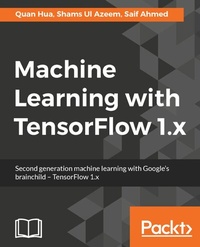
Machine Learning with TensorFlow 1.x
Second generation machine learning with Google's brainchild - TensorFlow 1.x
Published on 8. July 2025
304 pages
978-1-78646-198-8 (ISBN)
Description

No detailed description available for "Machine Learning with TensorFlow 1.x".
More details
Edition
Digital original
Language
English
Place of publication
Birmingham
United Kingdom
Target group
Professional and scholarly
US School Grade: College Graduate Student
Edition type
Digital original
File size
14,08 MB
ISBN-13
978-1-78646-198-8 (9781786461988)
Copyright in bibliographic data and cover images is held by Nielsen Book Services Limited or by the publishers or by their respective licensors: all rights reserved.
Schweitzer Classification
Other editions
Additional editions
Quan Hua | Shams Ul Azeem
Machine Learning with TensorFlow 1.x
Book
11/2017
Packt Publishing
€51.10
Shipment within 3-4 weeks
Person
Hua Quan :
Quan Hua is a Computer Vision and Machine Learning Engineer at BodiData, a data platform for body measurements, where he focuses on developing computer vision and machine learning applications for a handheld technology capable of acquiring a body avatar while a person is fully clothed. He earned a bachelor of science degree from the University of Science, Vietnam, specializing in Computer Vision. He has been working in the field of computer vision and machine learning for about 3 years at start-ups. Quan has been writing for Packt since 2015 for a Computer Vision book, OpenCV 3 Blueprints.Ahmed Saif :
Saif Ahmed is an accomplished quantitative analyst and data scientist with 15 years of industry experience. His career started in management consulting at Accenture and lead him to quantitative and senior management roles at Goldman Sachs and AIG Investments. Most recently, he co-founded and runs a start-up focused on applying Deep Learning to automating medical imaging. He obtained his bachelor's degree in computer science from Cornell University and is currently pursuing a graduate degree in data science at U.C. Berkeley.Ul Azeem Shams :
Shams Ul Azeem is an undergraduate in electrical engineering from NUST Islamabad, Pakistan. He has a great interest in the computer science field, and he started his journey with Android development. Now, hes pursuing his career in Machine Learning, particularly in deep learning, by doing medical-related freelancing projects with different companies. He was also a member of the RISE lab, NUST, and he has a publication credit at the IEEE International Conference, ROBIO as a co-author of Designing of motions for humanoid goalkeeper robots.
Quan Hua is a Computer Vision and Machine Learning Engineer at BodiData, a data platform for body measurements, where he focuses on developing computer vision and machine learning applications for a handheld technology capable of acquiring a body avatar while a person is fully clothed. He earned a bachelor of science degree from the University of Science, Vietnam, specializing in Computer Vision. He has been working in the field of computer vision and machine learning for about 3 years at start-ups. Quan has been writing for Packt since 2015 for a Computer Vision book, OpenCV 3 Blueprints.Ahmed Saif :
Saif Ahmed is an accomplished quantitative analyst and data scientist with 15 years of industry experience. His career started in management consulting at Accenture and lead him to quantitative and senior management roles at Goldman Sachs and AIG Investments. Most recently, he co-founded and runs a start-up focused on applying Deep Learning to automating medical imaging. He obtained his bachelor's degree in computer science from Cornell University and is currently pursuing a graduate degree in data science at U.C. Berkeley.Ul Azeem Shams :
Shams Ul Azeem is an undergraduate in electrical engineering from NUST Islamabad, Pakistan. He has a great interest in the computer science field, and he started his journey with Android development. Now, hes pursuing his career in Machine Learning, particularly in deep learning, by doing medical-related freelancing projects with different companies. He was also a member of the RISE lab, NUST, and he has a publication credit at the IEEE International Conference, ROBIO as a co-author of Designing of motions for humanoid goalkeeper robots.
Content
- Cover
- Copyright
- Credits
- About the Authors
- About the Reviewer
- www.PacktPub.com
- Customer Feedback
- Table of Contents
- Preface
- Chapter 1: Getting Started with TensorFlow
- Current use
- Installing TensorFlow
- Ubuntu installation
- macOS installation
- Windows installation
- Virtual machine setup
- Testing the installation
- Summary
- Chapter 2: Your First Classifier
- The key parts
- Obtaining training data
- Downloading training data
- Understanding classes
- Automating the training data setup
- Additional setup
- Converting images to matrices
- Logical stopping points
- The machine learning briefcase
- Training day
- Saving the model for ongoing use
- Why hide the test set?
- Using the classifier
- Deep diving into the network
- Skills learned
- Summary
- Chapter 3: The TensorFlow Toolbox
- A quick preview
- Installing TensorBoard
- Incorporating hooks into our code
- Handwritten digits
- AlexNet
- Automating runs
- Summary
- Chapter 4: Cats and Dogs
- Revisiting notMNIST
- Program configurations
- Understanding convolutional networks
- Revisiting configurations
- Constructing the convolutional network
- Fulfilment
- Training day
- Actual cats and dogs
- Saving the model for ongoing use
- Using the classifier
- Skills learned
- Summary
- Chapter 5: Sequence to Sequence Models-Parlez-vous Français?
- A quick preview
- Drinking from the firehose
- Training day
- Summary
- Chapter 6: Finding Meaning
- Additional setup
- Skills learned
- Summary
- Chapter 7: Making Money with Machine Learning
- Inputs and approaches
- Getting the data
- Approaching the problem
- Downloading and modifying data
- Viewing the data
- Extracting features
- Preparing for training and testing
- Building the network
- Training
- Testing
- Taking it further
- Practical considerations for the individual
- Skills learned
- Summary
- Chapter 8: The Doctor Will See You Now
- The challenge
- The data
- The pipeline
- Understanding the pipeline
- Preparing the dataset
- Explaining the data preparation
- Training routine
- Validation routine
- Visualize outputs with TensorBoard
- Inception network
- Going further
- Other medical data challenges
- The ISBI grand challenge
- Reading medical data
- Skills Learned
- Summary
- Chapter 9: Cruise Control - Automation
- An overview of the system
- Setting up the project
- Loading a pre-trained model to speed up the training
- Testing the pre-trained model
- Training the model for our dataset
- Introduction to the Oxford-IIIT Pet dataset
- Dataset Statistics
- Downloading the dataset
- Preparing the data
- Setting up input pipelines for training and testing
- Defining the model
- Defining training operations
- Performing the training process
- Exporting the model for production
- Serving the model in production
- Setting up TensorFlow Serving
- Running and testing the model
- Designing the web server
- Testing the system
- Automatic fine-tune in production
- Loading the user-labeled data
- Performing a fine-tune on the model
- Setting up cronjob to run every day
- Summary
- Chapter 10: Go Live and Go Big
- Quick look at Amazon Web Services
- P2 instances
- G2 instances
- F1 instances
- Pricing
- Overview of the application
- Datasets
- Preparing the dataset and input pipeline
- Pre-processing the video for training
- Input pipeline with RandomShuffleQueue
- Neural network architecture
- Training routine with single GPU
- Training routine with multiple GPU
- Overview of Mechanical Turk
- Summary
- Chapter 11: Going Further - 21 Problems
- Dataset and challenges
- Problem 1 - ImageNet dataset
- Problem 2 - COCO dataset
- Problem 3 - Open Images dataset
- Problem 4 - YouTube-8M dataset
- Problem 5 - AudioSet dataset
- Problem 6 - LSUN challenge
- Problem 7 - MegaFace dataset
- Problem 8 - Data Science Bowl 2017 challenge
- Problem 9 - StarCraft Game dataset
- TensorFlow-based Projects
- Problem 10 - Human Pose Estimation
- Problem 11 - Object Detection - YOLO
- Problem 12 - Object Detection - Faster RCNN
- Problem 13 - Person Detection - tensorbox
- Problem 14 - Magenta
- Problem 15 - Wavenet
- Problem 16 - Deep Speech
- Interesting Projects
- Problem 17 - Interactive Deep Colorization - iDeepColor
- Problem 18 - Tiny face detector
- Problem 19 - People search
- Problem 20 - Face Recognition - MobileID
- Problem 21 - Question answering - DrQA
- Caffe to TensorFlow
- TensorFlow-Slim
- Summary
- Chapter 12: Advanced Installation
- Installation
- Installing Nvidia driver
- Installing the CUDA toolkit
- Installing cuDNN
- Installing TensorFlow
- Verifying TensorFlow with GPU support
- Using TensorFlow with Anaconda
- Summary
- Index
