

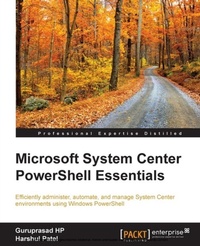
Microsoft System Center Powershell Essentials
Efficiently administer, automate, and manage System Center environments using Windows PowerShell
Published on 13. January 2025
140 pages
978-1-78439-326-7 (ISBN)
Description

Key Features
Book DescriptionIf you are a Microsoft System Center administrator who manages System Center environments and utilizes the console for management, then this book is ideal for you. This book is also for System Center users who now want to learn to manage systems using PowerShell.What you will learn
Set up an environment to effectively use PowerShell for SCCM, SCOM, and SCSM
Understand the advanced usage of all the available cmdlets with realtime examples
Administer and maintain a System Center environment with PowerShell
Create both simple and advanced functions for different cmdlets with PowerShell
Get an insight into realtime System Center applications that you can automate using PowerShell
Get to grips with scenariobased scripting for efficient System Center administration and maintenance
Discover PowerShell tricks and best practices
Who this book is forIf you are a Microsoft System Center administrator who manages System Center environments and utilizes the console for management, then this book is ideal for you. This book is also for System Center users who now want to learn to manage systems using PowerShell.
Book DescriptionIf you are a Microsoft System Center administrator who manages System Center environments and utilizes the console for management, then this book is ideal for you. This book is also for System Center users who now want to learn to manage systems using PowerShell.What you will learn
Set up an environment to effectively use PowerShell for SCCM, SCOM, and SCSM
Understand the advanced usage of all the available cmdlets with realtime examples
Administer and maintain a System Center environment with PowerShell
Create both simple and advanced functions for different cmdlets with PowerShell
Get an insight into realtime System Center applications that you can automate using PowerShell
Get to grips with scenariobased scripting for efficient System Center administration and maintenance
Discover PowerShell tricks and best practices
Who this book is forIf you are a Microsoft System Center administrator who manages System Center environments and utilizes the console for management, then this book is ideal for you. This book is also for System Center users who now want to learn to manage systems using PowerShell.
All prices
More details
Edition
Digital original
Language
English
Place of publication
Birmingham
United Kingdom
Target group
Professional and scholarly
US School Grade: College Graduate Student
Edition type
Digital original
File size
1,36 MB
ISBN-13
978-1-78439-326-7 (9781784393267)
Copyright in bibliographic data and cover images is held by Nielsen Book Services Limited or by the publishers or by their respective licensors: all rights reserved.
Schweitzer Classification
Other editions
Additional editions
Harshul Patel
Microsoft System Center PowerShell Essentials
Book
04/2015
Packt Publishing
€38.80
Shipment within 3-4 weeks
Persons
Guruprasad HP is a technical practitioner and consultant. His technical areas of interest include System Center Configuration Manager, System Center Operation Manager, and automation using PowerShell scripting. He works with Microsoft and is a Microsoft Certified Technology Specialist in SCCM and SCOM. He has a lot of experience in creating automation frameworks for various activities in SCCM, SCOM, and custom reporting by extending the SCCM inventory. He also has good knowledge of all Microsoft technologies. Currently, Guruprasad is working with Microsoft as a consultant and is involved in various projects with different Microsoft technologies. Harshul Patel is a technology enthusiast from India; he is thoroughly knowledgeable in virtualization and cloud computing technologies. Harshul was one of the early Indian adopters of Windows PowerShell. He frequently lectures on Windows PowerShell in user group gatherings and delivers training across various organizations. He is also the proud recipient of multiple faculty awards and has received an innovation award from his employer. He is a co-founder of the PowerShell Hyderabad User Group and a member of the New Delhi
Content
Table of Contents
Setting up the Environment to use PowerShell
Administration of Configuration Manager through PowerShell
Scenario-based Scripting for SCCM Administration
Administration of Operations Manager through PowerShell
Scenario Based Scripting for SCOM Administration
Administration of Service Manager through PowerShell
Scenario Based Scripting for SCSM Administration
Best Practices and Conclusion
Setting up the Environment to use PowerShell
Administration of Configuration Manager through PowerShell
Scenario-based Scripting for SCCM Administration
Administration of Operations Manager through PowerShell
Scenario Based Scripting for SCOM Administration
Administration of Service Manager through PowerShell
Scenario Based Scripting for SCSM Administration
Best Practices and Conclusion

