
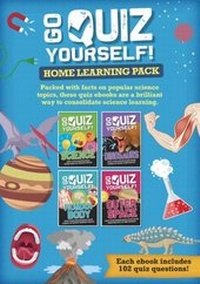
Science Home Learning Pack
Description
Alles über E-Books | Antworten auf Fragen rund um E-Books, Kopierschutz und Dateiformate finden Sie in unserem Info- & Hilfebereich.
For the quiz-loving child - Go Quiz Yourself is great for learning science independently from home!
Combining learning with pleasure, Go Quiz Yourself will help your child get on top of their science lessons from home with clear, concise facts followed by a quiz to test their understanding. Take learning science beyond home school - get friends and family involved in a Science Quiz Night - see who can get the best score!
How were craters created on the Moon?
Why do stars appear to twinkle in the sky?
Why is Earth a magnet?
Why are pancakes usually round?
Name an animal that produces its own light.
AND SO MANY MORE!
These ebooks are designed as a companion resource for children aged 9 and up, who are studying core science topics at Key Stage 2. Illustrations, time lines and graphics work with captions and extended texts to challenge children's skills in memory, comprehension and reading.
The ebooks in the pack cover:
Dinosaurs
Outer Space
Science
The Human Body
Also available as ebooks are:
Go Quiz Yourself: Around the World
Go Quiz Yourself: Sport

More details
Person
System requirements
File format: ePUB
Copy protection: Adobe-DRM (Digital Rights Management)
System requirements:
- Computer (Windows; MacOS X; Linux): Install the free reader Adobe Digital Editions prior to download (see eBook Help).
- Tablet/smartphone (Android; iOS): Install the free app Adobe Digital Editions or the app PocketBook before downloading (see eBook Help).
- E-reader: Bookeen, Kobo, Pocketbook, Sony, Tolino and many more (not Kindle).
The file format ePub works well for novels and non-fiction books – i.e., „flowing” text without complex layout. On an e-reader or smartphone, line and page breaks automatically adjust to fit the small displays.
This eBook uses Adobe-DRM, a „hard” copy protection. If the necessary requirements are not met, unfortunately you will not be able to open the eBook. You will therefore need to prepare your reading hardware before downloading.
Please note: We strongly recommend that you authorise using your personal Adobe ID after installation of any reading software.
For more information, see our ebook Help page.