

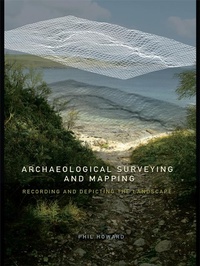
Archaeological Surveying and Mapping
Recording and Depicting the Landscape
1st Edition
Published on 22. December 2006
312 pages
978-1-134-40086-7 (ISBN)
Description

A comprehensive and practical guide to surveying for archaeologists, with clear instructions in archaeological mapping, recording field work and detailed case studies from the UK, Europe and the US.
Philip Howard provides a user's guide to methods and instruments of surveying to enable archaeologists to represent their own fieldwork confidently and independently. Archaeological Surveying is an invaluable resource which:
provides beginner's instructions to software used in computerised surveying, including IntelliCAD 2000, Terrain Tools, Christine GIS and Global Mapper
introduces the archaeologist to a range of surveying instruments such as GPS, electronic distance measures, theodolites and magnetic compasses
includes low-cost software.
This textbook is an essential read for any field archaeologists who are in need of an introduction to surveying, or simply wish to update their techniques.
Philip Howard provides a user's guide to methods and instruments of surveying to enable archaeologists to represent their own fieldwork confidently and independently. Archaeological Surveying is an invaluable resource which:
provides beginner's instructions to software used in computerised surveying, including IntelliCAD 2000, Terrain Tools, Christine GIS and Global Mapper
introduces the archaeologist to a range of surveying instruments such as GPS, electronic distance measures, theodolites and magnetic compasses
includes low-cost software.
This textbook is an essential read for any field archaeologists who are in need of an introduction to surveying, or simply wish to update their techniques.
More details
Edition
1. Auflage
Language
English
Place of publication
London
United Kingdom
Publishing group
Taylor & Francis Ltd
Target group
College/higher education
Illustrations
135 s/w Photographien bzw. Rasterbilder, 104 s/w Zeichnungen
104 Line drawings, black and white; 135 Halftones, black and white
File size
7,82 MB
ISBN-13
978-1-134-40086-7 (9781134400867)
Copyright in bibliographic data and cover images is held by Nielsen Book Services Limited or by the publishers or by their respective licensors: all rights reserved.
Schweitzer Classification
Other editions
Additional editions
Book
12/2006
1st Edition
Routledge
€206.90
Shipment within 15-20 days
Book
12/2006
1st Edition
Routledge
€67.80
Shipment within 15-20 days
Person
Phil Howard's background in archaeological fieldwork extends over 30 years. He is currently employed at Durham University, where he specialises in surveying, geophysical prospection, geographic information systems and archaeological computing.
Content
1. The Science and Profession of Surveying 2. The Aims of an Archaeological Survey 3. Basic Methods of Surveying 4. Control Surveying 5. Application of Surveying Instruments 6. Surveying on a Global Scale 7. Using CAD Software 8. GIS in Archaeological Mapping 9. The Shape of the Ground 10. Sources of Digital Map Data. Case Studies: Barnard Castle, UK. Boeotia, Greece. Cockfield, UK. Durham City, UK. Lomello, Italy. New Mexico, USA
