

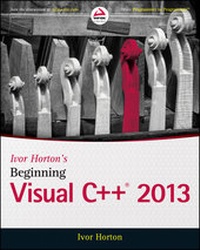
Ivor Horton's Beginning Visual C++ 2013
Published on 11. April 2014
960 pages
978-1-118-84577-6 (ISBN)
Description

Learn C++ with the best tutorial on the market!
Horton's unique tutorial approach and step-by-step guidance havehelped over 100,000 novice programmers learn C++. In IvorHorton's Beginning Visual C++ 2013, Horton not only guides youthrough the fundamentals of the standard C++ language, but alsoteaches you how C++ is used in the latest Visual Studio 2013environment. Visual Studio 2013 includes major changes to the IDEand expanded options for C++ coding. Ivor Horton's BeginningVisual C++ 2013 will teach you the latest techniques to takeyour Visual C++ coding to an all-new level.
* C++ language and library changes supported under Visual Studio2013
* IDE-specific changes for code formatting and debugging
* Changes to the C++ Standard Language for both C++ 11 and thenew C++ 14
* And more
Horton introduces you to both Standard C++ and Visual C++ so youcan build any component your app requires. Ivor Horton'sBeginning Visual C++ 2013 is an indispensable guidebook for anynew programmer, and contains plenty of exercises and solutions tohelp programmers of any level master the important concepts quicklyand easily.
More details
Other editions
Additional editions
Ivor Horton
Ivor Horton's Beginning Visual C++ 2013
Book
06/2014
Wrox Press
€56.00
Shipment within 15-20 days
Person
Ivor Horton is one of the preeminent authors of tutorialson the Java, C, and C++ programming languages. He is widely knownfor the tutorial style of his books, which provides step-by-stepguidance that is easily understood. His Beginning Visual C++books have sold more than 100,000 copies. Horton is also a systemsconsultant in private practice.
Content
1 - Ivor Horton's Beginning Visual C++® 2013 [Seite 7]
2 - Copyright [Seite 8]
3 - About the Author [Seite 11]
4 - About the Technical Editors [Seite 11]
5 - Credits [Seite 13]
6 - Acknowledgments [Seite 15]
7 - Contents [Seite 17]
8 - Introduction [Seite 35]
8.1 - Who This Book Is For [Seite 35]
8.2 - What This Book Covers [Seite 35]
8.3 - How This Book Is Structured [Seite 36]
8.4 - What You Need to Use This Book [Seite 37]
8.5 - Conventions [Seite 37]
8.6 - Source Code [Seite 38]
8.7 - Exercises [Seite 38]
8.8 - Errata [Seite 38]
8.9 - P2P.Wrox.Com [Seite 39]
9 - Chapter 1: Programming with Visual C++ [Seite 41]
9.1 - Learning with Visual C++ [Seite 41]
9.2 - Writing C++ Applications [Seite 42]
9.3 - Learning Desktop Applications Programming [Seite 43]
9.3.1 - Learning C++ [Seite 43]
9.3.2 - C++ Concepts [Seite 43]
9.3.3 - Console Applications [Seite 45]
9.3.4 - Windows Programming Concepts [Seite 45]
9.4 - The Integrated Development Environment [Seite 46]
9.4.1 - The Editor [Seite 47]
9.4.2 - The Compiler [Seite 47]
9.4.3 - The Linker [Seite 47]
9.4.4 - The Libraries [Seite 47]
9.5 - Using the IDE [Seite 48]
9.5.1 - Toolbar Options [Seite 49]
9.5.2 - Dockable Toolbars [Seite 50]
9.5.3 - Documentation [Seite 50]
9.5.4 - Projects and Solutions [Seite 50]
9.5.5 - Setting Options in Visual C++ [Seite 59]
9.5.6 - Creating and Executing Windows Applications [Seite 60]
9.6 - Summary [Seite 63]
10 - Chapter 2: Data, Variables, and Calculations [Seite 65]
10.1 - The Structure of a C++ Program [Seite 66]
10.1.1 - The main() Function [Seite 73]
10.1.2 - Program Statements [Seite 73]
10.1.3 - Whitespace [Seite 75]
10.1.4 - Statement Blocks [Seite 76]
10.1.5 - Automatically Generated Console Programs [Seite 76]
10.2 - Defining Variables [Seite 78]
10.2.1 - Naming Variables [Seite 78]
10.2.2 - Keywords [Seite 79]
10.2.3 - Declaring Variables [Seite 79]
10.2.4 - Initial Values for Variables [Seite 80]
10.3 - Fundamental Data Types [Seite 80]
10.3.1 - Integer Variables [Seite 81]
10.3.2 - Character Data Types [Seite 82]
10.3.3 - Integer Type Modifiers [Seite 83]
10.3.4 - The Boolean Type [Seite 83]
10.3.5 - Floating-point Types [Seite 84]
10.3.6 - Fundamental Types in C++ [Seite 85]
10.3.7 - Literals [Seite 85]
10.3.8 - Defining Type Aliases [Seite 86]
10.4 - Basic Input/Output Operations [Seite 87]
10.4.1 - Input from the Keyboard [Seite 87]
10.4.2 - Output to the Command Line [Seite 88]
10.4.3 - Formatting the Output [Seite 89]
10.4.4 - Escape Sequences [Seite 90]
10.5 - Calculating in C++ [Seite 92]
10.5.1 - The Assignment Statement [Seite 92]
10.5.2 - Arithmetic Operations [Seite 92]
10.5.3 - Calculating a Remainder [Seite 98]
10.5.4 - Modifying a Variable [Seite 98]
10.5.5 - The Increment and Decrement Operators [Seite 99]
10.5.6 - The Sequence of Calculation [Seite 101]
10.6 - Type Conversion and Casting [Seite 103]
10.6.1 - Type Conversion in Assignments [Seite 104]
10.6.2 - Explicit Type Conversion [Seite 104]
10.6.3 - Old-style Casts [Seite 105]
10.7 - The auto Keyword [Seite 105]
10.8 - Discovering Types [Seite 106]
10.9 - The Bitwise Operators [Seite 107]
10.9.1 - The Bitwise AND [Seite 107]
10.9.2 - The Bitwise OR [Seite 108]
10.9.3 - The Bitwise Exclusive OR [Seite 109]
10.9.4 - The Bitwise NOT [Seite 110]
10.9.5 - The Bitwise Shift Operators [Seite 110]
10.10 - Introducing Lvalues and Rvalues [Seite 112]
10.11 - Understanding Storage Duration and Scope [Seite 112]
10.11.1 - Automatic Variables [Seite 113]
10.11.2 - Positioning Variable Declarations [Seite 115]
10.11.3 - Global Variables [Seite 115]
10.11.4 - Static Variables [Seite 118]
10.12 - Variables with Specific Sets of Values [Seite 119]
10.12.1 - Old Enumerations [Seite 119]
10.12.2 - Type-safe Enumerations [Seite 121]
10.13 - Namespaces [Seite 123]
10.13.1 - Declaring a Namespace [Seite 124]
10.13.2 - Multiple Namespaces [Seite 126]
10.14 - Summary [Seite 126]
11 - Chapter 3: Decisions and Loops [Seite 131]
11.1 - Comparing Values [Seite 131]
11.1.1 - The if Statement [Seite 133]
11.1.2 - Nested if Statements [Seite 134]
11.1.3 - Nested if-else Statements [Seite 138]
11.1.4 - Logical Operators and Expressions [Seite 140]
11.1.5 - The Conditional Operator [Seite 143]
11.1.6 - The switch Statement [Seite 145]
11.1.7 - Unconditional Branching [Seite 149]
11.2 - Repeating a Block of Statements [Seite 149]
11.2.1 - What Is a Loop? [Seite 150]
11.2.2 - Variations on the for Loop [Seite 152]
11.2.3 - The while Loop [Seite 160]
11.2.4 - The do-while Loop [Seite 162]
11.2.5 - The Range-Based for Loop [Seite 163]
11.2.6 - Nested Loops [Seite 164]
11.3 - Summary [Seite 167]
12 - Chapter 4: Arrays, Strings, and Pointers [Seite 169]
12.1 - Handling Multiple Data Values of the Same Type [Seite 169]
12.1.1 - Arrays [Seite 170]
12.1.2 - Declaring Arrays [Seite 171]
12.1.3 - Initializing Arrays [Seite 174]
12.1.4 - Using the Range-based for Loop [Seite 175]
12.1.5 - Multidimensional Arrays [Seite 176]
12.2 - Working with C-Style Strings [Seite 180]
12.2.1 - String Input [Seite 181]
12.2.2 - String Literals [Seite 183]
12.2.3 - Using the Range-based for Loop with Strings [Seite 184]
12.3 - Indirect Data Access [Seite 186]
12.3.1 - What Is a Pointer? [Seite 186]
12.3.2 - Declaring Pointers [Seite 186]
12.3.3 - Using Pointers [Seite 187]
12.3.4 - Initializing Pointers [Seite 188]
12.3.5 - The sizeof Operator [Seite 194]
12.3.6 - Constant Pointers and Pointers to Constants [Seite 195]
12.3.7 - Pointers and Arrays [Seite 197]
12.4 - Dynamic Memory Allocation [Seite 203]
12.4.1 - The Free Store, Alias the Heap [Seite 203]
12.4.2 - The new and delete Operators [Seite 204]
12.4.3 - Allocating Memory Dynamically for Arrays [Seite 205]
12.4.4 - Dynamic Allocation of Multidimensional Arrays [Seite 207]
12.5 - Using References [Seite 208]
12.5.1 - What Is a Reference? [Seite 208]
12.5.2 - Declaring and Initializing Lvalue References [Seite 209]
12.5.3 - Using References in a Range-based for Loop [Seite 209]
12.5.4 - Creating Rvalue References [Seite 210]
12.6 - Library Functions for Strings [Seite 211]
12.6.1 - Finding the Length of a Null-terminated String [Seite 211]
12.6.2 - Joining Null-terminated Strings [Seite 212]
12.6.3 - Copying Null-terminated Strings [Seite 213]
12.6.4 - Comparing Null-terminated Strings [Seite 213]
12.6.5 - Searching Null-terminated Strings [Seite 214]
12.7 - Summary [Seite 216]
13 - Chapter 5: Introducing Structure into Your Programs [Seite 219]
13.1 - Understanding Functions [Seite 219]
13.1.1 - Why Do You Need Functions? [Seite 221]
13.1.2 - Structure of a Function [Seite 221]
13.1.3 - Alternative Function Syntax [Seite 224]
13.1.4 - Using a Function [Seite 224]
13.2 - Passing Arguments to a Function [Seite 228]
13.2.1 - The Pass-by-Value Mechanism [Seite 229]
13.2.2 - Pointers as Arguments to a Function [Seite 230]
13.2.3 - Passing Arrays to a Function [Seite 232]
13.2.4 - References as Arguments to a Function [Seite 236]
13.2.5 - Use of the const Modifier [Seite 238]
13.2.6 - Rvalue Reference Parameters [Seite 240]
13.2.7 - Arguments to main() [Seite 242]
13.2.8 - Accepting a Variable Number of Function Arguments [Seite 244]
13.3 - Returning Values from a Function [Seite 246]
13.3.1 - Returning a Pointer [Seite 246]
13.3.2 - Returning a Reference [Seite 249]
13.3.3 - Static Variables in a Function [Seite 252]
13.4 - Recursive Function Calls [Seite 254]
13.4.1 - Using Recursion [Seite 257]
13.5 - Summary [Seite 257]
14 - Chapter 6: More about Program Structure [Seite 261]
14.1 - Pointers to Functions [Seite 261]
14.1.1 - Declaring Pointers to Functions [Seite 262]
14.1.2 - A Pointer to a Function as an Argument [Seite 265]
14.1.3 - Arrays of Pointers to Functions [Seite 267]
14.2 - Initializing Function Parameters [Seite 268]
14.3 - Exceptions [Seite 269]
14.3.1 - Throwing Exceptions [Seite 271]
14.3.2 - Catching Exceptions [Seite 272]
14.3.3 - Rethrowing Exceptions [Seite 274]
14.3.4 - Exception Handling in the MFC [Seite 274]
14.4 - Handling Memory Allocation Errors [Seite 275]
14.5 - Function Overloading [Seite 277]
14.5.1 - What Is Function Overloading? [Seite 277]
14.5.2 - Reference Types and Overload Selection [Seite 280]
14.5.3 - When to Overload Functions [Seite 281]
14.6 - Function Templates [Seite 281]
14.6.1 - Using a Function Template [Seite 281]
14.7 - Using the decltype Operator [Seite 284]
14.8 - An Example Using Functions [Seite 286]
14.8.1 - Implementing a Calculator [Seite 287]
14.8.2 - Eliminating Blanks from a String [Seite 290]
14.8.3 - Evaluating an Expression [Seite 290]
14.8.4 - Getting the Value of a Term [Seite 293]
14.8.5 - Analyzing a Number [Seite 294]
14.8.6 - Putting the Program Together [Seite 298]
14.8.7 - Extending the Program [Seite 299]
14.8.8 - Extracting a Substring [Seite 301]
14.8.9 - Running the Modified Program [Seite 303]
14.9 - Summary [Seite 304]
15 - Chapter 7: Defining Your Own Data Types [Seite 307]
15.1 - The struct in C++ [Seite 307]
15.1.1 - What Is a struct? [Seite 308]
15.1.2 - Defining a struct [Seite 308]
15.1.3 - Initializing a struct [Seite 309]
15.1.4 - Accessing the Members of a struct [Seite 309]
15.1.5 - IntelliSense Assistance with Structures [Seite 312]
15.1.6 - The RECT Structure [Seite 314]
15.1.7 - Using Pointers with a struct [Seite 314]
15.2 - Types, Objects, Classes, and Instances [Seite 316]
15.2.1 - First Class [Seite 317]
15.2.2 - Operations on Classes [Seite 318]
15.2.3 - Terminology [Seite 318]
15.3 - Understanding Classes [Seite 319]
15.3.1 - Defining a Class [Seite 319]
15.3.2 - Declaring Objects of a Class [Seite 320]
15.3.3 - Accessing the Data Members of a Class [Seite 320]
15.3.4 - Memberwise Initialization of an Object [Seite 323]
15.3.5 - Initializing Class Members [Seite 323]
15.3.6 - Member Functions of a Class [Seite 323]
15.3.7 - Defining a Member Function Outside a Class [Seite 326]
15.3.8 - Inline Functions [Seite 326]
15.4 - Class Constructors [Seite 327]
15.4.1 - What Is a Constructor? [Seite 327]
15.4.2 - The Default Constructor [Seite 329]
15.4.3 - Default Parameter Values [Seite 332]
15.4.4 - Using a Constructor Initialization List [Seite 334]
15.4.5 - Making a Constructor Explicit [Seite 335]
15.4.6 - Delegating Constructors [Seite 336]
15.5 - Private Members of a Class [Seite 337]
15.5.1 - Accessing private Class Members [Seite 339]
15.5.2 - The friend Functions of a Class [Seite 340]
15.5.3 - The Default Copy Constructor [Seite 343]
15.6 - The Pointer this [Seite 344]
15.7 - Const Objects [Seite 346]
15.7.1 - const Member Functions of a Class [Seite 347]
15.7.2 - Member Function Definitions Outside the Class [Seite 348]
15.8 - Arrays of Objects [Seite 349]
15.9 - Static Members of a Class [Seite 350]
15.9.1 - Static Data Members [Seite 351]
15.9.2 - Static Function Members of a Class [Seite 353]
15.10 - Pointers and References to Objects [Seite 354]
15.10.1 - Pointers to Objects [Seite 354]
15.10.2 - References to Class Objects [Seite 357]
15.11 - Summary [Seite 358]
16 - Chapter 8: More on Classes [Seite 363]
16.1 - Class Destructors [Seite 364]
16.1.1 - What Is a Destructor? [Seite 364]
16.1.2 - The Default Destructor [Seite 364]
16.1.3 - Destructors and Dynamic Memory Allocation [Seite 366]
16.2 - Implementing a Copy Constructor [Seite 369]
16.3 - Operator Overloading [Seite 371]
16.3.1 - Implementing an Overloaded Operator [Seite 372]
16.3.2 - Implementing Full Support for Comparison Operators [Seite 375]
16.3.3 - Overloading the Assignment Operator [Seite 380]
16.3.4 - Overloading the Addition Operator [Seite 384]
16.3.5 - Overloading the Increment and Decrement Operators [Seite 388]
16.3.6 - Overloading the Function Call Operator [Seite 390]
16.4 - The Object Copying Problem [Seite 391]
16.4.1 - Avoiding Unnecessary Copy Operations [Seite 391]
16.4.2 - Applying Rvalue Reference Parameters [Seite 394]
16.4.3 - Named Objects Are Lvalues [Seite 396]
16.5 - Default Class Members [Seite 401]
16.6 - Class Templates [Seite 402]
16.6.1 - Defining a Class Template [Seite 403]
16.6.2 - Creating Objects from a Class Template [Seite 406]
16.6.3 - Class Templates with Multiple Parameters [Seite 410]
16.6.4 - Templates for Function Objects [Seite 412]
16.7 - Perfect Forwarding [Seite 413]
16.8 - Default Arguments for Template Parameters [Seite 416]
16.8.1 - Default Function Template Arguments [Seite 416]
16.8.2 - Default Class Template Arguments [Seite 418]
16.9 - Aliases for Class Templates [Seite 421]
16.10 - Template Specialization [Seite 422]
16.11 - Using Classes [Seite 425]
16.11.1 - The Idea of a Class Interface [Seite 425]
16.11.2 - Defining the Problem [Seite 426]
16.11.3 - Implementing the CBox Class [Seite 426]
16.12 - Organizing Your Program Code [Seite 443]
16.12.1 - Naming Program Files [Seite 444]
16.13 - Library Classes for Strings [Seite 445]
16.13.1 - Creating String Objects [Seite 445]
16.13.2 - Concatenating Strings [Seite 447]
16.13.3 - Accessing and Modifying Strings [Seite 450]
16.13.4 - Comparing Strings [Seite 454]
16.13.5 - Searching Strings [Seite 458]
16.14 - Summary [Seite 467]
17 - Chapter 9: Class Inheritance and Virtual Functions [Seite 471]
17.1 - Object-Oriented Programming Basics [Seite 472]
17.2 - Inheritance in Classes [Seite 473]
17.2.1 - What Is a Base Class? [Seite 473]
17.2.2 - Deriving Classes from a Base Class [Seite 474]
17.3 - Access Control Under Inheritance [Seite 477]
17.3.1 - Constructor Operation in a Derived Class [Seite 480]
17.3.2 - Declaring Protected Class Members [Seite 483]
17.3.3 - The Access Level of Inherited Class Members [Seite 486]
17.4 - The Copy Constructor in a Derived Class [Seite 487]
17.5 - Preventing Class Derivation [Seite 490]
17.6 - Class Members as Friends [Seite 491]
17.6.1 - Friend Classes [Seite 493]
17.6.2 - Limitations on Class Friendship [Seite 493]
17.7 - Virtual Functions [Seite 493]
17.7.1 - What Is a Virtual Function? [Seite 496]
17.7.2 - Ensuring Correct Virtual Function Operation [Seite 497]
17.7.3 - Preventing Function Overriding [Seite 498]
17.7.4 - Using Pointers to Class Objects [Seite 498]
17.7.5 - Using References with Virtual Functions [Seite 500]
17.7.6 - Pure Virtual Functions [Seite 501]
17.7.7 - Abstract Classes [Seite 502]
17.7.8 - Indirect Base Classes [Seite 504]
17.7.9 - Virtual Destructors [Seite 507]
17.8 - Casting Between Class Types [Seite 510]
17.8.1 - Defining Conversion Operators [Seite 510]
17.8.2 - Explicit Conversion Operators [Seite 511]
17.9 - Nested Classes [Seite 511]
17.10 - Summary [Seite 515]
18 - Chapter 10: The Standard Template Library [Seite 519]
18.1 - What Is the Standard Template Library? [Seite 519]
18.1.1 - Containers [Seite 520]
18.1.2 - Container Adapters [Seite 523]
18.1.3 - Iterators [Seite 523]
18.2 - Smart Pointers [Seite 525]
18.2.1 - Using unique_ptr Objects [Seite 526]
18.2.2 - Using shared_ptr Objects [Seite 527]
18.2.3 - Accessing the Raw Pointer in a Smart Pointer [Seite 528]
18.2.4 - Casting Smart Pointers [Seite 528]
18.3 - Algorithms [Seite 528]
18.4 - Function Objects in the STL [Seite 529]
18.5 - Function Adapters [Seite 530]
18.6 - The Range of STL Containers [Seite 530]
18.7 - Sequence Containers [Seite 530]
18.7.1 - Creating Vector Containers [Seite 532]
18.7.2 - The Capacity and Size of a Vector Container [Seite 535]
18.7.3 - Accessing the Elements in a Vector [Seite 539]
18.7.4 - Inserting and Deleting Elements in a Vector [Seite 540]
18.7.5 - Storing Class Objects in a Vector [Seite 543]
18.7.6 - Sorting Vector Elements [Seite 548]
18.7.7 - Storing Pointers in a Vector [Seite 549]
18.7.8 - Array Containers [Seite 551]
18.7.9 - Double-ended Queue Containers [Seite 555]
18.7.10 - Using List Containers [Seite 558]
18.7.11 - Using forward_list Containers [Seite 568]
18.7.12 - Using Other Sequence Containers [Seite 569]
18.7.13 - The tuple Class Template [Seite 579]
18.8 - Associative Containers [Seite 583]
18.8.1 - Using Map Containers [Seite 583]
18.8.2 - Using a Multimap Container [Seite 595]
18.9 - More on Iterators [Seite 596]
18.9.1 - Using Input Stream Iterators [Seite 596]
18.9.2 - Using Inserter Iterators [Seite 599]
18.9.3 - Using Output Stream Iterators [Seite 600]
18.10 - More on Function Objects [Seite 602]
18.11 - More on Algorithms [Seite 604]
18.12 - Type Traits and Static Assertions [Seite 606]
18.13 - Lambda Expressions [Seite 607]
18.13.1 - The Capture Clause [Seite 608]
18.13.2 - Capturing Specific Variables [Seite 609]
18.13.3 - Templates and Lambda Expressions [Seite 610]
18.13.4 - Naming a Lambda Expression [Seite 614]
18.14 - Summary [Seite 617]
19 - Chapter 11: Windows Programming Concepts [Seite 619]
19.1 - Windows Programming Basics [Seite 620]
19.1.1 - Elements of a Window [Seite 620]
19.1.2 - Windows Programs and the Operating System [Seite 622]
19.1.3 - Event-Driven Programs [Seite 623]
19.1.4 - Windows Messages [Seite 623]
19.1.5 - The Windows API [Seite 623]
19.1.6 - Windows Data Types [Seite 624]
19.1.7 - Notation in Windows Programs [Seite 625]
19.2 - The Structure of a Windows Program [Seite 626]
19.2.1 - The WinMain( ) Function [Seite 627]
19.2.2 - Processing Windows Messages [Seite 639]
19.3 - The Microsoft Foundation Classes [Seite 645]
19.3.1 - MFC Notation [Seite 645]
19.3.2 - How an MFC Program Is Structured [Seite 646]
19.4 - Summary [Seite 650]
20 - Chapter 12: Windows Programming withthe Microsoft Foundation Classes (MFC) [Seite 653]
20.1 - The MFC Document/View Concept [Seite 654]
20.1.1 - What Is a Document? [Seite 654]
20.1.2 - Document Interfaces [Seite 654]
20.1.3 - What Is a View? [Seite 654]
20.1.4 - Linking a Document and Its Views [Seite 655]
20.1.5 - Your Application and MFC [Seite 657]
20.2 - Creating MFC Applications [Seite 658]
20.2.1 - Creating an SDI Application [Seite 659]
20.2.2 - MFC Application Wizard Output [Seite 663]
20.2.3 - Creating an MDI Application [Seite 673]
20.3 - Summary [Seite 675]
21 - Chapter 13: Working with Menus and Toolbars [Seite 677]
21.1 - Communicating with Windows [Seite 677]
21.1.1 - Understanding Message Maps [Seite 678]
21.1.2 - Message Categories [Seite 680]
21.1.3 - Handling Messages in Your Program [Seite 681]
21.2 - Extending the Sketcher Program [Seite 682]
21.3 - Elements of a Menu [Seite 683]
21.3.1 - Creating and Editing Menu Resources [Seite 683]
21.4 - Adding Menu Message Handlers [Seite 686]
21.4.1 - Choosing a Class to Handle Menu Messages [Seite 688]
21.4.2 - Creating Menu Message Handlers [Seite 688]
21.4.3 - Implementing Menu Message Handlers [Seite 690]
21.4.4 - Adding Menu Update Message Handlers [Seite 694]
21.5 - Adding Toolbar Buttons [Seite 696]
21.5.1 - Editing Toolbar Button Properties [Seite 698]
21.5.2 - Exercising the Toolbar Buttons [Seite 699]
21.5.3 - Adding Tooltips [Seite 699]
21.6 - Summary [Seite 700]
22 - Chapter 14: Drawing in a Window [Seite 703]
22.1 - Basics of Drawing in a Window [Seite 703]
22.1.1 - The Window Client Area [Seite 704]
22.1.2 - The Windows Graphical Device Interface [Seite 704]
22.2 - The MFC Drawing Mechanism [Seite 707]
22.2.1 - The View Class in Your Application [Seite 707]
22.2.2 - The CDC Class [Seite 709]
22.3 - Drawing Graphics in Practice [Seite 718]
22.4 - Programming for the Mouse [Seite 720]
22.4.1 - Messages from the Mouse [Seite 721]
22.4.2 - Mouse Message Handlers [Seite 722]
22.4.3 - Drawing Using the Mouse [Seite 724]
22.5 - Drawing a Sketch [Seite 749]
22.5.1 - Running the Example [Seite 750]
22.5.2 - Capturing Mouse Messages [Seite 751]
22.6 - Summary [Seite 753]
23 - Chapter 15: Improving the View [Seite 757]
23.1 - Sketcher Limitations [Seite 757]
23.2 - Improving the View [Seite 758]
23.2.1 - Updating Multiple Views [Seite 758]
23.2.2 - Scrolling Views [Seite 760]
23.2.3 - Using MM _LOENGLISH Mapping Mode [Seite 765]
23.3 - Deleting and Moving Elements [Seite 766]
23.4 - Implementing a Context Menu [Seite 766]
23.4.1 - Associating a Menu with a Class [Seite 768]
23.4.2 - Checking Context Menu Items [Seite 769]
23.5 - Identifying an Element under the Cursor [Seite 770]
23.5.1 - Exercising the Context Menus [Seite 772]
23.5.2 - Highlighting Elements [Seite 772]
23.5.3 - Implementing Move and Delete [Seite 776]
23.6 - Dealing with Masked Elements [Seite 783]
23.7 - Summary [Seite 785]
24 - Chapter 16: Working with Dialogs and Controls [Seite 787]
24.1 - Understanding Dialogs [Seite 788]
24.2 - Understanding Controls [Seite 788]
24.3 - Creating a Dialog Resource [Seite 789]
24.3.1 - Adding Controls to a Dialog [Seite 789]
24.3.2 - Testing the Dialog [Seite 791]
24.4 - Programming for a Dialog [Seite 791]
24.4.1 - Adding a Dialog Class [Seite 791]
24.4.2 - Modal and Modeless Dialogs [Seite 792]
24.4.3 - Displaying a Dialog [Seite 793]
24.5 - Supporting the Dialog Controls [Seite 795]
24.5.1 - Initializing Dialog Controls [Seite 796]
24.5.2 - Handling Radio Button Messages [Seite 797]
24.6 - Completing Dialog Operations [Seite 798]
24.6.1 - Adding Pen Widths to the Document [Seite 798]
24.6.2 - Adding Pen Widths to the Elements [Seite 799]
24.6.3 - Creating Elements in the View [Seite 801]
24.6.4 - Exercising the Dialog [Seite 802]
24.7 - Using a Spin Button Control [Seite 803]
24.7.1 - Adding a Scale Menu Item and Toolbar Button [Seite 803]
24.7.2 - Creating the Spin Button [Seite 804]
24.7.3 - Generating the Scale Dialog Class [Seite 805]
24.7.4 - Displaying the Spin Button [Seite 808]
24.8 - Using the Scale Factor [Seite 809]
24.8.1 - Scalable Mapping Modes [Seite 809]
24.8.2 - Setting the Document Size [Seite 811]
24.8.3 - Setting the Mapping Mode [Seite 811]
24.8.4 - Implementing Scrolling with Scaling [Seite 813]
24.9 - Working with Status Bars [Seite 815]
24.9.1 - Adding a Status Bar to a Frame [Seite 815]
24.10 - The CString Class [Seite 819]
24.11 - Using an Edit Box Control [Seite 820]
24.11.1 - Creating an Edit Box Resource [Seite 821]
24.11.2 - Creating the Dialog Class [Seite 822]
24.11.3 - Adding the Text Menu Item [Seite 823]
24.11.4 - Defining a Text Element [Seite 824]
24.11.5 - Implementing the CText Class [Seite 825]
24.12 - Summary [Seite 830]
25 - Chapter 17: Storing and Printing Documents [Seite 833]
25.1 - Understanding Serialization [Seite 833]
25.2 - Serializing a Document [Seite 834]
25.2.1 - Serialization in the Document Class Definition [Seite 834]
25.2.2 - Serialization in the Document Class Implementation [Seite 835]
25.2.3 - Functionality of CObject-Based Classes [Seite 838]
25.2.4 - How Serialization Works [Seite 839]
25.2.5 - How to Implement Serialization for a Class [Seite 841]
25.3 - Applying Serialization [Seite 841]
25.3.1 - Recording Document Changes [Seite 841]
25.3.2 - Serializing the Document [Seite 843]
25.3.3 - Serializing the Element Classes [Seite 845]
25.4 - Exercising Serialization [Seite 849]
25.5 - Printing a Document [Seite 851]
25.5.1 - The Printing Process [Seite 851]
25.6 - Implementing Multipage Printing [Seite 855]
25.6.1 - Getting the Overall Document Size [Seite 856]
25.6.2 - Storing Print Data [Seite 856]
25.6.3 - Preparing to Print [Seite 857]
25.6.4 - Cleaning Up after Printing [Seite 859]
25.6.5 - Preparing the Device Context [Seite 859]
25.6.6 - Printing the Document [Seite 860]
25.6.7 - Getting a Printout of the Document [Seite 864]
25.7 - Summary [Seite 865]
26 - Chapter 18: Programming for Windows 8 [Seite 867]
26.1 - Windows Store Applications [Seite 868]
26.2 - Developing Windows Store Apps [Seite 869]
26.3 - Windows Runtime Concepts [Seite 869]
26.3.1 - WinRT Namespaces [Seite 870]
26.3.2 - WinRT Objects [Seite 870]
26.4 - C++ Component Extensions (C++/CX) [Seite 871]
26.4.1 - C++/CX Namespaces [Seite 871]
26.4.2 - Defining WinRT Class Types [Seite 872]
26.4.3 - Variables of Ref Class Types [Seite 874]
26.4.4 - Accessing Members of a Ref Class Object [Seite 875]
26.4.5 - Event Handlers [Seite 875]
26.4.6 - Casting Ref Class References [Seite 876]
26.5 - The Extensible Application Markup Language (XAML) [Seite 876]
26.5.1 - XAML Elements [Seite 877]
26.5.2 - UI Elements in XAML [Seite 878]
26.5.3 - Attached Properties [Seite 881]
26.5.4 - Parents and Children [Seite 882]
26.5.5 - Control Elements [Seite 882]
26.5.6 - Layout Elements [Seite 883]
26.5.7 - Handling Events for UI Elements [Seite 883]
26.6 - Creating a Windows Store App [Seite 884]
26.6.1 - Application Files [Seite 885]
26.6.2 - Defining the User Interface [Seite 885]
26.6.3 - Creating the Title [Seite 888]
26.6.4 - Adding Game Controls [Seite 889]
26.6.5 - Creating a Grid to Contain the Cards [Seite 891]
26.6.6 - Implementing Game Operations [Seite 896]
26.6.7 - Initialize the MainPage Object [Seite 900]
26.6.8 - Initializing the Card Pack [Seite 901]
26.6.9 - Setting Up the Child Elements of cardGrid [Seite 901]
26.6.10 - Initializing the Game [Seite 903]
26.6.11 - Shuffling the Cards [Seite 905]
26.6.12 - Highlighting the UI Cards [Seite 906]
26.6.13 - Handling Card Back Events [Seite 907]
26.6.14 - Handling Shape Events [Seite 909]
26.6.15 - Recognizing a Win [Seite 910]
26.6.16 - Handling Game Control Button Events [Seite 911]
26.7 - Scaling UI Elements [Seite 913]
26.8 - Transitions [Seite 915]
26.8.1 - Application Startup Transitions [Seite 915]
26.8.2 - Storyboard Animations [Seite 916]
26.9 - Summary [Seite 919]
27 - Index [Seite 921]
28 - Advertisement [Seite 958]
2 - Copyright [Seite 8]
3 - About the Author [Seite 11]
4 - About the Technical Editors [Seite 11]
5 - Credits [Seite 13]
6 - Acknowledgments [Seite 15]
7 - Contents [Seite 17]
8 - Introduction [Seite 35]
8.1 - Who This Book Is For [Seite 35]
8.2 - What This Book Covers [Seite 35]
8.3 - How This Book Is Structured [Seite 36]
8.4 - What You Need to Use This Book [Seite 37]
8.5 - Conventions [Seite 37]
8.6 - Source Code [Seite 38]
8.7 - Exercises [Seite 38]
8.8 - Errata [Seite 38]
8.9 - P2P.Wrox.Com [Seite 39]
9 - Chapter 1: Programming with Visual C++ [Seite 41]
9.1 - Learning with Visual C++ [Seite 41]
9.2 - Writing C++ Applications [Seite 42]
9.3 - Learning Desktop Applications Programming [Seite 43]
9.3.1 - Learning C++ [Seite 43]
9.3.2 - C++ Concepts [Seite 43]
9.3.3 - Console Applications [Seite 45]
9.3.4 - Windows Programming Concepts [Seite 45]
9.4 - The Integrated Development Environment [Seite 46]
9.4.1 - The Editor [Seite 47]
9.4.2 - The Compiler [Seite 47]
9.4.3 - The Linker [Seite 47]
9.4.4 - The Libraries [Seite 47]
9.5 - Using the IDE [Seite 48]
9.5.1 - Toolbar Options [Seite 49]
9.5.2 - Dockable Toolbars [Seite 50]
9.5.3 - Documentation [Seite 50]
9.5.4 - Projects and Solutions [Seite 50]
9.5.5 - Setting Options in Visual C++ [Seite 59]
9.5.6 - Creating and Executing Windows Applications [Seite 60]
9.6 - Summary [Seite 63]
10 - Chapter 2: Data, Variables, and Calculations [Seite 65]
10.1 - The Structure of a C++ Program [Seite 66]
10.1.1 - The main() Function [Seite 73]
10.1.2 - Program Statements [Seite 73]
10.1.3 - Whitespace [Seite 75]
10.1.4 - Statement Blocks [Seite 76]
10.1.5 - Automatically Generated Console Programs [Seite 76]
10.2 - Defining Variables [Seite 78]
10.2.1 - Naming Variables [Seite 78]
10.2.2 - Keywords [Seite 79]
10.2.3 - Declaring Variables [Seite 79]
10.2.4 - Initial Values for Variables [Seite 80]
10.3 - Fundamental Data Types [Seite 80]
10.3.1 - Integer Variables [Seite 81]
10.3.2 - Character Data Types [Seite 82]
10.3.3 - Integer Type Modifiers [Seite 83]
10.3.4 - The Boolean Type [Seite 83]
10.3.5 - Floating-point Types [Seite 84]
10.3.6 - Fundamental Types in C++ [Seite 85]
10.3.7 - Literals [Seite 85]
10.3.8 - Defining Type Aliases [Seite 86]
10.4 - Basic Input/Output Operations [Seite 87]
10.4.1 - Input from the Keyboard [Seite 87]
10.4.2 - Output to the Command Line [Seite 88]
10.4.3 - Formatting the Output [Seite 89]
10.4.4 - Escape Sequences [Seite 90]
10.5 - Calculating in C++ [Seite 92]
10.5.1 - The Assignment Statement [Seite 92]
10.5.2 - Arithmetic Operations [Seite 92]
10.5.3 - Calculating a Remainder [Seite 98]
10.5.4 - Modifying a Variable [Seite 98]
10.5.5 - The Increment and Decrement Operators [Seite 99]
10.5.6 - The Sequence of Calculation [Seite 101]
10.6 - Type Conversion and Casting [Seite 103]
10.6.1 - Type Conversion in Assignments [Seite 104]
10.6.2 - Explicit Type Conversion [Seite 104]
10.6.3 - Old-style Casts [Seite 105]
10.7 - The auto Keyword [Seite 105]
10.8 - Discovering Types [Seite 106]
10.9 - The Bitwise Operators [Seite 107]
10.9.1 - The Bitwise AND [Seite 107]
10.9.2 - The Bitwise OR [Seite 108]
10.9.3 - The Bitwise Exclusive OR [Seite 109]
10.9.4 - The Bitwise NOT [Seite 110]
10.9.5 - The Bitwise Shift Operators [Seite 110]
10.10 - Introducing Lvalues and Rvalues [Seite 112]
10.11 - Understanding Storage Duration and Scope [Seite 112]
10.11.1 - Automatic Variables [Seite 113]
10.11.2 - Positioning Variable Declarations [Seite 115]
10.11.3 - Global Variables [Seite 115]
10.11.4 - Static Variables [Seite 118]
10.12 - Variables with Specific Sets of Values [Seite 119]
10.12.1 - Old Enumerations [Seite 119]
10.12.2 - Type-safe Enumerations [Seite 121]
10.13 - Namespaces [Seite 123]
10.13.1 - Declaring a Namespace [Seite 124]
10.13.2 - Multiple Namespaces [Seite 126]
10.14 - Summary [Seite 126]
11 - Chapter 3: Decisions and Loops [Seite 131]
11.1 - Comparing Values [Seite 131]
11.1.1 - The if Statement [Seite 133]
11.1.2 - Nested if Statements [Seite 134]
11.1.3 - Nested if-else Statements [Seite 138]
11.1.4 - Logical Operators and Expressions [Seite 140]
11.1.5 - The Conditional Operator [Seite 143]
11.1.6 - The switch Statement [Seite 145]
11.1.7 - Unconditional Branching [Seite 149]
11.2 - Repeating a Block of Statements [Seite 149]
11.2.1 - What Is a Loop? [Seite 150]
11.2.2 - Variations on the for Loop [Seite 152]
11.2.3 - The while Loop [Seite 160]
11.2.4 - The do-while Loop [Seite 162]
11.2.5 - The Range-Based for Loop [Seite 163]
11.2.6 - Nested Loops [Seite 164]
11.3 - Summary [Seite 167]
12 - Chapter 4: Arrays, Strings, and Pointers [Seite 169]
12.1 - Handling Multiple Data Values of the Same Type [Seite 169]
12.1.1 - Arrays [Seite 170]
12.1.2 - Declaring Arrays [Seite 171]
12.1.3 - Initializing Arrays [Seite 174]
12.1.4 - Using the Range-based for Loop [Seite 175]
12.1.5 - Multidimensional Arrays [Seite 176]
12.2 - Working with C-Style Strings [Seite 180]
12.2.1 - String Input [Seite 181]
12.2.2 - String Literals [Seite 183]
12.2.3 - Using the Range-based for Loop with Strings [Seite 184]
12.3 - Indirect Data Access [Seite 186]
12.3.1 - What Is a Pointer? [Seite 186]
12.3.2 - Declaring Pointers [Seite 186]
12.3.3 - Using Pointers [Seite 187]
12.3.4 - Initializing Pointers [Seite 188]
12.3.5 - The sizeof Operator [Seite 194]
12.3.6 - Constant Pointers and Pointers to Constants [Seite 195]
12.3.7 - Pointers and Arrays [Seite 197]
12.4 - Dynamic Memory Allocation [Seite 203]
12.4.1 - The Free Store, Alias the Heap [Seite 203]
12.4.2 - The new and delete Operators [Seite 204]
12.4.3 - Allocating Memory Dynamically for Arrays [Seite 205]
12.4.4 - Dynamic Allocation of Multidimensional Arrays [Seite 207]
12.5 - Using References [Seite 208]
12.5.1 - What Is a Reference? [Seite 208]
12.5.2 - Declaring and Initializing Lvalue References [Seite 209]
12.5.3 - Using References in a Range-based for Loop [Seite 209]
12.5.4 - Creating Rvalue References [Seite 210]
12.6 - Library Functions for Strings [Seite 211]
12.6.1 - Finding the Length of a Null-terminated String [Seite 211]
12.6.2 - Joining Null-terminated Strings [Seite 212]
12.6.3 - Copying Null-terminated Strings [Seite 213]
12.6.4 - Comparing Null-terminated Strings [Seite 213]
12.6.5 - Searching Null-terminated Strings [Seite 214]
12.7 - Summary [Seite 216]
13 - Chapter 5: Introducing Structure into Your Programs [Seite 219]
13.1 - Understanding Functions [Seite 219]
13.1.1 - Why Do You Need Functions? [Seite 221]
13.1.2 - Structure of a Function [Seite 221]
13.1.3 - Alternative Function Syntax [Seite 224]
13.1.4 - Using a Function [Seite 224]
13.2 - Passing Arguments to a Function [Seite 228]
13.2.1 - The Pass-by-Value Mechanism [Seite 229]
13.2.2 - Pointers as Arguments to a Function [Seite 230]
13.2.3 - Passing Arrays to a Function [Seite 232]
13.2.4 - References as Arguments to a Function [Seite 236]
13.2.5 - Use of the const Modifier [Seite 238]
13.2.6 - Rvalue Reference Parameters [Seite 240]
13.2.7 - Arguments to main() [Seite 242]
13.2.8 - Accepting a Variable Number of Function Arguments [Seite 244]
13.3 - Returning Values from a Function [Seite 246]
13.3.1 - Returning a Pointer [Seite 246]
13.3.2 - Returning a Reference [Seite 249]
13.3.3 - Static Variables in a Function [Seite 252]
13.4 - Recursive Function Calls [Seite 254]
13.4.1 - Using Recursion [Seite 257]
13.5 - Summary [Seite 257]
14 - Chapter 6: More about Program Structure [Seite 261]
14.1 - Pointers to Functions [Seite 261]
14.1.1 - Declaring Pointers to Functions [Seite 262]
14.1.2 - A Pointer to a Function as an Argument [Seite 265]
14.1.3 - Arrays of Pointers to Functions [Seite 267]
14.2 - Initializing Function Parameters [Seite 268]
14.3 - Exceptions [Seite 269]
14.3.1 - Throwing Exceptions [Seite 271]
14.3.2 - Catching Exceptions [Seite 272]
14.3.3 - Rethrowing Exceptions [Seite 274]
14.3.4 - Exception Handling in the MFC [Seite 274]
14.4 - Handling Memory Allocation Errors [Seite 275]
14.5 - Function Overloading [Seite 277]
14.5.1 - What Is Function Overloading? [Seite 277]
14.5.2 - Reference Types and Overload Selection [Seite 280]
14.5.3 - When to Overload Functions [Seite 281]
14.6 - Function Templates [Seite 281]
14.6.1 - Using a Function Template [Seite 281]
14.7 - Using the decltype Operator [Seite 284]
14.8 - An Example Using Functions [Seite 286]
14.8.1 - Implementing a Calculator [Seite 287]
14.8.2 - Eliminating Blanks from a String [Seite 290]
14.8.3 - Evaluating an Expression [Seite 290]
14.8.4 - Getting the Value of a Term [Seite 293]
14.8.5 - Analyzing a Number [Seite 294]
14.8.6 - Putting the Program Together [Seite 298]
14.8.7 - Extending the Program [Seite 299]
14.8.8 - Extracting a Substring [Seite 301]
14.8.9 - Running the Modified Program [Seite 303]
14.9 - Summary [Seite 304]
15 - Chapter 7: Defining Your Own Data Types [Seite 307]
15.1 - The struct in C++ [Seite 307]
15.1.1 - What Is a struct? [Seite 308]
15.1.2 - Defining a struct [Seite 308]
15.1.3 - Initializing a struct [Seite 309]
15.1.4 - Accessing the Members of a struct [Seite 309]
15.1.5 - IntelliSense Assistance with Structures [Seite 312]
15.1.6 - The RECT Structure [Seite 314]
15.1.7 - Using Pointers with a struct [Seite 314]
15.2 - Types, Objects, Classes, and Instances [Seite 316]
15.2.1 - First Class [Seite 317]
15.2.2 - Operations on Classes [Seite 318]
15.2.3 - Terminology [Seite 318]
15.3 - Understanding Classes [Seite 319]
15.3.1 - Defining a Class [Seite 319]
15.3.2 - Declaring Objects of a Class [Seite 320]
15.3.3 - Accessing the Data Members of a Class [Seite 320]
15.3.4 - Memberwise Initialization of an Object [Seite 323]
15.3.5 - Initializing Class Members [Seite 323]
15.3.6 - Member Functions of a Class [Seite 323]
15.3.7 - Defining a Member Function Outside a Class [Seite 326]
15.3.8 - Inline Functions [Seite 326]
15.4 - Class Constructors [Seite 327]
15.4.1 - What Is a Constructor? [Seite 327]
15.4.2 - The Default Constructor [Seite 329]
15.4.3 - Default Parameter Values [Seite 332]
15.4.4 - Using a Constructor Initialization List [Seite 334]
15.4.5 - Making a Constructor Explicit [Seite 335]
15.4.6 - Delegating Constructors [Seite 336]
15.5 - Private Members of a Class [Seite 337]
15.5.1 - Accessing private Class Members [Seite 339]
15.5.2 - The friend Functions of a Class [Seite 340]
15.5.3 - The Default Copy Constructor [Seite 343]
15.6 - The Pointer this [Seite 344]
15.7 - Const Objects [Seite 346]
15.7.1 - const Member Functions of a Class [Seite 347]
15.7.2 - Member Function Definitions Outside the Class [Seite 348]
15.8 - Arrays of Objects [Seite 349]
15.9 - Static Members of a Class [Seite 350]
15.9.1 - Static Data Members [Seite 351]
15.9.2 - Static Function Members of a Class [Seite 353]
15.10 - Pointers and References to Objects [Seite 354]
15.10.1 - Pointers to Objects [Seite 354]
15.10.2 - References to Class Objects [Seite 357]
15.11 - Summary [Seite 358]
16 - Chapter 8: More on Classes [Seite 363]
16.1 - Class Destructors [Seite 364]
16.1.1 - What Is a Destructor? [Seite 364]
16.1.2 - The Default Destructor [Seite 364]
16.1.3 - Destructors and Dynamic Memory Allocation [Seite 366]
16.2 - Implementing a Copy Constructor [Seite 369]
16.3 - Operator Overloading [Seite 371]
16.3.1 - Implementing an Overloaded Operator [Seite 372]
16.3.2 - Implementing Full Support for Comparison Operators [Seite 375]
16.3.3 - Overloading the Assignment Operator [Seite 380]
16.3.4 - Overloading the Addition Operator [Seite 384]
16.3.5 - Overloading the Increment and Decrement Operators [Seite 388]
16.3.6 - Overloading the Function Call Operator [Seite 390]
16.4 - The Object Copying Problem [Seite 391]
16.4.1 - Avoiding Unnecessary Copy Operations [Seite 391]
16.4.2 - Applying Rvalue Reference Parameters [Seite 394]
16.4.3 - Named Objects Are Lvalues [Seite 396]
16.5 - Default Class Members [Seite 401]
16.6 - Class Templates [Seite 402]
16.6.1 - Defining a Class Template [Seite 403]
16.6.2 - Creating Objects from a Class Template [Seite 406]
16.6.3 - Class Templates with Multiple Parameters [Seite 410]
16.6.4 - Templates for Function Objects [Seite 412]
16.7 - Perfect Forwarding [Seite 413]
16.8 - Default Arguments for Template Parameters [Seite 416]
16.8.1 - Default Function Template Arguments [Seite 416]
16.8.2 - Default Class Template Arguments [Seite 418]
16.9 - Aliases for Class Templates [Seite 421]
16.10 - Template Specialization [Seite 422]
16.11 - Using Classes [Seite 425]
16.11.1 - The Idea of a Class Interface [Seite 425]
16.11.2 - Defining the Problem [Seite 426]
16.11.3 - Implementing the CBox Class [Seite 426]
16.12 - Organizing Your Program Code [Seite 443]
16.12.1 - Naming Program Files [Seite 444]
16.13 - Library Classes for Strings [Seite 445]
16.13.1 - Creating String Objects [Seite 445]
16.13.2 - Concatenating Strings [Seite 447]
16.13.3 - Accessing and Modifying Strings [Seite 450]
16.13.4 - Comparing Strings [Seite 454]
16.13.5 - Searching Strings [Seite 458]
16.14 - Summary [Seite 467]
17 - Chapter 9: Class Inheritance and Virtual Functions [Seite 471]
17.1 - Object-Oriented Programming Basics [Seite 472]
17.2 - Inheritance in Classes [Seite 473]
17.2.1 - What Is a Base Class? [Seite 473]
17.2.2 - Deriving Classes from a Base Class [Seite 474]
17.3 - Access Control Under Inheritance [Seite 477]
17.3.1 - Constructor Operation in a Derived Class [Seite 480]
17.3.2 - Declaring Protected Class Members [Seite 483]
17.3.3 - The Access Level of Inherited Class Members [Seite 486]
17.4 - The Copy Constructor in a Derived Class [Seite 487]
17.5 - Preventing Class Derivation [Seite 490]
17.6 - Class Members as Friends [Seite 491]
17.6.1 - Friend Classes [Seite 493]
17.6.2 - Limitations on Class Friendship [Seite 493]
17.7 - Virtual Functions [Seite 493]
17.7.1 - What Is a Virtual Function? [Seite 496]
17.7.2 - Ensuring Correct Virtual Function Operation [Seite 497]
17.7.3 - Preventing Function Overriding [Seite 498]
17.7.4 - Using Pointers to Class Objects [Seite 498]
17.7.5 - Using References with Virtual Functions [Seite 500]
17.7.6 - Pure Virtual Functions [Seite 501]
17.7.7 - Abstract Classes [Seite 502]
17.7.8 - Indirect Base Classes [Seite 504]
17.7.9 - Virtual Destructors [Seite 507]
17.8 - Casting Between Class Types [Seite 510]
17.8.1 - Defining Conversion Operators [Seite 510]
17.8.2 - Explicit Conversion Operators [Seite 511]
17.9 - Nested Classes [Seite 511]
17.10 - Summary [Seite 515]
18 - Chapter 10: The Standard Template Library [Seite 519]
18.1 - What Is the Standard Template Library? [Seite 519]
18.1.1 - Containers [Seite 520]
18.1.2 - Container Adapters [Seite 523]
18.1.3 - Iterators [Seite 523]
18.2 - Smart Pointers [Seite 525]
18.2.1 - Using unique_ptr Objects [Seite 526]
18.2.2 - Using shared_ptr Objects [Seite 527]
18.2.3 - Accessing the Raw Pointer in a Smart Pointer [Seite 528]
18.2.4 - Casting Smart Pointers [Seite 528]
18.3 - Algorithms [Seite 528]
18.4 - Function Objects in the STL [Seite 529]
18.5 - Function Adapters [Seite 530]
18.6 - The Range of STL Containers [Seite 530]
18.7 - Sequence Containers [Seite 530]
18.7.1 - Creating Vector Containers [Seite 532]
18.7.2 - The Capacity and Size of a Vector Container [Seite 535]
18.7.3 - Accessing the Elements in a Vector [Seite 539]
18.7.4 - Inserting and Deleting Elements in a Vector [Seite 540]
18.7.5 - Storing Class Objects in a Vector [Seite 543]
18.7.6 - Sorting Vector Elements [Seite 548]
18.7.7 - Storing Pointers in a Vector [Seite 549]
18.7.8 - Array Containers [Seite 551]
18.7.9 - Double-ended Queue Containers [Seite 555]
18.7.10 - Using List Containers [Seite 558]
18.7.11 - Using forward_list Containers [Seite 568]
18.7.12 - Using Other Sequence Containers [Seite 569]
18.7.13 - The tuple Class Template [Seite 579]
18.8 - Associative Containers [Seite 583]
18.8.1 - Using Map Containers [Seite 583]
18.8.2 - Using a Multimap Container [Seite 595]
18.9 - More on Iterators [Seite 596]
18.9.1 - Using Input Stream Iterators [Seite 596]
18.9.2 - Using Inserter Iterators [Seite 599]
18.9.3 - Using Output Stream Iterators [Seite 600]
18.10 - More on Function Objects [Seite 602]
18.11 - More on Algorithms [Seite 604]
18.12 - Type Traits and Static Assertions [Seite 606]
18.13 - Lambda Expressions [Seite 607]
18.13.1 - The Capture Clause [Seite 608]
18.13.2 - Capturing Specific Variables [Seite 609]
18.13.3 - Templates and Lambda Expressions [Seite 610]
18.13.4 - Naming a Lambda Expression [Seite 614]
18.14 - Summary [Seite 617]
19 - Chapter 11: Windows Programming Concepts [Seite 619]
19.1 - Windows Programming Basics [Seite 620]
19.1.1 - Elements of a Window [Seite 620]
19.1.2 - Windows Programs and the Operating System [Seite 622]
19.1.3 - Event-Driven Programs [Seite 623]
19.1.4 - Windows Messages [Seite 623]
19.1.5 - The Windows API [Seite 623]
19.1.6 - Windows Data Types [Seite 624]
19.1.7 - Notation in Windows Programs [Seite 625]
19.2 - The Structure of a Windows Program [Seite 626]
19.2.1 - The WinMain( ) Function [Seite 627]
19.2.2 - Processing Windows Messages [Seite 639]
19.3 - The Microsoft Foundation Classes [Seite 645]
19.3.1 - MFC Notation [Seite 645]
19.3.2 - How an MFC Program Is Structured [Seite 646]
19.4 - Summary [Seite 650]
20 - Chapter 12: Windows Programming withthe Microsoft Foundation Classes (MFC) [Seite 653]
20.1 - The MFC Document/View Concept [Seite 654]
20.1.1 - What Is a Document? [Seite 654]
20.1.2 - Document Interfaces [Seite 654]
20.1.3 - What Is a View? [Seite 654]
20.1.4 - Linking a Document and Its Views [Seite 655]
20.1.5 - Your Application and MFC [Seite 657]
20.2 - Creating MFC Applications [Seite 658]
20.2.1 - Creating an SDI Application [Seite 659]
20.2.2 - MFC Application Wizard Output [Seite 663]
20.2.3 - Creating an MDI Application [Seite 673]
20.3 - Summary [Seite 675]
21 - Chapter 13: Working with Menus and Toolbars [Seite 677]
21.1 - Communicating with Windows [Seite 677]
21.1.1 - Understanding Message Maps [Seite 678]
21.1.2 - Message Categories [Seite 680]
21.1.3 - Handling Messages in Your Program [Seite 681]
21.2 - Extending the Sketcher Program [Seite 682]
21.3 - Elements of a Menu [Seite 683]
21.3.1 - Creating and Editing Menu Resources [Seite 683]
21.4 - Adding Menu Message Handlers [Seite 686]
21.4.1 - Choosing a Class to Handle Menu Messages [Seite 688]
21.4.2 - Creating Menu Message Handlers [Seite 688]
21.4.3 - Implementing Menu Message Handlers [Seite 690]
21.4.4 - Adding Menu Update Message Handlers [Seite 694]
21.5 - Adding Toolbar Buttons [Seite 696]
21.5.1 - Editing Toolbar Button Properties [Seite 698]
21.5.2 - Exercising the Toolbar Buttons [Seite 699]
21.5.3 - Adding Tooltips [Seite 699]
21.6 - Summary [Seite 700]
22 - Chapter 14: Drawing in a Window [Seite 703]
22.1 - Basics of Drawing in a Window [Seite 703]
22.1.1 - The Window Client Area [Seite 704]
22.1.2 - The Windows Graphical Device Interface [Seite 704]
22.2 - The MFC Drawing Mechanism [Seite 707]
22.2.1 - The View Class in Your Application [Seite 707]
22.2.2 - The CDC Class [Seite 709]
22.3 - Drawing Graphics in Practice [Seite 718]
22.4 - Programming for the Mouse [Seite 720]
22.4.1 - Messages from the Mouse [Seite 721]
22.4.2 - Mouse Message Handlers [Seite 722]
22.4.3 - Drawing Using the Mouse [Seite 724]
22.5 - Drawing a Sketch [Seite 749]
22.5.1 - Running the Example [Seite 750]
22.5.2 - Capturing Mouse Messages [Seite 751]
22.6 - Summary [Seite 753]
23 - Chapter 15: Improving the View [Seite 757]
23.1 - Sketcher Limitations [Seite 757]
23.2 - Improving the View [Seite 758]
23.2.1 - Updating Multiple Views [Seite 758]
23.2.2 - Scrolling Views [Seite 760]
23.2.3 - Using MM _LOENGLISH Mapping Mode [Seite 765]
23.3 - Deleting and Moving Elements [Seite 766]
23.4 - Implementing a Context Menu [Seite 766]
23.4.1 - Associating a Menu with a Class [Seite 768]
23.4.2 - Checking Context Menu Items [Seite 769]
23.5 - Identifying an Element under the Cursor [Seite 770]
23.5.1 - Exercising the Context Menus [Seite 772]
23.5.2 - Highlighting Elements [Seite 772]
23.5.3 - Implementing Move and Delete [Seite 776]
23.6 - Dealing with Masked Elements [Seite 783]
23.7 - Summary [Seite 785]
24 - Chapter 16: Working with Dialogs and Controls [Seite 787]
24.1 - Understanding Dialogs [Seite 788]
24.2 - Understanding Controls [Seite 788]
24.3 - Creating a Dialog Resource [Seite 789]
24.3.1 - Adding Controls to a Dialog [Seite 789]
24.3.2 - Testing the Dialog [Seite 791]
24.4 - Programming for a Dialog [Seite 791]
24.4.1 - Adding a Dialog Class [Seite 791]
24.4.2 - Modal and Modeless Dialogs [Seite 792]
24.4.3 - Displaying a Dialog [Seite 793]
24.5 - Supporting the Dialog Controls [Seite 795]
24.5.1 - Initializing Dialog Controls [Seite 796]
24.5.2 - Handling Radio Button Messages [Seite 797]
24.6 - Completing Dialog Operations [Seite 798]
24.6.1 - Adding Pen Widths to the Document [Seite 798]
24.6.2 - Adding Pen Widths to the Elements [Seite 799]
24.6.3 - Creating Elements in the View [Seite 801]
24.6.4 - Exercising the Dialog [Seite 802]
24.7 - Using a Spin Button Control [Seite 803]
24.7.1 - Adding a Scale Menu Item and Toolbar Button [Seite 803]
24.7.2 - Creating the Spin Button [Seite 804]
24.7.3 - Generating the Scale Dialog Class [Seite 805]
24.7.4 - Displaying the Spin Button [Seite 808]
24.8 - Using the Scale Factor [Seite 809]
24.8.1 - Scalable Mapping Modes [Seite 809]
24.8.2 - Setting the Document Size [Seite 811]
24.8.3 - Setting the Mapping Mode [Seite 811]
24.8.4 - Implementing Scrolling with Scaling [Seite 813]
24.9 - Working with Status Bars [Seite 815]
24.9.1 - Adding a Status Bar to a Frame [Seite 815]
24.10 - The CString Class [Seite 819]
24.11 - Using an Edit Box Control [Seite 820]
24.11.1 - Creating an Edit Box Resource [Seite 821]
24.11.2 - Creating the Dialog Class [Seite 822]
24.11.3 - Adding the Text Menu Item [Seite 823]
24.11.4 - Defining a Text Element [Seite 824]
24.11.5 - Implementing the CText Class [Seite 825]
24.12 - Summary [Seite 830]
25 - Chapter 17: Storing and Printing Documents [Seite 833]
25.1 - Understanding Serialization [Seite 833]
25.2 - Serializing a Document [Seite 834]
25.2.1 - Serialization in the Document Class Definition [Seite 834]
25.2.2 - Serialization in the Document Class Implementation [Seite 835]
25.2.3 - Functionality of CObject-Based Classes [Seite 838]
25.2.4 - How Serialization Works [Seite 839]
25.2.5 - How to Implement Serialization for a Class [Seite 841]
25.3 - Applying Serialization [Seite 841]
25.3.1 - Recording Document Changes [Seite 841]
25.3.2 - Serializing the Document [Seite 843]
25.3.3 - Serializing the Element Classes [Seite 845]
25.4 - Exercising Serialization [Seite 849]
25.5 - Printing a Document [Seite 851]
25.5.1 - The Printing Process [Seite 851]
25.6 - Implementing Multipage Printing [Seite 855]
25.6.1 - Getting the Overall Document Size [Seite 856]
25.6.2 - Storing Print Data [Seite 856]
25.6.3 - Preparing to Print [Seite 857]
25.6.4 - Cleaning Up after Printing [Seite 859]
25.6.5 - Preparing the Device Context [Seite 859]
25.6.6 - Printing the Document [Seite 860]
25.6.7 - Getting a Printout of the Document [Seite 864]
25.7 - Summary [Seite 865]
26 - Chapter 18: Programming for Windows 8 [Seite 867]
26.1 - Windows Store Applications [Seite 868]
26.2 - Developing Windows Store Apps [Seite 869]
26.3 - Windows Runtime Concepts [Seite 869]
26.3.1 - WinRT Namespaces [Seite 870]
26.3.2 - WinRT Objects [Seite 870]
26.4 - C++ Component Extensions (C++/CX) [Seite 871]
26.4.1 - C++/CX Namespaces [Seite 871]
26.4.2 - Defining WinRT Class Types [Seite 872]
26.4.3 - Variables of Ref Class Types [Seite 874]
26.4.4 - Accessing Members of a Ref Class Object [Seite 875]
26.4.5 - Event Handlers [Seite 875]
26.4.6 - Casting Ref Class References [Seite 876]
26.5 - The Extensible Application Markup Language (XAML) [Seite 876]
26.5.1 - XAML Elements [Seite 877]
26.5.2 - UI Elements in XAML [Seite 878]
26.5.3 - Attached Properties [Seite 881]
26.5.4 - Parents and Children [Seite 882]
26.5.5 - Control Elements [Seite 882]
26.5.6 - Layout Elements [Seite 883]
26.5.7 - Handling Events for UI Elements [Seite 883]
26.6 - Creating a Windows Store App [Seite 884]
26.6.1 - Application Files [Seite 885]
26.6.2 - Defining the User Interface [Seite 885]
26.6.3 - Creating the Title [Seite 888]
26.6.4 - Adding Game Controls [Seite 889]
26.6.5 - Creating a Grid to Contain the Cards [Seite 891]
26.6.6 - Implementing Game Operations [Seite 896]
26.6.7 - Initialize the MainPage Object [Seite 900]
26.6.8 - Initializing the Card Pack [Seite 901]
26.6.9 - Setting Up the Child Elements of cardGrid [Seite 901]
26.6.10 - Initializing the Game [Seite 903]
26.6.11 - Shuffling the Cards [Seite 905]
26.6.12 - Highlighting the UI Cards [Seite 906]
26.6.13 - Handling Card Back Events [Seite 907]
26.6.14 - Handling Shape Events [Seite 909]
26.6.15 - Recognizing a Win [Seite 910]
26.6.16 - Handling Game Control Button Events [Seite 911]
26.7 - Scaling UI Elements [Seite 913]
26.8 - Transitions [Seite 915]
26.8.1 - Application Startup Transitions [Seite 915]
26.8.2 - Storyboard Animations [Seite 916]
26.9 - Summary [Seite 919]
27 - Index [Seite 921]
28 - Advertisement [Seite 958]
