

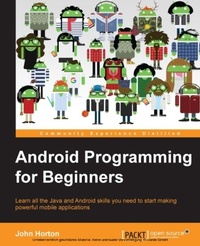
Android Programming for Beginners
Learn all the Java and Android skills you need to start making powerful mobile applications
Published on 13. January 2025
698 pages
978-1-78588-903-5 (ISBN)
Description

Learn all the Java and Android skills you need to start making powerful mobile applications
Key Features
[*]Kick-start your Android programming career, or just have fun publishing apps to the Google Play marketplace
[*]A first-principles introduction to Java, via Android, which means you'll be able to start building your own applications from scratch
[*]Learn by example and build three real-world apps and over 40 mini apps throughout the book
Book DescriptionAndroid is the most popular OS in the world. There are millions of devices accessing tens of thousands of applications. It is many people's entry point into the world of technology; it is an operating system for everyone. Despite this, the entry-fee to actually make Android applications is usually a computer science degree, or five years' worth of Java experience. Android Programming for Beginners will be your companion to create Android applications from scratch-whether you're looking to start your programming career, make an application for work, be reintroduced to mobile development, or are just looking to program for fun. We will introduce you to all the fundamental concepts of programming in an Android context, from the Java basics to working with the Android API. All examples are created from within Android Studio, the official Android development environment that helps supercharge your application development process. After this crash-course, we'll dive deeper into Android programming and you'll learn how to create applications with a professional-standard UI through fragments, make location-aware apps with Google Maps integration, and store your user's data with SQLite. In addition, you'll see how to make your apps multilingual, capture images from a device's camera, and work with graphics, sound, and animations too. By the end of this book, you'll be ready to start building your own custom applications in Android and Java. What you will learn
[*]Master the fundamentals of coding Java for Android
[*]Install and set up your Android development environment
[*]Build functional user interfaces with the Android Studio visual designer
[*]Add user interaction, data captures, sound, and animation to your apps
[*]Manage your apps' data using the built-in Android SQLite database
[*]Find out about the design patterns used by professionals to make top-grade applications
Build, deploy, and publish real Android applications to the Google Play marketplace
Who this book is forAre you trying to start a career in programming, but haven't found the right way in? Do you have a great idea for an app, but don't know how to make it a reality? Or maybe you're just frustrated that "to learn Android, you must know java." If so, Android Programming for Beginners is for you. You don't need any programming experience to follow along with this book, just a computer and a sense of adventure.
Key Features
[*]Kick-start your Android programming career, or just have fun publishing apps to the Google Play marketplace
[*]A first-principles introduction to Java, via Android, which means you'll be able to start building your own applications from scratch
[*]Learn by example and build three real-world apps and over 40 mini apps throughout the book
Book DescriptionAndroid is the most popular OS in the world. There are millions of devices accessing tens of thousands of applications. It is many people's entry point into the world of technology; it is an operating system for everyone. Despite this, the entry-fee to actually make Android applications is usually a computer science degree, or five years' worth of Java experience. Android Programming for Beginners will be your companion to create Android applications from scratch-whether you're looking to start your programming career, make an application for work, be reintroduced to mobile development, or are just looking to program for fun. We will introduce you to all the fundamental concepts of programming in an Android context, from the Java basics to working with the Android API. All examples are created from within Android Studio, the official Android development environment that helps supercharge your application development process. After this crash-course, we'll dive deeper into Android programming and you'll learn how to create applications with a professional-standard UI through fragments, make location-aware apps with Google Maps integration, and store your user's data with SQLite. In addition, you'll see how to make your apps multilingual, capture images from a device's camera, and work with graphics, sound, and animations too. By the end of this book, you'll be ready to start building your own custom applications in Android and Java. What you will learn
[*]Master the fundamentals of coding Java for Android
[*]Install and set up your Android development environment
[*]Build functional user interfaces with the Android Studio visual designer
[*]Add user interaction, data captures, sound, and animation to your apps
[*]Manage your apps' data using the built-in Android SQLite database
[*]Find out about the design patterns used by professionals to make top-grade applications
Build, deploy, and publish real Android applications to the Google Play marketplace
Who this book is forAre you trying to start a career in programming, but haven't found the right way in? Do you have a great idea for an app, but don't know how to make it a reality? Or maybe you're just frustrated that "to learn Android, you must know java." If so, Android Programming for Beginners is for you. You don't need any programming experience to follow along with this book, just a computer and a sense of adventure.
More details
Edition
Digital original
Language
English
Place of publication
Birmingham
United Kingdom
Target group
US School Grade: College Graduate Student
Edition type
Digital original
File size
10,34 MB
ISBN-13
978-1-78588-903-5 (9781785889035)
Copyright in bibliographic data and cover images is held by Nielsen Book Services Limited or by the publishers or by their respective licensors: all rights reserved.
Schweitzer Classification
Other editions
New editions
John Horton
Android Programming for Beginners
Build in-depth, full-featured Android 9 Pie apps starting from zero programming experience
E-Book
09/2024
2nd Edition
Packt Publishing
€34.99
Available for download
Additional editions
John Horton
Android Programming for Beginners
Learn all the Java and Android skills you need to start making powerful mobile applications
Book
12/2015
Packt Publishing
€66.30
Shipment within 3-4 weeks
Person
Horton John :
John Horton is a programming and gaming enthusiast based in the UK. He has a passion for writing apps, games, books, and blog articles. He is the founder of Game Code School.Mayani Paresh :
https://www.linkedin.com/profile/view?id=69808884&authType=NAME_SEARCH&authToken=XR3E&locale=en_US&trk=tyah&trkInfo=tarId%3A1415679683009%2Ctas%3A%20Paresh%20Mayani%2Cidx%3A1-1-1
John Horton is a programming and gaming enthusiast based in the UK. He has a passion for writing apps, games, books, and blog articles. He is the founder of Game Code School.Mayani Paresh :
https://www.linkedin.com/profile/view?id=69808884&authType=NAME_SEARCH&authToken=XR3E&locale=en_US&trk=tyah&trkInfo=tarId%3A1415679683009%2Ctas%3A%20Paresh%20Mayani%2Cidx%3A1-1-1
Content
Table of Contents
Building the first app
Java first contact
Exploring Android Studio
Designing Android layouts
Implementing Android layouts
Life and times of an Android app
Java basics part 1
Java basics part 2
Classes and Object oriented programming
Every thing's a class
Widget mania
Having a dialogue with the user
Handling and displaying arrays of data
Handling data with Arrays and ArrayList
Android Intent and Persistence
I like to move it, move it
Is it a little quiet around here?
Design Patterns, Fragments and the Real World
Using multiple fragments
Paging and Swiping
Paging, swiping and the simple gallery app
Starting the "Where it's snap" app introducing Navigation Drawer
Capturing images with the camera
SQL, databases and CRUD
Adding a database to 'Where it's snap'
Integrating Google Maps
Upgrading "Where it's snap" to add locations and maps
Learning threads, touches and drawing with a simple game
Publishing our apps
Before you go
Building the first app
Java first contact
Exploring Android Studio
Designing Android layouts
Implementing Android layouts
Life and times of an Android app
Java basics part 1
Java basics part 2
Classes and Object oriented programming
Every thing's a class
Widget mania
Having a dialogue with the user
Handling and displaying arrays of data
Handling data with Arrays and ArrayList
Android Intent and Persistence
I like to move it, move it
Is it a little quiet around here?
Design Patterns, Fragments and the Real World
Using multiple fragments
Paging and Swiping
Paging, swiping and the simple gallery app
Starting the "Where it's snap" app introducing Navigation Drawer
Capturing images with the camera
SQL, databases and CRUD
Adding a database to 'Where it's snap'
Integrating Google Maps
Upgrading "Where it's snap" to add locations and maps
Learning threads, touches and drawing with a simple game
Publishing our apps
Before you go
