

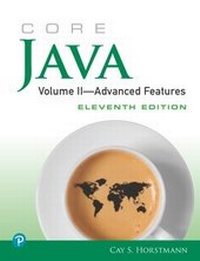
Core Java, Volume II--Advanced Features
11th Edition
Published on 7. July 2021
960 pages
978-0-13-517033-5 (ISBN)
Description

The #1 Guide to Advanced Java Programming, Fully Updated for Java 11
Core Java has long been recognized as the leading, no-nonsense tutorial and reference for experienced programmers who want to write robust Java code for real-world applications. Now, Core Java, Volume II-Advanced Features, Eleventh Edition, has been updated for Java 11, with up-to-date coverage of advanced UI and enterprise programming, networking, security, and Java's powerful new module system.
Cay S. Horstmann explores sophisticated new language and library features with the depth and completeness that readers expect from Core Java. He demonstrates how to use these features to build professional-quality applications, using thoroughly tested examples that reflect modern Java style and best practices, including modularization. Horstmann's examples are carefully crafted for easy understanding and maximum practical value, so you can consistently use them to jump-start your own code.
Master advanced techniques, idioms, and best practices for writing superior Java code
Take full advantage of modern Java I/O APIs, object serialization, and regular expressions
Efficiently connect to network services, implement network clients and servers, and harvest web data
Query databases and manage database connections with the latest version of JDBC
Simplify all aspects of date and time programming with the Java Date and Time API
Write internationalized programs that localize dates, times, numbers, text, and GUIs
Process code in three powerful ways: the scripting API, compiler API, and annotation processing
Learn how to migrate legacy code to the Java Platform Module System
Leverage the modern Java security features most valuable to application programmers
Program advanced client-side user interfaces, and generate images on the server
Use JNI to interoperate with native C code
See Core Java, Volume I-Fundamentals, Eleventh Edition (ISBN-13: 978-0-13-516630-7), for expert coverage of fundamental Java and UI programming, including objects, generics, collections, lambda expressions, Swing design, concurrency, and functional programming.
Register your book for convenient access to downloads, updates, and/or corrections as they become available. See inside book for details.
Core Java has long been recognized as the leading, no-nonsense tutorial and reference for experienced programmers who want to write robust Java code for real-world applications. Now, Core Java, Volume II-Advanced Features, Eleventh Edition, has been updated for Java 11, with up-to-date coverage of advanced UI and enterprise programming, networking, security, and Java's powerful new module system.
Cay S. Horstmann explores sophisticated new language and library features with the depth and completeness that readers expect from Core Java. He demonstrates how to use these features to build professional-quality applications, using thoroughly tested examples that reflect modern Java style and best practices, including modularization. Horstmann's examples are carefully crafted for easy understanding and maximum practical value, so you can consistently use them to jump-start your own code.
Master advanced techniques, idioms, and best practices for writing superior Java code
Take full advantage of modern Java I/O APIs, object serialization, and regular expressions
Efficiently connect to network services, implement network clients and servers, and harvest web data
Query databases and manage database connections with the latest version of JDBC
Simplify all aspects of date and time programming with the Java Date and Time API
Write internationalized programs that localize dates, times, numbers, text, and GUIs
Process code in three powerful ways: the scripting API, compiler API, and annotation processing
Learn how to migrate legacy code to the Java Platform Module System
Leverage the modern Java security features most valuable to application programmers
Program advanced client-side user interfaces, and generate images on the server
Use JNI to interoperate with native C code
See Core Java, Volume I-Fundamentals, Eleventh Edition (ISBN-13: 978-0-13-516630-7), for expert coverage of fundamental Java and UI programming, including objects, generics, collections, lambda expressions, Swing design, concurrency, and functional programming.
Register your book for convenient access to downloads, updates, and/or corrections as they become available. See inside book for details.
All prices
More details
Edition
11th edition
Language
English
Place of publication
United States
Publishing group
Pearson Education (US)
Target group
Professional and scholarly
File size
21,04 MB
ISBN-13
978-0-13-517033-5 (9780135170335)
Copyright in bibliographic data and cover images is held by Nielsen Book Services Limited or by the publishers or by their respective licensors: all rights reserved.
Schweitzer Classification
Other editions
Additional editions
Book
07/2020
11th Edition
Pearson
€54.46
Shipment within 15-20 days
Person
Cay S. Horstmann is a professor of computer science at San Jose State University and a Java Champion. He is also the author of Core Java (R), Volumes I and II , Eleventh Edition (Pearson, 2018-2019), Core Java SE 9 for the Impatient, Second Edition (Addison-Wesley, 2018), and Scala for the Impatient, Second Edition (Addison-Wesley, 2017). He has written more than a dozen other books for professional programmers and computer science students.
Content
Preface
Acknowledgments
Chapter 1: Streams
1.1 From Iterating to Stream Operations
1.2 Stream Creation
1.3 The filter, map, and flatMap Methods
1.4 Extracting Substreams and Combining Streams
1.5 Other Stream Transformations
1.6 Simple Reductions
1.7 The Optional Type
1.8 Collecting Results
1.9 Collecting into Maps
1.10 Grouping and Partitioning
1.11 Downstream Collectors
1.12 Reduction Operations
1.13 Primitive Type Streams
1.14 Parallel Streams
Chapter 2: Input and Output
2.1 Input/Output Streams
2.2 Reading and Writing Binary Data
2.3 Object Input/Output Streams and Serialization
2.4 Working with Files
2.5 Memory-Mapped Files
2.6 File Locking
2.7 Regular Expressions
Chapter 3: XML
3.1 Introducing XML
3.2 The Structure of an XML Document
3.3 Parsing an XML Document
3.4 Validating XML Documents
3.5 Locating Information with XPath
3.6 Using Namespaces
3.7 Streaming Parsers
3.8 Generating XML Documents
3.8.5 An Example: Generating an SVG File
3.9 XSL Transformations
Chapter 4: Networking
4.1 Connecting to a Server
4.2 Implementing Servers
4.3 Getting Web Data
4.4 The HTTP Client
4.5 Sending E-Mail
Chapter 5: Database Programming
5.1 The Design of JDBC
5.2 The Structured Query Language
5.3 JDBC Configuration
5.4 Working with JDBC Statements
5.5 Query Execution
5.6 Scrollable and Updatable Result Sets
5.7 Row Sets
5.8 Metadata
5.9 Transactions
5.10 Connection Management in Web and Enterprise Applications
Chapter 6: The Date and Time API
6.1 The Time Line
6.2 Local Dates
6.3 Date Adjusters
6.4 Local Time
6.5 Zoned Time
6.6 Formatting and Parsing
6.7 Interoperating with Legacy Code
Chapter 7: Internationalization
7.1 Locales
7.2 Number Formats
7.3 Date and Time
7.4 Collation and Normalization
7.5 Message Formatting
7.6 Text Input and Output
7.7 Resource Bundles
7.8 A Complete Example
Chapter 8: Scripting, Compiling, and Annotation Processing
8.1 Scripting for the Java Platform
8.2 The Compiler API
8.3 Using Annotations
8.4 Annotation Syntax
8.5 Standard Annotations
8.6 Source-Level Annotation Processing
8.7 Bytecode Engineering
Chapter 9: The Java Platform Module System
9.1 The Module Concept
9.2 Naming Modules
9.3 The Modular "Hello, World!" Program
9.4 Requiring Modules
9.5 Exporting Packages
9.6 Modular JARs
9.7 Modules and Reflective Access
9.8 Automatic Modules
9.9 The Unnamed Module
9.10 Command-Line Flags for Migration
9.11 Transitive and Static Requirements
9.12 Qualified Exporting and Opening
9.13 Service Loading
9.14 Tools for Working with Modules
Chapter 10: Security
10.1 Class Loaders
10.2 Security Managers and Permissions
10.3 User Authentication
10.4 Digital Signatures
10.5 Encryption
Chapter 11: Advanced Swing and Graphics
11.1 Tables
11.2 Trees
11.3 Advanced AWT
11.4 Raster Images
11.5 Printing
Chapter 12: Native Methods
12.1 Calling a C Function from a Java Program
12.2 Numeric Parameters and Return Values
12.3 String Parameters
12.4 Accessing Fields
12.5 Encoding Signatures
12.6 Calling Java Methods
12.7 Accessing Array Elements
12.8 Handling Errors
12.9 Using the Invocation API
12.10 A Complete Example: Accessing the Windows Registry
Index
Acknowledgments
Chapter 1: Streams
1.1 From Iterating to Stream Operations
1.2 Stream Creation
1.3 The filter, map, and flatMap Methods
1.4 Extracting Substreams and Combining Streams
1.5 Other Stream Transformations
1.6 Simple Reductions
1.7 The Optional Type
1.8 Collecting Results
1.9 Collecting into Maps
1.10 Grouping and Partitioning
1.11 Downstream Collectors
1.12 Reduction Operations
1.13 Primitive Type Streams
1.14 Parallel Streams
Chapter 2: Input and Output
2.1 Input/Output Streams
2.2 Reading and Writing Binary Data
2.3 Object Input/Output Streams and Serialization
2.4 Working with Files
2.5 Memory-Mapped Files
2.6 File Locking
2.7 Regular Expressions
Chapter 3: XML
3.1 Introducing XML
3.2 The Structure of an XML Document
3.3 Parsing an XML Document
3.4 Validating XML Documents
3.5 Locating Information with XPath
3.6 Using Namespaces
3.7 Streaming Parsers
3.8 Generating XML Documents
3.8.5 An Example: Generating an SVG File
3.9 XSL Transformations
Chapter 4: Networking
4.1 Connecting to a Server
4.2 Implementing Servers
4.3 Getting Web Data
4.4 The HTTP Client
4.5 Sending E-Mail
Chapter 5: Database Programming
5.1 The Design of JDBC
5.2 The Structured Query Language
5.3 JDBC Configuration
5.4 Working with JDBC Statements
5.5 Query Execution
5.6 Scrollable and Updatable Result Sets
5.7 Row Sets
5.8 Metadata
5.9 Transactions
5.10 Connection Management in Web and Enterprise Applications
Chapter 6: The Date and Time API
6.1 The Time Line
6.2 Local Dates
6.3 Date Adjusters
6.4 Local Time
6.5 Zoned Time
6.6 Formatting and Parsing
6.7 Interoperating with Legacy Code
Chapter 7: Internationalization
7.1 Locales
7.2 Number Formats
7.3 Date and Time
7.4 Collation and Normalization
7.5 Message Formatting
7.6 Text Input and Output
7.7 Resource Bundles
7.8 A Complete Example
Chapter 8: Scripting, Compiling, and Annotation Processing
8.1 Scripting for the Java Platform
8.2 The Compiler API
8.3 Using Annotations
8.4 Annotation Syntax
8.5 Standard Annotations
8.6 Source-Level Annotation Processing
8.7 Bytecode Engineering
Chapter 9: The Java Platform Module System
9.1 The Module Concept
9.2 Naming Modules
9.3 The Modular "Hello, World!" Program
9.4 Requiring Modules
9.5 Exporting Packages
9.6 Modular JARs
9.7 Modules and Reflective Access
9.8 Automatic Modules
9.9 The Unnamed Module
9.10 Command-Line Flags for Migration
9.11 Transitive and Static Requirements
9.12 Qualified Exporting and Opening
9.13 Service Loading
9.14 Tools for Working with Modules
Chapter 10: Security
10.1 Class Loaders
10.2 Security Managers and Permissions
10.3 User Authentication
10.4 Digital Signatures
10.5 Encryption
Chapter 11: Advanced Swing and Graphics
11.1 Tables
11.2 Trees
11.3 Advanced AWT
11.4 Raster Images
11.5 Printing
Chapter 12: Native Methods
12.1 Calling a C Function from a Java Program
12.2 Numeric Parameters and Return Values
12.3 String Parameters
12.4 Accessing Fields
12.5 Encoding Signatures
12.6 Calling Java Methods
12.7 Accessing Array Elements
12.8 Handling Errors
12.9 Using the Invocation API
12.10 A Complete Example: Accessing the Windows Registry
Index
