

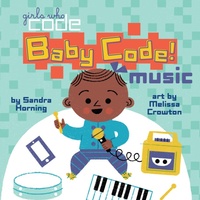
Baby Code! Music
Published on 17. July 2018
14 pages
978-1-5247-8946-6 (ISBN)
Description

It's never too early to get little ones interested in computer coding with this unique series of board books!
How do you explain coding in music to a baby? By showing how it's all around them, and how they can take part in it, of course! By using experiences common in a baby's world, like hearing a melody from a mobile or tapping on an electronic xylophone, this charming board book full of bright, colorful illustrations is the perfect introduction to coding in music for babies and their caregivers--and is sure to leave them wanting to learn more!
How do you explain coding in music to a baby? By showing how it's all around them, and how they can take part in it, of course! By using experiences common in a baby's world, like hearing a melody from a mobile or tapping on an electronic xylophone, this charming board book full of bright, colorful illustrations is the perfect introduction to coding in music for babies and their caregivers--and is sure to leave them wanting to learn more!
More details
Other editions
Additional editions

Persons
Sandra Horning has written many books for children, including the picture books The Giant Hug and The Biggest Pumpkin. Sandra's love of family, friends, pets, and nature inspires much of her writing. She lives with her family in Connecticut.
Melissa Crowton completed her MFA in the Illustration Practice Program at Maryland Institute College of Art in Baltimore in 2016. She now creates doodles for Google's homepage, and works on illustration projects for publishers and other clients. Her work has been recognized by the Society of Illustrators, Creative Quarterly, and American Illustration. Originally from Utah, Melissa currently lives in Northern California.
Melissa Crowton completed her MFA in the Illustration Practice Program at Maryland Institute College of Art in Baltimore in 2016. She now creates doodles for Google's homepage, and works on illustration projects for publishers and other clients. Her work has been recognized by the Society of Illustrators, Creative Quarterly, and American Illustration. Originally from Utah, Melissa currently lives in Northern California.
