

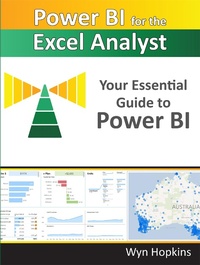
Power BI for the Excel Analyst
Your Essential Guide to Power BI
Published on 1. December 2022
211 pages
978-1-61547-164-5 (ISBN)
Description

The essential guide for getting started with Power BI. Power BI is an amazing cloud-based business analytics service provided by Microsoft that allows people to transform data into rich, interactive visual reports that presents a 360-degree business view and improves business decision making. This book is designed to get the Excel analyst started with Power BI, touching on Power Query and Power Pivot.
More details
Other editions
Additional editions
Book
11/2022
Holy Macro! Books
€37.50
Shipment within 3-4 weeks
Content
- Intro
- PublishingReportBasic
- ConnectToDatasetWithExcel
- CreatingAWorkspace
- ScheduledRefresh
- Foreword
- Power Pivot and Power Query - the Parents of Power BI
- Why I Wrote this Book
- Acknowledgements
- Chapter 1 - Getting Started with Power BI
- Getting Set Up
- Using this Book and Downloading Sample Files
- Download the Exercises and view the List of URLs
- The PBI.guide Website
- Chapter 2 - First Look - an Introduction to Power BI Desktop
- Interacting with a Power BI Report
- Introducing Power Query
- Importing and Cleaning Data using Power Query
- Summary of Your Introduction to Power Query
- Chapter 3 - Publishing Your Report
- Signing in to PowerBI.com for the First Time
- The PowerBI.com Experience (aka "the Service")
- Creating a Workspace
- Power BI Licence Options: A Brief Overview
- Chapter 4 - Files Stored in SharePoint/OneDrive for Business
- Step 1: Finding the Connection Path
- Step 2: Using the Power BI Desktop Web Connection
- Step 3: Pulling the Data into Power BI
- Step 4: Build a Simple Visual
- Step 5: Publish to Your New Workspace
- Step 6: Set up a Scheduled Refresh
- Chapter 5 - Creating a Power BI Model
- Using a Template File with a Pre-built Calendar Table
- Creating Relationships Between Tables
- Managing Sort Order
- Adding Additional "Lookup/Dimension" Tables
- Adjusting Power BI Visuals
- Filtering via Slicers and the Filter Panel
- Exploring More Visuals
- Chapter 6 - Getting Your Data into the "Right Shape"
- Power Query's Two Best Features in One Chapter!
- Comparing Data from Two Fact Tables
- Chapter 7 - DAX (Data Analysis eXpressions)
- Writing Your First DAX Measure
- Storing Measures in their Own Dedicated Table
- Year to Date Measure
- Prior Year Comparison and the CALCULATE Function
- Removing Filters
- Formatting Your DAX
- Ratios and Percentages Using DIVIDE
- Virtual Calculated Columns using the X Functions
- Dealing with Multiple Date Fields in Your Fact Table
- Organising Measures into Folders
- DAX - Next Steps in Your Learning
- Chapter 8 - The Calendar Table
- Turning Off Auto Date/Time for New Files
- Power Query Advanced Editor
- Copying Queries Between files
- Changing the Display Order of Fields
- Marking as Date Table
- Chapter 9 - Creating a Template File
- Setting Your Default Theme Fonts and Colours
- Adding a Measures Table
- Using Your Template
- Editing/Updating Templates
- Chapter 10 - Intermission for Excel Fans
- A Little History of Power BI
- A Demonstration of Excel's "Power" Features
- Create an Interactive Pivot Chart
- Chapter 11 - Enrich Your Power BI Report
- Conditional Formatting
- Tooltips
- Drill-through Page
- Report Design Tips
- Making Analysis Easier
- Natural Language Queries and AI-Driven Insights
- Chapter 12 - Sharing Your Reports via Apps
- Publish Your Report to the Workspace
- Create an App from Your Workspace
- Sharing the App
- Updating a Report and an App
- Scheduling a Refresh where a Gateway is Required
- Chapter 13 - Additional Important Features
- Row-Level Security
- Dataflows
- Connecting to a Dataset via Power BI Desktop
- Chapter 14 - Where Do We Go from Here?
- Some Topics We Didn't Cover.
- Next Steps in Your Power BI Journey
- Index
