

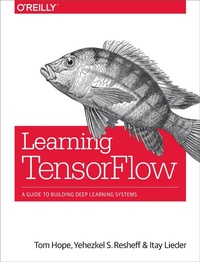
Learning TensorFlow
A Guide to Building Deep Learning Systems
Published on 9. August 2017
242 pages
978-1-4919-7848-1 (ISBN)
Description

Roughly inspired by the human brain, deep neural networks trained with large amounts of data can solve complex tasks with unprecedented accuracy. This practical book provides an end-to-end guide to TensorFlow, the leading open source software library that helps you build and train neural networks for computer vision, natural language processing (NLP), speech recognition, and general predictive analytics.Authors Tom Hope, Yehezkel Resheff, and Itay Lieder provide a hands-on approach to TensorFlow fundamentals for a broad technical audiencefrom data scientists and engineers to students and researchers. Youll begin by working through some basic examples in TensorFlow before diving deeper into topics such as neural network architectures, TensorBoard visualization, TensorFlow abstraction libraries, and multithreaded input pipelines. Once you finish this book, youll know how to build and deploy production-ready deep learning systems in TensorFlow.Get up and running with TensorFlow, rapidly and painlesslyLearn how to use TensorFlow to build deep learning models from the ground upTrain popular deep learning models for computer vision and NLPUse extensive abstraction libraries to make development easier and fasterLearn how to scale TensorFlow, and use clusters to distribute model trainingDeploy TensorFlow in a production setting
More details
Other editions
Additional editions
Tom Hope | Yehezkel S. Resheff | Itay Lieder
Learning TensorFlow
A guide to building deep learning systems
Book
08/2017
O'Reilly
€56.00
Shipment within 10-20 days
Content
- Cover
- Copyright
- Table of Contents
- Preface
- Prerequisites
- Conventions Used in This Book
- Using Code Examples
- O'Reilly Safari
- How to Contact Us
- Acknowledgments
- Chapter 1. Introduction
- Going Deep
- Using TensorFlow for AI Systems
- TensorFlow: What's in a Name?
- A High-Level Overview
- Summary
- Chapter 2. Go with the Flow: Up and Running with TensorFlow
- Installing TensorFlow
- Hello World
- MNIST
- Softmax Regression
- Summary
- Chapter 3. Understanding TensorFlow Basics
- Computation Graphs
- What Is a Computation Graph?
- The Benefits of Graph Computations
- Graphs, Sessions, and Fetches
- Creating a Graph
- Creating a Session and Running It
- Constructing and Managing Our Graph
- Fetches
- Flowing Tensors
- Nodes Are Operations, Edges Are Tensor Objects
- Data Types
- Tensor Arrays and Shapes
- Names
- Variables, Placeholders, and Simple Optimization
- Variables
- Placeholders
- Optimization
- Summary
- Chapter 4. Convolutional Neural Networks
- Introduction to CNNs
- MNIST: Take II
- Convolution
- Pooling
- Dropout
- The Model
- CIFAR10
- Loading the CIFAR10 Dataset
- Simple CIFAR10 Models
- Summary
- Chapter 5. Text I: Working with Text and Sequences, and TensorBoard Visualization
- The Importance of Sequence Data
- Introduction to Recurrent Neural Networks
- Vanilla RNN Implementation
- TensorFlow Built-in RNN Functions
- RNN for Text Sequences
- Text Sequences
- Supervised Word Embeddings
- LSTM and Using Sequence Length
- Training Embeddings and the LSTM Classifier
- Summary
- Chapter 6. Text II: Word Vectors, Advanced RNN, and Embedding Visualization
- Introduction to Word Embeddings
- Word2vec
- Skip-Grams
- Embeddings in TensorFlow
- The Noise-Contrastive Estimation (NCE) Loss Function
- Learning Rate Decay
- Training and Visualizing with TensorBoard
- Checking Out Our Embeddings
- Pretrained Embeddings, Advanced RNN
- Pretrained Word Embeddings
- Bidirectional RNN and GRU Cells
- Summary
- Chapter 7. TensorFlow Abstractions and Simplifications
- Chapter Overview
- High-Level Survey
- contrib.learn
- Linear Regression
- DNN Classifier
- FeatureColumn
- Homemade CNN with contrib.learn
- TFLearn
- Installation
- CNN
- RNN
- Keras
- Pretrained models with TF-Slim
- Summary
- Chapter 8. Queues, Threads, and Reading Data
- The Input Pipeline
- TFRecords
- Writing with TFRecordWriter
- Queues
- Enqueuing and Dequeuing
- Multithreading
- Coordinator and QueueRunner
- A Full Multithreaded Input Pipeline
- tf.train.string_input_producer() and tf.TFRecordReader()
- tf.train.shuffle_batch()
- tf.train.start_queue_runners() and Wrapping Up
- Summary
- Chapter 9. Distributed TensorFlow
- Distributed Computing
- Where Does the Parallelization Take Place?
- What Is the Goal of Parallelization?
- TensorFlow Elements
- tf.app.flags
- Clusters and Servers
- Replicating a Computational Graph Across Devices
- Managed Sessions
- Device Placement
- Distributed Example
- Summary
- Chapter 10. Exporting and Serving Models with TensorFlow
- Saving and Exporting Our Model
- Assigning Loaded Weights
- The Saver Class
- Introduction to TensorFlow Serving
- Overview
- Installation
- Building and Exporting
- Summary
- Appendix A. Tips on Model Construction and Using TensorFlow Serving
- Model Structuring and Customization
- Model Structuring
- Customization
- Required and Recommended Components for TensorFlow Serving
- What Is a Docker Container and Why Do We Use It?
- Some Basic Docker Commands
- Index
- About the Authors
- Colophon
