

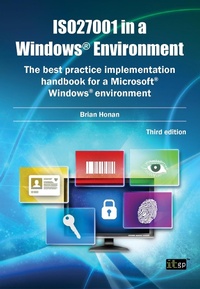
ISO27001 in a Windows Environment
The best practice implementation handbook for a Microsoft Windows environment
3rd Edition
Published on 29. July 2014
316 pages
978-1-84928-605-3 (ISBN)
Description

Most ISO27001 implementations will involve a Windows (R) environment at some level. The two approaches to security, however, mean that there is often a knowledge gap between those trying to implement ISO27001 and the IT specialists trying to put the necessary best practice controls in place while using Microsoft (R)'s technical controls. ISO27001 in a Windows (R) Environment bridges the gap and gives essential guidance to everyone involved in a Windows (R)-based ISO27001 project.
Reviews / Votes
From reviews of the second edition:'... provide[s] the reader with a solid overview on the fundamentals of ISO27001 ... Anyone who will be using ISO27001 in a Windows (R) environment and wants to make its implementation easier should certainly have this reference at their side.' -- Ben Rothke, CISSP * Security Management Magazine *
More details
Edition
Third edition
Language
English
Place of publication
Ely
United Kingdom
Target group
Professional and scholarly
Edition type
Digital original
File size
2,67 MB
ISBN-13
978-1-84928-605-3 (9781849286053)
Copyright in bibliographic data and cover images is held by Nielsen Book Services Limited or by the publishers or by their respective licensors: all rights reserved.
Schweitzer Classification
Other editions
Additional editions
Brian Honan
ISO27001 in a Windows Environment
The best practice implementation handbook for a Microsoft Windows environment
E-Book
07/2014
3rd Edition
IT Governance Publishing
€50.49
Available for download
Brian Honan
ISO27001 in a Windows Environment
The best practice implementation handbook for a Microsoft Windows environment
Book
07/2014
3rd Edition
IT Governance Publishing
€57.70
Article exhausted; check different version
Person
Brian Honan is an independent consultant based in Dublin, Ireland. He is an expert on information security and on the ISO27001 information security standard in particular. He has published a number of technical articles and given papers at major conferences on the theme of information security management. He was a founding member of the Irish Corporate Windows NT (R) User Group and he also established Ireland's first ever Computer Security Incident Response Team.
Content
1: Information and Information Security
2: Using an ISMS to Counter the Threats
3: An Introduction to ISO27001
4: Identifying your Information Assets
5: Conducting a Risk Assessment
6: An Overview of Microsoft Technologies
7: Implementing ISO27001 in a Microsoft environment
8: Securing the Windows environment
9: Securing the Microsoft Windows Server Platform
10: Auditing and Monitoring
11: Securing your Servers
Appendix 1: Overview of security settings for Windows Server 2008 and 2012 servers and domain controllers
Appendix 2: Bibliography, Reference and Further Reading
2: Using an ISMS to Counter the Threats
3: An Introduction to ISO27001
4: Identifying your Information Assets
5: Conducting a Risk Assessment
6: An Overview of Microsoft Technologies
7: Implementing ISO27001 in a Microsoft environment
8: Securing the Windows environment
9: Securing the Microsoft Windows Server Platform
10: Auditing and Monitoring
11: Securing your Servers
Appendix 1: Overview of security settings for Windows Server 2008 and 2012 servers and domain controllers
Appendix 2: Bibliography, Reference and Further Reading
