

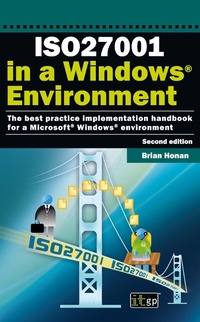
ISO27001 in a Windows ® Environment
The best practice handbook for a Microsoft(R) Windows(R) environment
Published on 21. April 2010
312 pages
978-1-84928-050-1 (ISBN)
Description

Brian Honan is an independent consultant based in Dublin, Ireland. He is an expert on information security and on the ISO27001 information security standard in particular. He has published a number of technical articles and given papers at major conferences on the theme of information security management. He was a founding member of the Irish Corporate Windows NT® User Group and he also established Ireland's first ever Computer Security Incident Response Team.
More details
Other editions
Additional editions
Brian Honan | IT Governance Publishing
ISO27001 in a Windows Environment
Book
04/2010
2nd Edition
IT Governance Publishing
€67.06
Article exhausted; check different version
Content
- Intro
- INTRODUCTION
- CHAPTER 1: INFORMATION AND INFORMATION SECURITY
- Information security concepts
- Other information security concepts
- The importance of information security
- CHAPTER 2: USING AN ISMS TO COUNTER THE THREATS
- System security versus information security
- The structure of an ISMS
- Managing exceptions to the policy
- CHAPTER 3: AN INTRODUCTION TO ISO27001
- The ISO27000 standards family
- History of ISO27001
- What is in the ISO27001 standard?
- The plan, do, check and act cycle (PDCA)
- What are the benefits of ISO27001?
- CHAPTER 4: IDENTIFY YOUR INFORMATION ASSETS
- Define the scope of the ISMS
- Identifying your information security assets
- CHAPTER 5: CONDUCTING A RISK ASSESSMENT
- What is risk?
- Managing risks
- The different types of risk analysis
- Risk management tools
- CHAPTER 6: AN OVERVIEW OF MICROSOFT TECHNOLOGIES
- Microsoft® Windows Server® 2008
- Microsoft® Windows® 7
- Microsoft® ForefrontT
- Microsoft® Systems Center
- Microsoft® Windows Server® Update Services
- Microsoft® Baseline Security Analyzer
- Microsoft Security Risk Management Guide
- Microsoft® Threat Analysis and Modeling Enterprise Edition
- Microsoft® CAT.NET
- Microsoft® Source Code Analyzer for SQL Injection
- CHAPTER 7: IMPLEMENTING ISO27001 IN A MICROSOFT ENVIRONMENT
- Section 4 Information security management system
- Section A.5 Security policy
- Section A.6 Organisational security
- Section A.7 Asset management
- Section A.8 Human resource security
- Section A.9 Physical and environmental security
- Section A.10 Communications and operations management
- Section A.11 Access control
- Section A.12 Information systems acquisition development and maintenance
- Section A.13 Information security incident management
- Section A.14 Business continuity management
- Section A.15 Compliance
- CHAPTER 8: SECURING THE WINDOWS® ENVIRONMENT
- Windows Server® 2008 architecture
- Domain user accounts naming standards
- CHAPTER 9: SECURING THE MICROSOFT® WINDOWS SERVER® PLATFORM
- Recommended settings
- CHAPTER 10: AUDITING AND MONITORING
- Configuring auditing of file and resource access
- Event log settings
- Events to record
- CHAPTER 11: SECURING YOUR SERVERS
- Protecting files and directories
- APPENDIX 1: OVERVIEW OF SECURITY SETTINGS FOR WINDOWS SERVER® 2008 SERVERS AND DOMAIN CONTROLLERS
- Service pack and hotfixes
- Account and audit policies
- Event log settings
- Security settings
- Service settings
- User rights
- Registry permissions
- File and registry auditing
- APPENDIX 2: BIBLIOGRAPHY, REFERENCE AND FURTHER READING
- ISO27001 resources
- Microsoft resources
- Microsoft products
- Other resources
- ITG RESOURCES
