

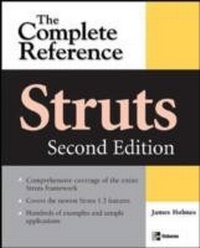
Struts: The Complete Reference, 2nd Edition
1st Edition
Published on 11. December 2006
581 pages
978-0-07-177730-8 (ISBN)
Description

Strut your stuff with this completely up-to-date guide Struts guru James Holmes has completely revised and updated his definitive, bestselling Struts volume. You will get soup-to-nuts coverage of Struts 1.3, the latest version of the framework used to create flexible, high-performance web applications. The book features insider tips, tricks, and techniques to make Struts applications sizzle.
More details
Other editions
Additional editions
James Holmes
Struts: The Complete Reference
Book
01/2007
2nd Edition
Osborne/McGraw-Hill
€50.50
Article not available at the moment
Content
- Cover Page
- Struts: The Complete Reference
- Copyright Page
- Dedication
- Contents at a Glance
- Contents
- Acknowledgments
- Part I The Struts Framework
- 1 An Introduction to Struts
- A Brief History of Web Application Development
- Two Development Models
- Model 1 Architecture Overview
- Model 2 Architecture Overview
- A Closer Look at the Model-View-Controller Architecture
- Model Components
- View Components
- Controller Components
- Enter Struts
- The Evolution of Struts
- Struts Is Open Source
- Basic Components of Struts
- Base Framework
- JSP Tag Libraries
- Tiles Plugin
- Validator Plugin
- Acquiring Struts
- What You Get (Binary)
- What You Get (Source)
- Getting Started with Struts
- 2 Building a Simple Struts Application
- Application Overview
- The Mini HR Application Files
- index.jsp
- search.jsp
- SearchForm.java
- SearchAction.java
- EmployeeSearchService.java
- Employee.java
- web.xml
- struts-config.xml
- MessageResources.properties
- Compiling, Packaging, and Running the Application
- Downloading and Installing Struts and Tomcat
- Compiling the Application
- Packaging the Application
- Running the Application
- Understanding the Flow of Execution
- 3 The Model Layer
- What Is the Model?
- Model Layer Breakdown
- Struts and the Model
- Using BeanUtils to Transfer Data to Model Classes
- Reviewing the Model Layer of the Mini HR Application
- 4 The View Layer
- Struts and the View Layer
- JSP Pages
- Form Beans
- JSP Tag Libraries
- Resource Bundles
- Reviewing the View Layer of the Mini HR Application
- Alternative View Technologies
- 5 The Controller Layer
- Struts and the Controller Layer
- The ActionServlet Class
- The Request Processing Engine
- Jakarta Commons Chain-Based Request Processing
- RequestProcessor Class-Based Processing
- The Action Class
- Retrieving Values from Form Beans
- Customizing the Response from an Action
- Struts' Built-in Actions
- The ActionForward Class
- Reviewing the Controller Layer of the Mini HR Application
- 6 Validator
- Validator Overview
- Using Validator
- Enabling the Validator Plugin
- Creating Form Beans
- Configuring validator-rules.xml
- Configuring the Application Resource Bundle File
- Configuring validation.xml
- Using Validator's Included Validations
- Enabling Client-Side Validations
- Creating Custom Validations
- Creating a Validation Method
- Adding a New Validation Rule
- Adding New Validation Definitions
- Adding Messages to the MessageResources.properties File
- Internationalizing Validations
- Adding Validator to the Mini HR Application
- Change SearchForm to Extend ValidatorForm
- Create a validation.xml File
- Add the Validator Plugin to the struts-config.xml File
- Add Validation Error Messages to the MessageResources.properties File
- Compile, Package, and Run the Updated Application
- 7 Tiles
- Tiles Overview
- Using Tiles
- Enabling the Tiles Plugin
- Creating Tiles Definitions
- Creating Layout JSPs and Using the Tiles Tag Library
- Creating Content JSPs
- Using the Tiles Definitions
- Handling Relative URLS with Tiles
- Internationalizing Tiles
- Using the Tiles Tag Library
- The Tiles Tag Library Tags
- The add Tag
- The definition Tag
- The getAsString Tag
- The importAttribute Tag
- The initComponentDefinitions Tag
- The insert Tag
- The put Tag
- The putList Tag
- The useAttribute Tag
- Adding Tiles to the Mini HR Application
- Create Layout JSPs
- Update Existing JSPs to Work with Layouts
- Create a tiles-defs.xml Tiles Configuration File
- Update the struts-config.xml Struts Configuration File
- Repackage and Run the Updated Application
- 8 Declarative Exception Handling
- Configuring Struts' Exception Handler
- Exception Handling for Committed Responses
- Creating a Custom Exception Handler
- Create a New Exception Handler Class
- Add New Exception Handler Definitions to the Application's Struts Configuration File
- Adding Declarative Exception Handling to the Mini HR Application
- Create an Application Exception Class
- Update SearchAction to Throw an Application Exception
- Set Up an Exception Handler in the struts-config.xml Configuration File
- Create an Exception Handler JSP
- Add an Exception Error Message to the MessageResources.properties File
- Recompile, Repackage, and Run the Updated Application
- 9 Struts Modules
- Using Modules
- Creating a Struts Configuration File for Each Module
- Configuring the web.xml Deployment Descriptor for Modules
- Configuring Links to Access Module-Specific JSPs
- Using Validator with Modules
- Using Tiles with Modules
- Converting the Mini HR Application to Use Modules
- Set Up Module Directories and Files
- Create a Struts Configuration File for Each Module
- Update the Application's web.xml Deployment Descriptor File
- Update the index.jsp File to Link to Each of the Modules
- Repackage and Run the Updated Application
- Part II Applying Struts
- 10 Internationalizing Struts Applications
- Understanding Java's Internationalization Support
- The java.util.Locale Class
- The java.util.ResourceBundle Class
- The java.text.MessageFormat Class
- Understanding Struts' Internationalization Support
- Locale
- Message Resources
- Struts' Tag Library Support for Internationalization
- Internationalizing the Mini HR Application
- Add Entries for All Application Text to the MessageResources.properties Resource Bundle File
- Create a Spanish Version of the MessageResources.properties File
- Update JSPs to Retrieve All Application Text from the MessageResources.properties File
- Repackage and Run the Updated Application
- 11 Securing Struts Applications
- Levels of Security
- Providing Secure Communications
- Authentication and Authorization
- Role-Based Access Control
- Container- vs. Application-Managed Security
- Using Container-Managed Security
- Login Configurations
- Container-Managed Secure Transport
- Application-Managed Security
- Creating a Security Service
- Integrating Struts with SSL
- 12 Testing Struts Applications
- Types of Testing
- Unit Testing
- Functional Testing
- System Testing
- Unit Testing Struts Applications
- Testing the Model
- Testing Controller Behavior
- Testing the View
- Use-Case-Driven Testing
- Creating Test Cases
- Using Canoo WebTest
- Testing Application Performance
- Part III The Struts Tag Libraries
- 13 The HTML Tag Library
- Understanding Variables and Scope in JSP Pages
- Using the HTML Tag Library
- The HTML Tag Library Tags
- The base Tag
- The button Tag
- The cancel Tag
- The checkbox Tag
- The errors Tag
- The file Tag
- The form Tag
- The frame Tag
- The hidden Tag
- The html Tag
- The image Tag
- The img Tag
- The javascript Tag
- The link Tag
- The messages Tag
- The multibox Tag
- The option Tag
- The options Tag
- The optionsCollection Tag
- The password Tag
- The radio Tag
- The reset Tag
- The rewrite Tag
- The select Tag
- The submit Tag
- The text Tag
- The textarea Tag
- The xhtml Tag
- Common Tag Attributes
- 14 The Bean Tag Library
- Understanding Variables and Scope in JSPs
- Using the Bean Tag Library
- The Bean Tag Library Tags
- The cookie Tag
- The define Tag
- The header Tag
- The include Tag
- The message Tag
- The page Tag
- The parameter Tag
- The resource Tag
- The size Tag
- The struts Tag
- The write Tag
- 15 The Logic Tag Library
- Understanding Variables and Scope in JSPs
- Using the Logic Tag Library
- The Logic Tag Library Tags
- The empty Tag
- The equal Tag
- The forward Tag
- The greaterEqual Tag
- The greaterThan Tag
- The iterate Tag
- The lessEqual Tag
- The lessThan Tag
- The match Tag
- The messagesNotPresent Tag
- The messagesPresent Tag
- The notEmpty Tag
- The notEqual Tag
- The notMatch Tag
- The notPresent Tag
- The present Tag
- The redirect Tag
- 16 The Nested Tag Library
- Understanding Object Nesting in Struts
- Using the Nested Tag Library
- The Nested Tag Library Tags
- The nest Tag
- The root Tag
- The writeNesting Tag
- 17 Using JSTL with Struts
- JSTL Overview
- The JSTL Expression Language
- The JSTL Tag Libraries
- Using JSTL with Struts
- JSTL Replacement Examples
- Using the Struts EL Tag Libraries
- The Struts EL Tag Library Tags
- Part IV Struts Configuration Files
- 18 The Struts Configuration File
- Understanding XML DTDs
- Configuring the web.xml Deployment Descriptor
- The Struts Configuration File Tags
- The action Tag
- The action-mappings Tag
- The controller Tag
- The exception Tag
- The form-bean Tag
- The form-beans Tag
- The form-property Tag
- The forward Tag
- The global-exceptions Tag
- The global-forwards Tag
- The message-resources Tag
- The plug-in Tag
- The set-property Tag
- The struts-config Tag
- Metadata Tags
- Editing Struts Configuration Files with Struts Console
- 19 The Tiles Configuration File
- Understanding XML DTDs
- Enabling the Tiles Plugin
- The Tiles Configuration File Tags
- The add Tag
- The bean Tag
- The definition Tag
- The item Tag
- The put Tag
- The putList Tag
- The set-property Tag
- The tiles-definitions Tag
- Metadata Tags
- Editing Tiles Configuration Files with Struts Console
- 20 The Validator Configuration Files
- Two Configuration Files
- Understanding XML DTDs
- Enabling the Validator Plugin
- The Validator Configuration File Tags
- The arg Tag
- The constant Tag
- The constant-name Tag
- The constant-value Tag
- The field Tag
- The form Tag
- The form-validation Tag
- The formset Tag
- The global Tag
- The javascript Tag
- The msg Tag
- The validator Tag
- The var Tag
- The var-jstype Tag
- The var-name Tag
- The var-value Tag
- Editing Validator Configuration Files with Struts Console
- Part V Struts Extensions
- 21 Struts Scripting
- Bean Scripting Framework Overview
- Struts Scripting Overview
- Using Struts Scripting
- Adding the Struts Scripting .jar Files and Properties File to the Application
- Creating Script-Based Actions
- Configuring Script-Based Actions in the Application's Struts Configuration File
- Predefined Scripting Variables
- Using Struts Scripting with the Mini HR Application
- Add the Struts Scripting .jar Files and Properties File to the Application
- Convert SearchAction to a Groovy Script
- Configure the struts-config.xml File
- Repackage and Run the Updated Application
- 22 The Struts-Faces Integration Library
- JSF Overview
- Struts-Faces Library Overview
- Supported Versions of Struts
- Supported Versions of JSF
- Using the Struts-Faces Library
- Adding the Required .jar Files to the Application
- Adding a Servlet Definition for the JSF Controller Servlet to the web.xml File
- Configuring Struts to Use a Custom Struts-Faces Request Processor
- Using the Struts-Faces and JSF Tag Library Tags to Create JSF-Based User Interfaces
- Configuring Forward and Action Definitions in the Application's Struts Configuration File
- Known Limitations
- The Struts-Faces Tag Library Tags
- The base Tag
- The commandLink Tag
- The errors Tag
- The form Tag
- The html Tag
- The javascript Tag
- The loadMessages Tag
- The message Tag
- The stylesheet Tag
- The write Tag
- Using the Struts-Faces Library with the Mini HR Application
- Add a JSF Implementation's and JSTL .jar Files to the Application
- Add a Servlet Definition for the JSF Controller Servlet to the web.xml File
- Configure the struts-config.xml File
- Update Existing JSPs to Use the Struts-Faces and JSF Tag Library Tags
- Repackage and Run the Updated Application
- 23 Using AJAX with Struts
- AJAX Overview
- Integrating AJAX with the Mini HR Application
- Add getEmployeeCount( ) to EmployeeSearchService
- Create a CountAction Class
- Configure the CountAction Class in the struts-config.xml File
- Update search.jsp to Use AJAX
- Recompile, Repackage, and Run the Updated Application
- Part VI Appendixes
- A Struts Console Quick Reference
- Supported Configuration Files
- Acquiring and Installing Struts Console
- Using Struts Console as a Stand-Alone Application
- Using Struts Console Inside Borland JBuilder
- Using Struts Console Inside Eclipse
- Using Struts Console Inside IBM Rational Application Developer for WebSphere
- Using Struts Console Inside IntelliJ IDEA
- Using Struts Console Inside NetBeans and Sun Java Studio
- Using Struts Console Inside Oracle JDeveloper
- Configuring the Struts Console Output Options
- B Third-Party Struts Extensions
- Strecks
- SSLEXT
- Struts Menu
- displaytag
- stxx
- formdef
- Struts Layout
- Struts Console
- Index
