

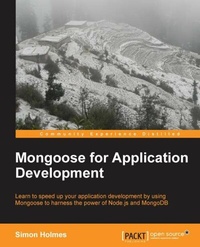
Mongoose for Application Development
Mongoose streamlines application development on the Node.js stack and this book is the ideal guide to both the concepts and practical application. From connecting to a database to re-usable plugins, it's all here.
Published on 13. January 2025
142 pages
978-1-78216-820-1 (ISBN)
Description

Mongoose streamlines application development on the Node.js stack and this book is the ideal guide to both the concepts and practical application. From connecting to a database to re-usable plugins, it's all here.
Key Features
Rapid application development with Mongoose on the Node.js stack
Use Mongoose to give structure and manageability to MongoDB data
Practical exampless on how to use Mongoose for CRUD operations
Provides a number of helpful tips and takes away the complexity of everyday MongoDB operations
Walks you through building a project management application using Mongoose, Node.js, MongoDB, and Express
Book DescriptionMongoose is all about putting the data model where it should be: in your application. You can control everything from within your application in JavaScript, eliminating the need to work with the database or a separate management system. Mongoose for Application Development is a practical, hands-on guide that takes you from installing the technology stack through the steps of developing a web application. It covers the key features of Mongoose and how to use them to rapidly develop a Node.js and MongoDB application. This book introduces the full technology stack of Node.js, MongoDB, Express, and Mongoose. It will take you through the process of building an application on this stack with a focus on how Mongoose makes the process quicker and easier. You will see how Mongoose removes a layer of complexity when dealing with MongoDB whilst giving you more control over your data from your application. You will learn how to define schemas and models for your data in JavaScript. Using these schemas and models, you will learn how to build the cornerstone of any web application that will include CRUD operations (creating, reading, updating, and deleting data). If you want to learn how to build applications quickly and efficiently using Node.js, then Mongoose and this book are ideal for you. Using practical examples throughout, Mongoose for Application Development not only teaches you about the concepts of Mongoose, but walks through how to use them to build a real-life application.What you will learn
Learn the different methods of using Mongoose to connect to a database
Learn to define schemas and building data models
Interact with data using schema methods
Create databases, collections, and data
Query the database to find specific data
Edit, save, and delete data
Validate data using Mongoose validators
Use population to link datasets
Use sub-documents and nested schemas to provide data depth
Get to grips with code efficiency through re-usable plugins
Who this book is forThis book is ideal for people who want to develop applications on the Node.js stack quickly and efficiently. Prior knowledge of the stack is not essential as the book briefly covers the installation of the core components and builds all aspects of the example application. The focus of the book is on what Mongoose adds to you applications, so experienced Node.js developers will also benefit.
Key Features
Rapid application development with Mongoose on the Node.js stack
Use Mongoose to give structure and manageability to MongoDB data
Practical exampless on how to use Mongoose for CRUD operations
Provides a number of helpful tips and takes away the complexity of everyday MongoDB operations
Walks you through building a project management application using Mongoose, Node.js, MongoDB, and Express
Book DescriptionMongoose is all about putting the data model where it should be: in your application. You can control everything from within your application in JavaScript, eliminating the need to work with the database or a separate management system. Mongoose for Application Development is a practical, hands-on guide that takes you from installing the technology stack through the steps of developing a web application. It covers the key features of Mongoose and how to use them to rapidly develop a Node.js and MongoDB application. This book introduces the full technology stack of Node.js, MongoDB, Express, and Mongoose. It will take you through the process of building an application on this stack with a focus on how Mongoose makes the process quicker and easier. You will see how Mongoose removes a layer of complexity when dealing with MongoDB whilst giving you more control over your data from your application. You will learn how to define schemas and models for your data in JavaScript. Using these schemas and models, you will learn how to build the cornerstone of any web application that will include CRUD operations (creating, reading, updating, and deleting data). If you want to learn how to build applications quickly and efficiently using Node.js, then Mongoose and this book are ideal for you. Using practical examples throughout, Mongoose for Application Development not only teaches you about the concepts of Mongoose, but walks through how to use them to build a real-life application.What you will learn
Learn the different methods of using Mongoose to connect to a database
Learn to define schemas and building data models
Interact with data using schema methods
Create databases, collections, and data
Query the database to find specific data
Edit, save, and delete data
Validate data using Mongoose validators
Use population to link datasets
Use sub-documents and nested schemas to provide data depth
Get to grips with code efficiency through re-usable plugins
Who this book is forThis book is ideal for people who want to develop applications on the Node.js stack quickly and efficiently. Prior knowledge of the stack is not essential as the book briefly covers the installation of the core components and builds all aspects of the example application. The focus of the book is on what Mongoose adds to you applications, so experienced Node.js developers will also benefit.
All prices
More details
Edition
Digital original
Language
English
Place of publication
Birmingham
United Kingdom
Target group
Professional and scholarly
US School Grade: College Graduate Student
Edition type
Digital original
File size
1,15 MB
ISBN-13
978-1-78216-820-1 (9781782168201)
Copyright in bibliographic data and cover images is held by Nielsen Book Services Limited or by the publishers or by their respective licensors: all rights reserved.
Schweitzer Classification
Other editions
Additional editions
Simon Holmes
Mongoose for Application Development
Book
08/2013
Packt Publishing
€49.80
Shipment within 3-4 weeks
Person
Holmes Simon :
Simon Holmes started his journey as a web developer in the late 1990s. He built his first website for a project at university and soon saw what the industry had to offer when he promptly sold it! Following university, Simon worked his way through the ranks of design agency life, learning the skills of becoming a full-stack web developer. From server management and database design to building dynamic UIs from Photoshop files, it all fell under Simon's remit. Having witnessed first-hand the terrible JavaScript code so prevalent in the early 2000s, Simon is very much enjoying its resurgence as a powerful, structured language. Simon now works in SaaS, which is very heavy on the JavaScript.
Simon Holmes started his journey as a web developer in the late 1990s. He built his first website for a project at university and soon saw what the industry had to offer when he promptly sold it! Following university, Simon worked his way through the ranks of design agency life, learning the skills of becoming a full-stack web developer. From server management and database design to building dynamic UIs from Photoshop files, it all fell under Simon's remit. Having witnessed first-hand the terrible JavaScript code so prevalent in the early 2000s, Simon is very much enjoying its resurgence as a powerful, structured language. Simon now works in SaaS, which is very heavy on the JavaScript.
Content
Table of Contents

