

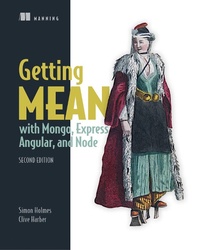
Getting MEAN with Mongo, Express, Angular, and Node
1st Edition
Published on 22. April 2019
504 pages
978-1-63835-524-3 (ISBN)
Description

Summary
Getting MEAN, Second Edition teaches you how to develop full-stack web applications using the MEAN stack. This edition was completely revised and updated to cover MongoDB 4, Express 4, Angular 7, Node 11, and the latest mainstream release of JavaScript ES2015.
Purchase of the print book includes a free eBook in PDF, Kindle, and ePub formats from Manning Publications.
About the Technology
Juggling languages mid-application can radically slow down a full-stack web project. The MEAN stack?MongoDB, Express, Angular, and Node?uses JavaScript end to end, maximizing developer productivity and minimizing context switching. And you'll love the results! MEAN apps are fast, powerful, and beautiful.
About the Book
Getting MEAN, Second Edition teaches you how to develop full-stack web applications using the MEAN stack. Practical from the very beginning, the book helps you create a static site in Express and Node. Expanding on that solid foundation, you'll integrate a MongoDB database, build an API, and add an authentication system. Along the way, you'll get countless pro tips for building dynamic and responsive data-driven web applications!
What's inside
About the Reader
Readers should be comfortable with standard web application designs and ES2015-style JavaScript.
About the Author
Simon Holmes and Clive Harber are full-stack developers with decades of experience in JavaScript and other leading-edge web technologies.
Table of Contents
Getting MEAN, Second Edition teaches you how to develop full-stack web applications using the MEAN stack. This edition was completely revised and updated to cover MongoDB 4, Express 4, Angular 7, Node 11, and the latest mainstream release of JavaScript ES2015.
Purchase of the print book includes a free eBook in PDF, Kindle, and ePub formats from Manning Publications.
About the Technology
Juggling languages mid-application can radically slow down a full-stack web project. The MEAN stack?MongoDB, Express, Angular, and Node?uses JavaScript end to end, maximizing developer productivity and minimizing context switching. And you'll love the results! MEAN apps are fast, powerful, and beautiful.
About the Book
Getting MEAN, Second Edition teaches you how to develop full-stack web applications using the MEAN stack. Practical from the very beginning, the book helps you create a static site in Express and Node. Expanding on that solid foundation, you'll integrate a MongoDB database, build an API, and add an authentication system. Along the way, you'll get countless pro tips for building dynamic and responsive data-driven web applications!
What's inside
- MongoDB 4, Express 4, Angular 7, and Node.js 11
- MEAN stack architecture
- Mobile-ready web apps
- Best practices for efficiency and reusability
About the Reader
Readers should be comfortable with standard web application designs and ES2015-style JavaScript.
About the Author
Simon Holmes and Clive Harber are full-stack developers with decades of experience in JavaScript and other leading-edge web technologies.
Table of Contents
PART 1 - SETTING THE BASELINE
- Introducing full-stack development
- Designing a MEAN stack architecture
PART 2 - BUILDING A NODE WEB APPLICATION
- Creating and setting up a MEAN project
- Building a static site with Node and Express
- Building a data model with MongoDB and Mongoose
- Writing a REST API: Exposing the MongoDB database to the application
- Consuming a REST API: Using an API from inside Express
PART 3 - ADDING A DYNAMIC FRONT END WITH ANGULAR
- Creating an Angular application with TypeScript
- Building a single-page application with Angular: Foundations
- Building a single-page application with Angular: The next level
PART 4 - MANAGING AUTHENTICATION AND USER SESSIONS
- Authenticating users, managing sessions, and securing APIs
- Using an authentication API in Angular applications
More details
Other editions
Additional editions
Simon Holmes
Getting MEAN with Mongo
Book
05/2019
2nd Edition
Manning Publications
€47.00
Shipment within 10-20 days
Persons
Simon Holmes has been a full-stack developer since the late 1990s, manages the European Solutions Engineering team for LivePerson and runs Full Stack Training Ltd.
Content
- Intro
- Copyright
- Brief Table of Contents
- Table of Contents
- Praise for the First Edition
- Preface
- Acknowledgments
- About this book
- About the authors
- About the cover illustration
- Part 1. Setting the baseline
- Chapter 1. Introducing full-stack development
- 1.1. Why learn the full stack?
- 1.2. Introducing Node.js: The web server/platform
- 1.3. Introducing Express: The framework
- 1.4. Introducing MongoDB: The database
- 1.5. Introducing Angular: The front-end framework
- 1.6. Supporting cast
- 1.7. Putting it together with a practical example
- Summary
- Chapter 2. Designing a MEAN stack architecture
- 2.1. A common MEAN stack architecture
- 2.2. Looking beyond SPAs
- 2.3. Designing a flexible MEAN architecture
- 2.4. Planning a real application
- 2.5. Breaking the development into stages
- 2.6. Hardware architecture
- Summary
- Part 2. Building a Node web application
- Chapter 3. Creating and setting up a MEAN project
- 3.1. A brief look at Express, Node, and npm
- 3.2. Creating an Express project
- 3.3. Modifying Express for MVC
- 3.4. Importing Bootstrap for quick, responsive layouts
- 3.5. Making it live on Heroku
- Summary
- Chapter 4. Building a static site with Node and Express
- 4.1. Defining the routes in Express
- 4.2. Building basic controllers
- 4.3. Creating some views
- 4.4. Adding the rest of the views
- 4.5. Taking the data out of the views and making them smarter
- Summary
- Chapter 5. Building a data model with MongoDB and Mongoose
- 5.1. Connecting the Express application to MongoDB by using Mongoose
- 5.2. Why model the data?
- 5.3. Defining simple Mongoose schemas
- 5.4. Using the MongoDB shell to create a MongoDB database and add data
- 5.5. Getting your database live
- Summary
- Chapter 6. Writing a REST API: Exposing the MongoDB database to the application
- 6.1. The rules of a REST API
- 6.2. Setting up the API in Express
- 6.3. GET methods: Reading data from MongoDB
- 6.4. POST methods: Adding data to MongoDB
- 6.5. PUT methods: Updating data in MongoDB
- 6.6. DELETE method: Deleting data from MongoDB
- Summary
- Chapter 7. Consuming a REST API: Using an API from inside Express
- 7.1. How to call an API from Express
- 7.2. Using lists of data from an API: The Loc8r homepage
- 7.3. Getting single documents from an API: The Loc8r Details page
- 7.4. Adding data to the database via the API: add Loc8r reviews
- 7.5. Protecting data integrity with data validation
- Summary
- Part 3. Adding a dynamic front end with Angular
- Chapter 8. Creating an Angular application with TypeScript
- 8.1. Getting up and running with Angular
- 8.2. Working with Angular components
- 8.3. Getting data from an API
- 8.4. Putting an Angular application into production
- Summary
- Chapter 9. Building a single-page application with Angular: Foundations
- 9.1. Adding navigation in an Angular SPA
- 9.2. Building a modular app using multiple nested components
- 9.3. Adding geolocation to find places near you
- 9.4. Safely binding HTML content
- 9.5. Challenge
- Summary
- Chapter 10. Building a single-page application with Angular: The next level
- 10.1. Working with more-complex views and routing parameters
- 10.2. Working with forms and handling submitted data
- 10.3. Improving the architecture
- 10.4. Using the SPA instead of the server-side application
- Summary
- Part 4. Managing authentication and user sessions
- Chapter 11. Authenticating users, managing sessions, and securing APIs
- 11.1. How to approach authentication in the MEAN stack
- 11.2. Creating a user schema for MongoDB
- 11.3. Creating an authentication API with Passport
- 11.4. Securing relevant API endpoints
- Summary
- Chapter 12. Using an authentication API in Angular applications
- 12.1. Creating an Angular authentication service
- 12.2. Creating the Register and Login pages
- 12.3. Working with authentication in the Angular app
- Summary
- Appendix A. Installing the stack
- Installing Node and npm
- Installing Express globally
- Installing MongoDB
- Installing Angular
- Appendix B. Installing and preparing the supporting cast
- Twitter Bootstrap
- Font Awesome
- Installing Git
- Installing Docker
- Installing a suitable command-line interface
- Setting up Heroku
- Appendix C. Dealing with all the views
- Moving the data from the views to the controllers
- Switching from Promises to Observables
- Appendix D. Reintroducing JavaScript
- Everybody knows JavaScript, right?
- Good habits or bad habits
- Arrow functions
- Destructuring
- Logic flow and looping
- Getting to know JSON
- Formatting practices
- String formatting
- Understanding callbacks
- Promises and async/await
- Writing modular JavaScript
- Classes
- Functional programming concepts
- Final thoughts
- Data integration differences for various approaches used by Node.js applications
- Index
- List of Figures
- List of Tables
- List of Listings
