

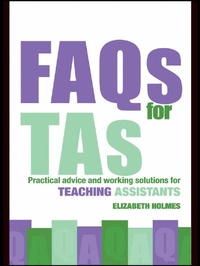
FAQs for TAs
Practical Advice and Working Solutions for Teaching Assistants
Published on 7. May 2007
192 pages
978-1-134-22103-5 (ISBN)
Description

FAQs for TAs is a friendly and accessible guide covering the core questions that both new and existing teaching assistants may have about their jobs.
Arranged in question and answer format, it covers all the essential information that teaching assistants need to know in an easily accessible book. It includes:
the themes of becoming a teaching assistant (training and funding possibilities, finding vacancies and getting through the selection process)
what the job entails
getting started, managing workload
dealing with behaviour
working with colleagues.
Differing from others on the market in that it focuses specifically on the core 'need to know' items for TAs, this book is authoritative and reassuring - delivering exactly what TAs need to help them on the job. It also explores areas of possible future development and career progression combined with sources of further information.
Arranged in question and answer format, it covers all the essential information that teaching assistants need to know in an easily accessible book. It includes:
the themes of becoming a teaching assistant (training and funding possibilities, finding vacancies and getting through the selection process)
what the job entails
getting started, managing workload
dealing with behaviour
working with colleagues.
Differing from others on the market in that it focuses specifically on the core 'need to know' items for TAs, this book is authoritative and reassuring - delivering exactly what TAs need to help them on the job. It also explores areas of possible future development and career progression combined with sources of further information.
Reviews / Votes
'Aimed at people who are thinking of becoming teaching assistants and those new to the job, this book has plenty of useful information.' - Learning Support MagazineMore details
Language
English
Place of publication
London
United Kingdom
Publishing group
Taylor & Francis Ltd
Target group
Professional and scholarly
Illustrations
5 s/w Tabellen
5 Tables, black and white
File size
1,27 MB
ISBN-13
978-1-134-22103-5 (9781134221035)
Copyright in bibliographic data and cover images is held by Nielsen Book Services Limited or by the publishers or by their respective licensors: all rights reserved.
Schweitzer Classification
Other editions
Additional editions
Book
06/2017
1st Edition
Routledge
€193.13
Shipment within 10-20 days
Book
02/2007
1st Edition
Routledge
€44.75
Article not available at the moment
Person
Content
1. The Role of the TA 2. The Job-Hunting Process 3. Starting Work as a TA 4. All about Workload 5. Working with Children 6. All about Behaviour 7. Personal Issues 8. Working with Colleagues and Parents 9. Career Development 10. Hot Education Topics
