

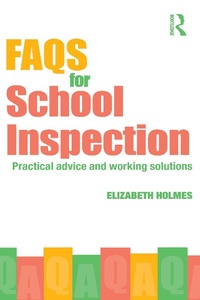
FAQs for School Inspection
Practical Advice and Working Solutions
Published on 5. December 2008
176 pages
978-1-134-08208-7 (ISBN)
Description

School inspections still have the potential to spread fear and panic through even the best-run schools, but this practical book will remove all of the anxiety, with its proven advice to help ensure a successful inspection.
Ideal for all teachers, whether newly qualified or with decades of experience, FAQs for School Inspection will guide the reader calmly through the pre- and post-inspection stages, offering valuable insights into what can happen during the inspection itself. Covering recent legislative changes and everything to do with school inspection, it outlines the teacher/inspector relationship and gives advice on coping with the potential stresses of inspections.
Organised into logical sections, the book covers issues such as
preparing for inspection
being inspection-aware
the effects inspection has on you personally
what happens after inspection.
Complete with advice on using inspection to further personal and professional development, this ready-reference guide will allow teachers to play a confident and influential role in school inspection.
Ideal for all teachers, whether newly qualified or with decades of experience, FAQs for School Inspection will guide the reader calmly through the pre- and post-inspection stages, offering valuable insights into what can happen during the inspection itself. Covering recent legislative changes and everything to do with school inspection, it outlines the teacher/inspector relationship and gives advice on coping with the potential stresses of inspections.
Organised into logical sections, the book covers issues such as
preparing for inspection
being inspection-aware
the effects inspection has on you personally
what happens after inspection.
Complete with advice on using inspection to further personal and professional development, this ready-reference guide will allow teachers to play a confident and influential role in school inspection.
More details
Language
English
Place of publication
London
United Kingdom
Publishing group
Taylor & Francis Ltd
Target group
Professional and scholarly
File size
0,93 MB
ISBN-13
978-1-134-08208-7 (9781134082087)
Copyright in bibliographic data and cover images is held by Nielsen Book Services Limited or by the publishers or by their respective licensors: all rights reserved.
Schweitzer Classification
Other editions
Additional editions
Book
12/2008
1st Edition
Routledge
€120.60
Shipment within 15-20 days
Book
12/2008
1st Edition
Routledge
€48.46
Shipment within 15-20 days
Person
Elizabeth Holmes completed her PGCE at the Institute of Education, London. After teaching in London and Oxfordshire she became Head of History at a school in West Sussex. She now writes on education and health issues for a variety of national publications and websites, and prepares training and development materials. She has had many books published, including The Newly Qualified Teacher's Handbook, FAQs for NQTs, Teacher Well-being and FAQs for TAs.
www.elizabethholmes.info
www.elizabethholmes.info
Content
1. Introduction to Ofsted 2. All about school inspection 3. Being inspection-aware 4. Inspection and your well-being 5. The effects of inspection on the individual 6. Getting ready for inspection7. The experience of inspection 8. The aftermath of inspection 9. Using inspection for development
