

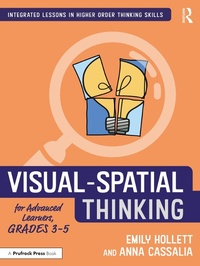
Visual-Spatial Thinking for Advanced Learners, Grades 3-5
1st Edition
Published on 29. July 2022
238 pages
978-1-000-61419-0 (ISBN)
Description

Visual-Spatial Thinking for Advanced Learners, Grades 3-5 will teach students how to perceive and represent visual information, and to mentally manipulate objects within space.
Visual-spatial thinking is a skill which helps students develop depth, complexity, and abstraction in thinking and inquiry. Working through the lessons and handouts in this book, students will develop spatial language, learn to visualize and mentally manipulate visual information, look at objects from varying perspectives, explore dimension, and seek structure in organizing visual information. This curriculum provides cohesive, focused, scaffolded lessons to teach each targeted area of competency followed by authentic application activities for students to then apply their newly developed skill set.
This book can be used as a stand-alone gifted curriculum or as part of an integrated curriculum. Each lesson ties in both reading and metacognitive skills, making it easy for teachers to incorporate into a variety of contexts.
Visual-spatial thinking is a skill which helps students develop depth, complexity, and abstraction in thinking and inquiry. Working through the lessons and handouts in this book, students will develop spatial language, learn to visualize and mentally manipulate visual information, look at objects from varying perspectives, explore dimension, and seek structure in organizing visual information. This curriculum provides cohesive, focused, scaffolded lessons to teach each targeted area of competency followed by authentic application activities for students to then apply their newly developed skill set.
This book can be used as a stand-alone gifted curriculum or as part of an integrated curriculum. Each lesson ties in both reading and metacognitive skills, making it easy for teachers to incorporate into a variety of contexts.
More details
Series
Edition
1. Auflage
Language
English
Place of publication
London
United Kingdom
Publishing group
Taylor & Francis Ltd
Target group
Professional and scholarly
Illustrations
10 Tables, black and white; 113 Line drawings, black and white; 7 Halftones, black and white; 120 Illustrations, black and white
ISBN-13
978-1-000-61419-0 (9781000614190)
Copyright in bibliographic data and cover images is held by Nielsen Book Services Limited or by the publishers or by their respective licensors: all rights reserved.
Schweitzer Classification
Other editions
Additional editions
Emily Hollett | Anna Cassalia
Visual-Spatial Thinking for Advanced Learners, Grades 3-5
Book
07/2022
1st Edition
Routledge
€46.60
Shipment within 10-20 days
Emily Hollett | Anna Cassalia
Visual-Spatial Thinking for Advanced Learners, Grades 3-5
Book
07/2022
1st Edition
Routledge
€215.77
Shipment within 10-20 days
Persons
Emily Hollett and Anna Cassalia are award-winning gifted educators and instructional differentiation coaches with Williamson County Schools, Tennessee.
Content
Introduction to Visual-Spatial Thinking, Sub-Skill 1: Spatial Language, Sub-Skill 2: Visualizing, Sub-Skill 3: Visual Perspectives, Sub-Skill 4: Exploring Dimension, Sub-Skill 5: Seeking Structure, Appendix A: Assessments, Appendix B: Extensions
