

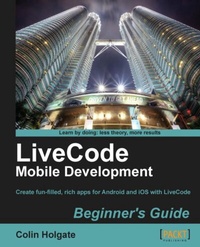
LiveCode Mobile Development Beginner's Guide
With this book and your basic programming knowledge, you'll find it easy to use LiveCode to create mobile apps for Android and iOS. A great starting point for taking the app store by storm.
1st Edition
Published on 13. January 2025
246 pages
978-1-84969-249-6 (ISBN)
Description

With this book and your basic programming knowledge, you ll find it easy to use LiveCode to create mobile apps for Android and iOS. A great starting point for taking the app store by storm.Key Features - Create fun, interactive apps with rich media features of LiveCode
- Step-by-step instructions for creating apps and interfaces
- Dive headfirst into mobile application development using LiveCode backed with clear explanations enriched with ample screenshots
Book DescriptionLiveCode is a tool for developing mobile apps designed for those who don't want to use Objective-C, C++ or Java. Although it is a tool full of rich features to create apps it can be challenging to get beyond the basics and build interactive and fun apps. Using this book, you can develop various apps and this book guides you through "till you upload the apps in the appstore."LiveCode Mobile Development Beginner's Guide" will explain how to create applications with the easiest, most practical cross platform framework available, Livecode Mobile and upload the apps to the appstore with minimal effort.Throughout the book, you'll learn details that will help you become a pro at mobile app development using LiveCode. You begin with simple calculator application and quickly enhance it using LiveCode Mobile. Start by learning the interface controls for videos and images of LiveCode's environment. Dig into configuring devices, building user interfaces, and making rich media applications, then finish by uploading the mobile applications to App Stores. You will learn how to build apps for devices such as iPhone, Android with the recently developed LiveCode Mobile through sample applications of increasing complexity.What you will learn - Create a simple sample application
- Build the interface and write the code using a Multimedia Scrapbook as an example application
- Make a To do/reminders application
- Build User Interfaces like Touch interfaces
- Uploading your final app to the App Store
- Create a jigsaw puzzle app that takes advantage of several mobile device features
- Make standard looking buttons and fields, and programmatically create the screen layout
Who this book is forIf you are a developer, consultant or student looking to create fast, scalable mobile applications, then this book is for you. Basic knowledge of programming such as understanding variables, expressions, control structures and functions is required.
- Step-by-step instructions for creating apps and interfaces
- Dive headfirst into mobile application development using LiveCode backed with clear explanations enriched with ample screenshots
Book DescriptionLiveCode is a tool for developing mobile apps designed for those who don't want to use Objective-C, C++ or Java. Although it is a tool full of rich features to create apps it can be challenging to get beyond the basics and build interactive and fun apps. Using this book, you can develop various apps and this book guides you through "till you upload the apps in the appstore."LiveCode Mobile Development Beginner's Guide" will explain how to create applications with the easiest, most practical cross platform framework available, Livecode Mobile and upload the apps to the appstore with minimal effort.Throughout the book, you'll learn details that will help you become a pro at mobile app development using LiveCode. You begin with simple calculator application and quickly enhance it using LiveCode Mobile. Start by learning the interface controls for videos and images of LiveCode's environment. Dig into configuring devices, building user interfaces, and making rich media applications, then finish by uploading the mobile applications to App Stores. You will learn how to build apps for devices such as iPhone, Android with the recently developed LiveCode Mobile through sample applications of increasing complexity.What you will learn - Create a simple sample application
- Build the interface and write the code using a Multimedia Scrapbook as an example application
- Make a To do/reminders application
- Build User Interfaces like Touch interfaces
- Uploading your final app to the App Store
- Create a jigsaw puzzle app that takes advantage of several mobile device features
- Make standard looking buttons and fields, and programmatically create the screen layout
Who this book is forIf you are a developer, consultant or student looking to create fast, scalable mobile applications, then this book is for you. Basic knowledge of programming such as understanding variables, expressions, control structures and functions is required.
All prices
More details
Other editions
Additional editions
Colin Holgate
Livecode Mobile Development Beginner's Guide
Book
07/2012
Packt Publishing
€55.60
Shipment within 3-4 weeks
Person
Holgate Colin :
Colin Holgate was originally trained as a telecommunications technician in the Royal Air Force, but with the advent of the personal computer era he transitioned to working as a technical support engineer for companies that included Apple Computer UK. In 1992 he moved to the USA, to become a full time multimedia programmer, working for The Voyager Company. In that role he programmed several award winning CD-ROMs, including A Hard Dayâ?Ts Night and This Is Spinal Tap. For the last 12 years Colin has worked for Funny Garbage, a New York City based web design company. In addition to using Adobe Director and Adobe Flash for online and kiosk application, he has used LiveCode for in-house production tools. At the introduction of LiveCode for Mobile at the RunRevLive Conference in 2011, Colin entered, and won a contest to create a mobile application made with LiveCode.
Colin Holgate was originally trained as a telecommunications technician in the Royal Air Force, but with the advent of the personal computer era he transitioned to working as a technical support engineer for companies that included Apple Computer UK. In 1992 he moved to the USA, to become a full time multimedia programmer, working for The Voyager Company. In that role he programmed several award winning CD-ROMs, including A Hard Dayâ?Ts Night and This Is Spinal Tap. For the last 12 years Colin has worked for Funny Garbage, a New York City based web design company. In addition to using Adobe Director and Adobe Flash for online and kiosk application, he has used LiveCode for in-house production tools. At the introduction of LiveCode for Mobile at the RunRevLive Conference in 2011, Colin entered, and won a contest to create a mobile application made with LiveCode.
Content
- Intro
- LiveCode Mobile Development Beginner's Guide
- Table of Contents
- LiveCode Mobile Development Beginner's Guide
- Credits
- About the Author
- About the Reviewers
- www.PacktPub.com
- Support files, eBooks, discount offers and more
- Why Subscribe?
- Free Access for Packt account holders
- Preface
- What this book covers
- What you need for this book
- Who this book is for
- Conventions
- Time for action - heading
- What just happened?
- Pop quiz - heading
- Have a go hero - heading
- Reader feedback
- Customer support
- Downloading the example code
- Errata
- Piracy
- Questions
- 1. LiveCode Fundamentals
- Background history and metaphors
- You do have LiveCode, don't you?
- Learning the lay of the land
- Main windows
- Time for action - it's a drag, but you'll like it!
- What just happened?
- Creating a hierarchy
- Stack structure
- Where code goes
- Time for action - making and navigating between cards
- What just happened?
- Pop quiz - best name?
- Making a simple calculator application
- Inspector clues, oh.
- Time for action - making the calculator buttons
- What just happened?
- Verbosity, synonyms, and "me
- Adding the card handlers
- Variable types in LiveCode
- Pop quiz - try to remember.
- Extending the calculator
- Have a go hero - getting to the root of things
- Other interface controls
- Video player control
- Still image control
- Rollover buttons
- Many More Controls.
- Debugging
- RunRev's online tutorials
- Summary
- 2. Getting Started with LiveCode Mobile
- iOS, Android, or both?
- Becoming an Android developer
- Android Market
- Amazon Appstore
- Pop quiz - when is something too much?
- Downloading the Android S
- Installing Android SDK on Mac OS X (Intel)
- Installing Android SDK on Windows
- Pointing LiveCode to the Android SDK
- Pop quiz - tasty code names
- Becoming an iOS developer
- Pop quiz - iOS code names
- Installing Xcode
- Pointing LiveCode to the iOS SDKs
- Before we can make our first mobile app
- Getting ready to test for Android
- Time for action - starting an Android virtual device
- What just happened?
- Connecting a physical Android device
- Using a Kindle Fire
- Time for action - adding a Kindle Fire to ADB
- What just happened?
- Getting ready to test for iOS
- Time for action - using the iOS simulator
- What just happened?
- Appiness at last!
- Time for action - testing a simple stack in the simulators
- What just happened?
- Time for action - testing a simple stack on devices
- What just happened?
- Have a go hero - Nook
- Further reading
- Summary
- 3. Building User Interfaces
- Setting up a test bed mobile app
- Time for action - making the test bed stack
- What just happened?
- Invoking the desktop e-mail application
- Time for action - calling the native e-mail application
- What just happened?
- Installing the e-mail test onto devices
- Time for action - trying test bed stack on devices
- What just happened?
- Opening a web page
- Time for action - calling the native browser application
- What just happened?
- Mobile-only, date picker
- Time for action - showing a date picker
- What just happened?
- Mobile-only, loading pictures
- Time for action - loading pictures
- What just happened?
- Pop quiz - getting the big picture
- Making OS styled buttons
- Using bitmaps
- Time for action - using Photoshop to prepare button states
- What just happened?
- Pop quiz - the cost of things these days
- MobGUI to the rescue!
- Time for action - getting started with MobGUI
- What just happened?
- Test bed app, the MobGUI way
- Time for action - using MobGUI to make a test bed app
- What just happened?
- MobGUI native controls
- Time for action - using native controls from MobGUI
- What just happened?
- Have a go hero - other tests and pretty icons
- Adjusting things for different screen sizes
- Layout using a resize handler
- Time for action - simple code layout example
- What just happened?
- Layout using the LiveCode Geometry Manager
- Time for action - using the Geometry Manager to position buttons
- What just happened?
- Layout using MobGUI
- Time for action - using MobGUI to remember layouts for us
- What just happened?
- Have a go hero - other sizes
- Further reading
- Summary
- 4. Using Remote Data and Media
- Stack structure
- Code driven and manually created layouts
- Locations for code
- Pop quiz - name that structure
- Loading and saving external data
- Querying a URL
- Reading and writing to a text file
- Using another stack to store data
- Time for action - creating a data save stack
- What just happened?
- Pop quiz - other special places
- Creating a web "scraper" app
- Time for action - setting up tab navigation
- What just happened?
- The Browser card
- Time for action - adding the browser controls
- What just happened?
- The Links card
- Time for action - making a links extraction function
- What just happened?
- The missing links
- One more thing.
- Time for action - adding the Links card "init" handler
- What just happened?
- The Text card
- Time for action - setting up the Text card
- What just happened?
- The Media card
- Time for action - extracting a list of media links
- What just happened?
- Time for action - setting up the Media card scripts
- What just happened?
- The Keepers card
- Time for Action - setting up the Keepers card
- What just happened?
- Have a go hero - add some preset locations
- What now?
- Summary
- 5. Making a Jigsaw Puzzle Application
- Image data format
- Mystery byte.
- Misusing imageData!
- Time for action - testing a getPixel function
- What just happened?
- Pop-Quiz - how many bits in a byte?
- Simulating lots and lots of buttons
- Time for action - making a map of the United States
- What just happened?
- Pop-Quiz - getting the big picture
- Using maskData for collision detection
- Time for action - making a racecourse
- What just happened?
- Time for action - making a race car
- What just happened?
- Pop-Quiz - calculate this!
- Making a jigsaw puzzle
- Going to pieces.
- Time for action - creating the pieces and choosing an image
- What just happened?
- Time for action - transferring imageData
- What just happened?
- Adding interactivity
- Time for action - setting up touch events
- What just happened?
- Have a go hero - one for the kids
- Summary
- 6. Making a Reminder Application
- What is a "reminder"?
- When?
- Date and time pickers
- Time for action - creating date and time pickers
- What just happened?
- Pop-Quiz - AO (Odd Acronyms!)
- Where?
- Time for action - trying out native location tracking
- What just happened?
- Calculating the distance between two points on Earth
- Pop quiz - what floor is my apartment on?
- What?
- Making the reminders app
- Laying out the cards
- Time for action - creating the reminder app screens
- What just happened?
- Stack level scripts
- Time for action - adding Stack level functions
- What just happened?
- Home card scripts
- Time for action - making the Home card buttons work
- What just happened?
- Creating a location card
- Time for action - making the location card work
- What just happened?
- Reminder entry form
- Time for action - taking in information about the reminder
- What just happened?
- Have a go hero - nice transitions
- Summary
- 7. Deploying to Your Device
- Standalone Application Settings
- General
- Stacks
- Copy Files
- iOS
- Build for
- Basic Application Settings
- Icons
- Splash Screens
- Orientation Options
- Custom URL Scheme
- Requirements and Restrictions
- Status Bar
- Android
- Basic Application Settings
- Requirements and Restrictions
- Application Permissions
- User Interface Options
- Building Apps for Beta Testers
- Sending an Android App to testers
- Preparing an iOS App so that it can work on someone else's device
- Creating "over the air" installers for iOS
- AirLaunch
- BetaBuilder
- TestFlightApp.com
- Creating an app store submission file
- Finding and using the Android Keytool application
- Creating a distribution certificate for iOS
- Uploading to the app stores
- What's similar
- What's different
- Bottom line
- Summary
- A. Extending LiveCode
- The story so far.
- Extending LiveCode
- MobGUI
- tmControl
- DropTools Palette
- mergExt
- Creating your own add-ons
- Custom controls
- Externals
- B. Pop Quiz Answers
- Chapter 1, LiveCode Fundamentals
- Pop Quiz - best name?
- Pop quiz - try to remember.
- Chapter 2, Getting Started with LiveCode Mobile
- Pop quiz - when is something too much?
- Pop quiz - tasty code names
- Pop quiz - iOS code names
- Chapter 3, Building User Interfaces
- Pop quiz - getting the big picture
- Pop quiz - the cost of things these days
- Chapter 4, Using Remote Data and Media
- Pop quiz - name that structure
- Pop quiz - other special places
- Chapter 5, Making a Jigsaw Puzzle Application
- Pop-Quiz - how many bits in a byte?
- Pop-Quiz - getting the big picture
- Pop-Quiz - calculate this!
- Chapter 6, Making a Reminders Application
- Pop-Quiz - AO (Odd Acronyms!)
- Pop-Quiz - What floor is my apartment on?
- Index

