

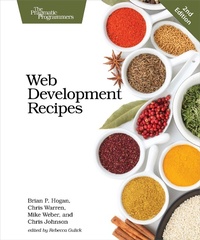
Web Development Recipes
Description

Modern web development is so much more than just HTML and CSS with a little JavaScript mixed in. People want faster, more usable interfaces that work on multiple devices, and you need the latest tools and techniques to make that happen. This book gives you over 40 concise solutions to today''s web development problems, and introduces new solutions that will expand your skill set---proven, practical advice from authors who use these tools and techniques every day. In this completely updated edition, you''ll find innovative new techniques and workflows, as well as reworked solutions that take advantage of new developments. Web development is constantly changing, and you need to stay on top of your game. Discover a wide spectrum of web development techniques, from how to improve the way you present content, to solutions for data analysis, testing, and deployment. In this edition we introduce new tools, add new recipes, and modernize old ones. You''ll use Vagrant to automate server setup, and you''ll discover new ways to develop blogs and static sites. You''ll learn how to use Grunt to script the deployment of your web project, and use Angular to build a single-page app. You''ll learn how to make content stand out with simple cross-browser styles; create animations that work well everywhere without plugins; and create lightweight, responsive layouts. We''ll show you how to use preprocessors like CoffeeScript and Sass; write tests for your code; use Git and Dropbox to collaborate; configure and secure the Apache web server; use virtualization to set up your own servers automatically; and much more. Whether you''re new to front-end development, or you''ve got a few years of experience, you''ll become a more versatile developer by finding out how---and why---to use these solutions in your next project. What You Need: Your favorite text editor, the most current version of Mozilla Firefox, Internet Explorer, Google Chrome or Safari, and a working knowledge of HTML and JavaScript. Familiarity with command-line interfaces is a plus.
More details
Other editions
Additional editions
Content
- Cover
- Table of Contents
- Acknowledgments
- Brian Hogan
- Chris Warren
- Mike Weber
- Chris Johnson
- Preface
- Who's This Book For?
- What's in This Book?
- What You Need
- Online Resources
- 1. Eye-Candy Recipes
- Recipe 1. Styling Buttons and Links
- Recipe 2. Styling Stand-Alone Quotes with CSS
- Recipe 3. Creating Animations with CSS3 Transformations
- Recipe 4. Creating Interactive Slideshows with jQuery
- Recipe 5. Creating and Styling Accessible Tooltips
- Recipe 6. Using Font Icons
- 2. User Interface Recipes
- Recipe 7. Creating an HTML Email Template
- Recipe 8. Swapping Between Content with Tabbed Interfaces
- Recipe 9. Accessible Expand and Collapse
- Recipe 10. Interacting with Web Pages Using Keyboard Shortcuts
- Recipe 11. Rendering HTML with Handlebars Templates
- Recipe 12. Displaying Information with Endless Pagination
- Recipe 13. Extending Endless Pagination with pushState()
- Recipe 14. Snappier Client-Side Interfaces with Knockout.js
- Recipe 15. Creating a Search Interface with React
- Recipe 16. Creating Client-Side Apps with Angular.js
- 3. Data Recipes
- Recipe 17. Adding an Inline Google Map
- Recipe 18. Creating Charts and Graphs with Highcharts
- Recipe 19. Building a Simple Contact Form
- Recipe 20. Accessing Cross-Site Data with JSONP
- Recipe 21. Creating a Widget to Embed in Other Sites
- Recipe 22. Building a Status Site with JavaScript and CouchDB
- 4. Mobile Recipes
- Recipe 23. Targeting Mobile Devices
- Recipe 24. Touch-Responsive Drop-Down Menus
- Recipe 25. Mobile Drag and Drop
- Recipe 26. Creating Interfaces with jQuery Mobile
- Recipe 27. Using Sprites with CSS
- 5. Workflow Recipes
- Recipe 28. Rapid, Responsive Design with Skeleton
- Recipe 29. Creating a Simple Blog with Enfield
- Recipe 30. Building Modular Style Sheets with Sass
- Recipe 31. Cleaner JavaScript with CoffeeScript
- Recipe 32. Managing Files with Git
- 6. Testing Recipes
- Recipe 33. Testing Websites on Real Devices
- Recipe 34. Tracking User Activity with Heatmaps
- Recipe 35. Browser Testing with Selenium
- Recipe 36. Testing Web Interfaces with Nightwatch
- Recipe 37. Testing JavaScript with Jasmine
- 7. Hosting and Deployment Recipes
- Recipe 38. Using Dropbox to Collaborate and Host a Static Site
- Recipe 39. Setting Up a Virtual Machine
- Recipe 40. Changing Web Server Configuration Files with Vim
- Recipe 41. Configuring Secure Websites with Apache
- Recipe 42. Securing Your Content
- Recipe 43. Rewriting URLs to Preserve Links
- Recipe 44. Automating Static Site Deployment with Grunt
- Recipe 45. Configuring a Virtual Machine with Puppet
- A1. Bibliography
- Index
- - SYMBOLS -
- - DIGITS -
- - A -
- - B -
- - C -
- - D -
- - E -
- - F -
- - G -
- - H -
- - I -
- - J -
- - K -
- - L -
- - M -
- - N -
- - O -
- - P -
- - Q -
- - R -
- - S -
- - T -
- - U -
- - V -
- - W -
- - Y -
- - Z -
