

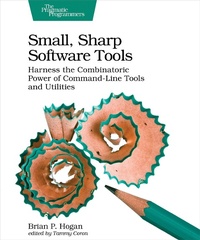
Small, Sharp Software Tools
Description

The command-line interface is making a comeback. That''s because developers know that all the best features of your operating system are hidden behind a user interface designed to help average people use the computer. But you''re not the average user, and the CLI is the most efficient way to get work done fast. Turn tedious chores into quick tasks: read and write files, manage complex directory hierarchies, perform network diagnostics, download files, work with APIs, and combine individual programs to create your own workflows. Put down that mouse, open the CLI, and take control of your software development environment.
No matter what language or platform you''re using, you can use the CLI to create projects, run servers, and manage files. You can even create new tools that fit right in with grep, sed, awk, and xargs. You''ll work with the Bash shell and the most common command-line utilities available on macOS, Windows 10, and many flavors of Linux.
Create files without opening a text editor. Manage complex directory strutures and move around your entire file system without touching the mouse. Diagnose network issues and interact with APIs. Chain several commands together to transform data, and create your own scripts to automate repetitive tasks. Make things even faster by customizing your environment, creating shortcuts, and integrating other tools into your environment. Hands-on activities and exercises will cement your newfound knowledge and give you the confidence to use the CLI to its fullest potential. And if you''re worried you''ll wreck your system, this book walks you through creating an Ubuntu virtual machine so you can practice worry-free.
Dive into the CLI and join the thousands of other devs who use it every day.
What You Need:
You''ll need macOS, Windows 10, or a Linux distribution like Ubuntu, Fedora, CentOS, or Debian using the Bash shell.
More details
Other editions
Additional editions
Content
- Cover
- Table of Contents
- Acknowledgments
- Preface
- A Tale of Many CLIs
- What's In (and not in) This Book
- How to Use This Book
- Online Resources
- 1. Getting Your Feet Wet
- Accessing the Command-Line Interface
- Getting Your Bearings
- Creating and Reading Files
- Redirecting Streams of Text
- Creating Directories
- Going Home
- Using Autocompletion
- Elevating Privileges
- Installing Additional Programs with a Package Manager
- Downloading Files
- Read the Friendly Manual
- Useful Shortcuts
- Your Turn
- What You Learned
- 2. Creating an Ubuntu Virtual Machine with VirtualBox
- Creating a New Virtual Machine
- Configuring a Network
- Installing the Guest Operating System
- Working with Snapshots
- Installing Software with the Package Manager
- Improving Performance by Installing Guest Additions
- Your Turn
- What You Learned
- 3. Navigating the Filesystem
- Listing Files and Directories
- Navigating Files and Folders
- Switching Between Directories
- Finding Files
- Identifying Available Disk Space
- Your Turn
- What You Learned
- 4. Working with Files and Directories
- Creating Files
- Reading Larger Files
- Creating Directories
- Copying, Moving, and Deleting Files and Directories
- Managing File and Directory Permissions
- Working with Links
- Getting More Information About Filesystem Objects
- Your Turn
- What You Learned
- 5. Streams of Text
- Redirecting Input and Output with File Descriptors
- Splitting Streams with tee
- Handling Standard Error Streams
- Filtering with grep
- Removing Characters from Output with cut
- Sorting Output
- Editing Streams with sed
- Advanced Processing with awk
- Using xargs
- Your Turn
- What You Learned
- 6. The Shell and Environment
- Exploring Environment and Shell Variables
- Editing Text with GNU nano
- Customizing Your Shell Session
- Creating Shortcuts with Aliases and Functions
- Creating Keyboard Shortcuts
- Modifying Readline Behavior
- Your Turn
- What You Learned
- 7. Running and Managing Programs
- Working with Commands
- Reusing Previous Commands and Arguments
- Managing Processes and Jobs
- Terminating Processes
- Using Command Substitution
- Keeping Commands Running with GNU Screen
- Your Turn
- What You Learned
- 8. Networking Tools
- Getting Your Connection Information
- Finding Information About Domain Names
- Testing Network Connectivity
- Making Web Requests with cURL
- Working with Web APIs
- Using Secure Shell to Connect to Remote Machines
- Transferring Files
- Exploring Network Connections
- Using Netcat
- Your Turn
- What You Learned
- 9. Automation
- Automating Tasks with make
- Writing Bash Scripts
- Automating Your Workstation Setup
- Your Turn
- What You Learned
- 10. Additional Programs
- Working with Text and Files
- Managing Your Environment
- Working with Data and External APIs
- Wrapping Up
- A1. Command Quick Reference
- A2. Installing GNU Utilities on macOS
- Installing coreutils
- Installing diffutils and findutils
- Index
- - SYMBOLS -
- - A -
- - B -
- - C -
- - D -
- - E -
- - F -
- - G -
- - H -
- - I -
- - J -
- - K -
- - L -
- - M -
- - N -
- - O -
- - P -
- - R -
- - S -
- - T -
- - U -
- - V -
- - W -
- - X -
- - Y -
