

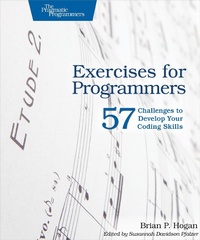
Exercises for Programmers
Description

When you write software, you need to be at the top of your game. Great programmers practice to keep their skills sharp. Get sharp and stay sharp with more than fifty practice exercises rooted in real-world scenarios. If you're a new programmer, these challenges will help you learn what you need to break into the field, and if you're a seasoned pro, you can use these exercises to learn that hot new language for your next gig.
One of the best ways to learn a programming language is to use it to solve problems. That's what this book is all about. Instead of questions rooted in theory, this book presents problems you'll encounter in everyday software development. These problems are designed for people learning their first programming language, and they also provide a learning path for experienced developers to learn a new language quickly.
Start with simple input and output programs. Do some currency conversion and figure out how many months it takes to pay off a credit card. Calculate blood alcohol content and determine if it's safe to drive. Replace words in files and filter records, and use web services to display the weather, store data, and show how many people are in space right now. At the end you'll tackle a few larger programs that will help you bring everything together.
Each problem includes constraints and challenges to push you further, but it's up to you to come up with the solutions. And next year, when you want to learn a new programming language or style of programming (perhaps OOP vs. functional), you can work through this book again, using new approaches to solve familiar problems.
What You Need:
You need access to a computer, a programming language reference, and the programming language you want to use.
More details
Other editions
Additional editions
Person
Brian Hogan is a developer, author, and teacher who loves building things for the web. He teaches introductory programming classes at the college level and has an interest in performance-based learning. He is the author of Automate with Grunt, tmux and HTML5 and CSS3 and is the co-author of Web Development Recipes.
Content
- Cover
- Table of Contents
- Acknowledgments
- How to Use This Book
- Who This Book Is For
- What's in This Book (And What's Not)
- What You Need
- Online Resources
- 1. Turning Problems into Code
- Understanding the Problem
- Discovering Inputs, Processes, and Outputs
- Driving Design with Tests
- Writing the Algorithm in Pseudocode
- Writing the Code
- Challenges
- Onward!
- 2. Input, Processing, and Output
- Exercise 1. Saying Hello
- Exercise 2. Counting the Number of Characters
- Exercise 3. Printing Quotes
- Exercise 4. Mad Lib
- Exercise 5. Simple Math
- Exercise 6. Retirement Calculator
- What You Learned
- 3. Calculations
- Exercise 7. Area of a Rectangular Room
- Exercise 8. Pizza Party
- Exercise 9. Paint Calculator
- Exercise 10. Self-Checkout
- Exercise 11. Currency Conversion
- Exercise 12. Computing Simple Interest
- Exercise 13. Determining Compound Interest
- What You Learned
- 4. Making Decisions
- Exercise 14. Tax Calculator
- Exercise 15. Password Validation
- Exercise 16. Legal Driving Age
- Exercise 17. Blood Alcohol Calculator
- Exercise 18. Temperature Converter
- Exercise 19. BMI Calculator
- Exercise 20. Multistate Sales Tax Calculator
- Exercise 21. Numbers to Names
- Exercise 22. Comparing Numbers
- Exercise 23. Troubleshooting Car Issues
- What You Learned
- 5. Functions
- Exercise 24. Anagram Checker
- Exercise 25. Password Strength Indicator
- Exercise 26. Months to Pay Off a Credit Card
- Exercise 27. Validating Inputs
- What You Learned
- 6. Repetition
- Exercise 28. Adding Numbers
- Exercise 29. Handling Bad Input
- Exercise 30. Multiplication Table
- Exercise 31. Karvonen Heart Rate
- Exercise 32. Guess the Number Game
- What You Learned
- 7. Data Structures
- Exercise 33. Magic 8 Ball
- Exercise 34. Employee List Removal
- Exercise 35. Picking a Winner
- Exercise 36. Computing Statistics
- Exercise 37. Password Generator
- Exercise 38. Filtering Values
- Exercise 39. Sorting Records
- Exercise 40. Filtering Records
- What You Learned
- 8. Working with Files
- Exercise 41. Name Sorter
- Exercise 42. Parsing a Data File
- Exercise 43. Website Generator
- Exercise 44. Product Search
- Exercise 45. Word Finder
- Exercise 46. Word Frequency Finder
- What You Learned
- 9. Working with External Services
- Exercise 47. Who's in Space?
- Exercise 48. Grabbing the Weather
- Exercise 49. Flickr Photo Search
- Exercise 50. Movie Recommendations
- Exercise 51. Pushing Notes to Firebase
- Exercise 52. Creating Your Own Time Service
- What You Learned
- 10. Full Programs
- Exercise 53. Todo List
- Exercise 54. URL Shortener
- Exercise 55. Text Sharing
- Exercise 56. Tracking Inventory
- Exercise 57. Trivia App
- Where to Go Next
