

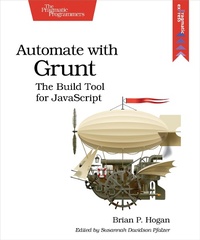
Automate with Grunt
Description

Grunt is everywhere. JavaScript projects from jQuery to Twitter Bootstrap use Grunt to convert code, run tests, and produce distributions for production. It's a build tool in the spirit of Make and Rake, but written with modern apps in mind. This book gets you up to speed with Grunt using practical hands-on examples, so you can wrangle your projects with ease. You'll learn how to create and maintain tasks and project builds, and automate your workflow with plugins and IPS tasks.
JavaScript has moved from being the language you love to hate to the language you need to use. And as JavaScript applications get more complex, you need a process to manage that complexity. While online tutorials just explain how to slap together a configuration file, this book goes further and shows you how to create your own tasks, design your own project templates, combine plugins together to bring a web app to life, and build your own plugins.
You'll start by learning the basics of task creation, error handling, and logging as you create a simple configuration that executes basic JavaScript code using Node.js. Then you'll jump right into file manipulation as you read, write, copy, and delete files. You'll learn how Grunt's powerful multitasks work as you build a task to concatenate files together. Once you've got a grasp on these basics, you'll build a simple app with AngularJS and CoffeeScript, using Grunt to do all the heavy lifting and script processing. Finally, you'll create your own plugin so you can understand how plugins work.
Each chapter contains hands-on exercises and ideas for further study. Whether you rock Ruby or sling C#, Grunt will be a useful addition to your toolbox.
What You Need:
This book covers Grunt 0.4.1 and higher, and requires basic knowledge of JavaScript and command-line tools on Windows, OS X, or Linux.
More details
Other editions
Additional editions
Person
Brian P. Hogan is an author, editor, teacher, and web developer. When not hacking on Ruby or JavaScript code, he's mentoring students, writing songs, watching "The Simpsons" and spending quality time with his wife and daughters.
