

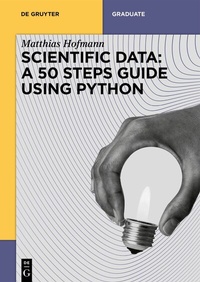
Scientific Data: A 50 Steps Guide using Python
Description

"Scientific Data: A 50 Steps Guide using Python" is your guide towards experimental scientific data. It aims to bridge the gap between classical natural sciences as taught in universities and the ever-growing need for technological/digital capabilities, particularly in industrial research. Topics covered include instructions for setting up a workspace, guidelines for structuring data, examples for interfacing with results files and suggestions for drawing scientific conclusions therefrom. Additionally, concepts for designing experiments and visualizing the corresponding results are highlighted next to ways of extracting meaningful characteristics and leveraging those in terms of multi-objective optimizations.
The concise problem-solution-discussion structure used throughout supported by Python code snippets emphasizes the work's focus on practitioners. This guide will provide you with a solid understanding of how to process and understand experimental data within a natural scientific context while ensuring sustainable use of your findings and processing as seen through a programmer's eyes.
More details
Other editions
Additional editions
Person
Matthias Hofmann holds a Ph.D. in Physical Chemistry from the University of Regensburg. At Albert Invent, Matthias continues to contribute to innovative methods in natural science research and accelerating R&D through a data-driven approach.
He is the author of "Data Management for Natural Scientists - A Practical Guide to Data Extraction and Storage Using Python".
Content
- Intro
- Acknowledgements
- Contents
- Introduction and challenge
- Basics
- 1 Getting hands on Python
- 2 Using virtual environments
- 3 Configuring your integrated development environment
- 4 Having a GitHub account
- 5 Creating repositories for dedicated projects
- 6 Synchronizing GitHub desktop
- 7 Knowing basic markdown
- Organization
- 8 Having the overall concept sketch in mind
- 9 Initializing a project with poetry
- 10 Tracking the environment
- 11 Getting your paths right
- 12 Preparing to share
- 13 Writing convenience functions
- 14 Using TOML files for configuration
- 15 Getting used to testing
- Interfacing with common data formats
- 16 Reading Excel files
- 17 Reading text files
- 18 Reading text from Word files
- 19 Reading tables from Word files
- 20 Reading PDF files
- 21 Parsing website contents
- 22 Leveraging regular expressions
- 23 Writing to a database
- 24 Reading from a database
- Planning experiments and/or building on legacy data/information
- 25 Leveraging existing experiments
- 26 Planning experiments
- 27 Using legacy and planned experiments hand in hand
- Collecting experimental data / lab work phase
- 28 Using dedicated modules - use what's available
- 29 Using dedicated modules - build what's missing
- Visualization of experimental results
- 30 Simplicity of matplotlib
- 31 Creating a custom matplotlib style
- 32 Convenience of seaborn
- 33 Interactivity of plotly
- 34 Representing multidimensional data
- 35 Representing multidimensional data in a funny way
- Approaching the scientific questions (modeling and recommendation)
- 36 Picking relevant data and information
- 37 Building a model with gplearn
- 38 Playing with the model or "what if"
- 39 Playing with the model or - jupyter notebook
- 40 Playing with the model or - voila
- 41 Playing with the model or - streamlit
- 42 Dealing with too few experiments
- 43 Solving the reverse problem applying multiobjective optimization
- 44 Ensuring the envisioned causality
- Sharing the project
- 45 Building files for distribution
- 46 Pushing to package indices
- 47 Sharing streamlit applications
- Further reading
- 48 Ensuring code styling via black
- 49 Configuring pre-commit
- 50 Building standalone solutions via PyQt
- Concluding remarks
- List of Figures
- Index
