

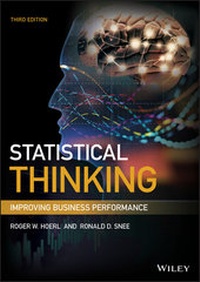
Statistical Thinking
Description

Apply statistics in business to achieve performance improvement
Statistical Thinking: Improving Business Performance, 3rd Edition helps managers understand the role of statistics in implementing business improvements. It guides professionals who are learning statistics in order to improve performance in business and industry. It also helps graduate and undergraduate students understand the strategic value of data and statistics in arriving at real business solutions. Instruction in the book is based on principles of effective learning, established by educational and behavioral research.
The authors cover both practical examples and underlying theory, both the big picture and necessary details. Readers gain a conceptual understanding and the ability to perform actionable analyses. They are introduced to data skills to improve business processes, including collecting the appropriate data, identifying existing data limitations, and analyzing data graphically. The authors also provide an in-depth look at JMP software, including its purpose, capabilities, and techniques for use.
Updates to this edition include:
- A new chapter on data, assessing data pedigree (quality), and acquisition tools
- Discussion of the relationship between statistical thinking and data science
- Explanation of the proper role and interpretation of p-values (understanding of the dangers of "p-hacking")
- Differentiation between practical and statistical significance
- Introduction of the emerging discipline of statistical engineering
- Explanation of the proper role of subject matter theory in order to identify causal relationships
- A holistic framework for variation that includes outliers, in addition to systematic and random variation
- Revised chapters based on significant teaching experience
- Content enhancements based on student input
This book helps readers understand the role of statistics in business before they embark on learning statistical techniques.
More details
Other editions
Additional editions
Persons
DR. ROGER W. HOERL is an associate professor at Union College where he teaches statistics, engineering statistics, design of experiments, regression analysis, and big data analytics. Previously, he led the Applied Statistics Laboratory at GE Global Research.
DR. RONALD D. SNEE is founder and president of Snee Associates, an authority on designing and implementing organizational improvement and cost-reduction solutions. Prior to this role, he worked at the DuPont Company in a variety of assignments. Snee has co-authored five books and published more than 330 articles on process improvement, quality, and statistics.
Content
Preface xiii
Introduction to JMP xvii
Part One Statistical Thinking Concepts 1
Chapter 1 Need for Business Improvement 3
Today's Business Realities and the Need to Improve 4
We Now Have Two Jobs: A Model for Business Improvement 8
New Improvement Approaches Require Statistical Thinking 12
Principles of Statistical Thinking 17
Applications of Statistical Thinking 22
Summary and Looking Forward 23
Exercises: Chapter 1 24
Notes 25
Chapter 2 Data: The Missing Link 27
Why Do We Need Data? 28
Types of Data 29
All Data are Not Created Equal 32
Practical Sampling Tips to Ensure Data Quality 34
What about Data Quantity? 38
Every Data Set Has a Story: The Data Pedigree 40
The Measurement System 42
Summarizing Data 48
Summary and Looking Forward 52
Exercises: Chapter 2 52
Notes 54
Chapter 3 Statistical Thinking Strategy 55
Case Study: The Effect of Advertising on Sales 56
Case Study: Improvement of a Soccer Team's Performance 62
Statistical Thinking Strategy 71
Variation in Business Processes 76
Synergy between Data and Subject Matter Knowledge 82
Dynamic Nature of Business Processes 84
Value of Graphics-Discovering the Unexpected 86
Summary and Looking Forward 89
Project Update 89
Exercises: Chapter 3 90
Notes 91
Chapter 4 Understanding Business Processes 93
Examples of Business Processes 94
SIPOC Model for Processes 100
Identifying Business Processes 102
Analysis of Business Processes 103
Systems of Processes 119
Summary and Looking Forward 122
Project Update 123
Exercises: Chapter 4 124
Notes 126
Part Two Holistic Improvement: Frameworks and Basic Tools 127
Chapter 5 Holistic Improvement: Tactics to Deploy Statistical Thinking 129
Case Study: Resolving Customer Complaints of Baby Wipe Flushability 130
The Problem-Solving Framework 137
Case Study: Reducing Resin Output Variation 141
The Process Improvement Framework 147
Statistical Engineering 153
Statistical Engineering Case Study: Predicting Corporate Defaults 154
A Framework for Statistical Engineering Projects 158
Summary and Looking Forward 164
Project Update 165
Exercises: Chapter 5 166
Notes 167
Chapter 6 Process Improvement and Problem-Solving Tools 169
Practical Tools 172
Knowledge-Based Tools 191
Graphical Tools 207
Analytical Tools 228
Summary and Looking Forward 265
Project Update 265
Exercises: Chapter 6 266
Notes 271
Part Three Formal Statistical Methods 273
Chapter 7 Building and Using Models 275
Examples of Business Models 276
Types and Uses of Models 279
Regression Modeling Process 282
Building Models with One Predictor Variable 290
Building Models with Several Predictor Variables 307
Multicollinearity: Another Model Check 315
Some Limitations of Using Observational Data 317
Summary and Looking Forward 319
Project Update 321
Exercises: Chapter 7 321
Notes 346
Chapter 8 Using Process Experimentation to Build Models 347
Randomized versus Observational Studies 348
Why Do We Need a Statistical Approach? 350
Examples of Process Experiments 355
Problem-Solving and Process Improvement are Sequential 364
Statistical Approach to Experimentation 365
Two-Factor Experiments: A Case Study 372
Three-Factor Experiments: A Case Study 378
Larger Experiments 385
Blocking, Randomization, and Center Points 387
Summary and Looking Forward 389
Project Update 391
Exercises: Chapter 8 391
Notes 399
Chapter 9 Applications of Statistical Inference Tools 401
Examples of Statistical Inference Tools 404
Process of Applying Statistical Inference 408
Statistical Confidence and Prediction Intervals 412
Statistical Hypothesis Tests 424
Tests for Continuous Data 435
Test for Discrete Data: Comparing Two or More Proportions 441
Test for Regression Analysis: Test on a Regression Coefficient 442
Sample Size Formulas 443
Summary and Looking Forward 448
Project Update 449
Exercises: Chapter 9 450
Notes 454
Chapter 10 Underlying Theory of Statistical Inference 455
Applications of the Theory 456
Theoretical Framework of Statistical Inference 458
Probability Distributions 463
Sampling Distributions 479
Linear Combinations 486
Transformations 490
Summary and Looking Forward 510
Project Update 511
Exercises: Chapter 10 511
Notes 514
Appendix A Effective Teamwork 515
Appendix B Presentations and Report Writing 525
Appendix C More on Surveys 531
Appendix D More on Regression 539
Appendix E More on Design of Experiments 553
Appendix F More on Inference Tools 567
Appendix G More on Probability Distributions 571
Appendix H DMAIC Process Improvement Framework 577
Appendix I t Critical Values 587
Appendix J Standard Normal Probabilities (Cumulative z Curve Areas) 589
Index 593
Introduction to JMP*
JMP is desktop data analysis software from SAS, the world's leading provider of analytics solutions for industry. JMP is easy to learn and use and contains a very broad collection of tools for data analysis and visualization. It also works well with data in other formats, including Microsoft Excel, and is available for both Windows and Macintosh operating systems. A free 30-day trial that you can easily download and install to use for the examples in this book is available at www.jmp.com/trial.
In this section we will introduce you to some of the essential functions of JMP, including basic navigation, how to import data, how to run basic analyses, and where to get help. You will find additional resources at www.jmp.com/learn and many excellent books at www.jmp.com/books.
WHY JMP?
In one package, JMP contains all the basic graphing and analysis tools found in spreadsheets as well as more advanced platforms for regression, design of experiments, and quality and predictive analytics. JMP is designed around the workflow of the data analyst and provides several important advantages to the user. The first of these is that JMP guides you to the appropriate analysis for your data. The results are always driven by the type of data you have and the general purpose of your analysis. JMP then provides contextual options, allowing you to dive deeper into the analysis.
The second advantage is that graphs nearly always accompany statistical results; the graphs are presented first, followed by the numerical results. Note that JMP also provides a separate Graph menu that contains additional visualization tools that are independent of numerical results. Another important advantage is that graphs in every platform are dynamically linked to the data, allowing one to explore relationships visually and to perform data management tasks on the fly. We are confident that JMP will save you time and yield better results.
JMP MENUS
At the top of the JMP window, you see a series of menus (File, Edit, Tables, etc.). These menus are used to open or import data, to edit or restructure data, to design an experiment and to create graphs and analyses. There is also a valuable source for assistance through the Help menu, which is discussed later. Note that while we are illustrating JMP on the Windows platform, Macintosh instructions are nearly identical. (See Figure A.)
FIGURE A JMP Menu Bar
The menus are organized in a logical sequence from left to right:
- File is where you go to open or import data and to save, print, or exit JMP. It is also where you can customize the appearance or settings within JMP through Preferences.
- Edit appears on the Mac home window and, on Windows, in individual data tables and reports (but not on the Windows Home window). Edit provides the usual cut, clear, copy, paste, and select functions, as well as undo, redo and special JMP functions.
- Tables provide the tools to manage, summarize, and structure your data.
- DOE contains the Design of Experiments tools and the sample size and power calculators.
- Analyze contains the analysis tools that generate both graphs and statistics. It serves as the home for all of JMP's statistical tools from the most basic to advanced.
- Graph contains graphical tools that are independent of statistics (at least initially). Graphs in this menu include basic charts to advanced multivariable and animated visualization tools.
- Tools allows you to transform your mouse into a help tool, a selection tool, a brushing tool or scrolling tool, and much more.
- View lets you view or hide windows or toolbars.
- Window helps you manage windows within JMP.
- Help provides resources for learning and using JMP. The Help menu provides access to the learning resources (including all of the documentation) that you will use as you expand your knowledge of JMP and its features and learn about statistics.
IMPORTING DATA
Importing data is similar to opening any file from a desktop application. In Windows, click File > Open to launch the Open dialog window. Near the bottom of the window you will notice a file type button that allows (see Figure B) you to select from a variety of data formats that JMP can read natively. If you know the format of your data, select that format to see available files of that type.
FIGURE B File > Open
Select or highlight the file and click Open (see Figure C).
FIGURE C JMP Import Formats
JMP can also import data extracted from databases via ODBC. For more information about these and other data importing functions, click Help > JMP Help>Using JMP.
THE JMP DATA TABLE
The JMP Data table is similar to any spreadsheet with a few important differences. JMP requires your data to be structured in a standard form, where variables are in columns and observations are in rows. Whether you are importing data from another source or creating a new data table, make sure this format is in place.
The data table also contains metadata or information about your data. The most important of these is the modeling type of your variables, which is displayed in the middle (Columns) panel on the left-hand side of the data table. The modeling type will drive the type of results you get from an analysis, meaning that JMP only produces statistics and graphs that are suitable for the type of data you are working with and the analysis at hand. You can change the modeling type to another appropriate alternative by simply clicking on the icon and selecting the desired modeling type. (See Figure D.)
FIGURE D JMP Data Table
THE ANALYZE MENU
As noted earlier, the Analyze menu is where you will find the statistical tools in JMP. Nearly all of the statistical results you generate in this menu will also generate an associated graph, and that graph will appear first. The menu is designed to support the objective of your analysis and provides a very logical sequence to the order in which the items appear. The most basic and general tools are at the top of the menu, and as you move down the menu, the tools become more advanced or specific.
JMP contains few menu items relative to its capabilities because the combination of your modeling type and analysis objective will always narrow down and produce the appropriate graphs and statistical results. Let us take a look at some of the items on the Analyze menu. In the top section, you find the following (see Figure E):
- Distribution (for univariate statistics). A good starting point with any data set. See what each column looks like and generate summary statistics. Confidence intervals and hypothesis tests for one variable (Chapter 9).
- Fit Y by X (for bivariate statistics). Explore relationships between any two variables (one Y and one X). Simple regression, one-way, contingency, and so forth (Chapter 7).
- Fit Model. A robust platform for multiple regression and general modeling (more than one Y or X) (Chapter 7).
FIGURE E JMP Analyze Menu
The next items (beginning with Modeling) are families of tools that contain submenus with more specific functions.
The Modeling menu contains platforms for data mining (Partition and Neural), time series forecasting, and categorical data analysis among others (see Figure F). The Multivariate Methods menu contains common multivariate tools, such as Clustering, Factor Analysis and Correlations. While these two menu items are beyond the scope of this book, the interested reader can find more information at Help > JMP Help>Multivariate Methods.
FIGURE F JMP Modeling Menu
The Quality and Process menu was recently added and has consolidated many of the quality-related tools in a logical manner. Control Chart Builder allows you to create control charts in a drag-and-drop manner and will be illustrated later (Figure G). More information is available at Help > JMP Help > Quality and Process Methods.
FIGURE G JMP Quality and Process Menu
JMP DIALOG WINDOWS
When you select most Analyze menu items, a dialog window will appear consisting of three main components (Figure H):
- On the left side of the window, the Select Columns area contains the variables in your data table that you can select for your analysis.
- In the middle section, the Roles in which you'd like to cast those variables (you can do this by dragging them into the role, or by selecting them and then clicking the button for that role).
- On the right side are a series of Actions you can take. Click OK to launch the specified analysis.
FIGURE H JMP Dialog Window
THE GRAPH MENU
The graph menu contains a wide variety of data visualization platforms. Unlike the analyze menu where you generate both statistical results and graphs, the Graph menu generates only graphs of your data or models (at least initially) (Figure I).
...