

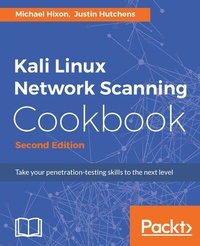
Kali Linux Network Scanning Cookbook
A Step-by-Step Guide leveraging Custom Scripts and Integrated Tools in Kali Linux
2nd Edition
Published on 13. January 2025
634 pages
978-1-78728-501-9 (ISBN)
Description

Over 100 practical recipes that leverage custom scripts and integrated tools in Kali Linux to help you effectively master network scanning
Key Features
[*] Learn the fundamentals behind commonly used scanning techniques
[*] Deploy powerful scanning tools that are integrated into the Kali Linux testing platform
[*] The practical recipes will help you automate menial tasks and build your own script library
Book DescriptionWith the ever-increasing amount of data flowing in today's world, information security has become vital to any application. This is where Kali Linux comes in. Kali Linux focuses mainly on security auditing and penetration testing. This step-by-step cookbook on network scanning trains you in important scanning concepts based on version 2016.2. It will enable you to conquer any network environment through a range of network scanning techniques and will also equip you to script your very own tools. Starting with the fundamentals of installing and managing Kali Linux, this book will help you map your target with a wide range of network scanning tasks, including discovery, port scanning, fingerprinting, and more. You will learn how to utilize the arsenal of tools available in Kali Linux to conquer any network environment. The book offers expanded coverage of the popular Burp Suite and has new and updated scripts for automating scanning and target exploitation. You will also be shown how to identify remote services, how to assess security risks, and how various attacks are performed. You will cover the latest features of Kali Linux 2016.2, which includes the enhanced Sparta tool and many other exciting updates. This immersive guide will also encourage the creation of personally scripted tools and the skills required to create them. What you will learn
What You Will Learn:
[*] Develop a network-testing environment to test scanning tools and techniques
[*] Understand the principles of network-scanning tools by building scripts and tools
[*] Identify distinct vulnerabilities in web apps and remote services and learn how they are exploited
[*] Perform comprehensive scans to identify listening on TCP and UDP sockets
[*] Get started with different Kali desktop environments--KDE, MATE, LXDE, and Xfce
[*] Use Sparta for information gathering, port scanning, fingerprinting, vulnerability scanning, and more
[*] Evaluate DoS threats and learn how common DoS attacks are performed
[*] Learn how to use Burp Suite to evaluate web applications
Who this book is forThis book is for information security professionals and casual security enthusiasts alike. It provides foundational principles if you're a novice, but will also introduce scripting techniques and in-depth analysis if you're more advanced. Whether you are brand new to Kali Linux or a seasoned veteran, this book will help you both understand and ultimately master many of the most powerful and useful scanning techniques in the industry. It is assumed that you have some basic security testing experience.
Key Features
[*] Learn the fundamentals behind commonly used scanning techniques
[*] Deploy powerful scanning tools that are integrated into the Kali Linux testing platform
[*] The practical recipes will help you automate menial tasks and build your own script library
Book DescriptionWith the ever-increasing amount of data flowing in today's world, information security has become vital to any application. This is where Kali Linux comes in. Kali Linux focuses mainly on security auditing and penetration testing. This step-by-step cookbook on network scanning trains you in important scanning concepts based on version 2016.2. It will enable you to conquer any network environment through a range of network scanning techniques and will also equip you to script your very own tools. Starting with the fundamentals of installing and managing Kali Linux, this book will help you map your target with a wide range of network scanning tasks, including discovery, port scanning, fingerprinting, and more. You will learn how to utilize the arsenal of tools available in Kali Linux to conquer any network environment. The book offers expanded coverage of the popular Burp Suite and has new and updated scripts for automating scanning and target exploitation. You will also be shown how to identify remote services, how to assess security risks, and how various attacks are performed. You will cover the latest features of Kali Linux 2016.2, which includes the enhanced Sparta tool and many other exciting updates. This immersive guide will also encourage the creation of personally scripted tools and the skills required to create them. What you will learn
What You Will Learn:
[*] Develop a network-testing environment to test scanning tools and techniques
[*] Understand the principles of network-scanning tools by building scripts and tools
[*] Identify distinct vulnerabilities in web apps and remote services and learn how they are exploited
[*] Perform comprehensive scans to identify listening on TCP and UDP sockets
[*] Get started with different Kali desktop environments--KDE, MATE, LXDE, and Xfce
[*] Use Sparta for information gathering, port scanning, fingerprinting, vulnerability scanning, and more
[*] Evaluate DoS threats and learn how common DoS attacks are performed
[*] Learn how to use Burp Suite to evaluate web applications
Who this book is forThis book is for information security professionals and casual security enthusiasts alike. It provides foundational principles if you're a novice, but will also introduce scripting techniques and in-depth analysis if you're more advanced. Whether you are brand new to Kali Linux or a seasoned veteran, this book will help you both understand and ultimately master many of the most powerful and useful scanning techniques in the industry. It is assumed that you have some basic security testing experience.
All prices
More details
Edition
2nd Revised edition
Language
English
Place of publication
Birmingham
United Kingdom
Target group
Professional and scholarly
US School Grade: College Graduate Student
Edition type
Revised edition
File size
75,25 MB
ISBN-13
978-1-78728-501-9 (9781787285019)
Copyright in bibliographic data and cover images is held by Nielsen Book Services Limited or by the publishers or by their respective licensors: all rights reserved.
Schweitzer Classification
Other editions
Additional editions
Book
05/2017
Packt Publishing
€65.80
Shipment within 3-4 weeks
Person
Hixon Michael :
Michael Hixon currently works as a security consultant with a focus on penetration testing and web application security. He previously served in the United States Marine Corp, where he was an infantryman, security forces member, and counterintelligence agent. After the military, he worked as a programmer before changing his focus to IT security. He has worked for the Red Cross, Department of Defense, Department of Justice, and numerous intelligence agencies in his career. He holds a bachelors degree in management information systems and multiple professional information-security certifications, including Certified Information Systems Security Professional (CISSP), eLearnSecurity Web Application Penetration Tester (eWPT), Certified Ethical Hacker (CEH), and eLearnSecurity Certified Professional Penetration Tester (eCPPT). He currently runs the Baltimore chapter of the Open Web Application Security Project (OWASP).
Michael Hixon currently works as a security consultant with a focus on penetration testing and web application security. He previously served in the United States Marine Corp, where he was an infantryman, security forces member, and counterintelligence agent. After the military, he worked as a programmer before changing his focus to IT security. He has worked for the Red Cross, Department of Defense, Department of Justice, and numerous intelligence agencies in his career. He holds a bachelors degree in management information systems and multiple professional information-security certifications, including Certified Information Systems Security Professional (CISSP), eLearnSecurity Web Application Penetration Tester (eWPT), Certified Ethical Hacker (CEH), and eLearnSecurity Certified Professional Penetration Tester (eCPPT). He currently runs the Baltimore chapter of the Open Web Application Security Project (OWASP).
Content
Table of Contents
Getting Started
Reconnaissance
Discovery
Port Scanning
Fingerprinting
Vulnerability Scanning
Denial-of-Service
Working with Burp Suite
Web Application Scanning
Attacking the Browser with BeEF
Working with Sparta
Automating Kali Tools
Getting Started
Reconnaissance
Discovery
Port Scanning
Fingerprinting
Vulnerability Scanning
Denial-of-Service
Working with Burp Suite
Web Application Scanning
Attacking the Browser with BeEF
Working with Sparta
Automating Kali Tools

