

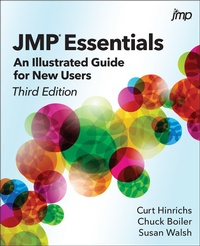
JMP Essentials
Description

Grasp the essentials of JMP to generate rapid results.
JMP Essentials: An Illustrated Guide for New Users, Third Edition, is designed for new or novice JMP users who need to generate meaningful analysis quickly. The book focuses on the most commonly used platforms and typical workflow of the user, from data importing, exploring, and visualizing to modeling and sharing results with others. Throughout the book, the authors emphasize results over theory, providing just the essential steps with corresponding screenshots. In most cases, each section completes a JMP task, which maximizes the book's utility as a reference.
This edition has new instructions and screenshots reflecting the features added to the latest release of JMP software, including updated sections on JMP Dashboard Builder, Query Builder, the Fit Model platform, JMP Public and JMP Live, and a more detailed look at the JMP website. Each chapter contains a family of features that are carefully crafted to first introduce you to basic features and then move on to more advanced topics. JMP Essentials: An Illustrated Guide for New Users, Third Edition, is the quickest and most accessible reference book available.
More details
Other editions
Additional editions
Persons
Content
- Intro
- Contents
- About the Book
- Audience
- Approach and Features
- Software Used to Develop This Content
- Organization
- New to the Third Edition
- We Want to Hear from You
- About the Authors
- Acknowledgments
- Chapter 1: Getting Started
- 1.1 Using JMP Essentials
- 1.2 Launching JMP
- 1.3 JMP Menus
- 1.4 Elements of Using JMP
- 1.5 JMP Launch Dialog Windows
- 1.6 The Excel Add-In (Optional)
- 1.7 JMP Preferences
- 1.8 Summary
- Chapter 2: Data
- 2.1 Getting Data into JMP
- 2.2 The JMP Data Table
- 2.3 Data and Modeling Types
- 2.4 Cleaning and Formatting Data
- 2.5 Selecting, Highlighting, and Filtering Data: Row States
- 2.6 Adding Visual Dimension to Your Data
- 2.7 Shape Files and Background Maps
- 2.8 The Tables Menu
- 2.9 Summary
- Chapter 3: Index of Graphs
- 3.1 Basic Charts
- 3.2 Thematic Maps
- 3.3 Control Charts, Pareto, Variability, and Overlay Plots
- 3.4 Graphs of One Column
- 3.5 Graphs Comparing Two Columns
- 3.6 Graphs Displaying Multiple Columns
- 3.7 Word Cloud
- 3.8 Summary
- Chapter 4: Finding the Right Graph or Summary
- 4.1 Using Graph Builder to Produce Graphs of Data
- 4.2 Using Graph Builder to Produce Maps
- 4.3 Using Control Chart Builder
- 4.4 Using Tabulate
- 4.4 Summary
- Chapter 5: Problem Solving with One and Two Columns
- 5.1 Introduction
- 5.2 Analyzing One Column
- 5.3 Comparing a Continuous Column to a Categorical
- Column
- 5.4 Comparing Two Continuous Columns
- 5.5 Summary
- Chapter 6: Problem-Solving with Multiple Columns
- 6.1 Introduction
- 6.2 Comparing Multiple Columns
- 6.3 Filtering Data for Insight
- 6.4 Model Fitting, Visualization, and What-If Analysis
- 6.5 Summary
- Chapter 7: Sharing Graphs
- 7.1 Presenting Graphs Effectively
- 7.2 Customizing Graphs for Presentation
- 7.3 Placing Graphs into PowerPoint or Word
- 7.4 Creating and Sharing Animated Graphs in PowerPoint
- 7.5 Sharing Dynamic Graphs with HTML5
- 7.6 Publishing Reports in JMP Public (and JMP Live)
- 7.7 Creating Interactive Dashboards
- 7.8 Using Scripts to Save or Share Work
- 7.9 Summary
- Chapter 8: Getting Help
- 8.1 The Help Tool
- 8.2 The Help Menu
- 8.3 The JMP Starter
- 8.4 The JMP Website
- 8.5 Other Resources
- Appendix A: Integrating with SAS
- A.1 Working with SAS Data
- A.2 Working with SAS Programs
- Appendix B: Understanding Results
- Appendix C: JMP Shortcuts
- Bibliography
- Index
