

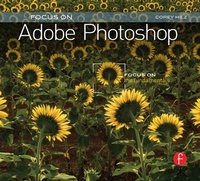
Focus On Adobe Photoshop
Focus on the Fundamentals (Focus On Series)
Published on 10. September 2012
256 pages
978-1-136-09758-4 (ISBN)
Description

Are you into photography not photomanipulation?
Frustrated that you are spending too much time in front of the screen and not enough behind the lens?
Bewildered by the multitude of advanced editing options available to you in Adobe Photoshop?
If any of the above is true then, whatever your Photoshop/photography level, you will benefit hugely from this terrific little book.
Unlike most of the photoshop guides available today, this no-nonsense, inspiring guide is aimed solely at photographers: those whose aim is to use the software to bring out the natural best in their photographs, rather than those who want to change them completely. Breath-taking photographer Corey Hilz wastes no time on the plethora of feature in Photoshop which, though impressive, are of no use to the 'natural' photographer. Corey instead takes you through a highly effective, professional workflow for bringing out the best in your photographs in Photoshop, from post-capture through to output, without spending hours in front of the screen. Ignoring high-end photomanipulation, he instead focusses on the vital aspects for photographers such as: correcting exposure, tone adjustments (including correct use of the tone curve), sharpening, monochrome conversion and lens correction. Additionally, Corey covers the workflow on either side: effective importing and tagging, and perfect output with minimal effort.
Everything about this beautiful little book is aimed at a visual audience. Pakced with stunning photographs to illustrate every tweak the author makes, this highly affordable and succinct reference guide focusses on the specific needs of the photographer and nothing else. There are hundreds of excellent comprehensive reference guides to photoshop out there, this is not one of those. It is, instead, a book that won't waste a second of your valuable shooting time. Buy into the Behind the Lens series and get right back where you belong and deserve to be: behind a lens.
Frustrated that you are spending too much time in front of the screen and not enough behind the lens?
Bewildered by the multitude of advanced editing options available to you in Adobe Photoshop?
If any of the above is true then, whatever your Photoshop/photography level, you will benefit hugely from this terrific little book.
Unlike most of the photoshop guides available today, this no-nonsense, inspiring guide is aimed solely at photographers: those whose aim is to use the software to bring out the natural best in their photographs, rather than those who want to change them completely. Breath-taking photographer Corey Hilz wastes no time on the plethora of feature in Photoshop which, though impressive, are of no use to the 'natural' photographer. Corey instead takes you through a highly effective, professional workflow for bringing out the best in your photographs in Photoshop, from post-capture through to output, without spending hours in front of the screen. Ignoring high-end photomanipulation, he instead focusses on the vital aspects for photographers such as: correcting exposure, tone adjustments (including correct use of the tone curve), sharpening, monochrome conversion and lens correction. Additionally, Corey covers the workflow on either side: effective importing and tagging, and perfect output with minimal effort.
Everything about this beautiful little book is aimed at a visual audience. Pakced with stunning photographs to illustrate every tweak the author makes, this highly affordable and succinct reference guide focusses on the specific needs of the photographer and nothing else. There are hundreds of excellent comprehensive reference guides to photoshop out there, this is not one of those. It is, instead, a book that won't waste a second of your valuable shooting time. Buy into the Behind the Lens series and get right back where you belong and deserve to be: behind a lens.
Reviews / Votes
"Focal Press, well known for great how to books has 3 new offerings that will make you not just a better photographer, but a great photo editor with PhotoShop. They are part of the "Focus on Fundamentals" line called: Focus on Adobe Photoshop; Focus on Apple Aperture; Focus on Photoshop Elements. All of the books are geared with Mac OS in mind. You can in theory learn a little about the PC versions of Photoshop or Photoshop elements, but Apple Aperture is strictly Mac OS. All of the books are clearly well written with several sidebars that explain points that may be more advanced. The books are written with all user levels in mind, from novice to experienced, but even the more experienced areas are easy to understand. All of the books have prime examples including walking you through all menu options. They show examples of before and after changes were made as well. I was very impressed with the hands on style of writing in the books. Between the pictures, the sidebars and step by step guidance's. They are all very well laid out and the Focal Press does well at explaining all aspects of each software package. The books don't just compliment the manuals that come with each package, they down-right put them to shame and can easily replace them."--Examiner.com"Corey Hilz and David Asch have both written about the fundamentals for learning Photoshop. Forming part of Focal Press's Focus On series, these two titles make up the latest offerings Focus On Adobe Photoshop and Focus On Photoshop Elements. The first of the two books looks to guide photographers through the steps in Photoshop for getting the best out of shots. Advice and step-by-step tutorials show you how to correctly polish off photos with image corrections and adjustments, before organising them using Adobe Bridge, and is a comprehensive and useful resource."--Photoshop Creative
More details
Series
Language
English
Place of publication
London
United Kingdom
Publishing group
Taylor & Francis Ltd
Target group
Professional and scholarly
File size
30,24 MB
ISBN-13
978-1-136-09758-4 (9781136097584)
Copyright in bibliographic data and cover images is held by Nielsen Book Services Limited or by the publishers or by their respective licensors: all rights reserved.
Schweitzer Classification
Other editions
Additional editions
Book
07/2011
Focal Press
€18.56
Article exhausted; check different version
Person
Corey Hilz is a professional photographer specializing in nature and travel photography. His work is seen in magazines, books, calendars and catalogues, as well as in art galleries. Corey finds the diversity in nature offers boundless opportunities for new images. He approaches his subjects with an artistic eye, looking for a fresh perspective. Corey shares his approach to photography in workshops he teaches in the United States and abroad. Corey has a passion for helping others improve their photography by sharing his knowledge through group and private instruction.
Content
Chapter 1: Importing and the Basics of Bridge
Chapter 2: Camera Raw
Chapter 3: Metadata and Keywords
Chapter 4: Photoshop
Chapter 5: Printing
Chapter 2: Camera Raw
Chapter 3: Metadata and Keywords
Chapter 4: Photoshop
Chapter 5: Printing
