

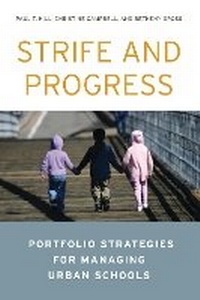
Strife and Progress
Portfolio Strategies for Managing Urban Schools
1st Edition
Published on 14. November 2012
150 pages
978-0-8157-4834-2 (ISBN)
Description

Deficient urban schooling remains one of America's most pressing¿and stubborn¿public policy problems. This important new book details and evaluates a radical and promising new approach to K-12 education reform. Strife and Progress explains for a broad audience the ""portfolio strategy"" for providing urban education¿its rationale, implementation, and results. Under the portfolio strategy, cities use anything that works, indifferent to whether schools are run by the public district or private entities. It combines traditional modes of schooling with newer methods, including chartering and experimentation with schools making innovative use of people and technology. Urban districts try to make themselves magnets for new talent, recruiting educators and career switchers looking to make a difference for poor children.
The portfolio strategy creates interesting new bedfellows: people who think that government should oversee public education align with those advocating choice, competition, and entrepreneurship. It cuts across political lines and engages city governments and civic assets (e.g., philanthropies, businesses, universities) much more deeply than earlier reform initiatives. New York and New Orleans were portfolio pioneers, but the idea has spread rapidly to cities as far-flung as Los Angeles, Denver, and Chicago.
Results have been mixed overall but generally positive in places that implemented the strategy most aggressively. Reform leaders such as New York's Joel Klein have been overly optimistic, however, assuming that the strategy's merits would be so obvious that careful assessment would be unnecessary. Serious policy evaluation is still needed.
The portfolio strategy creates interesting new bedfellows: people who think that government should oversee public education align with those advocating choice, competition, and entrepreneurship. It cuts across political lines and engages city governments and civic assets (e.g., philanthropies, businesses, universities) much more deeply than earlier reform initiatives. New York and New Orleans were portfolio pioneers, but the idea has spread rapidly to cities as far-flung as Los Angeles, Denver, and Chicago.
Results have been mixed overall but generally positive in places that implemented the strategy most aggressively. Reform leaders such as New York's Joel Klein have been overly optimistic, however, assuming that the strategy's merits would be so obvious that careful assessment would be unnecessary. Serious policy evaluation is still needed.
More details
Edition
1. Auflage
Language
English
Place of publication
United States
Publishing group
Bloomsbury Publishing Plc
Target group
College/higher education
ISBN-13
978-0-8157-4834-2 (9780815748342)
Copyright in bibliographic data and cover images is held by Nielsen Book Services Limited or by the publishers or by their respective licensors: all rights reserved.
Schweitzer Classification
Other editions
Additional editions
Paul T. Hill | Christine Campbell | Betheny Gross
Strife and Progress
Portfolio Strategies for Managing Urban Schools
Book
12/2012
Brookings Institution
€40.70
Shipment within 10-20 days
Persons
Paul T. Hill is a research professor at the University of Washington Bothell. He is the founder and former director of the University of Washington Bothell's Center on Reinventing Public Education and a distinguished visiting fellow and a member of the Koret Task Force on K¿12 Education at the Hoover Institution. He is coauthor (with Mary Beth Celio) of Fixing Urban Schools (Brookings, 1998) and (with Christine Campbell and James Harvey) It Takes a City (Brookings, 2000).Christine Campbell is a senior research analyst and policy director at the Center on Reinventing Public Education.Betheny Gross is a senior research analyst and research director at the Center on Reinventing Public Education. Before working at CRPE, she was a research analyst at the Consortium for Policy Research in Education at the University of Pennsylvania.
