

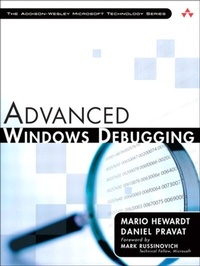
Advanced Windows Debugging
1st Edition
Published on 29. October 2007
840 pages
978-0-13-279764-1 (ISBN)
Description

The First In-Depth, Real-World, Insider's Guide to Powerful Windows Debugging
For Windows developers, few tasks are more challenging than debugging--or more crucial. Reliable and realistic information about Windows debugging has always been scarce. Now, with over 15 years of experience two of Microsoft's system-level developers present a thorough and practical guide to Windows debugging ever written.
Mario Hewardt and Daniel Pravat cover debugging throughout the entire application lifecycle and show how to make the most of the tools currently available--including Microsoft's powerful native debuggers and third-party solutions.
To help you find real solutions fast, this book is organized around real-world debugging scenarios. Hewardt and Pravat use detailed code examples to illuminate the complex debugging challenges professional developers actually face. From core Windows operating system concepts to security, Windows (R) Vista (TM) and 64-bit debugging, they address emerging topics head-on-and nothing is ever oversimplified or glossed over!
For Windows developers, few tasks are more challenging than debugging--or more crucial. Reliable and realistic information about Windows debugging has always been scarce. Now, with over 15 years of experience two of Microsoft's system-level developers present a thorough and practical guide to Windows debugging ever written.
Mario Hewardt and Daniel Pravat cover debugging throughout the entire application lifecycle and show how to make the most of the tools currently available--including Microsoft's powerful native debuggers and third-party solutions.
To help you find real solutions fast, this book is organized around real-world debugging scenarios. Hewardt and Pravat use detailed code examples to illuminate the complex debugging challenges professional developers actually face. From core Windows operating system concepts to security, Windows (R) Vista (TM) and 64-bit debugging, they address emerging topics head-on-and nothing is ever oversimplified or glossed over!
More details
Language
English
Place of publication
Boston
United States
Publishing group
Pearson Education (US)
Target group
College/higher education
ISBN-13
978-0-13-279764-1 (9780132797641)
Copyright in bibliographic data and cover images is held by Nielsen Book Services Limited or by the publishers or by their respective licensors: all rights reserved.
Schweitzer Classification
Other editions
Additional editions
Mario Hewardt | Daniel Pravat
Advanced Windows Debugging
Book
11/2007
1st Edition
Addison Wesley
€58.99
Shipment within 10-20 days
Persons
Mario Hewardt is a senior design engineer with Microsoft, and has worked extensively in the Windows system level development area for the last nine years. He is currently involved with designing and implementing the next generation management protocol for Windows Longhorn.
Daniel Pravat is a senior design engineer with Microsoft and has worked in the Windows division, primarily within the Windows management area. He is currently leading a development team that has the responsibility of shipping the most reliable management platform for Windows Longhorn.
Daniel Pravat is a senior design engineer with Microsoft and has worked in the Windows division, primarily within the Windows management area. He is currently leading a development team that has the responsibility of shipping the most reliable management platform for Windows Longhorn.
Content
Part I Overview
Chapter 1 Introduction to the Tools
Chapter 2 Introduction to the Debuggers
Chapter 3 Debugger Uncovered
Chapter 4 Managing Symbol and Source Files
Part II Applied Debugging
Chapter 5 Memory Corruptions Part I - Stacks
Chapter 6 Memory Corruptions Part I - Heaps
Chapter 7 Security
Chapter 8 Inter-process Communication
Chapter 9 Resource Leaks
Chapter 10 Synchronization
Part III Advanced Topics
Chapter 11 Writing Custom Debugger Extensions
Chapter 12 64-bit Debugging
Chapter 13 Postmortem Debugging
Chapter 14 Power Tools
Chapter 15 Windows Vista Fundamentals
Appendix A Application Verifier Test Settings
Index
Chapter 1 Introduction to the Tools
Chapter 2 Introduction to the Debuggers
Chapter 3 Debugger Uncovered
Chapter 4 Managing Symbol and Source Files
Part II Applied Debugging
Chapter 5 Memory Corruptions Part I - Stacks
Chapter 6 Memory Corruptions Part I - Heaps
Chapter 7 Security
Chapter 8 Inter-process Communication
Chapter 9 Resource Leaks
Chapter 10 Synchronization
Part III Advanced Topics
Chapter 11 Writing Custom Debugger Extensions
Chapter 12 64-bit Debugging
Chapter 13 Postmortem Debugging
Chapter 14 Power Tools
Chapter 15 Windows Vista Fundamentals
Appendix A Application Verifier Test Settings
Index
