

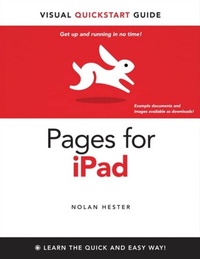
Pages for iPad
Visual QuickStart Guide
1st Edition
Published on 16. September 2010
144 pages
978-0-13-261662-1 (ISBN)
Description

Visual QuickStart Guides, designed in an attractive tutorial and reference format, are the quickest, easiest, and most thorough way to learn applications, tasks, and technologies. The Visual QuickStart Guides are the smart choice-they guide the learner with a friendly and supportive approach. The visual presentation (with copious screenshots) and focused discussions by topic and tasks make learning a breeze and take you to exactly what you want to learn.
The iPad, with its spacious screen and powerful collection of apps, is the perfect device for creating content. You can build powerful presentations, design beautiful layouts, and create dynamic charts and tables. In this book, readers will get clear and to-the-point instruction on how to create all kinds of documents--including newsletters, reports, brochures, and flyers and get the most out of Pages for the iPad. Readers will learn to:
Install the Pages app.
Understand the layout tools and move graphics around, drag to resize photos, rotate shapes, and more.
Work with Apple-designed templates.
Share the documents you create in Pages.
Work with Microsoft Word and PDF documents.
The iPad, with its spacious screen and powerful collection of apps, is the perfect device for creating content. You can build powerful presentations, design beautiful layouts, and create dynamic charts and tables. In this book, readers will get clear and to-the-point instruction on how to create all kinds of documents--including newsletters, reports, brochures, and flyers and get the most out of Pages for the iPad. Readers will learn to:
Install the Pages app.
Understand the layout tools and move graphics around, drag to resize photos, rotate shapes, and more.
Work with Apple-designed templates.
Share the documents you create in Pages.
Work with Microsoft Word and PDF documents.
More details
Series
Language
English
Place of publication
Berkeley
United States
Publishing group
Pearson Education (US)
Target group
Professional and scholarly
ISBN-13
978-0-13-261662-1 (9780132616621)
Copyright in bibliographic data and cover images is held by Nielsen Book Services Limited or by the publishers or by their respective licensors: all rights reserved.
Schweitzer Classification
Other editions
Additional editions
Book
09/2010
Peachpit Press Publications
€14.84
Article exhausted; check different version
Person
Nolan Hester has worked as a writer, editor, and photojournalist, and has written more than 20 books for Peachpit Press. His stories and photos have appeared online and in print for a variety of outlets, most recently ZesterDaily.com, Wilderness magazine, and The Los Angeles Times. His first Mac, a 512K Fat Mac, sits on a shelf within spitting distance of his 32GB iPad.
