

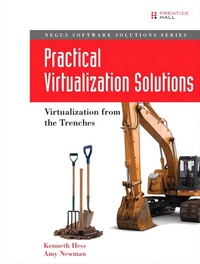
Practical Virtualization Solutions
Virtualization from the Trenches
1st Edition
Published on 14. November 2008
334 pages
978-0-13-714878-3 (ISBN)
Description

This is the eBook version of the printed book. If the print book includes a CD-ROM, this content is not included within the eBook version.
The 100% Practical Guide to Making Virtualization Work in Real Enterprise Environments
If you're involved in planning, deploying, or managing virtualization, this book brings together all the field-proven, in-the-trenches answers and solutions you'll need. Packed with examples and case studies, Practical Virtualization Solutions is a complete, self-paced, hands-on guide to creating a virtualized environment and driving maximum value from it throughout its entire lifecycle.
Kenneth Hess and Amy Newman present detailed costs, schedules, and deployment plans drawn from actual enterprise virtualization projects. You'll learn what really works and what doesn't and discover powerful ways to systematically control the costs of virtualization and streamline its management. The authors offer realistic guidance on choosing the best services to virtualize; selecting the right virtualization software, hardware, and vendor partners; troubleshooting and securing virtualized environments; and much more. Along the way, they answer crucial questions IT professionals face in working with virtualization.
Coverage includes
Quantifying the time, hardware, labor, and downtime needed to implement virtualization
Streamlining the transition from physical to virtual
Comparing VMware ESXi, VMware Server, Microsoft Hyper-V, Citrix XenServer, and other virtualization technologies
Identifying opportunities to reduce cost and improve flexibility with open source virtualization technologies
Explaining advanced techniques for simplifying virtual machine management
Defining the right role for virtualization in networking and storage
Automating virtual infrastructure management tasks
The 100% Practical Guide to Making Virtualization Work in Real Enterprise Environments
If you're involved in planning, deploying, or managing virtualization, this book brings together all the field-proven, in-the-trenches answers and solutions you'll need. Packed with examples and case studies, Practical Virtualization Solutions is a complete, self-paced, hands-on guide to creating a virtualized environment and driving maximum value from it throughout its entire lifecycle.
Kenneth Hess and Amy Newman present detailed costs, schedules, and deployment plans drawn from actual enterprise virtualization projects. You'll learn what really works and what doesn't and discover powerful ways to systematically control the costs of virtualization and streamline its management. The authors offer realistic guidance on choosing the best services to virtualize; selecting the right virtualization software, hardware, and vendor partners; troubleshooting and securing virtualized environments; and much more. Along the way, they answer crucial questions IT professionals face in working with virtualization.
Coverage includes
Quantifying the time, hardware, labor, and downtime needed to implement virtualization
Streamlining the transition from physical to virtual
Comparing VMware ESXi, VMware Server, Microsoft Hyper-V, Citrix XenServer, and other virtualization technologies
Identifying opportunities to reduce cost and improve flexibility with open source virtualization technologies
Explaining advanced techniques for simplifying virtual machine management
Defining the right role for virtualization in networking and storage
Automating virtual infrastructure management tasks
More details
Edition
1. Auflage
Language
English
Place of publication
United States
Publishing group
Pearson Education (US)
Target group
Professional and scholarly
ISBN-13
978-0-13-714878-3 (9780137148783)
Copyright in bibliographic data and cover images is held by Nielsen Book Services Limited or by the publishers or by their respective licensors: all rights reserved.
Schweitzer Classification
Other editions
Additional editions
Book
10/2009
Prentice Hall
€41.46
Article exhausted; check different version
Persons
Kenneth Hess is the virtualization columnist at Linux Magazine. His column covers all aspects and types of virtualization from desktop to server to cloud. Kenneth has used just about every type of virtualization product available since 1999 and was a beta tester of the original VMware product line. He also writes the Linux blog on DaniWeb and the Cover Your Assets column on Internet.com's ServerWatch. You'll also find Kenneth on the air weekly at The Frugal Tech Show's Frugal Friday. His day job with HP involves virtualization and web hosting at an enterprise level.
Amy Newman has been following the virtualization space since 2001. She has been blogging about it since 2006 in her weekly column, Virtually Speaking. Virtually Speaking provides analysis of news and trends on everything virtual from hypervisors to hardware. The column appears weekly on Internet.com's Server-Watch. Amy has been managing editor of ServerWatch since 1999 and Enterprise IT Planet since 2009. Prior to that, she was a research editor at Gartner, where she edited and managed the workflow of four monthly research deliverables related to software infrastructure.
Amy Newman has been following the virtualization space since 2001. She has been blogging about it since 2006 in her weekly column, Virtually Speaking. Virtually Speaking provides analysis of news and trends on everything virtual from hypervisors to hardware. The column appears weekly on Internet.com's Server-Watch. Amy has been managing editor of ServerWatch since 1999 and Enterprise IT Planet since 2009. Prior to that, she was a research editor at Gartner, where she edited and managed the workflow of four monthly research deliverables related to software infrastructure.
Content
Foreword xv
Acknowledgments xvii
About the Authors xix
Preface xxi
Part I: Virtualization Basics and Technology Choices 1
Chapter 1: To Virtualize or Not to Virtualize? 3
Chapter 2: Comparing Virtualization Technologies 17
Chapter 3: VMware Server 25
Chapter 4: VMware ESXi 47
Chapter 5: Citrix XenServer 67
Chapter 6: Microsoft Virtual PC 87
Chapter 7: Microsoft Hyper-V 103
Chapter 8: VirtualBox 113
Part II: Applying Virtualization 135
Chapter 9: Server Virtualization in Action 137
Chapter 10: Desktop Virtualization in Action 161
Chapter 11: Network and Storage Virtualization in Action 175
Part III: Building the Virtual Infrastructure: Hardware's Role in Virtualization 191
Chapter 12: Form-Factor Choices and Their Implications 193
Chapter 13: Choosing a Vendor 205
Chapter 14: Beyond the Box 223
Part IV: From Development to Production: Managing the Virtual Infrastructure 237
Chapter 15: Laying the Foundation: The Planning Stage 239
Chapter 16: Deployment 253
Chapter 17: Postproduction: Wrapping It Up 265
Appendix: Virtual Machine Installation 273
Acknowledgments xvii
About the Authors xix
Preface xxi
Part I: Virtualization Basics and Technology Choices 1
Chapter 1: To Virtualize or Not to Virtualize? 3
Chapter 2: Comparing Virtualization Technologies 17
Chapter 3: VMware Server 25
Chapter 4: VMware ESXi 47
Chapter 5: Citrix XenServer 67
Chapter 6: Microsoft Virtual PC 87
Chapter 7: Microsoft Hyper-V 103
Chapter 8: VirtualBox 113
Part II: Applying Virtualization 135
Chapter 9: Server Virtualization in Action 137
Chapter 10: Desktop Virtualization in Action 161
Chapter 11: Network and Storage Virtualization in Action 175
Part III: Building the Virtual Infrastructure: Hardware's Role in Virtualization 191
Chapter 12: Form-Factor Choices and Their Implications 193
Chapter 13: Choosing a Vendor 205
Chapter 14: Beyond the Box 223
Part IV: From Development to Production: Managing the Virtual Infrastructure 237
Chapter 15: Laying the Foundation: The Planning Stage 239
Chapter 16: Deployment 253
Chapter 17: Postproduction: Wrapping It Up 265
Appendix: Virtual Machine Installation 273
