

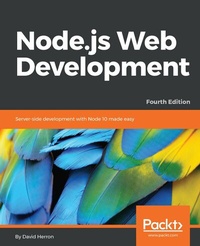
Node.js Web Development
Server-side development with Node 10 made easy
4th Edition
Published on 3. June 2024
492 pages
978-1-78862-736-8 (ISBN)
Description

Create real-time applications using Node.js 10, Docker, MySQL, MongoDB, and Socket.IO with this practical guide and go beyond the developer\'s laptop to cover live deployment, including HTTPS and hardened security.Key Features - Learn server-side JavaScript coding through the most up-to-date book on Node.js
- Explore the latest JavaScript features, and EcmaScript modules
- Walk through different stages of developing robust applications using Node.js 10
Book Description Node.js is a server-side JavaScript platform using an event-driven, non-blocking I/O model allowing users to build fast and scalable data-intensive applications running in real time. This book gives you an excellent starting point, bringing you straight to the heart of developing web applications with Node.js. You will progress from a rudimentary knowledge of JavaScript and server-side development to being able to create, maintain, deploy and test your own Node.js application.You will understand the importance of transitioning to functions that return Promise objects, and the difference between fs, fs/promises and fs-extra. With this book you'll learn how to use the HTTP Server and Client objects, data storage with both SQL and MongoDB databases, real-time applications with Socket.IO, mobile-first theming with Bootstrap, microservice deployment with Docker, authenticating against third-party services using OAuth, and use some well known tools to beef up security of Express 4.16 applications. What you will learn - Install and use Node.js 10 for both development and deployment
- Use the Express 4.16 application framework
- Work with REST service development using the Restify framework
- Use data storage engines such as MySQL, SQLITE3, and MongoDB
- Use User authentication methods with OAuth2
- Perform Real-time communication with the front-end using Socket.IO
- Implement Docker microservices in development, testing and deployment
- Perform unit testing with Mocha 5.x, and functional testing with Puppeteer 1.1.x
- Work with HTTPS using Let's Encrypt, and application security with Helmet
Who this book is forThis book is for anybody looking for an alternative to the "P" languages (Perl, PHP, and Python), or anyone looking for a new paradigm of server-side application development. You should have at least a rudimentary understanding of JavaScript and web application development.
- Explore the latest JavaScript features, and EcmaScript modules
- Walk through different stages of developing robust applications using Node.js 10
Book Description Node.js is a server-side JavaScript platform using an event-driven, non-blocking I/O model allowing users to build fast and scalable data-intensive applications running in real time. This book gives you an excellent starting point, bringing you straight to the heart of developing web applications with Node.js. You will progress from a rudimentary knowledge of JavaScript and server-side development to being able to create, maintain, deploy and test your own Node.js application.You will understand the importance of transitioning to functions that return Promise objects, and the difference between fs, fs/promises and fs-extra. With this book you'll learn how to use the HTTP Server and Client objects, data storage with both SQL and MongoDB databases, real-time applications with Socket.IO, mobile-first theming with Bootstrap, microservice deployment with Docker, authenticating against third-party services using OAuth, and use some well known tools to beef up security of Express 4.16 applications. What you will learn - Install and use Node.js 10 for both development and deployment
- Use the Express 4.16 application framework
- Work with REST service development using the Restify framework
- Use data storage engines such as MySQL, SQLITE3, and MongoDB
- Use User authentication methods with OAuth2
- Perform Real-time communication with the front-end using Socket.IO
- Implement Docker microservices in development, testing and deployment
- Perform unit testing with Mocha 5.x, and functional testing with Puppeteer 1.1.x
- Work with HTTPS using Let's Encrypt, and application security with Helmet
Who this book is forThis book is for anybody looking for an alternative to the "P" languages (Perl, PHP, and Python), or anyone looking for a new paradigm of server-side application development. You should have at least a rudimentary understanding of JavaScript and web application development.
More details
Other editions
Additional editions
Book
05/2018
Packt Publishing
€57.50
Shipment within 3-4 weeks
Previous edition
David Herron
Node.js Web Development
Create real-time server-side applications with this practical, step-by-step guide
E-Book
06/2024
3rd Edition
Packt Publishing Limited
from
€37.19
Available for download
Person
Herron David :
David Herron is a software engineer living in Silicon Valley who has worked on projects ranging from an X.400 email server to being part of the team that launched the OpenJDK project, to Yahoo's Node.js application-hosting platform, and a solar array performance monitoring service. That took David through several companies until he grew tired of communicating primarily with machines, and developed a longing for human communication. Today, David is an independent writer of books and blog posts covering topics related to technology, programming, electric vehicles, and clean energy technologies.
David Herron is a software engineer living in Silicon Valley who has worked on projects ranging from an X.400 email server to being part of the team that launched the OpenJDK project, to Yahoo's Node.js application-hosting platform, and a solar array performance monitoring service. That took David through several companies until he grew tired of communicating primarily with machines, and developed a longing for human communication. Today, David is an independent writer of books and blog posts covering topics related to technology, programming, electric vehicles, and clean energy technologies.
Content
Table of Contents - About Node.js
- Setting up Node.js
- Node.js Modules
- HTTP Servers and Clients
- Your First Express Application
- Implementing the Mobile-First Paradigm
- Data Storage and Retrieval
- Multiuser Authentication the Microservice Way
- Dynamic Client/Server Interaction with Socket.IO
- Deploying Node.js Applications
- Unit Testing
- Security
- Setting up Node.js
- Node.js Modules
- HTTP Servers and Clients
- Your First Express Application
- Implementing the Mobile-First Paradigm
- Data Storage and Retrieval
- Multiuser Authentication the Microservice Way
- Dynamic Client/Server Interaction with Socket.IO
- Deploying Node.js Applications
- Unit Testing
- Security
