

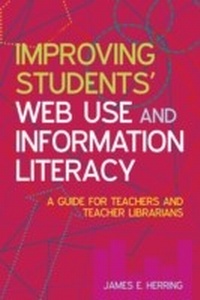
Improving Students' Web Use and Information Literacy
Description

The web is now an integral part of students' lives in school and in society, and they need to be ever more web alert in order to gain the most from their education. What teachers and teacher librarians badly need to help them achieve this is a professional tool that combines knowledge and use of the web, Web 2.0 tools and information literacy for schools.
This book fulfils that need by providing a practical guide to using the web effectively in order to enhance learning and teaching in schools. It does this by focusing on the knowledge and skills needed by teachers and teacher librarians to be information literate web users and to develop these abilities in their students. It then focuses on using Web 2.0 tools to create learning resources for students which will develop them as reflective web learners as well as web users.
Key areas covered include:
- learning and teaching in today's schools
- finding and using information on the web
- evaluating websites
- Web 2.0 and schools
- information literacy
- improving student use of the web
- developing learning websites for student use
- the next phase of ICT in schools.
Set in a context of theory, this guide offers many examples of best practice in schools from a range of countries. Packed full with ideas which teachers and teacher librarians can use in their own schools, it is unique in providing a guide to the creation of learning websites, which combine subject learning, mediated resources for students, information literacy guidance (including effective web use), and student assignments.
Readership: This much-needed book is a vital resource for teachers and teacher librarians, as well as being of strategic interest to school principals. It should be on the reading lists of all trainee teachers and librarians.
All prices
More details
Other editions
Additional editions
Person
James E Herring PhD MA(Lib) MA(Hons) is a Lecturer in Teacher Librarianship at the School of Information Studies, Charles Sturt University, Australia who teaches from his home in Scotland for most of the year. He is an internationally acclaimed authority on information literacy and ICT in schools.
Content
Introduction
- The aims of this book
- The structure of the book
- Who should read this book?
1. The big picture: learning and teaching in today's schools
- Introduction
- The purposes of education and schools
- Learning theories
- Teaching in schools
- Incorporating the web into teaching
- Collaboration between teachers and teacher librarians
- Conclusion
- References
2. Finding and using information on the web
- Introduction
- Search engines
- Effective searching
- In-service training on effective searching
- Conclusion
- References
3. Evaluating websites
- Introduction
- Website evaluation criteria
- Conclusion
- References
4. Web 2.0
- Introduction
- What is web 2.0
- Conclusion
- References
5. Information literacy
- Introduction
- Definitions of information literacy
- Information literacy models
- Information literacy and transfer
- Collaboration between teachers and teacher librarians
- In-service training on information literacy
- Conclusion
- References
6. Improving student use of the web
- Introduction
- Planning for web searching
- Using effective search strategies
- Evaluating websites and web-based information
- Reading for information
- Reflecting on web use
- Developing a personal model for web use
- Conclusion
- References
7. Developing learning websites for student use - design and tools
- Introduction
- Learning websites
- Website design
- Website development tools
- In-service training on website design
- Conclusion
- References
8. Developing learning websites for student use - content
- Introduction
- Subject content
- Developing e-pathfinders as learning websites
- References
9. The next phase of ICT in schools
- Introduction
- 21st-century skills
- Future developments on the web
- Future learning technologies in schools
- Future roles for the teacher and teacher librarian
- Developing information literate students
- Conclusion
- References
Bibliography
