

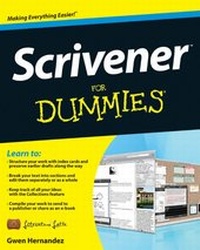
Scrivener For Dummies
Published on 30. July 2012
384 pages
978-1-118-31245-2 (ISBN)
Description

No matter what you want to write, Scrivener makes iteasier.
Whether you're a planner, a seat-of-the-pants writer, orsomething in between, Scrivener provides tools for every stageof the writing process. Scrivener ForDummies walks you step-by-step through this popularwriting software's best features. This friendly ForDummies guide starts with the basics, buteven experienced scriveners will benefit from the helpful tipsfor getting more from their favourite writing software.
* Walks you through customizing project templates for yourproject needs
* Offers useful advice on compiling your project for print ande-book formats
* Helps you set up project and document targets and minimizedistractions to keep you on track and on deadline
* Explains how to storyboard with the corkboard, createcollections, and understand their value
* Shows you how to use automated backups to protect your hardwork along the way
From idea inception to manuscript submission, Scrivenerfor Dummies makes it easier than ever toplan, write, organize, and revise your masterpiece inScrivener.
Whether you're a planner, a seat-of-the-pants writer, orsomething in between, Scrivener provides tools for every stageof the writing process. Scrivener ForDummies walks you step-by-step through this popularwriting software's best features. This friendly ForDummies guide starts with the basics, buteven experienced scriveners will benefit from the helpful tipsfor getting more from their favourite writing software.
* Walks you through customizing project templates for yourproject needs
* Offers useful advice on compiling your project for print ande-book formats
* Helps you set up project and document targets and minimizedistractions to keep you on track and on deadline
* Explains how to storyboard with the corkboard, createcollections, and understand their value
* Shows you how to use automated backups to protect your hardwork along the way
From idea inception to manuscript submission, Scrivenerfor Dummies makes it easier than ever toplan, write, organize, and revise your masterpiece inScrivener.
More details
Other editions
Additional editions
Person
Gwen Hernandez conducts online training courses in Scrivener. An aspiring romance author, she has worked as a programmer, a business school instructor, and a manufacturing engineer.
Content
Introduction 1
Part I: Getting to Know Scrivener 7
Chapter 1: Getting Started in Scrivener 9
Chapter 2: Organizing Your Work with the Binder 21
Part II: Meeting the Inspector 43
Chapter 3: Working with the Synopsis 45
Chapter 4: Tracking Scene Elements with Metadata 51
Chapter 5: Working with Document Support Panes 67
Part III: Starting to Write 93
Chapter 6: Introducing the Editor: Where the Magic Happens95
Chapter 7: Getting Rid of Distractions with Composition Mode119
Chapter 8: Planning Your Project with the Corkboard 129
Chapter 9: Getting a High-Level View of Your Project with theOutliner 145
Chapter 10: Marking Up Your Text with Inline Annotations andComments 159
Chapter 11: Citing Your Sources with Footnotes 171
Part IV: Getting Your Manuscript Out There 183
Chapter 12: Setting Up the Compile Options 185
Chapter 13: Exporting Your Project with Compile 227
Part V: Customizing Your Scrivener Experience 245
Chapter 14: Setting Word Count Goals and Checking Progress247
Chapter 15: Saving Time with Custom Layouts and ProjectTemplates 261
Chapter 16: Creating Useful Forms with Document Templates277
Part VI: Getting the Most Out of Scrivener 285
Chapter 17: Searching High and Low 287
Chapter 18: Creating Collections for Quick Access to RelatedFiles 305
Chapter 19: Saving Versions of Your Files with Snapshots 319
Chapter 20: Tracking Your Revisions 333
Chapter 21: Protecting Your Work with Automatic and ManualBackups 341
Part VII: The Part of Tens 349
Chapter 22: Ten Awesome Features That Didn't Fit AnywhereElse 351
Chapter 23: Ten Ways to Get More Help 359
Index 363
Part I: Getting to Know Scrivener 7
Chapter 1: Getting Started in Scrivener 9
Chapter 2: Organizing Your Work with the Binder 21
Part II: Meeting the Inspector 43
Chapter 3: Working with the Synopsis 45
Chapter 4: Tracking Scene Elements with Metadata 51
Chapter 5: Working with Document Support Panes 67
Part III: Starting to Write 93
Chapter 6: Introducing the Editor: Where the Magic Happens95
Chapter 7: Getting Rid of Distractions with Composition Mode119
Chapter 8: Planning Your Project with the Corkboard 129
Chapter 9: Getting a High-Level View of Your Project with theOutliner 145
Chapter 10: Marking Up Your Text with Inline Annotations andComments 159
Chapter 11: Citing Your Sources with Footnotes 171
Part IV: Getting Your Manuscript Out There 183
Chapter 12: Setting Up the Compile Options 185
Chapter 13: Exporting Your Project with Compile 227
Part V: Customizing Your Scrivener Experience 245
Chapter 14: Setting Word Count Goals and Checking Progress247
Chapter 15: Saving Time with Custom Layouts and ProjectTemplates 261
Chapter 16: Creating Useful Forms with Document Templates277
Part VI: Getting the Most Out of Scrivener 285
Chapter 17: Searching High and Low 287
Chapter 18: Creating Collections for Quick Access to RelatedFiles 305
Chapter 19: Saving Versions of Your Files with Snapshots 319
Chapter 20: Tracking Your Revisions 333
Chapter 21: Protecting Your Work with Automatic and ManualBackups 341
Part VII: The Part of Tens 349
Chapter 22: Ten Awesome Features That Didn't Fit AnywhereElse 351
Chapter 23: Ten Ways to Get More Help 359
Index 363
